이번 포스팅은 Tomcat 9.0 버전에서 특정상황(ex host변조 등)에 노출될 수 있는 tomcat 에러페이지를 노출 시키지 않게 설정하는 방법이다.
해당 조치는 tomcat 9.0에서 조치한 내용임으로 9.0 미만 버전대에서는 정상동작하지 않을 수 있다.
내가 테스트한 환경은 서버에 요청을 보낼때 host부분을 변조시키면
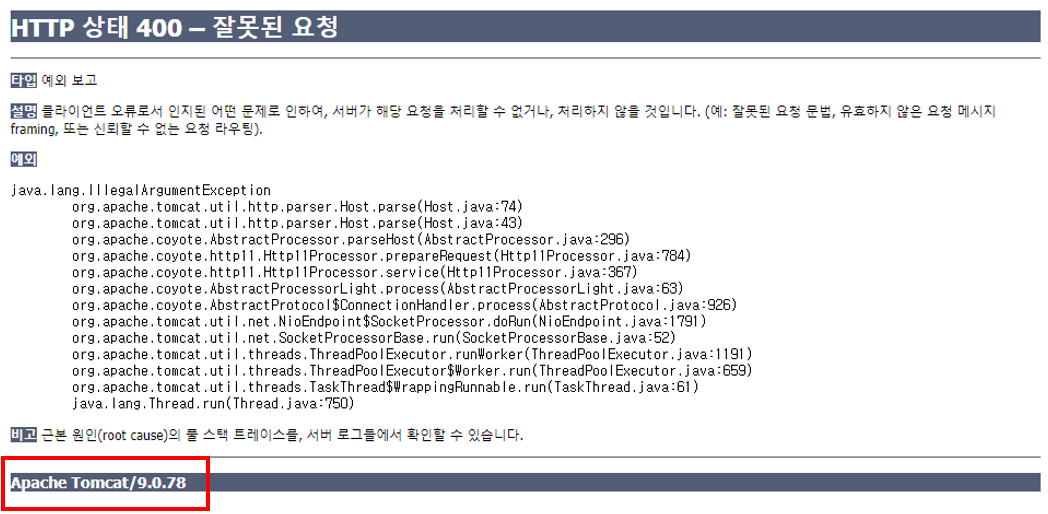
이렇게 톰캣의 버전 정보가 노출이 되었다.
여기서 할 수 있는 조치는
1. 버전 정보만 노출이 안되도록
2. 에러페이지 자체가 노출이 안되고 커스텀으로 제작한 에러페이지가 노출되도록
이렇게 두가지 조치가 가능하다.
1) 톰캣 버전 정보만 노출 제거
파일경로
/tomcat/lib/catalina.jarcatalina.jar파일을 압축 풀면 META-INF, org 두 개의 디렉토리가 나온다. 그리고 아래의 경로의 ServerInfo.properties파일을 변경하면 된다.
catalina/org/apache/catalina/util/ServerInfo.properties변경 전
# Licensed to the Apache Software Foundation (ASF) under one or more
# contributor license agreements.  See the NOTICE file distributed with
# this work for additional information regarding copyright ownership.
# The ASF licenses this file to You under the Apache License, Version 2.0
# (the "License"); you may not use this file except in compliance with
# the License.  You may obtain a copy of the License at
#
#     http://www.apache.org/licenses/LICENSE-2.0
#
# Unless required by applicable law or agreed to in writing, software
# distributed under the License is distributed on an "AS IS" BASIS,
# WITHOUT WARRANTIES OR CONDITIONS OF ANY KIND, either express or implied.
# See the License for the specific language governing permissions and
# limitations under the License.

server.info=Apache Tomcat/9.0.37
server.number=9.0.37.0
server.built=Jun 30 2020 20:09:49 UTC
변경 후
# Licensed to the Apache Software Foundation (ASF) under one or more
# contributor license agreements.  See the NOTICE file distributed with
# this work for additional information regarding copyright ownership.
# The ASF licenses this file to You under the Apache License, Version 2.0
# (the "License"); you may not use this file except in compliance with
# the License.  You may obtain a copy of the License at
#
#     http://www.apache.org/licenses/LICENSE-2.0
#
# Unless required by applicable law or agreed to in writing, software
# distributed under the License is distributed on an "AS IS" BASIS,
# WITHOUT WARRANTIES OR CONDITIONS OF ANY KIND, either express or implied.
# See the License for the specific language governing permissions and
# limitations under the License.

server.info=Apache Tomcat
server.number=
server.built=Jun 30 2020 20:09:49 UTC**
server 정보에서 버전정보만 제거 한후 다시 jar파일로 압축해서 tomcat 재기동을 하면 된다.
그러면 아래와 같이 조치 완료된 모습을 확인 가능하다.
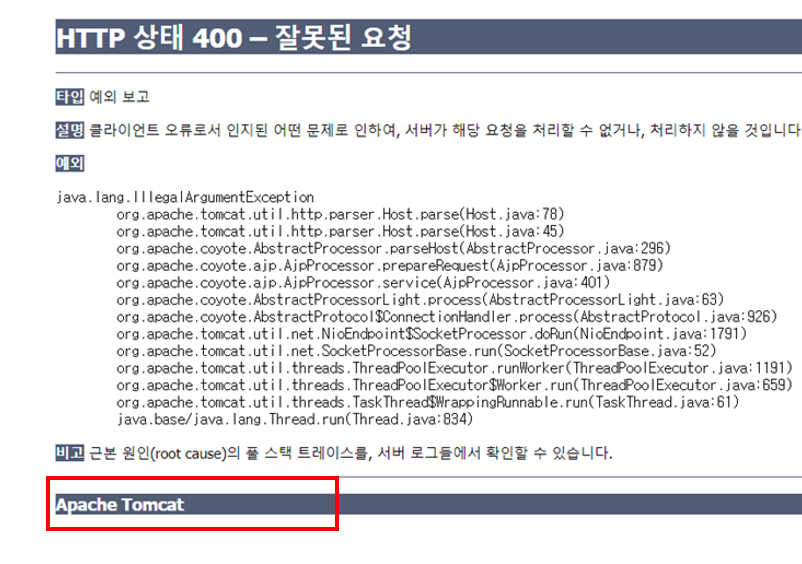
2) 톰캣 에러페이지 노출 제거
위와 같이 설정하려면 tomcat/conf/server.xml에서 아래 태그 1개만 추가하면 된다.
<Valve className="org.apache.catalina.valves.ErrorReportValve" showReport="false" showServerInfo="false" errorCode.400="{보여줄 에러페이지의 절대경로}"/>💡 주의할 점은 꼭 확장자가 .html이여야 한다. jsp는 동작하지 않는다