
TypeScript Overview
TS는 무엇인가?
"TS = JS + A Type System"
TypeSystem의 목적은 개발 과정에서 오류를 잡아내기 위함입니다.
Type Annotaion을 사용해 코드를 분석하고 오류를 발견할 수 있습니다.
Type System은 개발 중에만 활성화 됩니다. 즉, 브라우저단계에 진입하면 사라집니다.
TS를 사용하기 위해서는...
- TS Code(JS + type annotaion) 작성
- TS compiler가 필요합니다.
Environment SetUp
1. npm install -g typescript ts-node

+tsc --help // 명령어 확인 가능
2. install VScode, Open it
3. Command Palette, PATH check4. install Extensions
: Prettier
5. Settings > Single Quote, Tab Size:2First App
외부 API에대한 네트워크 요청을 만들고, 데이터를 fetch 및 터미널에 그 데이터를 Print하는 App.
왜 TS를 쓰는지에 집중하면 됩니다. TS의 전형적인 워크플로우를 보고, 이해하면 됩니다.
- 외부 API주소: jsonplaceholder.typicode.com > 사용 할 데이터 확인
ex) https://jsonplaceholder.typicode.com/todos/1
{
  "userId": 1,
  "id": 1,
  "title": "delectus aut autem",
  "completed": false
}
0. cd ./folder
1. npm init -y
2. npm install axios1. make index.ts
2. Code 작성
3. tsc index.ts
4. ts-node index.ts // ts전용 node 실행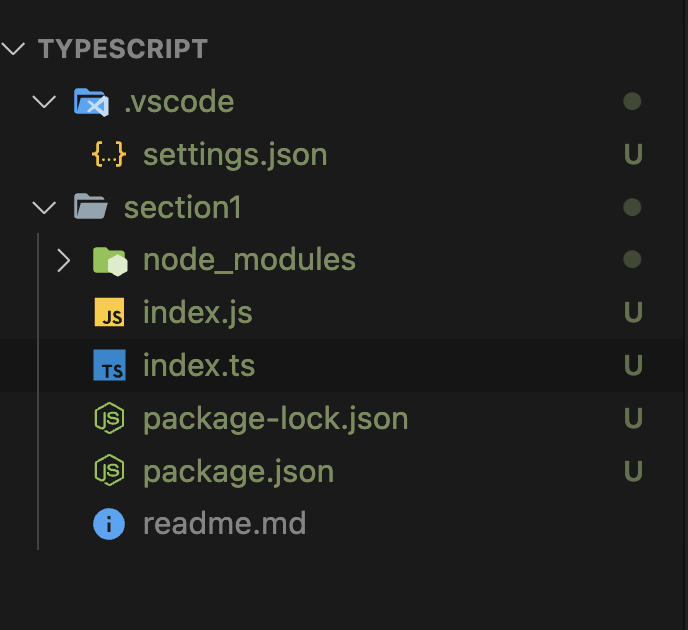
- tsc 실행시 js 파일 생성
- node index.js // 파일 실행 가능
First APP
Example 1

import axios from 'axios'

const url  = 'https://jsonplaceholder.typicode.com/todos/1'

// First TS, Interface
// interface를 통해서 API로부터 어떤 유형의 정보가 들어오는지, 기대할 수 있는지 알렸습니다.

interface Todo {
  id: number;
  title: string;
  completed: boolean;
}

axios.get(url).then(response => {
  const todo = response.data as Todo;

  const id = todo.id;
  const title = todo.title;
  const completed = todo.completed;

  console.log(`
    The Todo with ID: ${id}
    Has a title of: ${title}
    Is it finished? ${completed}
  `)
})


// 더 깔끔한 코드
import axios from 'axios'

const url  = 'https://jsonplaceholder.typicode.com/todos/1'

// First TS, Interface
// interface를 통해서 API로부터 어떤 유형의 정보가 들어오는지, 기대할 수 있는지 알렸습니다.

interface Todo {
  id: number;
  title: string;
  completed: boolean;
}

axios.get(url).then(response => {
  const todo = response.data as Todo;

  const id = todo.id;
  const title = todo.title;
  const completed = todo.completed;

  logTodo(id, title, completed);
})

const logTodo = (id: number, title: string, completed: boolean) => {
  console.log(`
  The Todo with ID: ${id}
  Has a title of: ${title}
  Is it finished? ${completed}
`)
}
Reference
Udemy Stephen Grider - TS

안녕하세요!