자동차 만들어보기
useCompoundBody
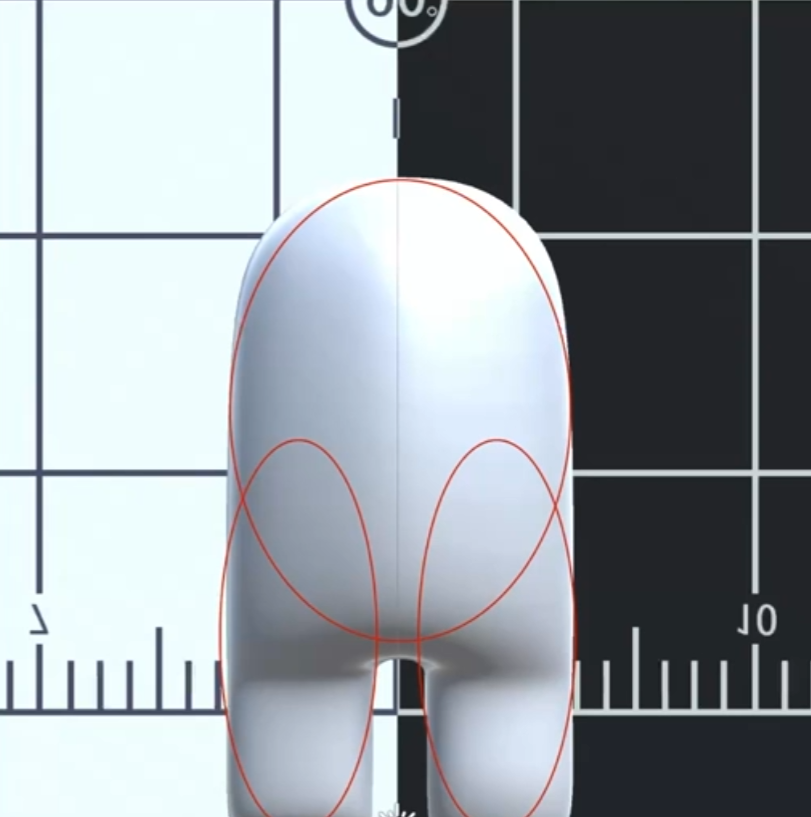
아래의 이미지를 useTrimesh 혹은 useConvexPolyhedron 로 물리엔진을 구현한다면 충돌체에 대한 args 형태를 만들어야함
반면에 이미지의 빨간 원처럼 useCompoundBody 사용하여 세개의 원으로 나누어서 작업을 한다면
성능에도 좋고 충돌 감지도 더 좋음
const [chassisBody, chassisApi] = useBox(() => ({
    args: chassisBodyArgs,
    position,
    mass: 150,
  }));
// 위 코드와 아래코드는 동일한 동작을 함
const [chassisBody, chassisApi] = useCompoundBody(() => ({
    position,
    mass: 150,
    // 각각에 대한 물체의 충돌체 크기
    shapes:[
        {
          args: chassisBodyArgs,
          position:[0,0,0],
          type:'Box'
        },
        {
          ...
        }
    ]
}),useRef(null));
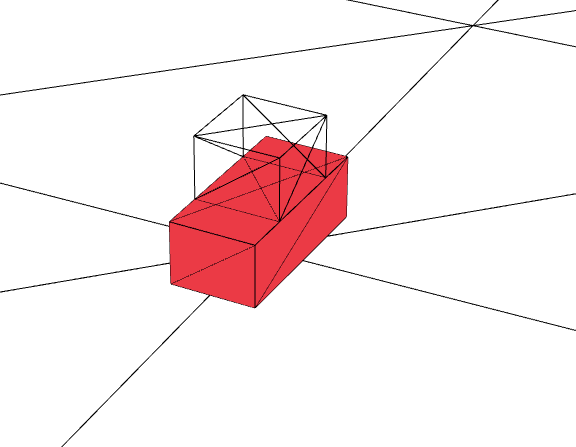
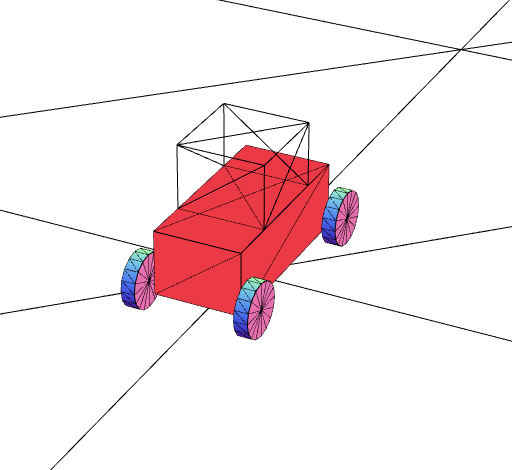
자동차 차체 바디를 만들어보자
const [chassisBody, chassisApi] = useCompoundBody(
    () => ({
     position,
     mass,
     // 각각에 대한 물체의 충돌체 크기
     shapes: [
       {
         args: chassisBodyArgs,
         position: [0, 0, 0],
         type: "Box",
       },
       {
         args: [width, height, front],
         position: [0, height, 0],
         type: "Box",
       },
     ],
   }),
   useRef(null)
);
자동차 바퀴를 만들어보자
const wheelFunc = () => ({
    mass: 50,
    shapes: [
      {
        args: [wheelInfo.radius, wheelInfo.radius, 0.025, 16],
        rotation: [0, 0, -Math.PI / 2],
        type: "Cylinder",
      },
    ],
});

useCompoundBody(wheelFunc, wheels[0]);
useCompoundBody(wheelFunc, wheels[1]);
useCompoundBody(wheelFunc, wheels[2]);
useCompoundBody(wheelFunc, wheels[3]);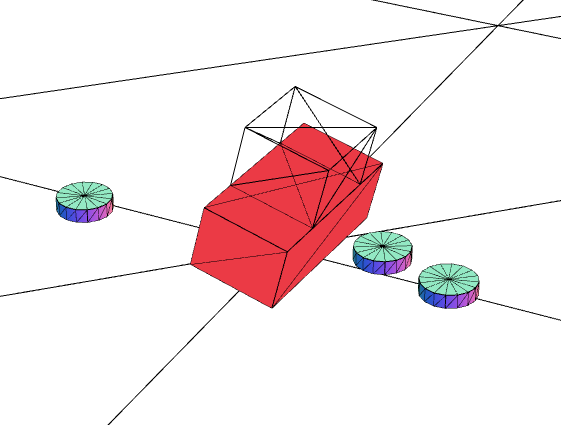
바퀴가 고정이 안되어서 튕겨져 나오는 모습이다
이제는 자동차 차체와 바퀴를 결합시켜주어야 한다
이때 필요한 훅 useRaycastVehicle
useRaycastVehicle
부품들을 연결해주는 훅
이 훅을 이용해 우리가 지금껏 만든 자동차 차체와 바퀴를 결합해줄 것이다
※ 부품 한 개를 만들 때도 즉, shapes 가 하나 더라도 useBox, useCylinder... 가 아닌 useCompoundBody로 만들어주기. 결합이 잘 됨
const [vehicle, vehicleApi] = useRaycastVehicle(() => ({
    chassisBody, // 차체 바디 ref
    wheelInfos, // 바퀴 설정
    wheels, // 바퀴 ref 배열
}));
결합은 완료되었으나 바퀴와 차체끼리 충돌이 발생하여 자동차가 위로 붕 뜨는 현상 발생
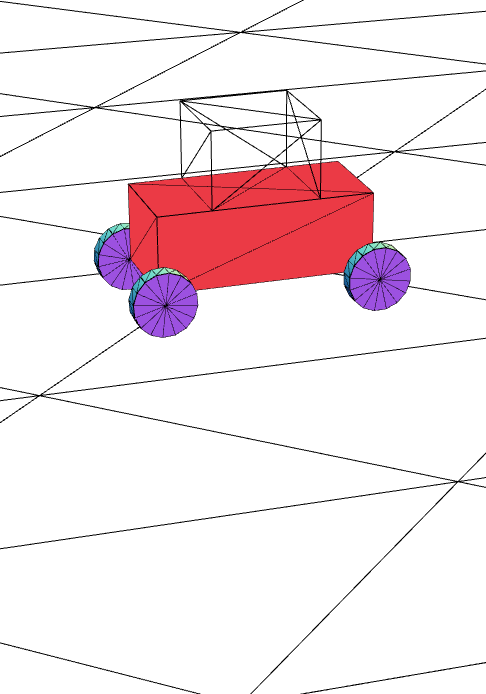
결합된 부분끼리의 충돌 방지를 위해 collisionFilterGroup 을 0으로 설정하기
const wheelFunc = () => ({
    collisionFilterGroup:0
    mass: 50,
  ...
});
✅ 비로써 자동차가 완성되었다

안녕하세요