Flutter (1) - 변수와 자료형
Flutter = makes tree out of widgets.
Basically combines widgets to make something.
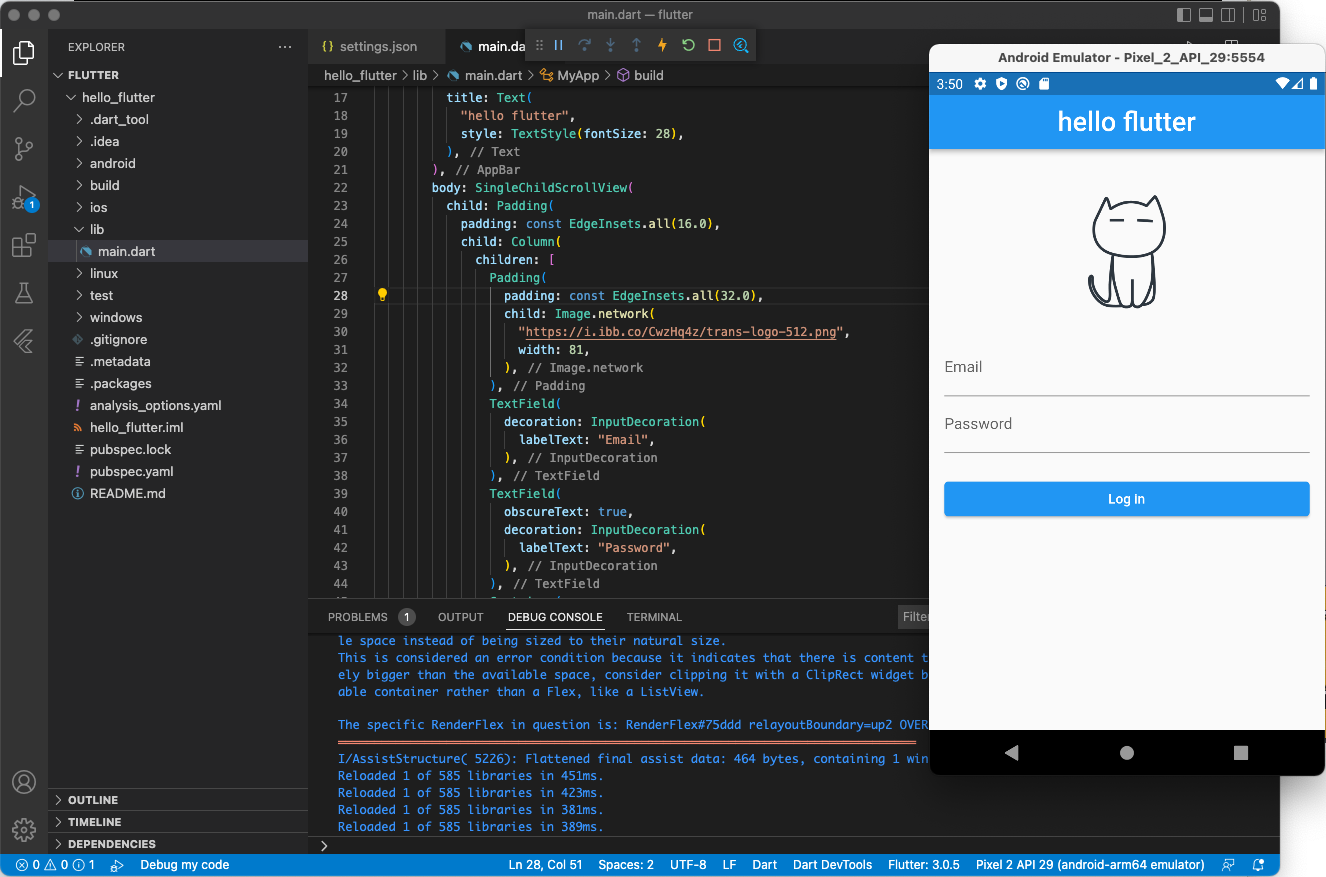
Debug console
: Can check if we have errors.
- Result
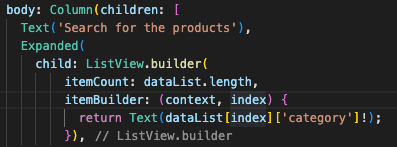
ListView.builder = n개의 요소 개수만큼 돌면서, 그에 대해서 각각 무엇을 만들어 줄 것인가?
-
dataList에 있는 요소들을 돌면서, n번째 dataList에 있는 ['category'] 요소를 프린트하겠다.
-
String
  // 문자열 연산
  print(name + email); // 철수hello@world.com
  print(name + " " + email); // 철수 hello@world.com

  // 문자열 속에 변수값 할당
  print("name email"); // 변수가 아닌 name과 email 문자열 출력
  print("$name $email"); // 문자열 안에 변수의 값 넣기 : "$변수명"
  print("${name + email}"); // 문자열 안에 식 넣기 : "${변수명 이외의 것}"

  // 내장함수
  print(email.split('@')); // 문자열 뒤에 .을 찍어서 문자열 내장된 기능을 쓸 수 있어요.
}- int = 정수
- double = 실수
void main() {
  // int
  int age = 20; // 정수 입력 가능
  print(age);

  // double
  double longitude = 127.634324; // 실수 입력 가능
  print(longitude);

  // int를 double로 변경
  print(age.toDouble());

  // double을 int로 변경 (소수점 버림)
  print(longitude.toInt());

  // 연산
  print(1 + 2); // 덧셈 = 3
  print(2 * 4); // 곱셈 = 8
  print(4 / 3); // 나누기 = 1.333...
  print(5 % 3); // 5를 3으로 나눈 나머지 = 2
  print(5 ~/ 3); // 5를 3으로 나눈 몫 = 1
}- bool
void main() {
  print(true); // 참 = true
  print(false); // 거짓 = false
  print(!true); // !는 not의 의미 = false

  // 비교 연산의 결과는 bool
  print(1 == 1); // == : 두 값이 같은지 비교. 1과 1은 같음 = true
  print(1 != 2); // != : 두 값이 다른지 비교. 1과 2는 서로 다름 = true
  print(1 > 2); // 1은 2보다 작음 = false
  print("hello" == 'hello'); // 같은 문자열이므로 true

  var myNumber = 1;
  var answerNumber = 5;

  // 참거짓을 판단하여 흐름을 변경하는 조건문과 함께 사용합니다.
  if(myNumber == answerNumber) {
    print("당첨"); // true인 경우 실행
  } else {
    print("꽝"); // false인 경우 실행
  }
}
- List
void main() {
// 배열 생성
List<String> fruits = ["바나나"]; // 문자열만 담을 수 있는 배열을 생성합니다.
print(fruits);
print("fruits 개수 : ${fruits.length}"); // 개수 조회

// 추가
print('--------- 추가 -----------');
fruits.add('딸기'); // 딸기 추가
print(fruits);

fruits.add('배'); // 배 추가
print(fruits);

// fruits.add(1); // fruits 타입이 List<String>이므로 문자열만 추가 가능

// 조회
print('--------- 조회 -----------');
print(fruits[0]); // 배열에 0번째 원소 꺼내기
print(fruits[1]); // 배열에 1번째 원소 꺼내기


// 수정
print('--------- 수정 -----------');
print(fruits);
fruits[0] = "키위"; // 0번째 바나나를 키위로 수정
print(fruits);


// 삭제
print('--------- 삭제 -----------');
fruits.remove('딸기'); // 딸기와 일치하는 값이 제거됩니다.
print(fruits);
fruits.removeAt(0); /```

비전공자의 웹개발 log(와 개인적 기록)