126. Default Parameters
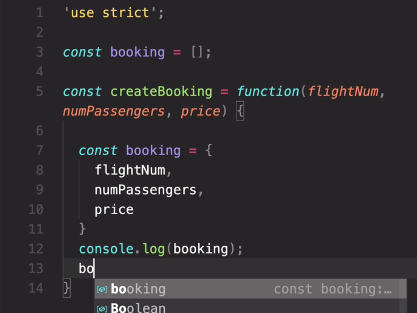
flightNum: flightNum 안해도 됨.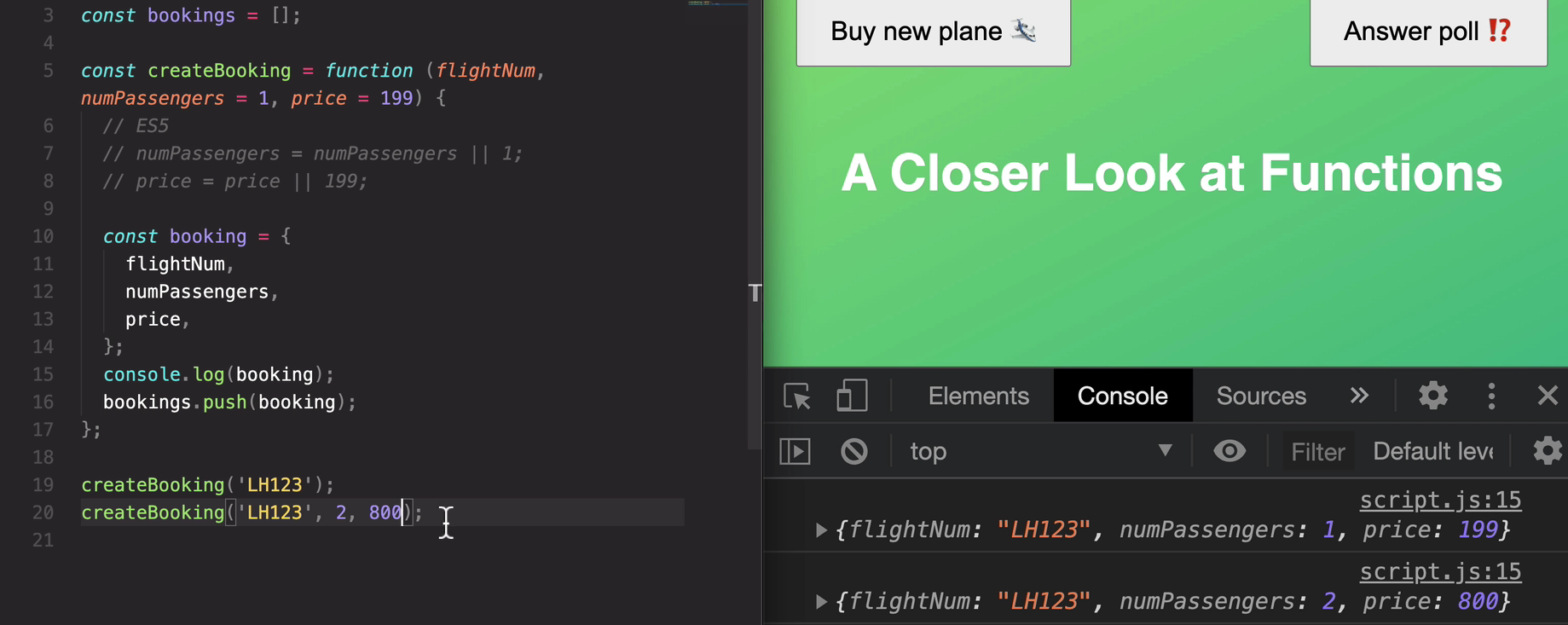
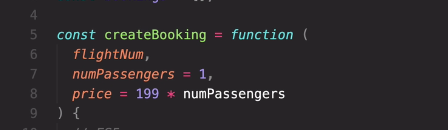
이렇게도 가능

기본값으로 받고싶을때 undefined라고 하면됨.
127. How Passing Arguments Works: Value vs. Reference
????
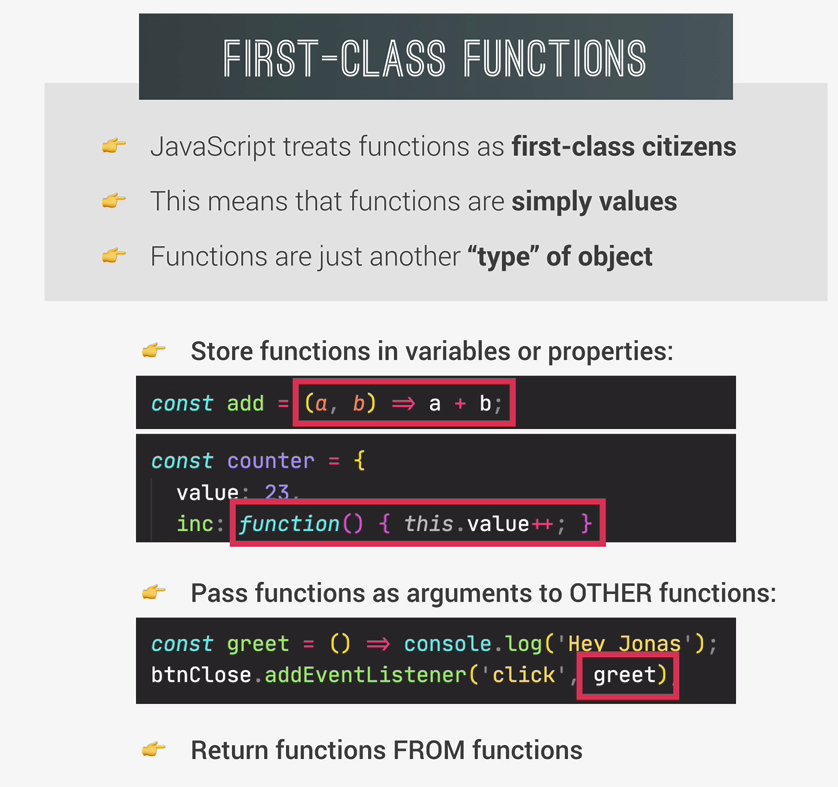
128. First-Class and Higher-Order Functions

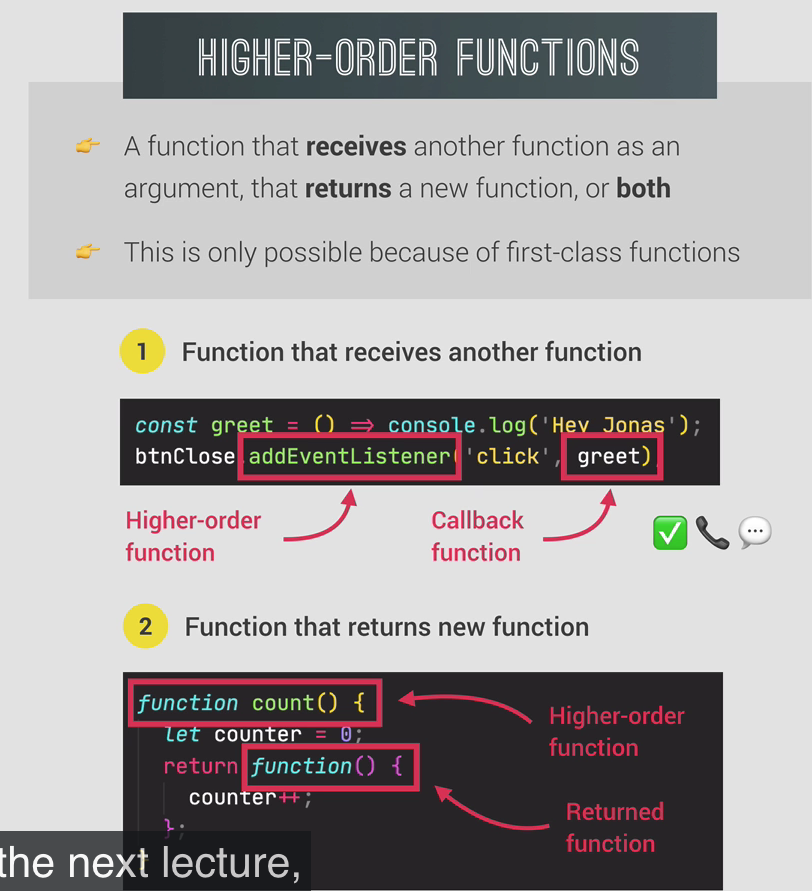
129. Functions Accepting Callback Functions
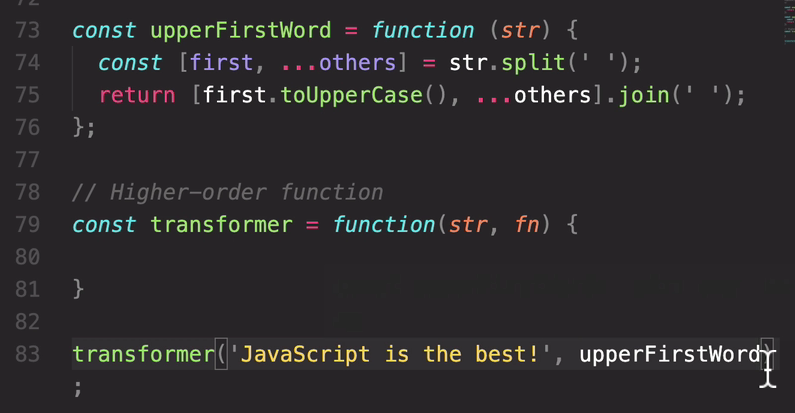
->how we are only passing in the function value itself.
So really just the value, we are not calling this function here.
Okay, We are only passing it in and it will be to transformer function calling this function.
but then the transformed string indeed, was transformed just as we hoped it would.
So the first word is the uppercase. And so that is of course the work of this function here.
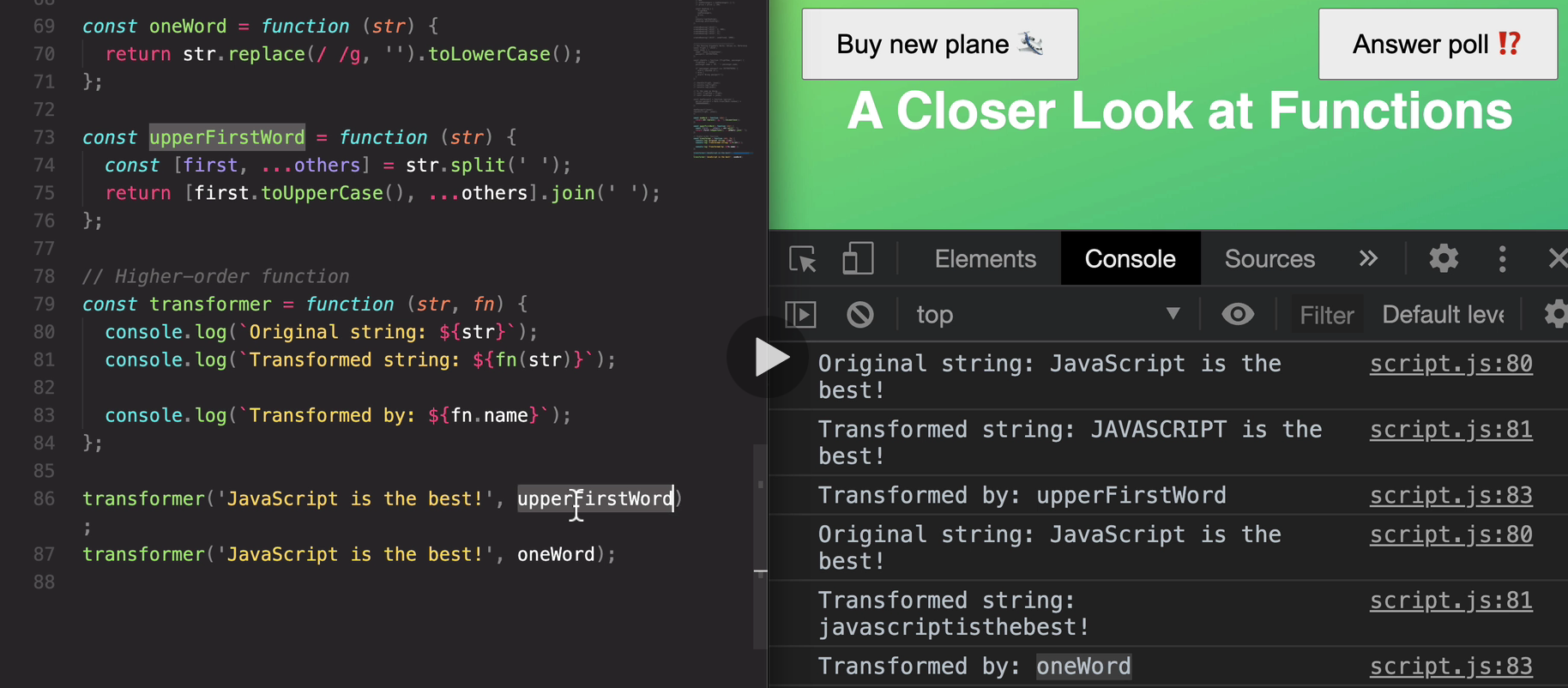
So let's recap, we're calling the transformer function here and into that function we are passing the callback function
and remember that we call these functions that we pass.
**So this one and this one, the callback functions. And that's because we do not call them ourselves.
But instead we call JavaScript to basically tell them later.
**

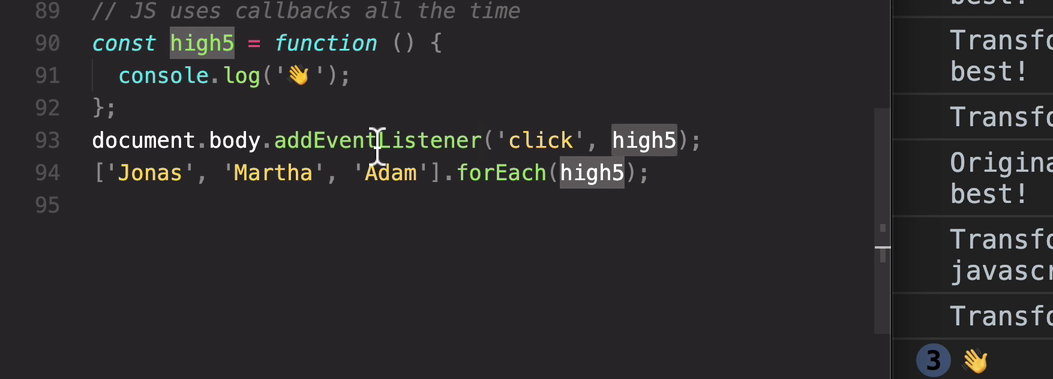
->And in this case,
calling them later happens right here.
130. Functions Returning Functions
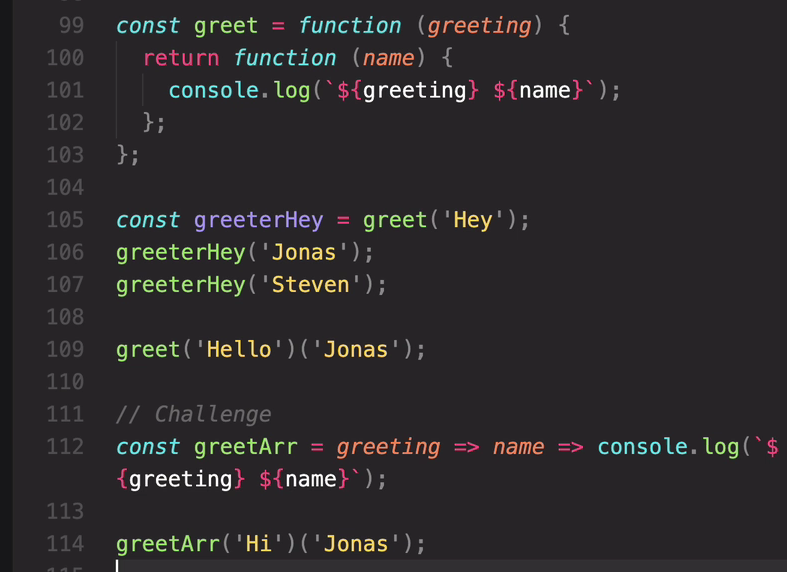
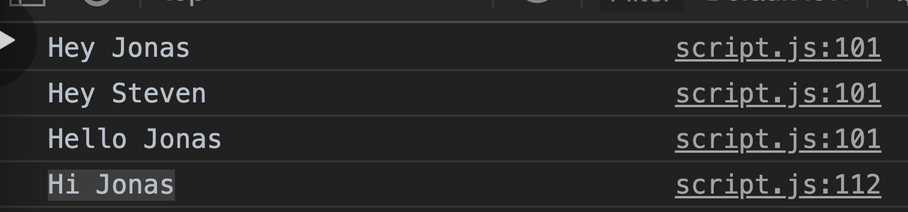
131. The call and apply Methods
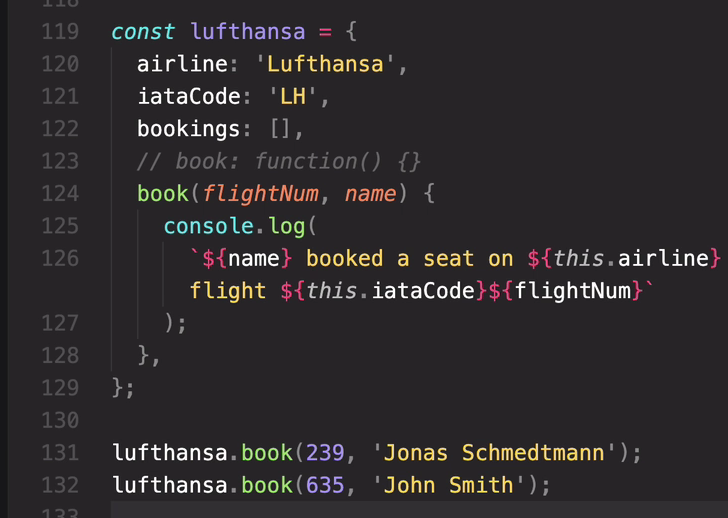
And so it's important to understand that the this keyword here points to the lufthansa object itself
because that's the object on which the book method here was called.
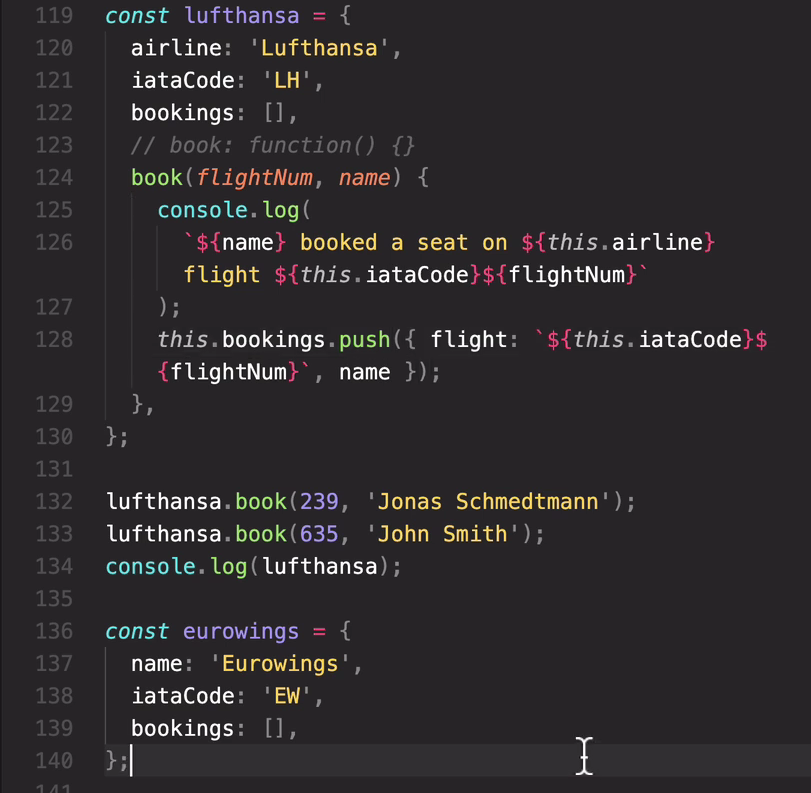

오류 뜨는 이유?
Well, it's because this function here, the book function is now just a regular function call.
in a regular function call,the this keyword points to undefined, at least in strict mode.
So once more, this book function is no longer this method. Okay?
bbook(23,'sarah')는 위에 book(flightNum,name) method가 아니다
it's not a function
And so here it's a regular function call.
And so therefore, the this keyword inside of it will now point to undefined.
how to fix then?
So if we want to book a Lufthansa flight, the this keyword should point to Lufthansa
but if we want to book a Eurowings flight, then the this keyword should point to Eurowings.
there are three methods to do that and they are call, apply, bind
call method
the first argument is exactly what we want the this keyword to point to. and then as usual, the rest of the arguments.

So this time, we did actually not call the book function ourselves.
Instead, we called the call method and it's then this call method, which will call the book function
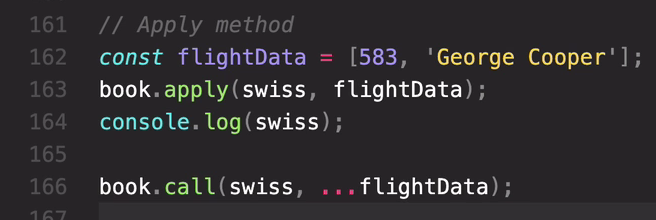
apply === call ...같이쓰면 똑같다
132. The bind Method
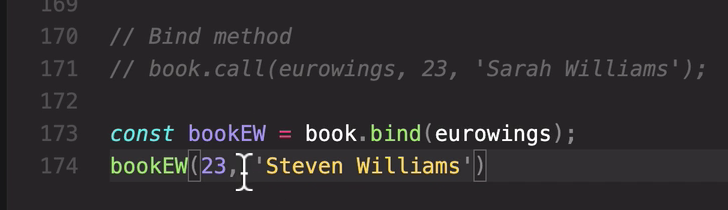

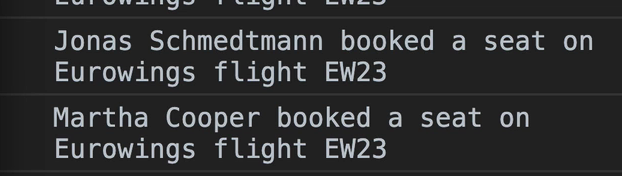
name만 있으면된다 이미 23 해서.
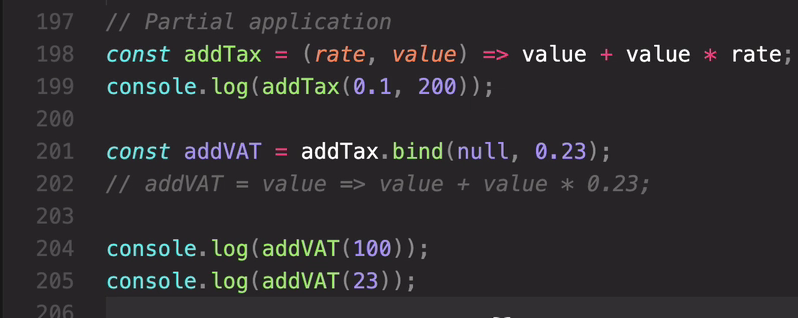
값 123, 28.29
and then the first argument of bind is this keywords, remember?
But in this case, we don't care about the this keyword at all.
It's not even here in the function.
And so, we just say, null. It could be any other value
because nothing will happen with it,
but it's kind of a standard to just use null.
And now we can set the rate here. 23%
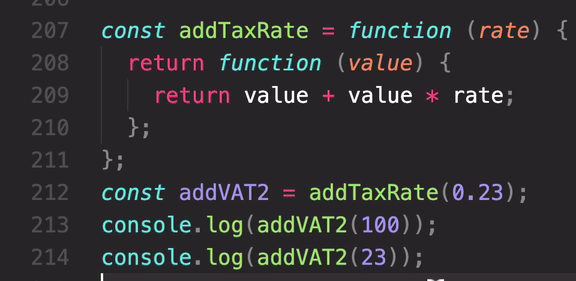
똑같이 123, 28.29
- Coding Challenge #1
Let's build a simple poll app!
A poll has a question, an array of options from which people can choose, and an array with the number of replies for each option. This data is stored in the starter object below.
Here are your tasks:

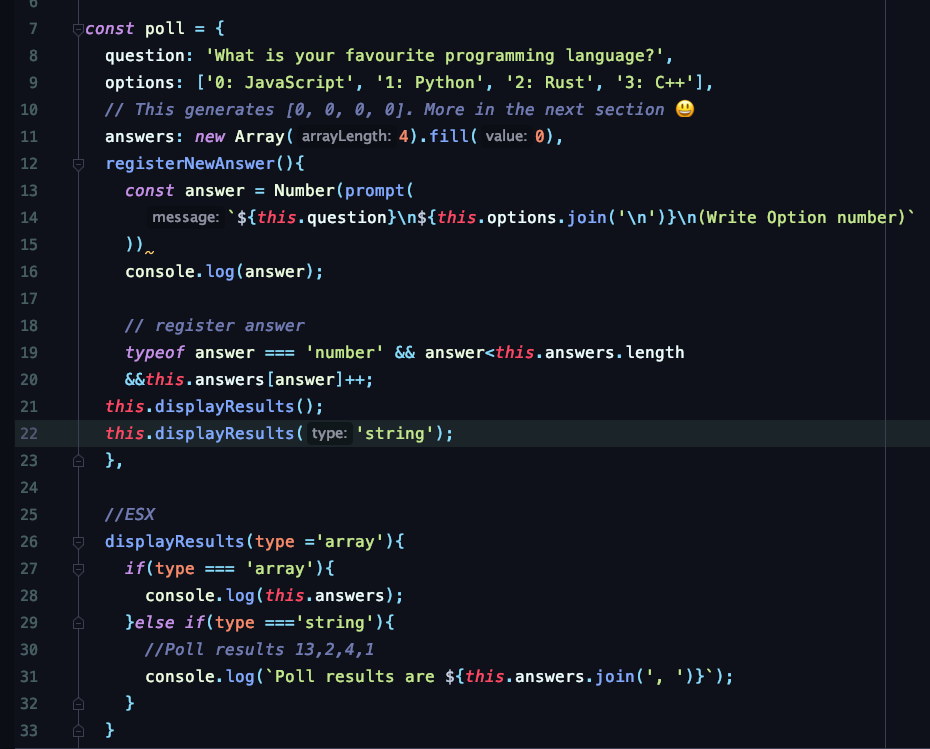
1. Create a method called 'registerNewAnswer' on the 'poll' object. The method does 2 things:
1.1. Display a prompt window for the user to input the number of the selected option. The prompt should look like this:
What is your favourite programming language?
0: JavaScript
1: Python
2: Rust
3: C++
(Write option number)
1.2. Based on the input number, update the answers array. For example, if the option is 3, increase the value AT POSITION 3 of the array by 1. Make sure to check if the input is a number and if the number makes sense (e.g answer 52 wouldn't make sense, right?)
2. Call this method whenever the user clicks the "Answer poll" button.
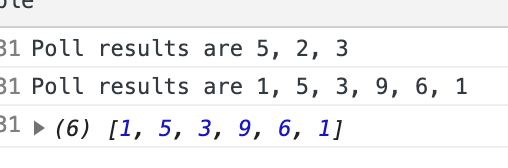
3. Create a method 'displayResults' which displays the poll results. The method takes a string as an input (called 'type'), which can be either 'string' or 'array'. If type is 'array', simply display the results array as it is, using console.log(). This should be the default option. If type is 'string', display a string like "Poll results are 13, 2, 4, 1".
4. Run the 'displayResults' method at the end of each 'registerNewAnswer' method call.
HINT: Use many of the tools you learned about in this and the last section 😉BONUS: Use the 'displayResults' method to display the 2 arrays in the test data. Use both the 'array' and the 'string' option. Do NOT put the arrays in the poll object! So what shoud the this keyword look like in this situation?
BONUS TEST DATA 1: [5, 2, 3]BONUS TEST DATA 2: [1, 5, 3, 9, 6, 1]
GOOD LUCK 😀
const poll = {
question: 'What is your favourite programming language?',
options: ['0: JavaScript', '1: Python', '2: Rust', '3: C++'],
// This generates [0, 0, 0, 0]. More in the next section 😃
answers: new Array(4).fill(0),

134. Immediately Invoked Function Expressions (IIFE)
we need a function that is only executed once.
We want to actually execute a function immediately.
And not even having to save it somewhere.
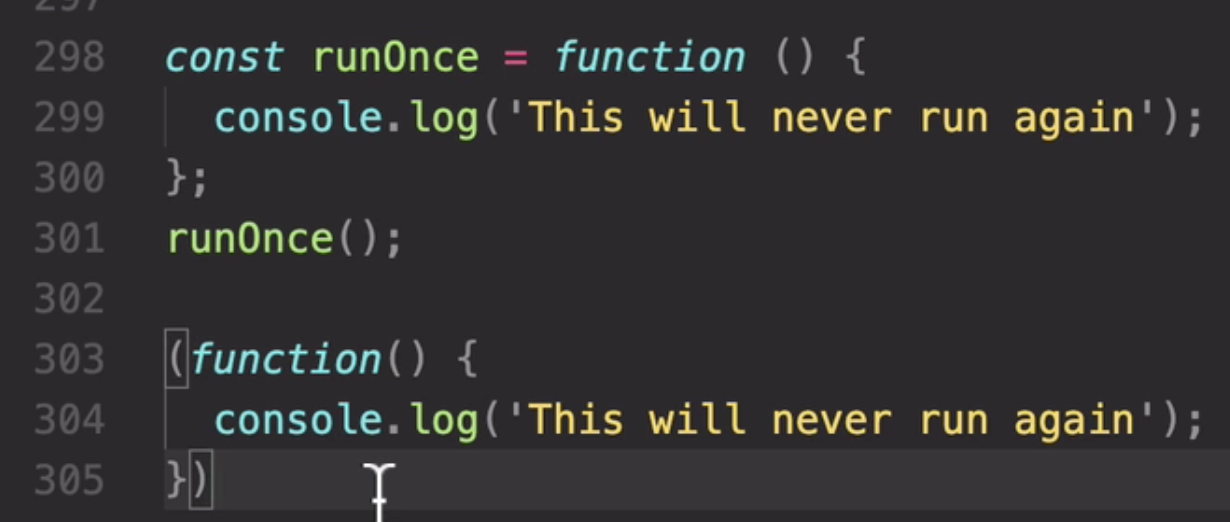
And we do that by simply wrapping all of this into parentheses.
()로 감싸주면 한번만 실행하는것
And so now, we basically transformed the statement that we had before into an expression.
But also this function didn't execute yet, right? We never called it.
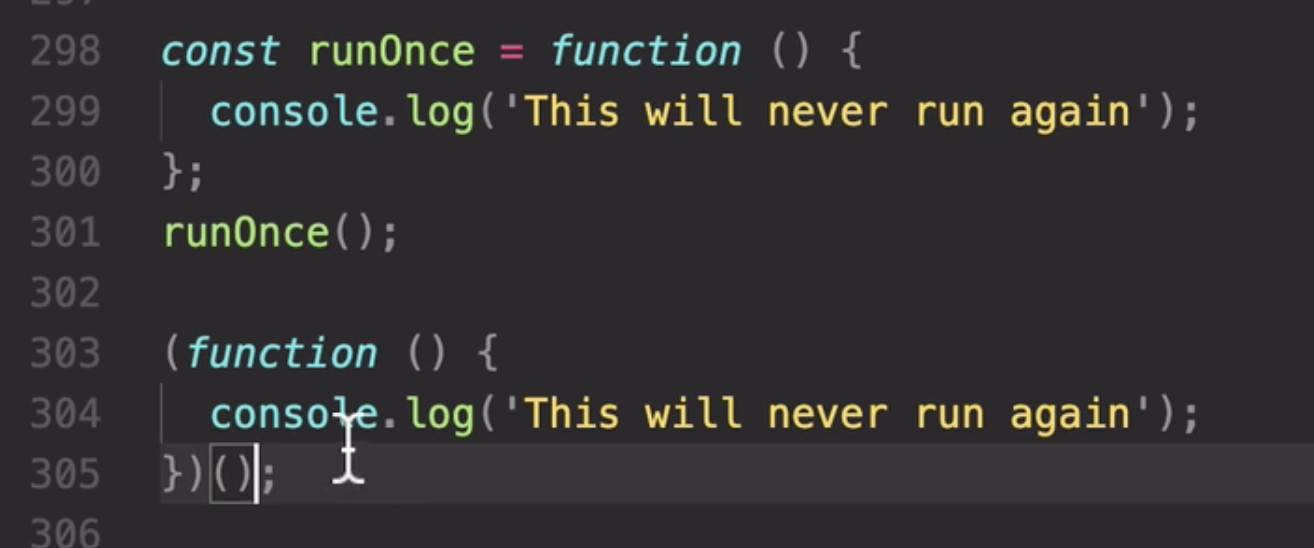
하지만 한번도 부른적이 없다? -> 뒤에 () 붙여주면 실행됨
So we know that this here is the function.
And so, we can then immediately call it.
So again this here,
(function () {
console.log~~~'
} )
is really just the function value. So it's just a function expression.
()
And then immediately, we call it here.
And so this is why this pattern here, is called the Immediately Invoked Function Expression. Or IIFE for short.
Arrow function

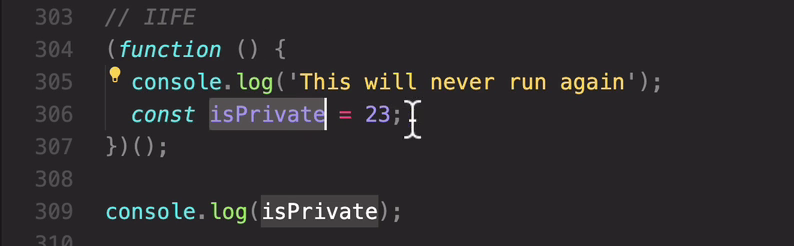
isPrivate is not defined 에러뜸
Therefore, we say that all data defined inside a scope is private.
We also say that this data is encapsulated.
So for example, this is private here is encapsulated inside of this function scope,
these concepts in the object oriented programming section.
But for now, keep in mind that it's important to hide variables.
And that scopes are a good tool for doing this. And this is also the reason why The Immediately Invoked Function Expressions were invented.
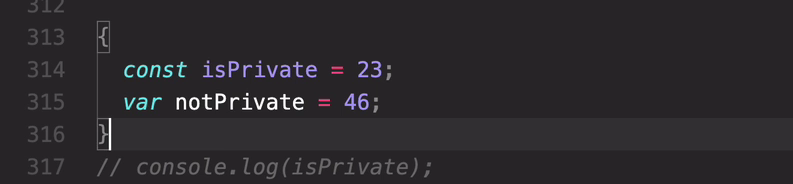
**So when we create a block, like this, and declare is private in there.
Then the outside can still not access is private.**
console.log 결과 gets 46
So that's because this one here was declared with var, and therefore it does completely ignore this block here essentially.