- The Magic of Chaining Methods
-
Coding Challenge #3
4min -
The find Method
Now, unlike the Filter method, the Find method will actually not return a new array


but it will only return the first element in the array that satisfies this condition.
So basically in other words, the first element in the array for which this operation here becomes true
And so basically this here will return to first withdrawal.
So as you see, the Find method is a bit similar to the Filter method,
but there are two fundamental differences.
First Filter returns all the elements that match the condition
while the Find method only returns the first one
and second and even more important,
the Filter method returns a new array while Find only returns the element itself and not an array, okay?


- Implementing Login
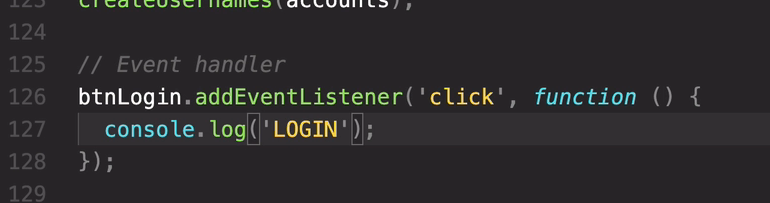
버튼 클릭하면 LOGIN이 뜨고 콘솔이 사라지면서 reload 된다.
because this is the button in a form element
so in HTML, the default behavior , when we click the Submit button , is for the page to reload.
So we need to stop that from happening.
And for that, we need to actually give this function here, the event parameter
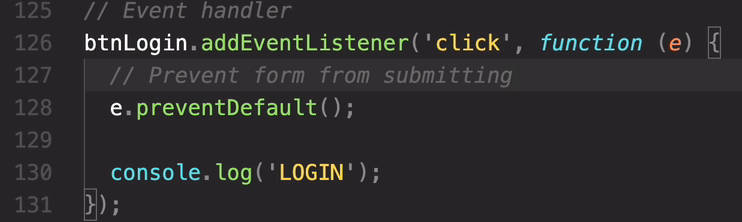
this will then prevent this form from submitting
Now we can see LOGIN on console.
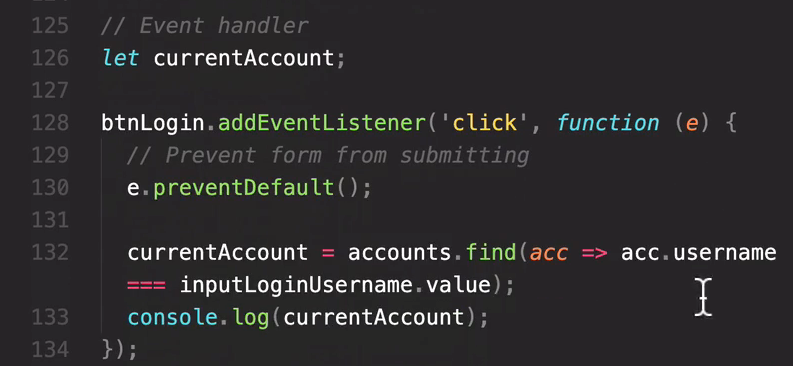

js 입력하면 username에 들어감

undefined 오류 떴을때 이렇게 해결.
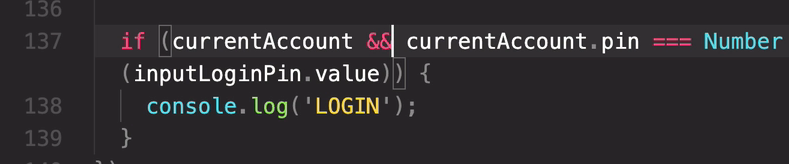
cuurentAccount가 있는지 확인하면 된다.
여기서 optional chaining을 사용하면
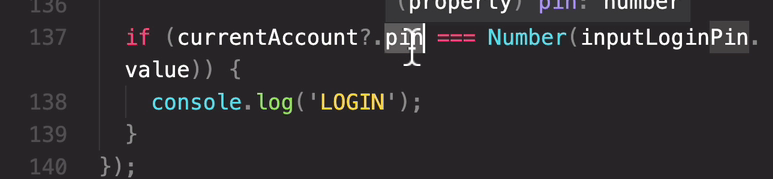
이렇게하면 pin은 will only be read in case that the current account here actully exists
이렇게하면 오류사라지고 undefined만 남게됨
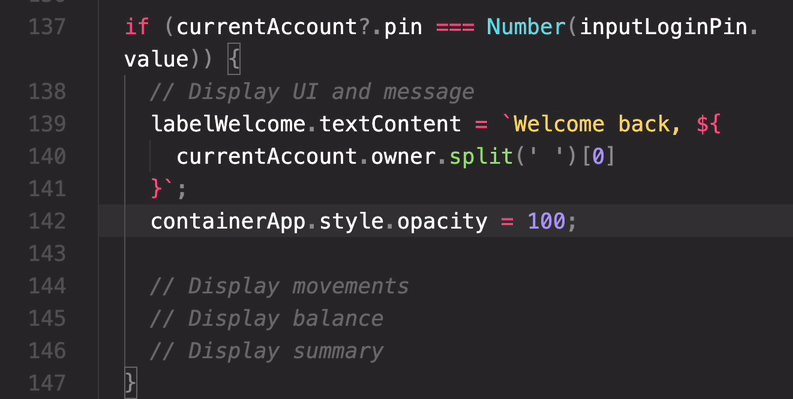
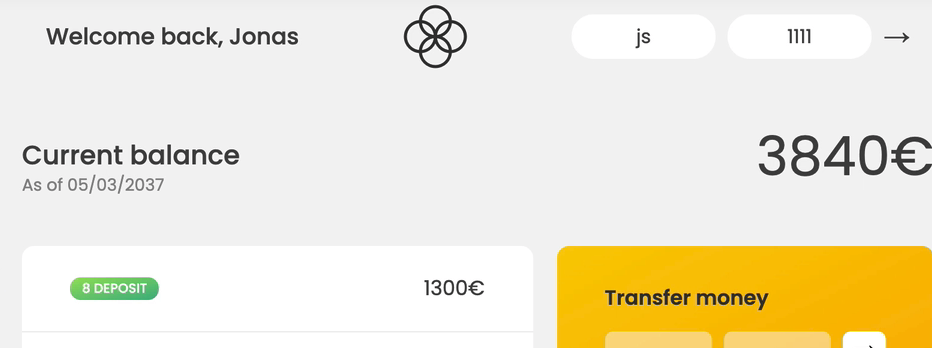
opcatiy 100으로 보이게됨.
- Implementing Transfers
-
The findIndex Method
13min -
some and every
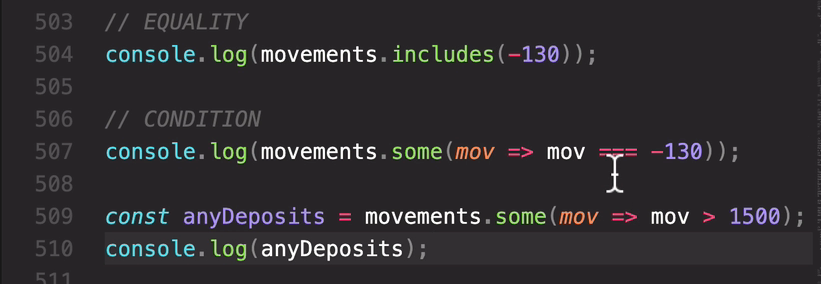
첫번째 2번째 똑같음
1500다 크면 return true

결과: false, true
every only returns true if all of the elements in the array satisfy the condition that we pass in.
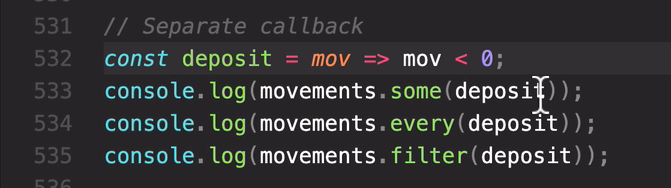
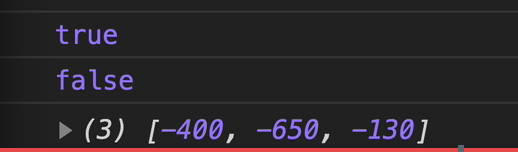
- flat and flatMap
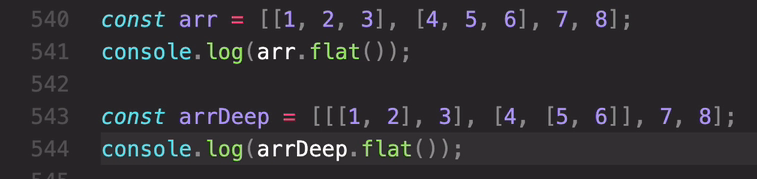

So this means that the flat method, only goes one level deep, when flattening the array.
arrDeep.flat(2) 하면 2 level deap 모두 한 배열로 들어감
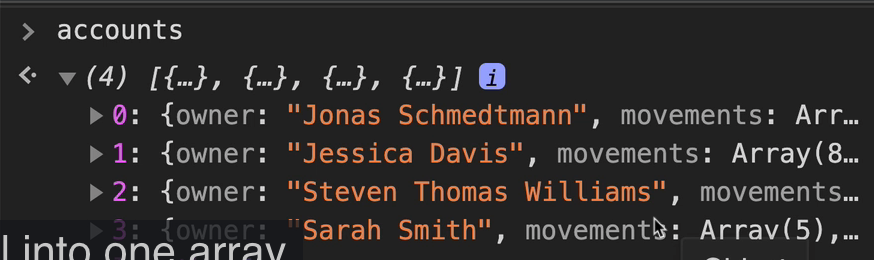
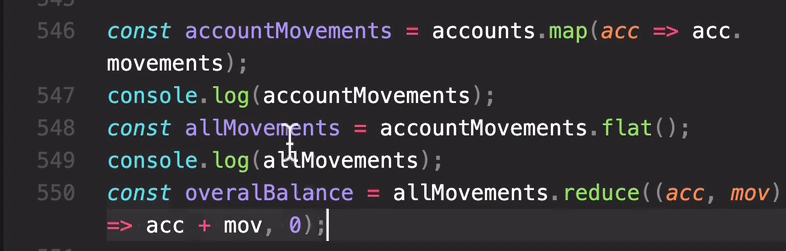
movements 만 전부 뺴서 한 배열에 넣는 방법?
먼저 map method
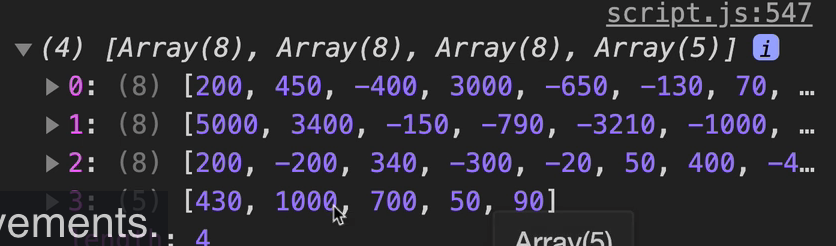
const allMovements = accountMovements.flat()
-> 전부 한 배열로 들어감
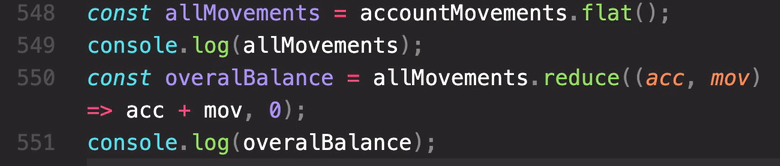
overBalance console -> 합계 값 17840 나옴
chaining 사용해서 한줄로 만들면
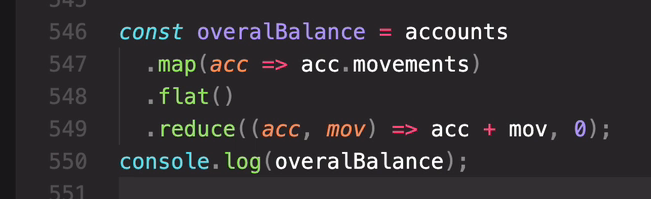
and it's a pretty common operation. So that's exactly what we have here.
So first we map, and then we flat that result.
And so to solve this, there is another method
which is flat map
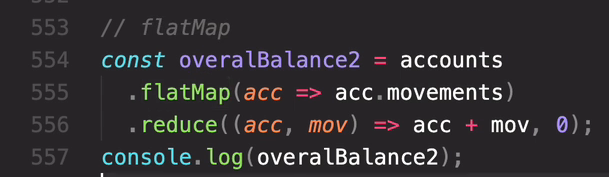
Now just notice that, flat map here, only goes one level deep
and we cannot change it.
So if you do need to go deeper than just one level, you still need to use the flat method.
- Sorting Arrays
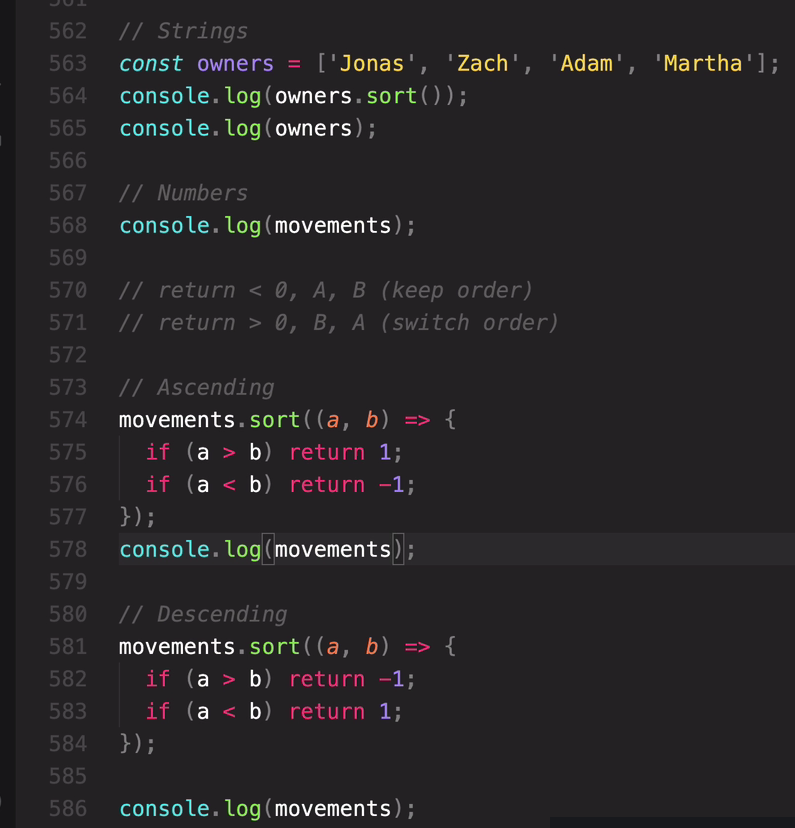
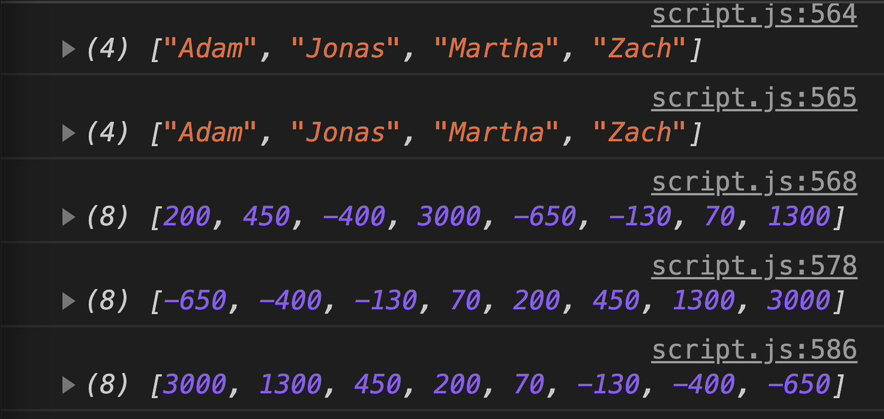
this actually mutates the original array.
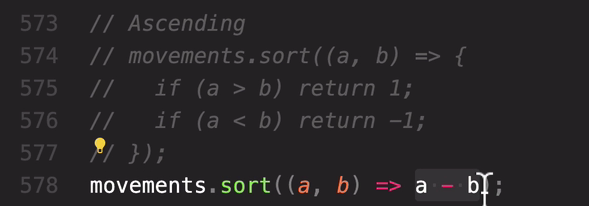
똑같은 결과
So again, we already know that if a is greater than b, then this will be a positive number
and so here we then return that positive number. It doesn't have to be exactly one.
Just something greater than zero.

All we want is to display a sorted movements array
but we do not want to sort the original underlying data.
So what do we do here?
Well, we simply take a copy of the movements array
and sort that.
And so that's what we use now slice for and this is one of these situations
that I was telling you about earlie where we need to actually create a copy, using the slice method
and not the spread operator
because here we are in the middle of a chain.
And so we want to keep going after this and so it's a lot better to simply use the method here
so that we can then simply chain the sort method onto that.
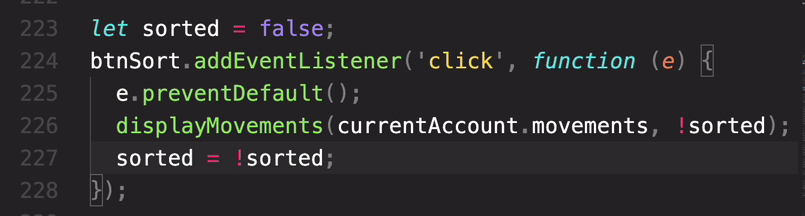
sorted = !sorted 로 함으로써
클릭할때마다 값이 바뀌도록
- More Ways of Creating and Filling Arrays
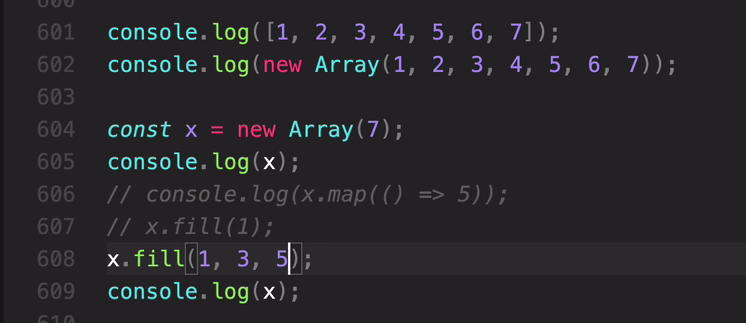
1을 3부터 fill 하고 5부터는안넣음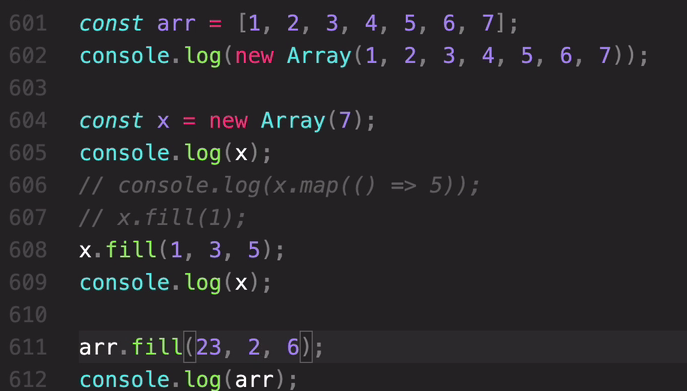
console - [1, 2, 23, 23, 23, 23,7]
This is Empty arrays + fill method.
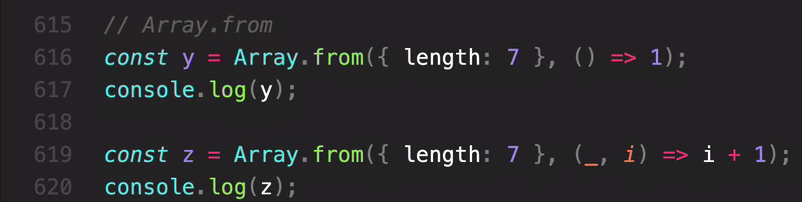
y 결과 1 1, 1, 1, 1, ,1
z 결과: [ 1 , 2, 3, 4, , 5 ,6 , 7]
But we still of course have to define something as the first parameter because the index that we need is only the second parameter.
But to denote that we are not using this current element,
we simply write an underscore. And then other programmers will also understand this convention
and automatically know that we don't use this parameter.
So this is how we create an array programmatically.
첫번째 파라미터는 필요없으니 _ 로 하면된다.
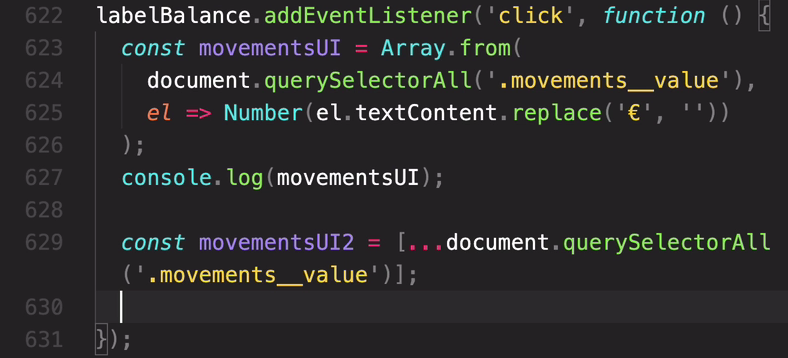
el => Number()부분은 map이랑 똑같은 로직임.
결과 [ 1300, 70, -130, -650 , 3000 ,-400 ,450, 200]
-
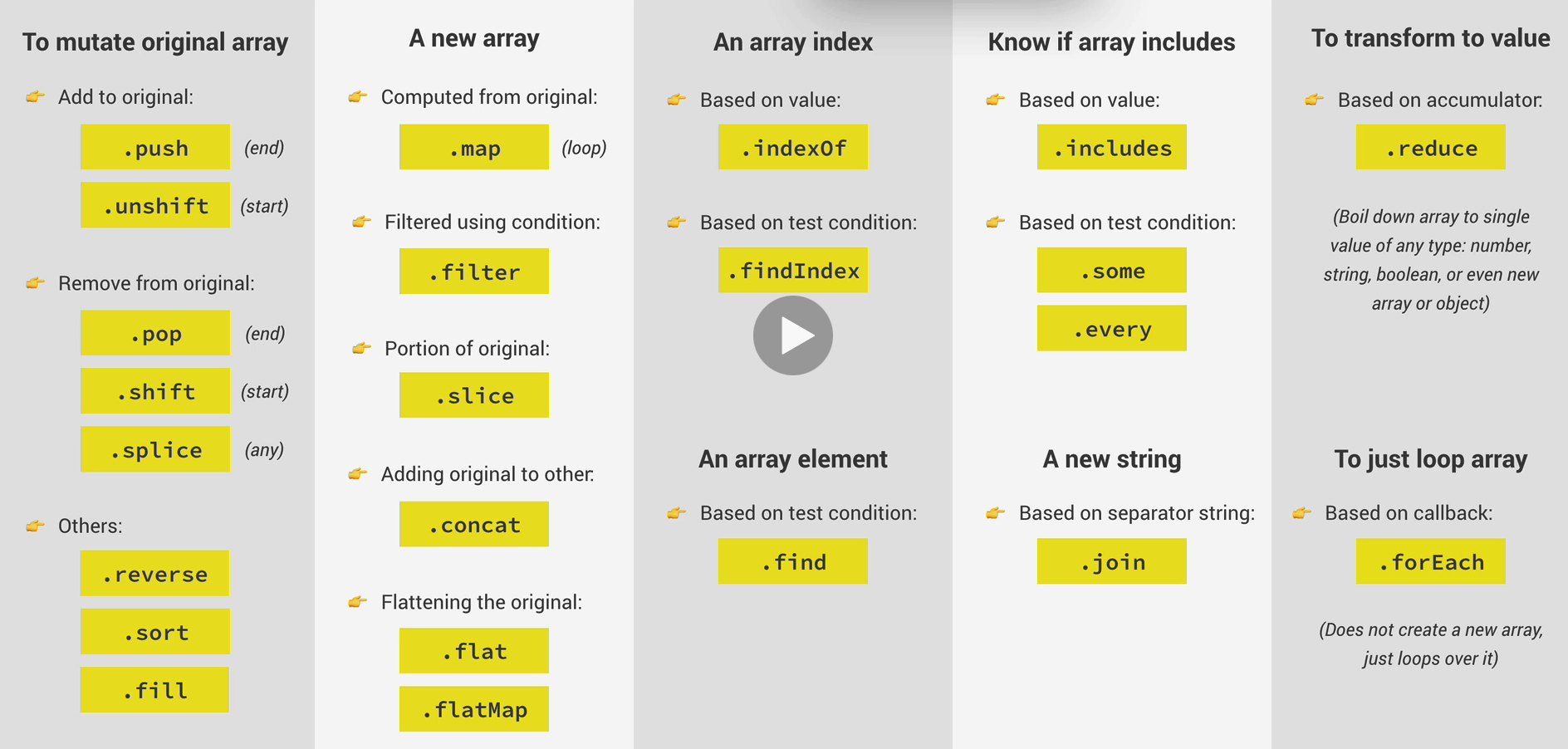
Summary: Which Array Method to Use?
- Array Methods Practice
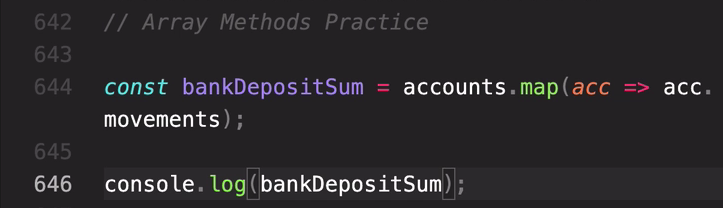
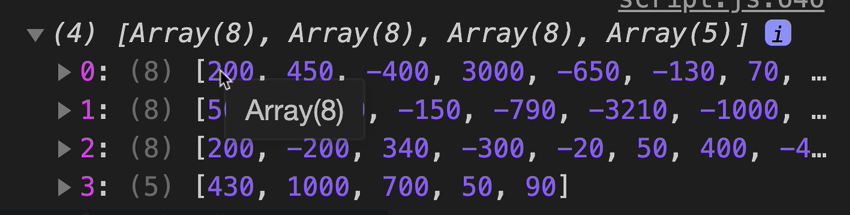
배열 하나에 다 넣으려면 acc.movements).flat();
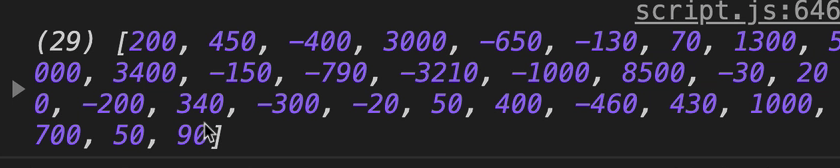
이건 flatMap으로 한번에 가능 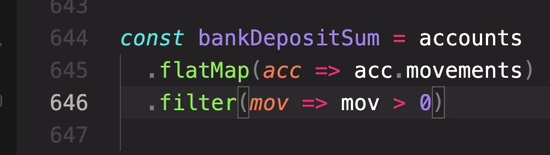

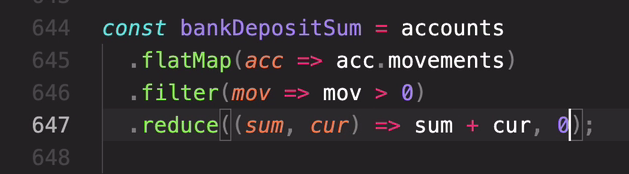
결과 = 25180
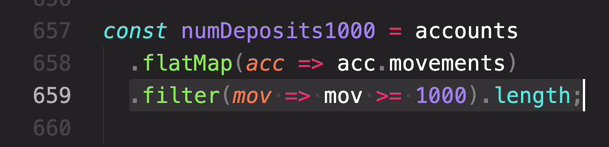
결과 : 6
이것을 reduce로 바꾸면
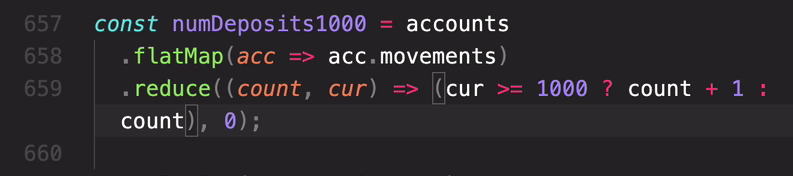
결과 6
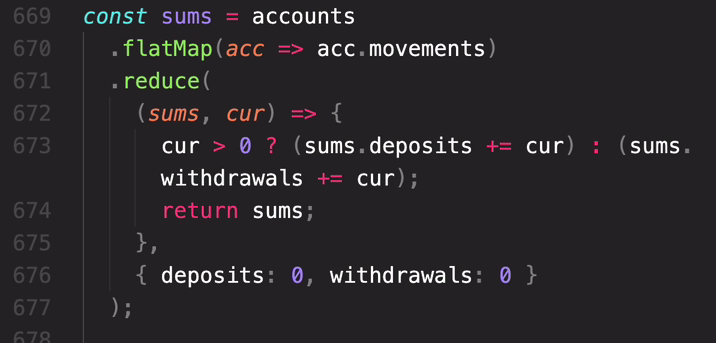

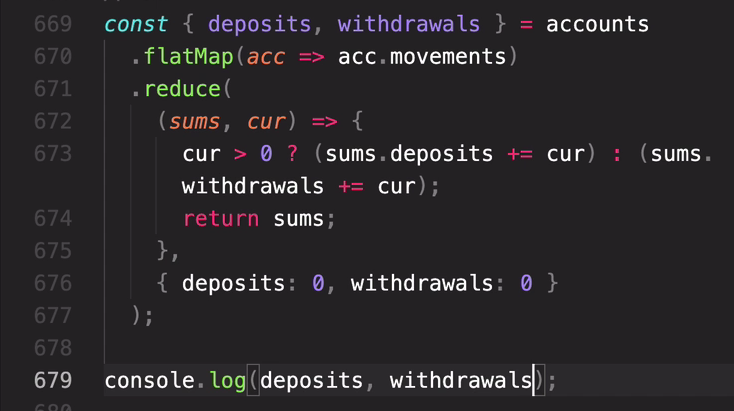
Destruct

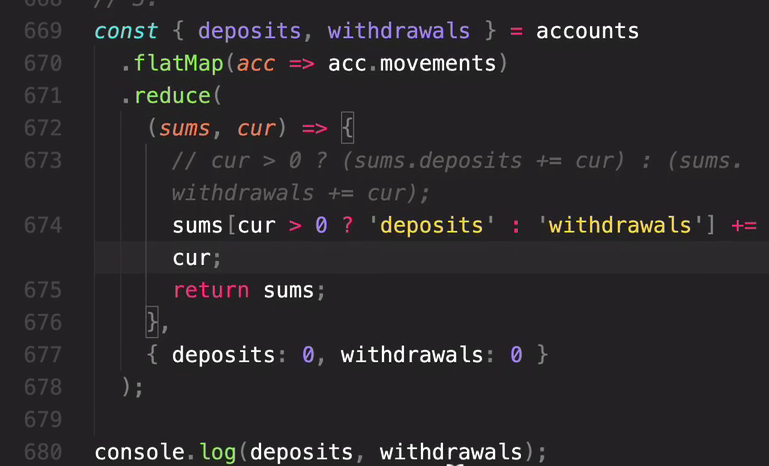
same result 25180 -7340 but more cleaner
but in any way, what matters here is that we were able to create a brand new object based on the reduced methods. deposits, withdrawals
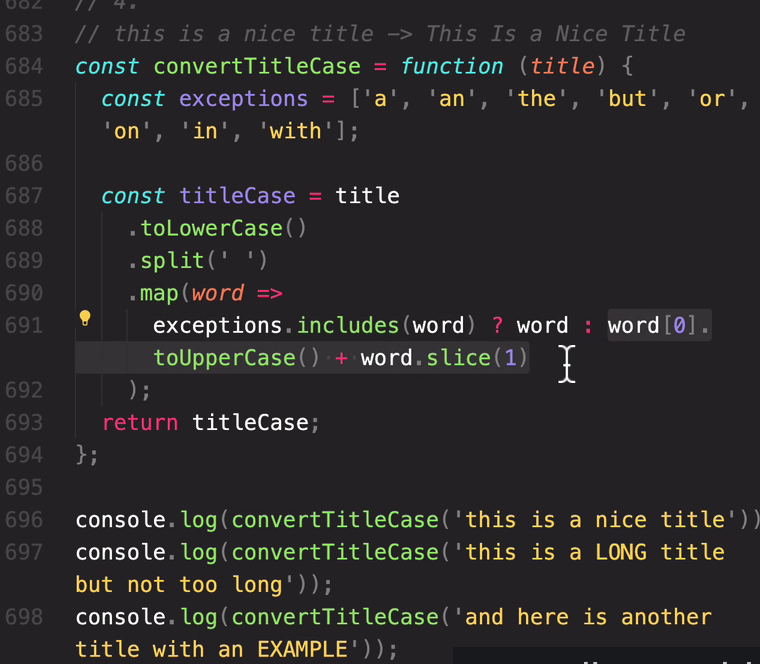
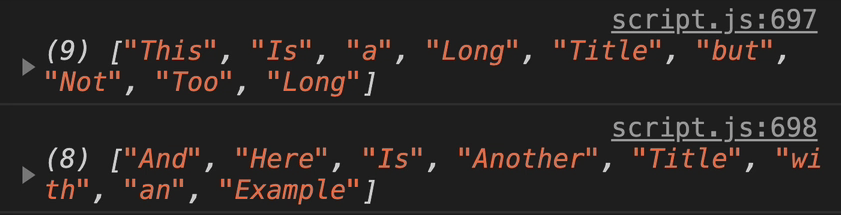
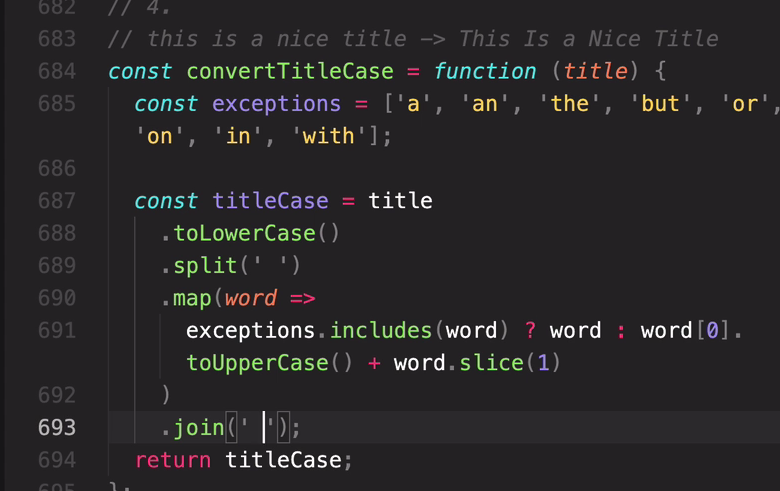
join써서 합침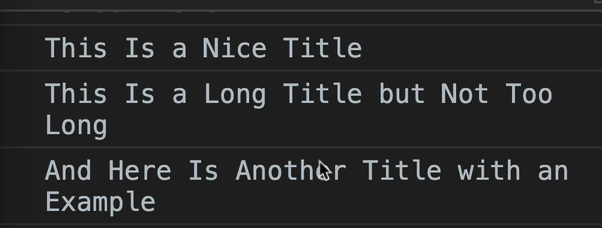
- Coding Challenge #4
24min