
What is an attribute?
Attributes carry additional information about an HTML element and come in name=”value” pairs. Example: <div class=”my-class”></div>. Here we have a div tag and it has a class attribute with a value of my-class.
What is a property?
Property is a representation of an attribute in the HTML DOM tree. So the attribute in the example above would have a property named className with a value of my-class.
Our DIV node
 |- nodeName = "DIV"
 |- className = "my-class"
 |- style
   |- ...
 |- ...
What is the difference between attribute and property?
Attributes are in your HTML text document/file, whereas properties are in HTML DOM tree. This means that
attributes do not change and always carry initial (default) values. However, HTML properties can change,
for example when user checks a checkbox, inputs text to textarea or uses JavaScript to change the property value.
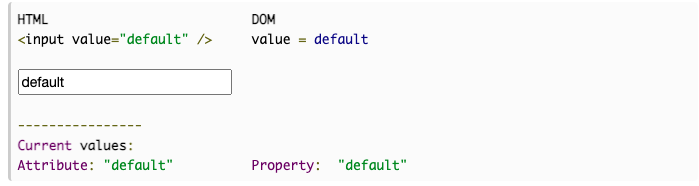
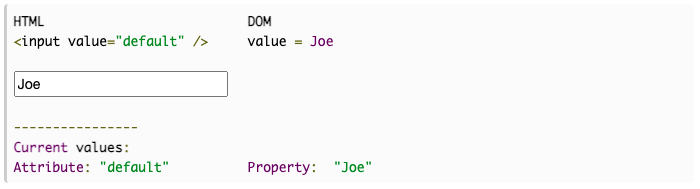
Only element’s property is changed, because it is in the DOM and dynamic. But element’s attribute is in HTML text and can not be changed!

웹/앱 개발 정보를 공유합니다.