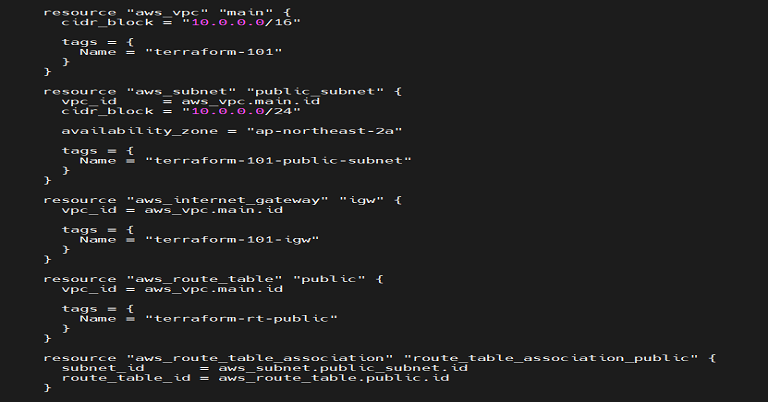
0. 기본 구성
Terraform으로 VPC 구성 Internet Gateway -3 에서 이어지는 내용이 포함되어 있습니다.
1. Route table 생성
Route table은 트래픽을 규칙에 맞게 전달해주기 위해 필요한 일종의 테이블입니다.Route table은 여러subnet에서 동시에 사용할 수 있으며, 이렇게 연결하는 작업은Association이라고 합니다.
2. provider.tf
기본 구성에서 작성한
provider.tf사용
2.1 전체코드
provider "aws" {
  region  = "ap-northeast-2"
}
3. resource.tf
기본 구성에서 작성한
resource.tf에 이어서 작성
Route Table은aws_route_table리소스를 생성Subnet과 연결할 때는aws_route_table_association을 사용
...

resource "aws_route_table" "public" {
  vpc_id = aws_vpc.main.id

  tags = {
    Name = "terraform-rt-public"
  }
}

resource "aws_route_table_association" "route_table_association_public" {
  subnet_id      = aws_subnet.public_subnet.id
  route_table_id = aws_route_table.public.id
}
p.s. resource에 맞게 이름을 매칭시켜줘야 한다.
3.1 전체코드
resource "aws_vpc" "main" {
  cidr_block = "10.0.0.0/16"

  tags = {
    Name = "terraform-101"
  }
}

resource "aws_subnet" "public_subnet" {
  vpc_id     = aws_vpc.main.id
  cidr_block = "10.0.0.0/24"

  availability_zone = "ap-northeast-2a"

  tags = {
    Name = "terraform-101-public-subnet"
  }
}

resource "aws_internet_gateway" "igw" {
  vpc_id = aws_vpc.main.id

  tags = {
    Name = "terraform-101-igw"
  }
}

resource "aws_route_table" "public" {
  vpc_id = aws_vpc.main.id

  tags = {
    Name = "terraform-rt-public"
  }
}

resource "aws_route_table_association" "route_table_association_public" {
  subnet_id      = aws_subnet.public_subnet.id
  route_table_id = aws_route_table.public.id
}
4. References

기록하지 않으면 기록되지 않는다.