NVIDIA board ROS-PX4 setting
sudo sh -c 'echo "deb http://packages.ros.org/ros/ubuntu $(lsb_release -sc) main" > /etc/apt/sources.list.d/ros-latest.list'sudo apt-get install build-essentialvscode for Jetson Xavier NX
curl -L https://github.com/toolboc/vscode/releases/download/1.32.3/code-oss_1.32.3-arm64.deb -o code-oss_1.32.3-arm64.deb
sudo dpkg -i code-oss_1.32.3-arm64.deb

실행시
$ code-oss {filename}
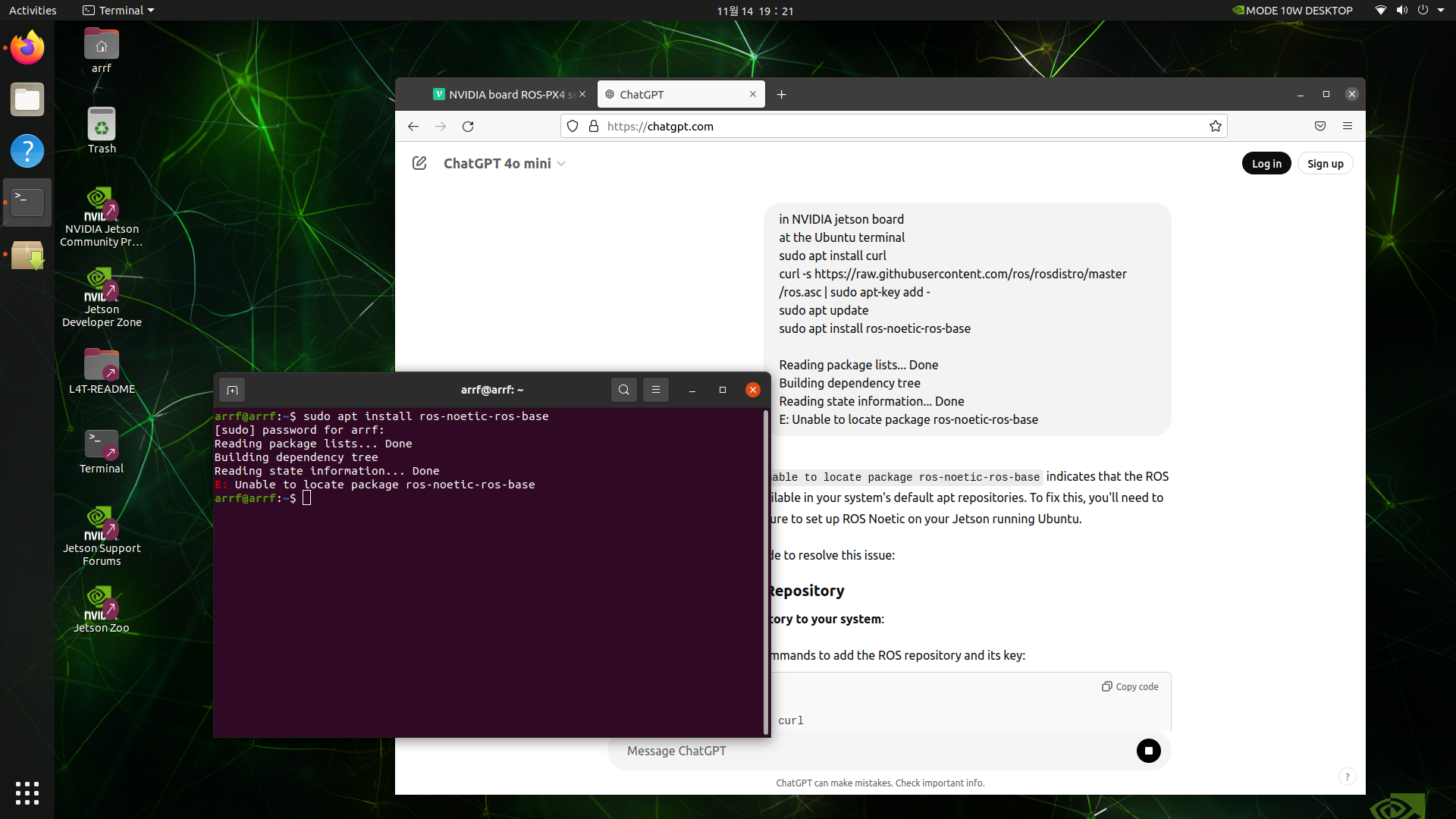
ros noetic version (for Ubuntu 20.04 LTS)
sudo apt install curl # if you haven't already installed curl
curl -s https://raw.githubusercontent.com/ros/rosdistro/master/ros.asc | sudo apt-key add -
sudo apt update
sudo apt install ros-noetic-ros-base
echo "source /opt/ros/noetic/setup.bash" >> ~/.bashrc
source ~/.bashrc
sudo apt install python3-rosdep python3-rosinstall python3-rosinstall-generator python3-wstool build-essential
sudo rosdep init
rosdep update
mavros, mavlink
sudo apt install python3-catkin-tools python3-rosinstall-generator python3-osrf-pycommon -y
mkdir -p ~/catkin_ws/src
cd ~/catkin_ws
catkin init
wstool init src
rosinstall_generator --rosdistro kinetic mavlink | tee /tmp/mavros.rosinstall
rosinstall_generator --upstream mavros | tee -a /tmp/mavros.rosinstall
wstool merge -t src /tmp/mavros.rosinstall
wstool update -t src -j4
rosdep install --from-paths src --ignore-src -y
sudo apt install geographiclib-tools
sudo ./src/mavros/mavros/scripts/install_geographiclib_datasets.sh

sudo apt install libgeographic-dev
sudo apt install ros-noetic-ddynamic-reconfigure

sudo apt install ros-noetic-geographic-msgs
sudo apt install ros-noetic-angles
sudo apt install ros-noetic-diagnostic-updater
sudo apt install ros-noetic-eigen-conversions
sudo apt install ros-noetic-tf2-eigen
sudo apt install ros-noetic-tf2-ros
sudo apt install ros-noetic-tf2-geometry-msgs
sudo apt install libgeographic-dev
sudo apt install ros-noetic-tf
sudo apt install ros-noetic-urdf
sudo apt install ros-noetic-control-toolbox

~/catkin_ws/src/mavros/mavros_extras/src/plugins/gps_status.cpp
modify
line 95 GPS2_RAW -> GPS_RAW_INT
line 112, 113 comment

catkin build
source devel/setup.bash
PX4
git clone https://github.com/PX4/PX4-Autopilot.git --recursive
bash ./PX4-Autopilot/Tools/setup/ubuntu.sh --no-nuttx --no-sim-tools
sudo adduser $USER dialout
roslaunch mavros px4.launch
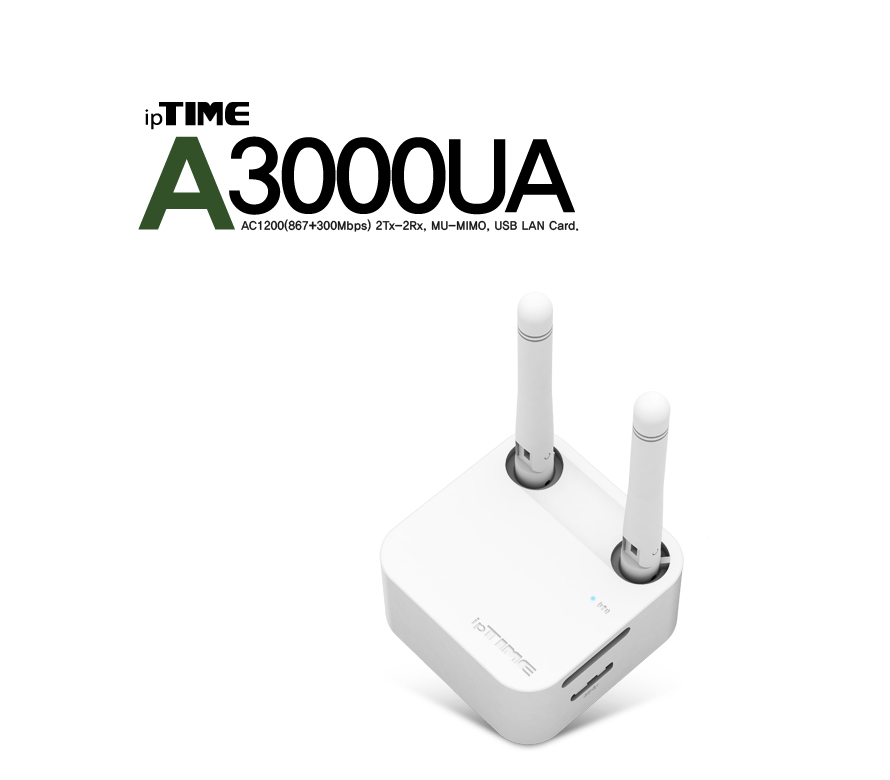
sudo ln -s /usr/include/eigen3/Eigen /usr/include/Eigeniptime A3000UA Driver (for Linux) 설치 (WIFI USB wireless LAN card)
sudo apt install build-essential dkms

git clone https://github.com/RinCat/RTL88x2BU-Linux-Driver.git
cd RTL88x2BU-Linux-Driver
make clean && make
sudo make install
재부팅 하지 않아도 USB 연결하면 바로 사용할 수 있다.
ROS master & host URI
export ROS_MASTER_URI=http://192.168.0.3:11311
export ROS_HOSTNAME=192.168.0.3
usb_cam
$ git clone https://github.com/ros-drivers/usb_cam.git
$ git checkout 0.3.7
$ code ./nodes/usb_cam_node.cpp

line 120
node_.param("camera_info_url", camera_info_url_, std::string("package://usb_cam/config/camera_info.yaml"));

$ code ./launch/usb_cam-test.launch
아래 노드 주석 처리 (이미지 show용 필요없음)
  <node name="image_view" pkg="image_view" type="image_view" respawn="false" output="screen">
    <remap from="image" to="/usb_cam/image_raw"/>
    <param name="autosize" value="true" />
  </node>

mkdir config
cd config
code camera_info.yaml
camera_info.yaml
image_width: 640
image_height: 480
camera_name: test_camera
camera_matrix:
  rows: 3
  cols: 3
  data: [558.23766583, 0.000000, 332.08407611, 0.000000, 557.95249476, 205.23668178, 0.000000, 0.000000, 1.000000]
distortion_model: plumb_bob
distortion_coefficients:
  rows: 1
  cols: 5
  data: [-4.00689897e-01,  1.96907260e-01,  3.84115320e-04, -6.04844788e-04, -4.05690415e-02]
rectification_matrix:
  rows: 3
  cols: 3
  data: [0.0,0.0,0.0,0.0,0.0,0.0,0.0,0.0,0.0]
projection_matrix:
  rows: 3
  cols: 4
  data: [0.0,0.0,0.0,0.0,0.0,0.0,0.0,0.0,0.0,0.0,0.0,0.0]
Detect ArUco marker python
#!/usr/bin/env python3

import rospy
import cv2
import numpy as np
from sensor_msgs.msg import Image, CameraInfo
from geometry_msgs.msg import PoseStamped
from cv_bridge import CvBridge
import cv2.aruco as aruco
from tf.transformations import euler_from_quaternion


class ArucoDetector:
    def __init__(self):
        # ROS Node initialization
        rospy.init_node('aruco_marker_detection')

        # Camera matrix and distortion coefficients
        self.camera_matrix = None
        self.dist_coeffs = None

        # Initialize CvBridge for converting ROS images to OpenCV images
        self.bridge = CvBridge()

        # Define ArUco dictionary and detector parameters
        self.aruco_dict = aruco.getPredefinedDictionary(aruco.DICT_ARUCO_ORIGINAL)
        self.parameters = aruco.DetectorParameters_create()

        # Initialize publishers
        self.pose_pub = rospy.Publisher("/aruco_marker/pose", PoseStamped, queue_size=10)
        self.image_pub = rospy.Publisher("/aruco_marker/result_image", Image, queue_size=10)

        # Subscribers
        self.image_sub = rospy.Subscriber("/usb_cam/image_raw", Image, self.image_callback)
        self.camera_info_sub = rospy.Subscriber("/usb_cam/camera_info", CameraInfo, self.camera_info_callback)

    def camera_info_callback(self, msg):
        """Callback function to store camera intrinsic parameters."""
        self.camera_matrix = np.array(msg.K).reshape((3, 3))
        self.dist_coeffs = np.array(msg.D)

    def image_callback(self, msg):
        """Callback function to process images from the camera topic."""
        if self.camera_matrix is None or self.dist_coeffs is None:
            rospy.logwarn("Camera matrix or distortion coefficients not yet received.")
            return

        # Convert ROS Image to OpenCV image
        try:
            cv_image = self.bridge.imgmsg_to_cv2(msg, "bgr8")
        except Exception as e:
            rospy.logerr("Could not convert image: %s" % e)
            return

        # Detect ArUco markers
        corners, ids, rejectedImgPoints = aruco.detectMarkers(cv_image, self.aruco_dict, parameters=self.parameters)

        if ids is not None and 7 in ids:
            # Find the index of marker ID 7
            index = np.where(ids == 7)[0][0]

            # Estimate pose for marker ID 7
            rvec, tvec, _ = aruco.estimatePoseSingleMarkers(corners[index], 0.3, self.camera_matrix, self.dist_coeffs)

            # Draw the detected marker and axis on the image
            aruco.drawDetectedMarkers(cv_image, corners, ids)
            aruco.drawAxis(cv_image, self.camera_matrix, self.dist_coeffs, rvec[0], tvec[0], 0.1)

            # Publish the pose of the ArUco marker
            pose = PoseStamped()
            pose.header.stamp = rospy.Time.now()
            pose.header.frame_id = "world"
            pose.pose.position.x = tvec[0][0][0]
            pose.pose.position.y = tvec[0][0][1]
            pose.pose.position.z = tvec[0][0][2]

            # Convert rotation vector to Euler angles
            rot_mat, _ = cv2.Rodrigues(rvec[0])
            euler_angles = euler_from_quaternion([rot_mat[0][0], rot_mat[1][0], rot_mat[2][0], rot_mat[0][1]])

            # Set Euler angles in pose (in radians)
            pose.pose.orientation.x = euler_angles[0]
            pose.pose.orientation.y = euler_angles[1]
            pose.pose.orientation.z = euler_angles[2]

            # Publish pose
            self.pose_pub.publish(pose)

        # Publish the result image with detected markers and axes
        try:
            result_image = self.bridge.cv2_to_imgmsg(cv_image, "bgr8")
            self.image_pub.publish(result_image)
        except Exception as e:
            rospy.logerr("Failed to publish image: %s" % e)

    def run(self):
        """Start the ROS loop and spin the node."""
        rospy.spin()


if __name__ == '__main__':
    # Instantiate and run the ArUco detector
    detector = ArucoDetector()
    detector.run()

내 맘대로 요점정리