페이지네이션에 스타일 적용하니까 이제 좀 볼만하군..
테이블(table)
기본 스타일
class="table"
- 그냥 table에 border를 주면 제일 바깥쪽에만 테두리가 생김
- th나 td에 border를 줘야 html에서 table에 border 적용한 것과 동일하게 나옴
- th나 td에 border를 줘야 html에서 table에 border 적용한 것과 동일하게 나옴
문제점
- th, td마다 클래스명을 다 붙여주는 것은 비효율적임
해결책
후손 선택자사용
- class=table 안에 있는 th와 td에 border 적용
자식 선택자
- class=table 안에 있는 thead안에 있는 th와 td, tbody안에 있는 th와 td에 border 적용
DOM
- 문서 객체 모델(Document Object Model)
- tree구조인 html을 문서로 나타낸 것
후손 선택자
- .table 안에 있는 모든 th와 모든 td 선택
- 띄어쓰기: 안에 있는
모든을 의미함 - 내부에 있는 모든 요소를 선택하므로 테이블이 중첩하는 경우 문제가 발생 (ex. 댓글)
.table th, td{ border: 1px solid black } - 띄어쓰기: 안에 있는
자식 선택자
- .table부터 시작하는 모든 경로를 제시해 th와 td를 선택
- 6번 써야 함 (thead, tbody, tfoot의 th와 td)
.table > thead > tr > th,
 .table > thead > tr > td,
 .table > tbody > tr > th,
 .table > tbody > tr > td,
 .table > tfoot > tr > th,
 .table > tfoot > tr > td{
     border: 1px solid black
}
테두리 병합
- 두 줄씩 나오는 테두리를 한 줄로 병합
-border-collapse: collapse;
padding
- em 권장
- 글씨 크기가 반드시 있어야 하므로 font-size 도 함께 설정(설정 안하면 바깥 영향 받음)
- font-size는 .table에, padding은 칸에 설정
확장 스타일
hover 행 강조
/* 확장 스타일: hover 시 해당 행 강조 */
.table.table-hover > thead > tr:hover,
.table.table-hover > tbody > tr:hover,
.table.table-hover > tfoot > tr:hover {
    background-color: #dfe6e9;
}
stripe 테이블
- thead: 음영색 설정
- tbody: 두 줄마다 음영색 설정
- :nth-child(1) (1번째 child)
- :nth-child(2n) (두 줄마다 색칠)
가로선만 있는 테이블
-
세로선은 하나의 태그로 지정할 수 없으므로 프로그래밍 필요
-
thead 마지막 줄의 하단 or tbody의 첫번째 줄 상단 중 head와 body 구분을 위해 긋는 줄이므로 전자 방식으로 코드 구현
/* 확장 스타일: 가로선만 있는 테이블 */
        .table.table-slit {
            border: 3px solid gray;
            border-left: none;
            border-right: none;
        }

        .table.table-slit > thead {
            border-bottom: 2px solid gray;
        }

        .table.table.table-slit > tfoot{
            border-top: 2px solid gray;
        }
이미지
이미지 테두리
이미지에는 border가 원래 없음. 테두리 설정 시, inner storke가 적용되어 이미지 사이즈가 줄어듦
- 미리 transparent로 border영역 지정해두고 시작
/* 투명 색상 적용 방법 2가지 */
border-left-color: rgba(0,0,0,0);
border-right-color: transparent;
확장 스타일
:hover
.image {
    border: 1px solid transparent;
}

.image.image-hover:hover {
    border-color: blue;
}
blur
-
투명도를 주는 방법과 퍼져보이게 하는 방법 등 다양한 방법이 있음
- 효과가 강력할 수록 최신 기술이고, 그만큼 지원하지 않는 브라우저가 많을 수 있음
-
opacity 속성: 0~1까지 설정 가능, 불투명도 조절 옵션
.image.image-blur {
    opacity: 0.4;
}

.image.image-blur:hover {
    opacity: 1;
}
shadow
- box-shadow 속성
- box-shadow: [우측위치] [하단위치] [번짐정도] [확장정도]
- 콤마 써서 여러 개 추가할 수 있음
- 번짐정도로 네온사인 효과 내기 가능
round
- border-radius에 설정한 수치(px)만큼 모서리가 둥글게 깎임
image-circle
- border-radius 속성 값을 %로 설정하면 원을 만들 수 있음
- 폭, 높이 같으면 원
페이지네이션 UI
<li> 태그 사용
- 장점: 구조상 어쩔 수 없이 하나로 묶임(계층형 구조를 만들 때 좋음)
- 단점: 디자인을 많이 바꿔야 함
- 기본 margin과 padding을 갖고 있음
→ defualt 스타일을 무효화 시키고 시작
- 기본 margin과 padding을 갖고 있음
display 속성
- none, inline-block, block, inline 중
inline-block- 폭을 설정할 수 있어야 디자인을 바꿀 수 있음
- 한 줄을 다 차지하게 되므로 가운데 정렬하고 싶으면 align: center
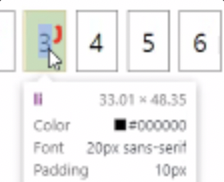
페이지 버튼 영역
최소 폭을 주고 글자 크기에 비례해 커지도록 설정

- padding: 0.5em 설정
- 글자보다 살짝 높은 영역을 갖고 있음
- line-height: 행간 1em;
- min-width: 2em(padding 0.5em*2 + line-height 1em)
링크
문제점
-
li에 a태그 추가하면 디자인이 다 사라짐
-
inline -> block으로 바꾸고, width:100%로 지정
-> 글자에서 숫자 테두리로 클릭 영역이 늘어남ul.pagination > li > a { display: block; width: 100%; color: inherit; /* 디자인도 상속, 재정의 가능 */ text-decoration: none; }
-
