제목, 내용, 날짜 오류 수정
이전 포스트에서 제목과 날짜는 나오지만
옛날 데이터의 날짜와 , 모든 내용들이 나오지 않았습니다.
이번에 해당 오류 내용들을 잡아 보겠습니다.
우선 이전 코드입니다.
<?xml version="1.0" encoding="utf-8"?>
<LinearLayout xmlns:android="http://schemas.android.com/apk/res/android"
    android:layout_width="match_parent"
    android:layout_height="wrap_content"
    android:padding="8dp">

    <!--제목과 작성일-->
    <LinearLayout
        android:layout_width="match_parent"
        android:layout_height="wrap_content"
        android:orientation="horizontal">

        <!-- 제목 박스-->
        <TextView
            android:id="@+id/textViewTitle"
            android:layout_width="0dp"
            android:layout_height="wrap_content"
            android:layout_weight="1"
            android:text="제목"
            android:textSize="18sp"
            android:textStyle="bold" />

        <TextView
            android:id="@+id/textViewDate"
            android:layout_width="wrap_content"
            android:layout_height="wrap_content"
            android:gravity="end"
            android:textSize="12sp"
            android:textColor="#888888"
            android:text="yy.mm.dd"/>
    </LinearLayout>

    <!-- 메모박스 -->
    <TextView
        android:id="@+id/textViewMemo"
        android:layout_width="0dp"
        android:layout_height="wrap_content"
        android:layout_weight="1"
        android:textSize="16sp" />

    <!-- 메모 삭제 버튼 -->
    <Button
        android:id="@+id/buttonDeleteMemo"
        android:layout_width="wrap_content"
        android:layout_height="wrap_content"
        android:text="삭제" />
</LinearLayout>
기존 XML에서는:
1. LinearLayout의 기본 orientation:
- 기본값인
horizontal로 설정되어, 제목/날짜와 내용/버튼이 가로로 좁게 배치되었습니다.
- 아이템 높이 부족:
- 상위
LinearLayout의layout_height="wrap_content"로 인해 자식 요소가 충분한 공간을 가지지 못했습니다.
- 상위
해결
android:orientation="vertical"추가:- 요소를 수직으로 배치하여 제목, 내용, 버튼이 각각 충분히 공간을 가질 수 있게 변경했습니다.
TextView와Button의 여백 추가:layout_marginTop속성을 사용하여 제목과 내용, 버튼 사이에 여백을 추가하여 가독성을 높였습니다.
아래는 수정한 코드 입니다.
<?xml version="1.0" encoding="utf-8"?>
<LinearLayout xmlns:android="http://schemas.android.com/apk/res/android"
    android:layout_width="match_parent"
    android:layout_height="wrap_content"
    android:orientation="vertical"
    android:padding="8dp">

    <!--제목과 작성일-->
    <LinearLayout
        android:layout_width="match_parent"
        android:layout_height="wrap_content"
        android:orientation="horizontal">

        <!-- 제목 박스-->
        <TextView
            android:id="@+id/textViewTitle"
            android:layout_width="0dp"
            android:layout_height="wrap_content"
            android:layout_weight="1"
            android:text="제목"
            android:textSize="18sp"
            android:textStyle="bold" />

        <TextView
            android:id="@+id/textViewDate"
            android:layout_width="wrap_content"
            android:layout_height="wrap_content"
            android:gravity="end"
            android:textSize="12sp"
            android:textColor="#888888"
            android:text="yy.mm.dd"/>
    </LinearLayout>

    <!-- 메모박스 -->
    <TextView
        android:id="@+id/textViewMemo"
        android:layout_width="match_parent"
        android:layout_height="wrap_content"
        android:layout_marginTop="4dp"
        android:text="내용"
        android:textSize="16sp" />

    <!-- 메모 삭제 버튼 -->
    <Button
        android:id="@+id/buttonDeleteMemo"
        android:layout_width="wrap_content"
        android:layout_height="wrap_content"
        android:text="삭제"
        android:layout_gravity="end"
        android:layout_marginTop="8dp"/>
</LinearLayout>
android:orientation="vertical" 추가해서 수직방향으로 정렬하게 만들었습니다.
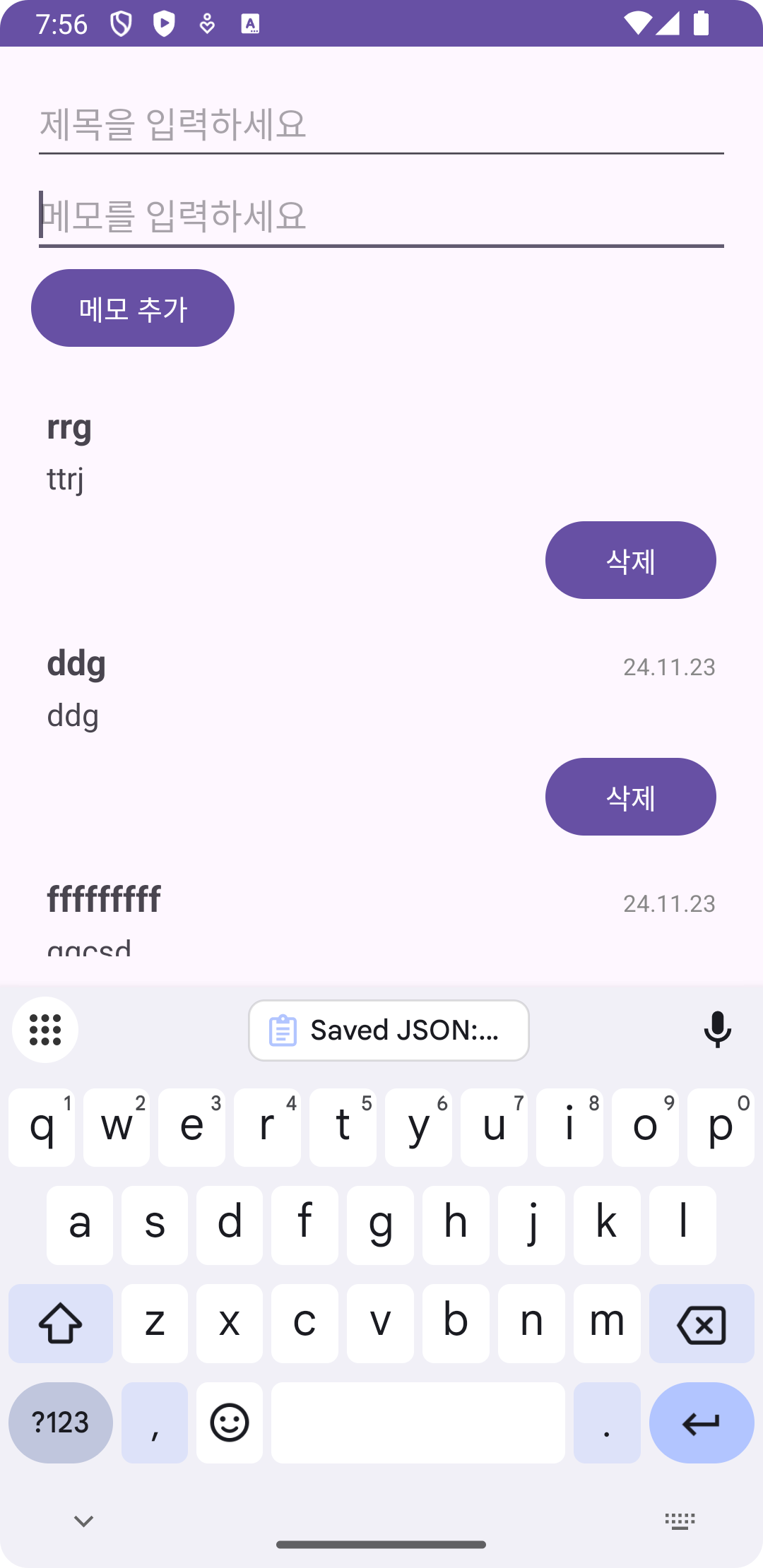
이제는 내용도 잘 나옵니다.
옛날 데이터 날짜 오류의 원인
기존 데이터가 Memo 구조와 유사하지만 date 필드가 없는 경우, try 블록에서 역직렬화가 성공적으로 진행됩니다. 그러나 date 필드는 null로 설정됩니다.
이로 인해 catch 블록이 호출되지 않아 변환 작업이 실행되지 않았습니다.
따라서, try 블록 내에서 추가적으로 데이터를 검사하고 수정하는 로직을 추가했습니다.
// 메모 불러오기 함수
   private fun loadMemos() {
       val sharedPreferences = getSharedPreferences("memo_prefs", Context.MODE_PRIVATE)
       val gson = Gson()
       val json = sharedPreferences.getString("memo_list", null)
       if (json != null) {
           try {
               val type = object : TypeToken<MutableList<Memo>>() {}.type
               val loadeMemos: MutableList<Memo> = gson.fromJson(json, type)

               //불러온 데이터 검사
               val fixedMemos = loadeMemos.map { memo ->
                   if (memo.date.isNullOrEmpty()) {
                       //date가 업는 경우 현재 날짜 추가
                       memo.copy(date = getCurrentDate())
                   } else {
                       memo
                   }
               }
               memoList.addAll(fixedMemos)
               //수정된 데이터를 다시 저장
               saveMemos()
만약 memo안에 date가 없을시에 강제로 현재 날짜를 추가하는 로직을 넣었습니다.
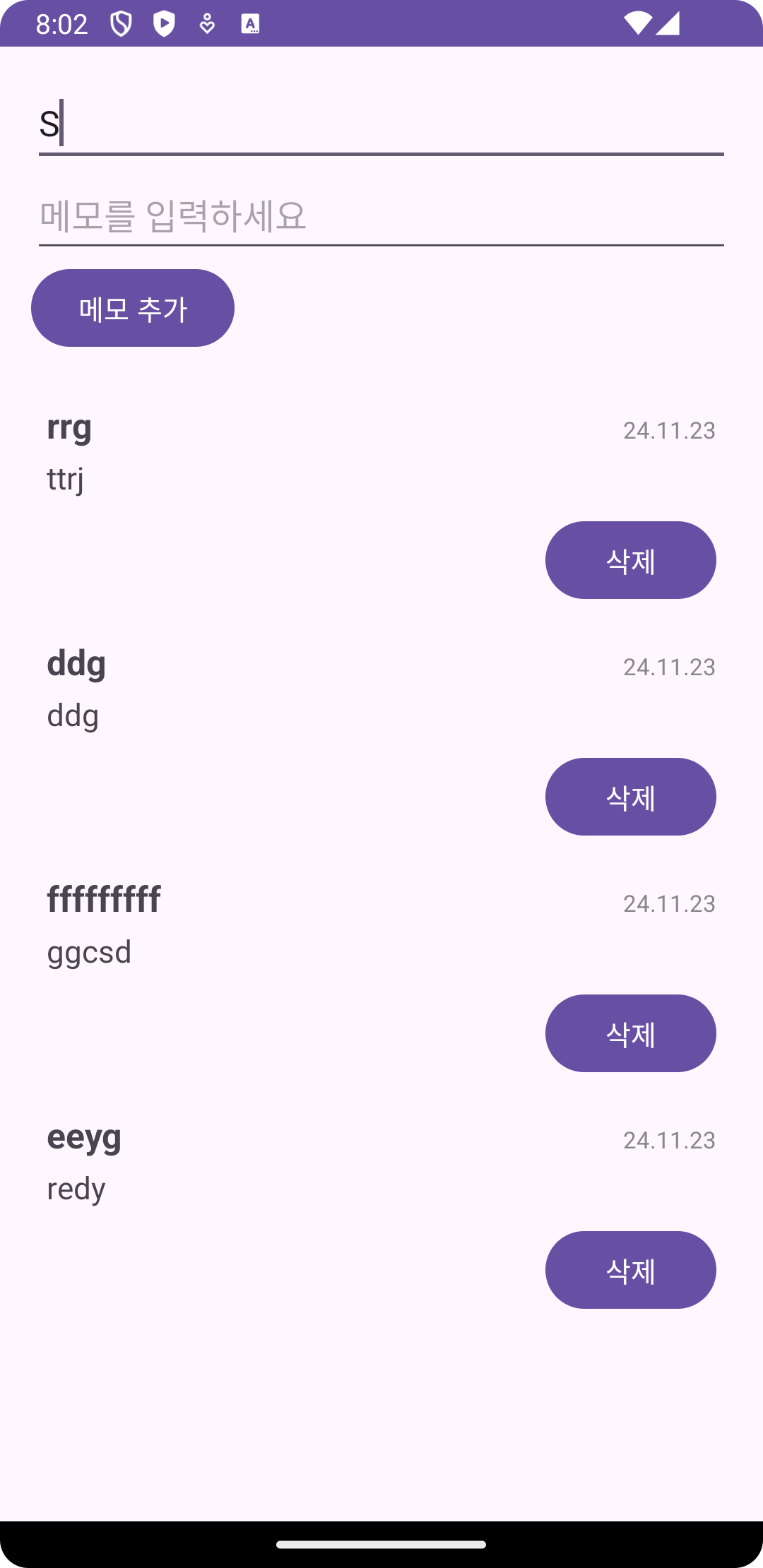
드디어 성공했습니다.
역시 catch문제 잡히지 않아 들어가지 않았던 것이었습니다.

백엔드 개발에 관심있는 1인