라디오 버튼은 select, input(text) 등과는 다른 로직으로 처리하기에 정리해본다.
문제의 코드
/*html*/
<p>
    <h3 class="cont-p-header" id="components">구성품을 갖고 계신가요?</h3>
    <input type="radio" name="component" value="있다" id="yes" checked/>
    <label for="yes">있다</label>
    <input type="radio" name="component" value="없다" id="no" class="cont-radio"/>
    <label for="no">없다</label>
</p>
// JS
const $component = document.querySelector("#components");
// 라디오버튼이 선택되어도 값이 존재하지 않음
const selectedComponents = $component.value;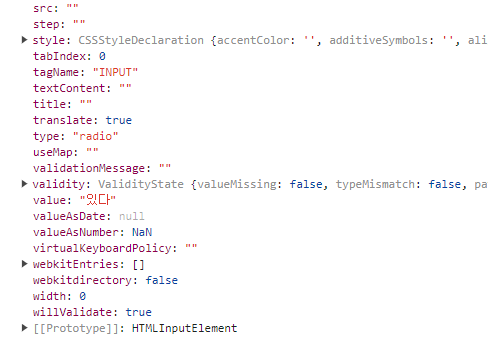
console.dir로 찍어보았을 때, 분명히 value값이 있는데 읽어올 수가 없다.
다양한 시도
- .value가 아닌 .value(), val 등으로 바꿔보았으나 실패
- getElementsByName("component")로 바꿔보았으나 실패
- label안의 텍스트 변경, 이름 변경 등 다양한 시도 실패
깨달음
라디오 버튼 태그를 .getElementsByName 메서드로 가져와 forEach로 하나씩 꺼내서 defaultValue라는 프로퍼티로 값을 가져올 수 있었다.
const getValue = () => {
    let curr_value;
    const radioValue = document.getElementsByName("component");
    radioValue.forEach((radio) => {
        if (radio.checked) {
            curr_value = radio.defaultValue;
        }
    });
    return curr_value;
};
Node 목록을 순회하며 Node(라디오 버튼)의 값이 true인지(선택 되었는지) 아닌지 확인 후 값을 출력한다. 여기서 .checked는 라디오 버튼이 체크되었는지 확인한다.
참고

익숙해지기 위해 기록합니다