정적 페이지와 동적 페이지
정적 페이지 처리하기
-------------------------------------------------------
🔻 static 폴더
   - SpringBoot 서버에 html 파일을 바로 요청하면 해당 html 파일을 static 폴더에서 찾아서 반환
   - thymeleaf : 동적 페이지 처리를 위한 템플릿 엔진
-------------------------------------------------------
🔻 Redirect
	------------------------
   	@GetMapping("/html/redirect")
		public String htmlStatic() {
    	return "redirect:/hello.html";
	}
	------------------------
   - 템플릿 엔진을 적용한 상태에서 static 폴더의 html 파일을 Controller를 통해서 처리
-------------------------------------------------------
🔻 Template engine 에 View 전달
	------------------------
    @GetMapping("/html/templates")
    	public String htmlTemplates() {
        return "hello";
    }
	------------------------
   - 브라우저에서 바로 접근하지 못하게 하고 싶거나 특정 상황에 Controller를 통해서 제어
-------------------------------------------------------
동적 페이지 처리하기
-------------------------------------------------------
🔻 순서
   1. Client 의 요청을 Controller에서 Model 로 처리합니다.
   2. Template engine(Thymeleaf) 에게 View, Model 전달합니다.
-------------------------------------------------------
package com.sparta.springmvc.html;

import org.springframework.stereotype.Controller;
import org.springframework.ui.Model;
import org.springframework.web.bind.annotation.GetMapping;

@Controller
public class HtmlController {

    private static long visitCount = 0;

    @GetMapping("/static-hello")
    public String hello() {
        return "hello.html";
    }

    @GetMapping("/html/redirect")
    public String htmlStatic() {
        return "redirect:/hello.html";
    }

    @GetMapping("/html/templates")
    public String htmlTemplates() {
        return "hello";
    }

    @GetMapping("/html/dynamic")
    public String htmlDynamic(Model model) {
        visitCount++;
        model.addAttribute("visits", visitCount);
        return "hello-visit";
    }
}
-------------------------------------------------------
데이터를 Client에 반환하는 방법
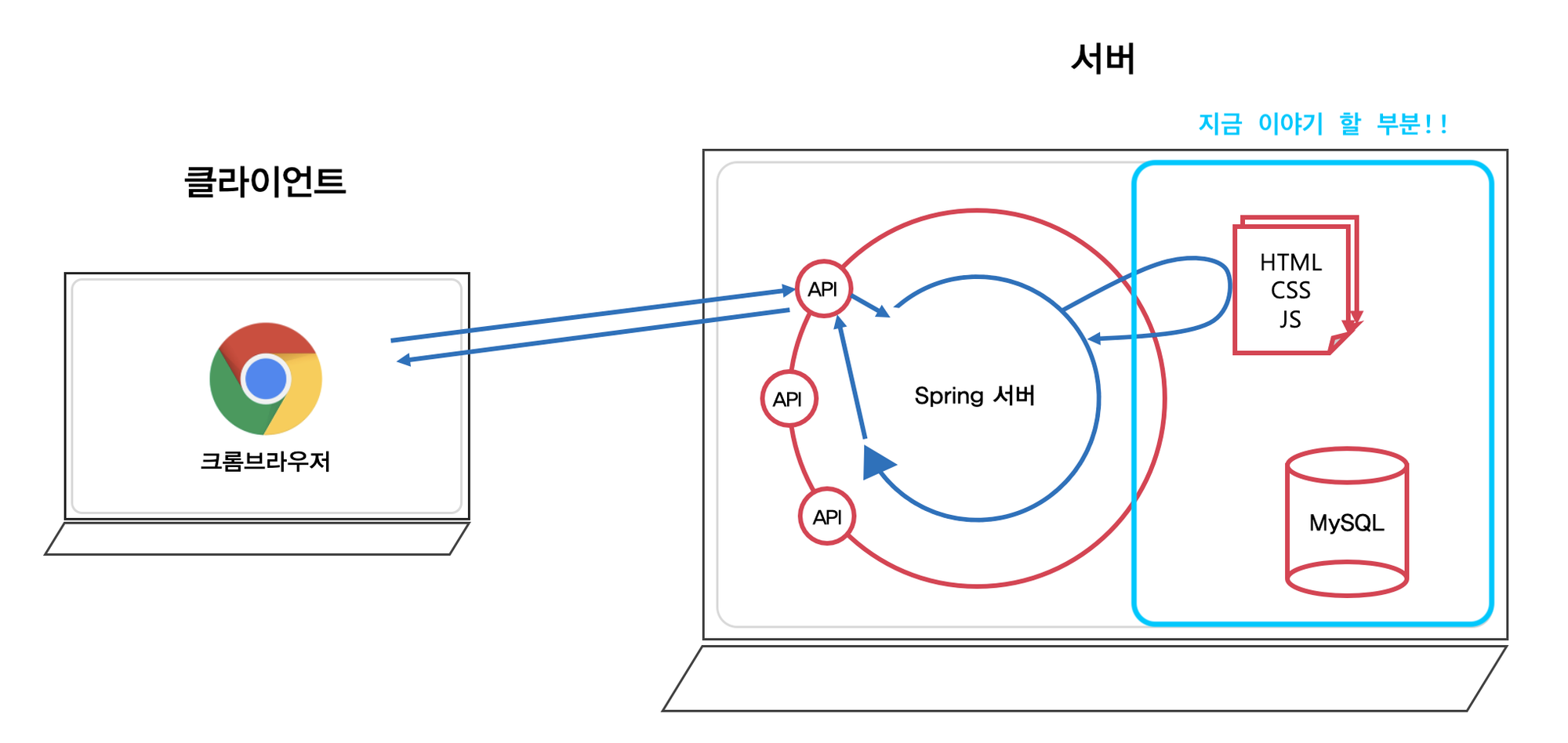
-------------------------------------------------------
🔻 JSON 데이터 반환하는 방법
   - JSON 데이터를 브라우저에 반환하고 싶다면 해당 메서드에 '@ResponseBody' 애너테이션을 추가
-------------------------------------------------------
🔻 - JSON 데이터 반환 방법
    1. 반환값: String
	------------------------
   	@GetMapping("/response/json/string")
	@ResponseBody
	public String helloStringJson() {
    	return "{\"name\":\"Robbie\",\"age\":95}";
	}
	------------------------
   - Java는 JSON 타입을 지원하지 않기 때문에 JSON 형태의 String 타입으로 변환해서 사용

   2. 반환값: String 외 자바 클래스
-------------------------------------------------------
🔻 Template engine 에 View 전달
	------------------------
    @GetMapping("/response/json/class")
	@ResponseBody
	public Star helloClassJson() {
    	return new Star("Robbie", 95);
	}
	------------------------
   - 자바 객체 → JSON 으로 변환"
-------------------------------------------------------
🔻 @RestController
   - @RestController = @Controller + @ResponseBody
   - 당 클래스의 '모든 메서드에 @ResponseBody 애너테이션이 추가'
-------------------------------------------------------
Jackson이란 무엇일까?
-------------------------------------------------------
🔻 Jackson 라이브러리
   - JSON 데이터 구조를 처리해주는 라이브러리
   - Object를 JSON 타입의 String으로 변환
   - JSON 타입의 String을 Object로 변환
-------------------------------------------------------
Path Variable과 Request Param
-------------------------------------------------------
🔻 Path Variable
   - 브라우저에서 서버로 HTTP 요청을 보낼 때 데이터를 함께 보냄
	------------------------
	// [Request sample]
	// GET http://localhost:8080/hello/request/star/Robbie/age/95
	@GetMapping("/star/{name}/age/{age}")
	@ResponseBody
	public String helloRequestPath(@PathVariable String name, @PathVariable int age)
	{
    	return String.format("Hello, @PathVariable.<br> name = %s, age = %d", name, age);
	}
	------------------------
-------------------------------------------------------
🔻 Request Param
   - 서버에 보내려는 데이터를 URL 경로 '마지막에 ? 와 & 를 사용'하여 추가할 수 있습니다.
	------------------------
	// [Request sample]
	// GET http://localhost:8080/hello/request/form/param?name=Robbie&age=95
	@GetMapping("/form/param")
	@ResponseBody
	public String helloGetRequestParam(@RequestParam String name, @RequestParam int age) {
    	return String.format("Hello, @RequestParam.<br> name = %s, age = %d", name, age);
	}
	------------------------
-------------------------------------------------------
HTTP 데이터를 객체로 처리하는 방법
-------------------------------------------------------
🔻 ModelAttribute
   - 브라우저에서 서버로 HTTP 요청을 보낼 때 데이터를 함께 보냄
	------------------------
	// [Request sample]
	// GET http://localhost:8080/hello/request/form/param/model?name=Robbie&age=95
	@GetMapping("/form/param/model")
	@ResponseBody
	public String helloRequestParam(@ModelAttribute Star star) {
    	return String.format("Hello, @ModelAttribute.<br> (name = %s, age = %d) ", star.name, star.age);
	}
	------------------------
-------------------------------------------------------
🔻 @RequestBody
   - JSON 데이터를 담아 서버에 전달할 때 해당 Body 데이터를 Java의 객체로 전달
	------------------------
	// [Request sample]
	// POST http://localhost:8080/hello/request/form/json
	// Header
	//  Content type: application/json
	// Body
	//  {"name":"Robbie","age":"95"}
	@PostMapping("/form/json")
	@ResponseBody
	public String helloPostRequestJson(@RequestBody Star star) {
    	return String.format("Hello, @RequestBody.<br> (name = %s, age = %d) ", star.name, star.age);
	}
	------------------------
-------------------------------------------------------
첫 시작