--
-- Table structure for table `author`
--


CREATE TABLE `author` (
  `id` int(11) NOT NULL AUTO_INCREMENT,
  `name` varchar(20) NOT NULL,
  `profile` varchar(200) DEFAULT NULL,
  PRIMARY KEY (`id`)
);

--
-- Dumping data for table `author`
--

INSERT INTO `author` VALUES (1,'egoing','developer');
INSERT INTO `author` VALUES (2,'duru','database administrator');
INSERT INTO `author` VALUES (3,'taeho','data scientist, developer');

--
-- Table structure for table `topic`
--

CREATE TABLE `topic` (
  `id` int(11) NOT NULL AUTO_INCREMENT,
  `title` varchar(30) NOT NULL,
  `description` text,
  `created` datetime NOT NULL,
  `author_id` int(11) DEFAULT NULL,
  PRIMARY KEY (`id`)
);

--
-- Dumping data for table `topic`
--

INSERT INTO `topic` VALUES (1,'MySQL','MySQL is...','2018-01-01 12:10:11',1);
INSERT INTO `topic` VALUES (2,'Oracle','Oracle is ...','2018-01-03 13:01:10',1);
INSERT INTO `topic` VALUES (3,'SQL Server','SQL Server is ...','2018-01-20 11:01:10',2);
INSERT INTO `topic` VALUES (4,'PostgreSQL','PostgreSQL is ...','2018-01-23 01:03:03',3);
INSERT INTO `topic` VALUES (5,'MongoDB','MongoDB is ...','2018-01-30 12:31:03',1);
mysql에 opentutorials db 만들고 use opentutorials; 한 후 위 쿼리문 복사해서 실행해줌
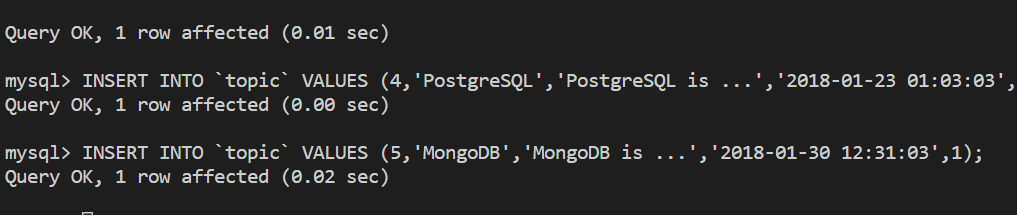
Query OK가 뜨면서 쭉 반영됨
opentutorials db에 author랑 topic 테이블이 성공적으로 만들어졌으면 됨
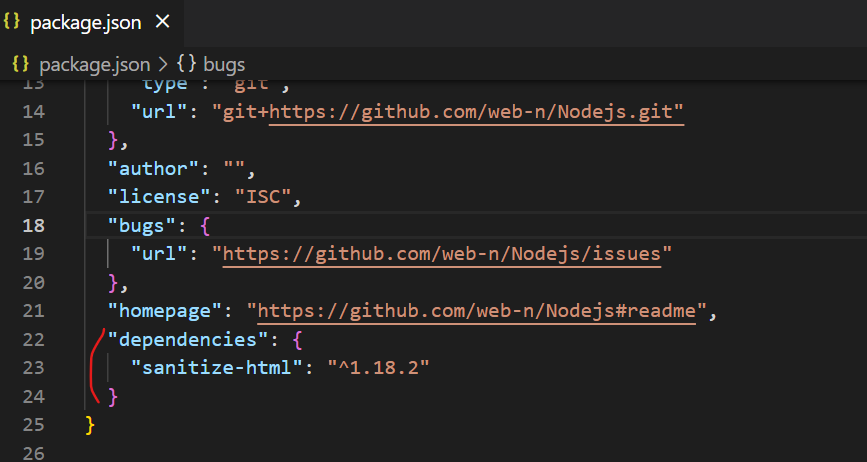
package.json에 보면 dependencies에 sanitize-html을 적어놓음
이걸 설치해주자
터미널에 npm install 명령어를 통해 dependencies에 적어놓은 모듈을 설치할 수 있음