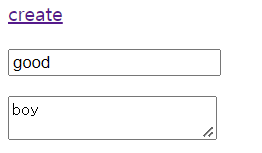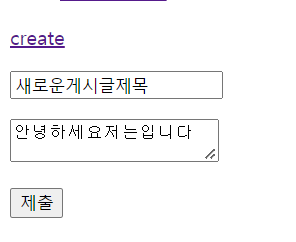
이제 폼에서 데이터를 입력받아서 가져왔는데 이 데이터로 data 디렉토리 안에 파일을 만들고 리다이렉션해서 화면까지 보여주도록 하자
var http = require('http');
var fs = require('fs');
var url = require('url');
var qs = require('querystring');

function templateHTML(title, list, body){
  return `
  <!doctype html>
  <html>
  <head>
    <title>WEB1 - ${title}</title>
    <meta charset="utf-8">
  </head>
  <body>
    <h1><a href="/">WEB</a></h1>
    ${list}
    <a href="/create">create</a>
    ${body}
  </body>
  </html>
  `;
}
function templateList(filelist){
  var list = '<ul>';
  var i = 0;
  while(i < filelist.length){
    list = list + `<li><a href="/?id=${filelist[i]}">${filelist[i]}</a></li>`;
    i = i + 1;
  }
  list = list+'</ul>';
  return list;
}

var app = http.createServer(function(request,response){
    var _url = request.url;
    var queryData = url.parse(_url, true).query;
    var pathname = url.parse(_url, true).pathname;
    if(pathname === '/'){
      if(queryData.id === undefined){
        fs.readdir('./data', function(error, filelist){
          var title = 'Welcome';
          var description = 'Hello, Node.js';
          var list = templateList(filelist);
          var template = templateHTML(title, list, `<h2>${title}</h2>${description}`);
          response.writeHead(200);
          response.end(template);
        });
      } else {
        fs.readdir('./data', function(error, filelist){
          fs.readFile(`data/${queryData.id}`, 'utf8', function(err, description){
            var title = queryData.id;
            var list = templateList(filelist);
            var template = templateHTML(title, list, `<h2>${title}</h2>${description}`);
            response.writeHead(200);
            response.end(template);
          });
        });
      }
    } else if(pathname === '/create'){
      fs.readdir('./data', function(error, filelist){
        var title = 'WEB - create';
        var list = templateList(filelist);
        var template = templateHTML(title, list, `
          <form action="http://localhost:3000/create_process" method="post">
            <p><input type="text" name="title" placeholder="title"></p>
            <p>
              <textarea name="description" placeholder="description"></textarea>
            </p>
            <p>
              <input type="submit">
            </p>
          </form>
        `);
        response.writeHead(200);
        response.end(template);
      });
    } else if(pathname === '/create_process'){
      var body = '';
      request.on('data', function(data){
          body = body + data;
      });
      request.on('end', function(){
          var post = qs.parse(body);
          var title = post.title;
          var description = post.description;
          fs.writeFile(`data/${title}`, description, 'utf8', function(err){
            response.writeHead(302, {Location: `/?id=${title}`});
            response.end();
          })
      });
    } else {
      response.writeHead(404);
      response.end('Not found');
    }
});
app.listen(3000);- 파일 만들고 리다이렉트
request.on('end', function(){
          var post = qs.parse(body);
          var title = post.title;
          var description = post.description;
          fs.writeFile(`data/${title}`, description, 'utf8', function(err){
            response.writeHead(302, {Location: `/?id=${title}`});
            response.end();
          })
전 포스트에서 post 에 폼에 입력받은 값을 저장받아서 저장하고 post.필드명 으로 원하는 값을 title이랑 description 변수에 저장함
이제 writeFile로 data디렉토리에 입력받은 title명에 해당하는 파일을 생성함
생성하고 콜백함수를 호출하는데 여기서 reponse.writeHead로 헤더에 응답코드를 302로 넣어서 리다이렉트 하게 해주고 Location은 리다이렉트 할 url임 여기다가 url의 쿼리를 id=${title}로 넣어줌.
이렇게 하면 먼저 writeFile에 의해 내가 폼에 입력한 이름과 내용에 해당하는 파일이 만들어지고 리다이렉트 해줌
/id=${title}로 리다이렉트 하면
if(pathname === '/'){
      if(queryData.id === undefined){
        fs.readdir('./data', function(error, filelist){
          var title = 'Welcome';
          var description = 'Hello, Node.js';
          var list = templateList(filelist);
          var template = templateHTML(title, list, `<h2>${title}</h2>${description}`);
          response.writeHead(200);
          response.end(template);
        });
      } else {
        fs.readdir('./data', function(error, filelist){
          fs.readFile(`data/${queryData.id}`, 'utf8', function(err, description){
            var title = queryData.id;
            var list = templateList(filelist);
            var template = templateHTML(title, list, `<h2>${title}</h2>${description}`);
            response.writeHead(200);
            response.end(template);
          });
        });
      }
else 부분에 해당하는데
/data 디렉토리에서 data/${queryData.id}에 해당하는 파일을 읽어와서 template 변수에 templateHTML 함수로 원하는 값을 넣고 response에 넣어서 보여준다.
요약하면 폼에 넣은 내용으로 파일작성 -> 리다이렉트 -> 리다이렉트할 url로 클라이언트가 요청하면 작성한 파일에서 데이터 가져와서 response 에 넣어서 보내줌