프로젝트 생성
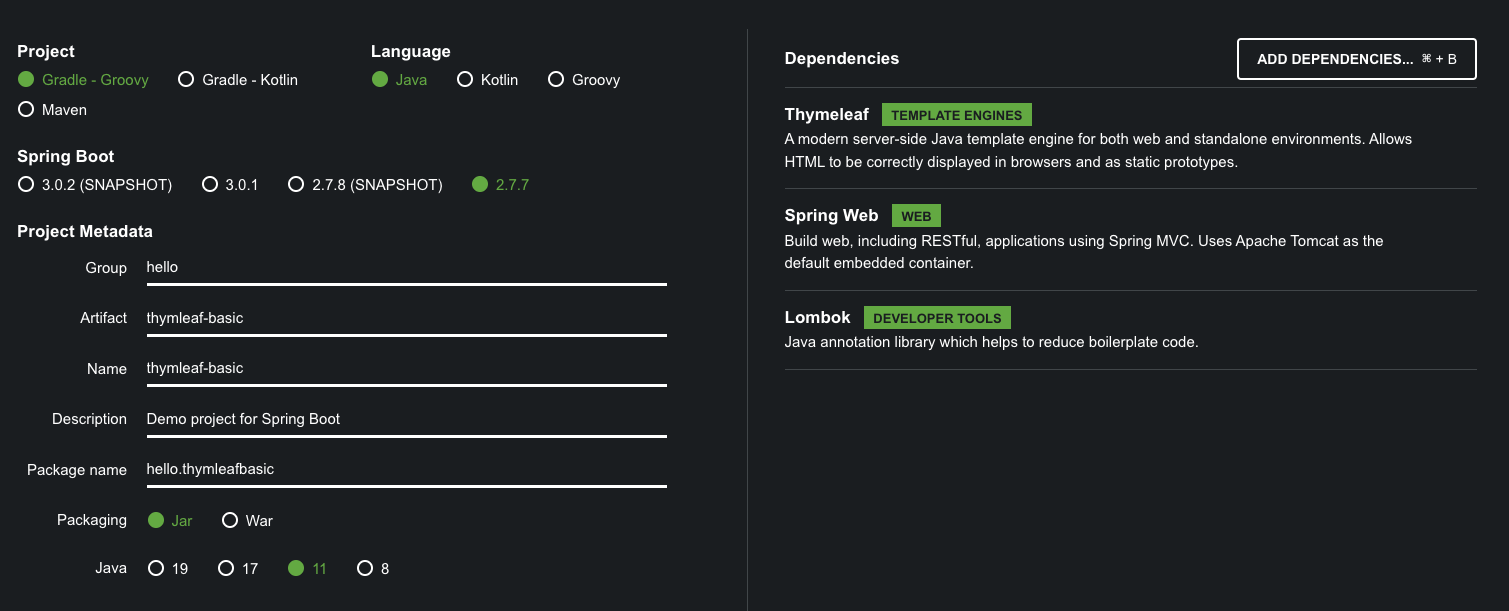
소개
타임리프 특징
- 서버사이드 렌더링
- 내추럴 템플릿
- 스프링 통합 지원
타임리프 사용 선언
<html xmlns:th"http://www.thymeleaf.org">
텍스트 - text,utext
기본적으로 HTML 태그 속성에 기능을 정의해서 동작
HTML의 콘텐츠에 데이터를 출력할 때 th:text 사용
ex) <span th:text="{data}">
태그 안이 아닌 직접 데이터를 출력할려면 [[...]]사용
ex) <li>컨텐츠 안에서 직접 출력하기 = [[${data}]]</li>
Escape
<,>등의 특수 문자는 자동적으로 <,> 등의 Html 엔티티로 바뀌어서 인식됨
타임리프에서는 자동적으로 지원
Unescape
위 기능을 사용하지 않으려면 2가지 방법이 있음
th:text=>th:utext[[...]]=>[(...)]
escape가 기본, 꼭 필요할 때만 unescape
SpringEL(변수)
변수를 사용할 때 쓰는 표현식 ${...}
여기에 스프링에서 제공하는 방법까지 사용
Object
user.username=> 실제로는 프로퍼티 접근법 사용user['username']=> 위와동user.getUsername()=> getUsername() 직접호출
List
Users[0]. ... 등으로 접근
Map
Usermap[0]. ...으로 접근
지역변수
th:with="..." 사용해서 변수 선언
선언한 태그 안에서만 사용 가능
<div th:with="first=${users[0]}"><!--first변수에 user[0] 할당-->
    <p> 처음 사람의 이름은 <span th:text="${first.username}"></span></p>
</div>
기본 객체들
스프링부트 3.0 이상버전부터는 모델에 직접 담아줘야된다.
${#request},${#response},${#session},{#servletConext},${#locale}
편의 객체
- Http 요청 파라미터 접근 :
param- ex)
${param.paramdata}
- ex)
- Http 세션
session- ex)
${session.sessionData}
- ex)
- 스프링 빈
@- ex)
${@helloBean.hello('Spring!')}
- ex)
유틸리티 객체와 날짜
URL 링크
@{...} 문법으로 URL 생성
단순 URL
@{/hello}=>/hello
쿼리 파라미터
- `@{hello(param1={param2})}
- =>
/hello?param1=data¶m2=data2 - **
()에 있는 부분은 쿼리파라미터로 들어감
- =>
경로 변수
"@{/hello/{param1}/{param2}(param1=${param1}, param2=${param2})}- =>
/hello/data1/data2 - URL 경로상의 변수가 있으면,
()부분은 경로변수로 처리
- =>
경로변수+쿼리파라미터도 가능
@{/hello/{param1}(param1=${param1}, param2=${param2})}
=>/hello/data1?param2=data2
리터럴
리터럴이란? 소스 코드상에 고정된 값
즉 문자, 숫자, 불린, null이 있음
- **원칙적으로 문자 리터럴은
''로 감싸야 한다``- 공백없이 쭉 이어지면 생략 가능하지만, 공백이 있으면 오류가 남
- ex)
<span th:text="hello World!"> <span>=> 오류
리터럴 대체 문법
<li>'hello ' + ${data} = <span th:text="'hello ' + ${data}"></span></li>
<!-- 리터럴 대체 문법으로 간단하게 사용 -->
<li>리터럴 대체 |hello ${data}| = <span th:text="|hello ${data}|"></span></li>
연산
HTML 엔티티 사용만 조심 <,>등
- Elvis 연산자
데이터가 있으면 데이터 출력, 없으면 뒤문자 출력<li>${data}?: '데이터가 없습니다.' = <span th:text="${data}?: '데이터가 없습니다.'"></span> </li> - No-Operation
_
_인 경우 타임리프가 실행되지 않는것처럼 동작(HTML 내용 그대로)<li>${data}?: _ = <span th:text="${data}?: _">데이터가 없습니다.</span></li>
속성 값 설정
타임리프는 주로 태그에 th:* 속성을 지정해서 동작
기존에 있으면 대체, 없으면 생성
속성 추가 대부분 클래스에 쓰일듯?
th:attrappend : 속성 값에 추가(뒤)
th:attrprepend:속성 값에 추가 (앞)
th:classappend:클래스추가
checked
HTML은 checked라는 속성이 존재하면 무조건 체크됨
그래서 th:checked는 값이 false면 checked속성 자체를 제거해줌
반복
th:each를 사용
반복 기능
<tr th:each="user : ${users}">
- List 뿐만이 아니라 배열, Map 등 iterable한것들 사용 가능
반복 상태 유지
<tr th:each="user, userStat : ${users}">
반복의 2번째 파라미터로 상태 확인 가능
파라미터를 생략하면 지정한 변수명user+Stat이 됨
index:0부터 시작하는 값count:1부터 시작하는 값size:전체사이즈even,odd:홀,짝 여부 (boolean)first,last:시작,끝 여부 (boolean)current:현재 객체
조건
해당 조건이 맞지 않으면, 태그 자체를 지운다
<span th:text="'미성년자'" th:if="${user.age lt 20}"></span>
<!-- 해당 조건이 거짓이면 아예 사라짐 -->
switch
*==defalt
<td th:switch="${user.age}">
<span th:case="10">10살</span>
  <span th:case="20">20살</span>
  <span th:case="*">기타</span>
</td>
주석
기본 주석
렌더링할때 제거됨
<!--/* [[${data}]] */-->프로토타입 주석
웹에서 열어보면 렌더링 X, 타임리프가렌더링하면 정상처리
<!--/*/ [${data}] /*/-->블록
<th:block> = HTML 태그가 아닌 타임리프의 자체 태그 (유일)
특별한 경우에만 사용 (웬만하면 필요없을 듯?) 그냥 div안에감싸면됨
렌더링시 제거됨
자바스크립트 인라인
<script th:inline="javascript">
문자타입이면 ""를 너주고, 객체를 JSON으로 반환해주는 등 편함
템플릿 조각
footer에서 th:fragment="이름"으로 조각의 이름을 지정하고
<!--template/fragment/footer.html -->
<footer th:fragment="copy">
    푸터 자리 입니다.
</footer>

<footer th:fragment="copyParam (param1, param2)">
    <p>파라미터 자리 입니다.</p>
    <p th:text="${param1}"></p>
    <p th:text="${param2}"></p>
</footer>
지정한 footer를 가져다 씀
insert는 안에 footer가 들어가고, replace는 아예 footer로 대체 (div=>footer)
<!--template/fragment/fragmentMain.html -->
<h2>부분 포함 insert</h2>
<div th:insert="~{template/fragment/footer :: copy}"></div>

<h2>부분 포함 replace</h2>
<div th:replace="~{template/fragment/footer :: copy}"></div>

<h2>부분 포함 단순 표현식</h2>
<div th:replace="template/fragment/footer :: copy"></div>

<h1>파라미터 사용</h1>
<div th:replace="~{template/fragment/footer :: copyParam ('데이터1', '데이터2')}"></div>
템플릿 레이아웃
위에서는 템플릿 조각을 가져와서 사용했다면, 여기서는 코드 조각을 레이아웃에 넘겨서 사용
layoutMain.html
common_header(~{::title},~{::link})을 통해서, 밑의 <title>과 <link>를 변수로 넣어준다.
<html xmlns:th="http://www.thymeleaf.org">
<head th:replace="template/layout/base :: common_header(~{::title},~{::link})">
    <title>메인 타이틀</title>
    <link rel="stylesheet" th:href="@{/css/bootstrap.min.css}">
    <link rel="stylesheet" th:href="@{/themes/smoothness/jquery-ui.css}">
</head>
base.html
위에서 받은 <title>과 <link>를 대체한다
<head th:fragment="common_header(title,links)">

    <title th:replace="${title}">레이아웃 타이틀</title>
    <!-- 공통 -->
    <link rel="stylesheet" type="text/css" media="all" th:href="@{/css/awesomeapp.css}">
    <link rel="shortcut icon" th:href="@{/images/favicon.ico}">
    <script type="text/javascript" th:src="@{/sh/scripts/codebase.js}"></script>
    <!-- 추가 -->
    <th:block th:replace="${links}" />
</head>
html 자체를 넘기는 것도 가능