epub.js란?
- 웹 브라우저, 그리고 다른 디바이스에서 epub 파일을 렌더링할 수 있는 자바스크립트 라이브러리
- epub.js를 통해 ebook 뷰잉을 위한 각종 기능들 이용이 가능
EPUB?
The EPUB standard is a widely used and easily convertible format. Many books are currently in this format, and it is convertible to many other formats (such as PDF, Mobi and iBooks).
EPUB 표준은 범용적으로 사용되며, 변환이 쉬운 형식이다. 현재 대부분의 도서들이 해당 형식을 가지며, 다른 다양한 형식들도 변환될 수 있다.
An unzipped EPUB3 is a collection of HTML5 files, CSS, images and other media – just like any other website. However, it enforces a schema of book components, which allows us to render a book and its parts based on a controlled vocabulary.
그리고 공식문서를 계속해서 읽어보면, EPUB3의 압축을 풀면, 일반적인 웹과 다르지 않게 HTML5, CSS, 이미지와 다른 미디어 파일들로 구성되어있다고 한다.
하지만 제어된 어휘를 기반으로 하여 책과 내용을 렌더링할 수 있도록 하는 스키마가 적용된다.
More specifically, the EPUB schema standardizes the table of contents, provides a manifest that enables the caching of the entire book, and separates the storage of the content from how it’s displayed.
구체적으로 보면, EPUB 스키마는 목차를 표준화하며, 도서 전체를 캐싱할 수 있게 해준다. 그리고 도서 내용의 저장과 표시를 분리한다고 한다.
결론적으로, 이러한 형태를 지닌 EPUB을 렌더링할 수 있도록 도와주는 라이브러리가 epub.js 인 것이다.
본격적으로 구현해보자.
React.js에서 EPUB 뷰어 구현
우선 설치부터 진행하자.
npm i epubjs그 뒤, epubViewer 역할을 수행할 컴포넌트를 생성한 뒤, 설치한 epubjs로부터 EPub을 import 한다.
import Epub from 'epubjs';이 Epub을 이용하여, epub 형식을 지닌 파일을 이용하여 여러 가지 동작을 수행하는 것이 가능하다.
먼저 Epub을 이용하여 전자책 객체를 생성하자.
const book = Epub(url);그 뒤, 생성한 전자 책을 이용하여, 렌더링 하기 위한 위치를 지정한다.
const rendition = book.renderTo('area', { method: 'default' });renterTo 메서드를 이용하였는데, 첫 번째 인차는 렌더링할 위치를 의미한다. 아래 위치에서 생성됨을 알 수 있다.
<div id="area"></div>두 번째 인자는 렌더링 시에 적용될 option 들을 의미한다.
그 뒤, display 메서드를 이용하여 본격적으로 렌더링한다.
const displayed = rendition.display();위에서 생성한 rendition 내에는 다양한 메서드, 프로퍼티들이 존재한다. 나는 이전, 다음페이지 구현을 위해 아래와 같이 작성하였다.
<Style.ButtonsBox>
    <Style.Button onClick={() => rendition.prev()}>
                    이전 페이지
    </Style.Button>
    <Style.Button onClick={() => rendition.next()}>
                    다음 페이지
     </Style.Button>
</Style.ButtonsBox>
EPUB Viewer 컴포넌트 최종 코드
import Epub from 'epubjs';
import Style from './epubViewer.style';

const EPubViewer = ({ url }) => {
    const book = Epub(url);
    const rendition = book.renderTo('area', { method: 'default' });
    const displayed = rendition.display();
    return (
        <>
            <Style.ButtonsBox>
                <Style.Button onClick={() => rendition.prev()}>
                    이전 페이지
                </Style.Button>
                <Style.Button onClick={() => rendition.next()}>
                    다음 페이지
                </Style.Button>
            </Style.ButtonsBox>
            <Style.ViewerBox>
                <div id="area"></div>
            </Style.ViewerBox>
        </>
    );
};

export default EPubViewer;
이제 생성한 뷰어 컴포넌트를 이용하여 페이지에서 렌더링하자.
import ContentsLayout from '../UI/contentsLayout';
import epubFile from '../epub_sample.epub';
import EPubViewer from '../components/epubViewer/epubViewer';

const EPubsPage = () => {
    return (
        <ContentsLayout>
            <EPubViewer url={epubFile} />
        </ContentsLayout>
    );
};

export default EPubsPage;
로컬 내에 저장된 EPUB 파일을 이용하였다.
완성본
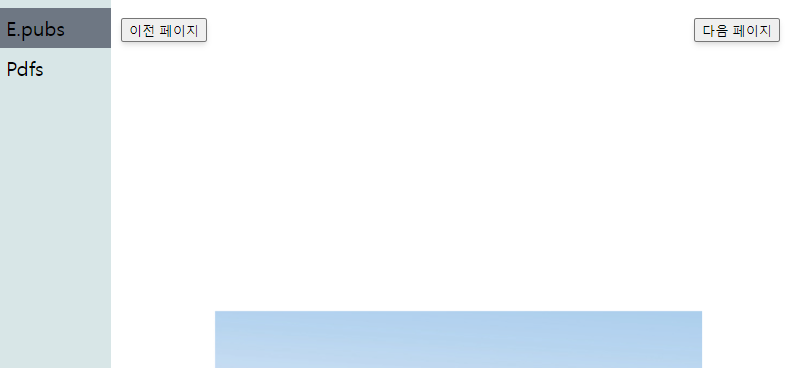
공개 블로그이다보니, E-Book의 내용은 가리고 업로드하였다.
후기
- 자바스크립트 라이브러리는 정말 무궁무진한 것 같다.
- 구글링하면서 해당 라이브러리에 대해 검색을 해보았는데, 한국어 자료가 거의 없었고 대부분 영어자료였다.
- 비교적 범용적이지 않은 자료들은, 한국어 자료가 부족하여 영어 자료가 대부분이였고, 평소 영어로된 공식 문서들을 자주 읽어보며 익숙해져야 함을 절실히 느꼈다.
참고자료
공식문서
https://github.com/futurepress/epub.js/