Flet은 100개가 넘는 컨트롤을 제공하지만, 진정한 Flet의 묘미는 그것들을 활용하여 재사용가능한 자신만의 컨트롤을 만들 수 있다는 점이다.
Styled controls
가장 간단한 커스텀컨트롤은 Styled controls인데, 예를 들어 어떤 색상과 동작을 가지는 버튼이다. 아래의 코드는 앞서 말한 바와 같이 버튼을 첨부터 만드는 게 아니라 OutlinedButton을 가지고 만드는 것이다.
class MyButton(ft.OutlinedButton)
    def __init__(self, text):
        super().__init__()
        self.bgcolor = ft.colors.ORANGE_300
        self.color = ft.colors.GREEN_800
        self.text = text
위의 코드에서 보듯이 Flet컨트롤의 속성과 메서드에 접근하려면 super().init()를 호출해야 한다. 이제 다음과 같이 사용할 수 있다.
import flet as ft

def main(page: ft.Page):

    page.add(MyButton(text="OK"), MyButton(text="Cancel"))

ft.app(target=main)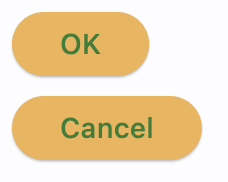
프러퍼티뿐만 아니라 아래와 같이 메서드를 재지정할 수 있다.
import flet as ft

class MyButton(ft.ElevatedButton):
    def __init__(self, text, on_click):
        super().__init__()
        self.bgcolor = ft.colors.ORANGE_300
        self.color = ft.colors.GREEN_800
        self.text = text
        self.on_click = on_click

def main(page: ft.Page):

    def ok_clicked(e):
        print("OK clicked")

    def cancel_clicked(e):
        print("Cancel clicked")

    page.add(
        MyButton(text="OK", on_click=ok_clicked),
        MyButton(text="Cancel", on_click=cancel_clicked),
    )

ft.app(target=main)
Composite controls
Column, Row, Stack 또는 View와 같은 컨테이너 컨트롤을 상속받아 여러 Flet컨트롤을 묶은 Composite controls도 가능하다. 다음은 To-Do앱에서 사용할 Task라는 Composite controls을 만드는 예이다.
import flet as ft
class Task(ft.Row):
    def __init__(self, text):
        super().__init__()
        self.text_view = ft.Text(text)
        self.text_edit = ft.TextField(text, visible=False)
        self.edit_button = ft.IconButton(icon=ft.icons.EDIT, on_click=self.edit)
        self.save_button = ft.IconButton(
            visible=False, icon=ft.icons.SAVE, on_click=self.save
        )
        self.controls = [
            ft.Checkbox(),
            self.text_view,
            self.text_edit,
            self.edit_button,
            self.save_button,
        ]

    def edit(self, e):
        self.edit_button.visible = False
        self.save_button.visible = True
        self.text_view.visible = False
        self.text_edit.visible = True
        self.update()

    def save(self, e):
        self.edit_button.visible = True
        self.save_button.visible = False
        self.text_view.visible = True
        self.text_edit.visible = False
        self.text_view.value = self.text_edit.value
        self.update()

def main(page: ft.Page):
    page.add(
        Task(text="Do laundry"),
        Task(text="Cook dinner"),
    )


ft.app(target=main)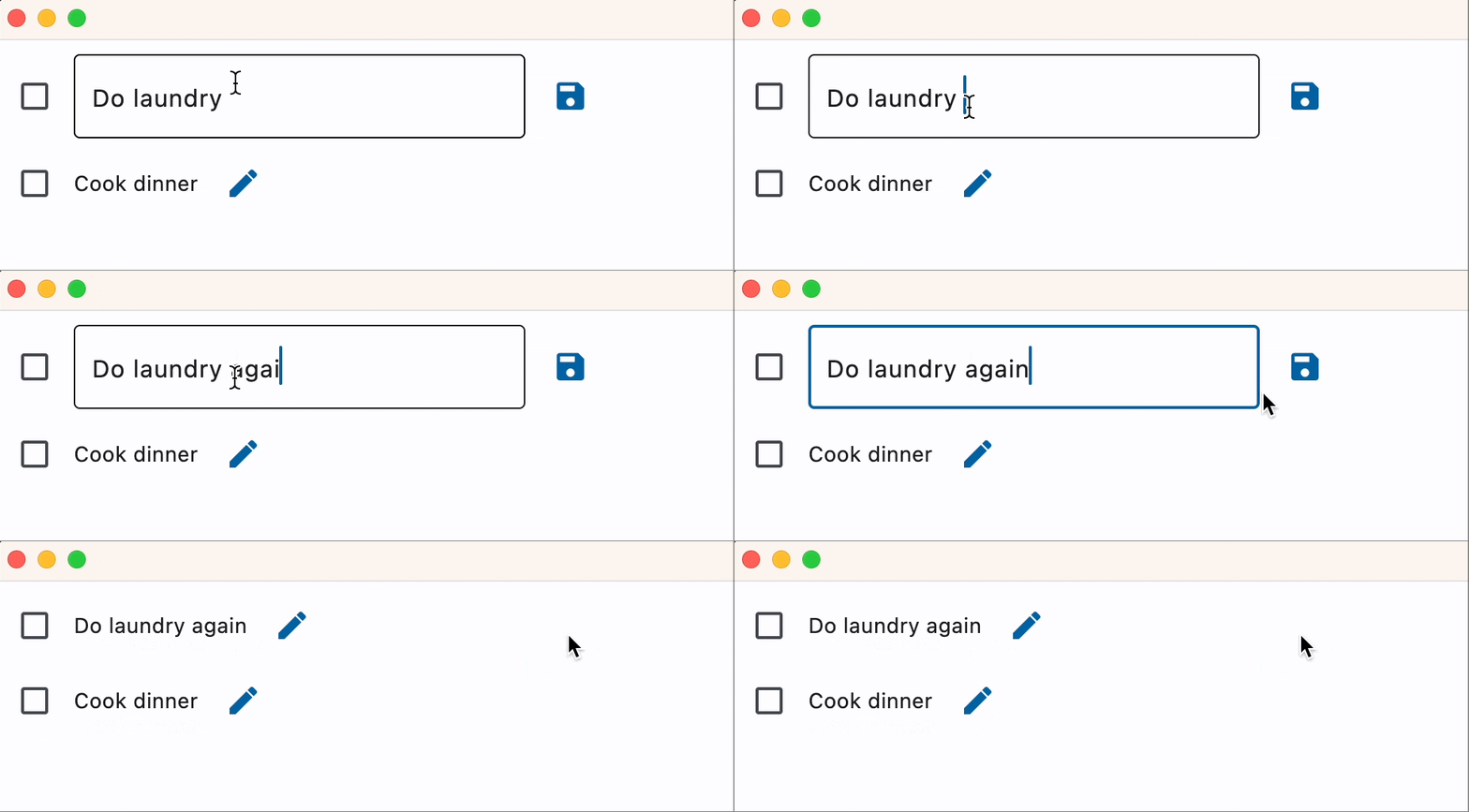
community examples 와 flet-contrib repos를 방문하면 더 많은 composite controls 예를 찾아 볼 수 있다.
Life-cycle methods
custom controls는 컨트롤을 다르게 사용하기 위해 필요한 life-cycle 훅(hook) 메서드를 제공한다.
build()
build 메서드는 새로 만들어지거나 self.page에 할당될 때 호출된다.
컨트롤의 생성자가 실행되지 않는 로직을 구현하고 싶은 경우 사용한다.
did_mount()
did_mount 메서드는 page에 추가되고 transient uid를 부여받을 때 호출된다.
will_unmount()
will_unmount 메서드는 컨트롤이 page에서 제거되기 전에 호출된다.
before_update()
before_update 메서드는 컨트롤이 업데이트될 때마다 호출된다.
Isolated controls
Custom control은 False 기본값을 가지는 is_isolated 프러퍼티를 가진다. True로 해두면 컨트롤이 외부레이아웃에서 분리된다. 즉 부모컨트롤이 업데이트될 때 자식컨트롤로서 업데이트에서 제외된다.
자신의 메서드에서 업데이트를 호출하는 custom control이라면 is_isolated를 True로 두는 게 좋을 것이다.
class Task(ft.Row):
    def __init__(self, text):
        super().__init__()
        self.isolated = True