Remote-SSH 설치
1. VSCode에서 Remote-SSH 설치
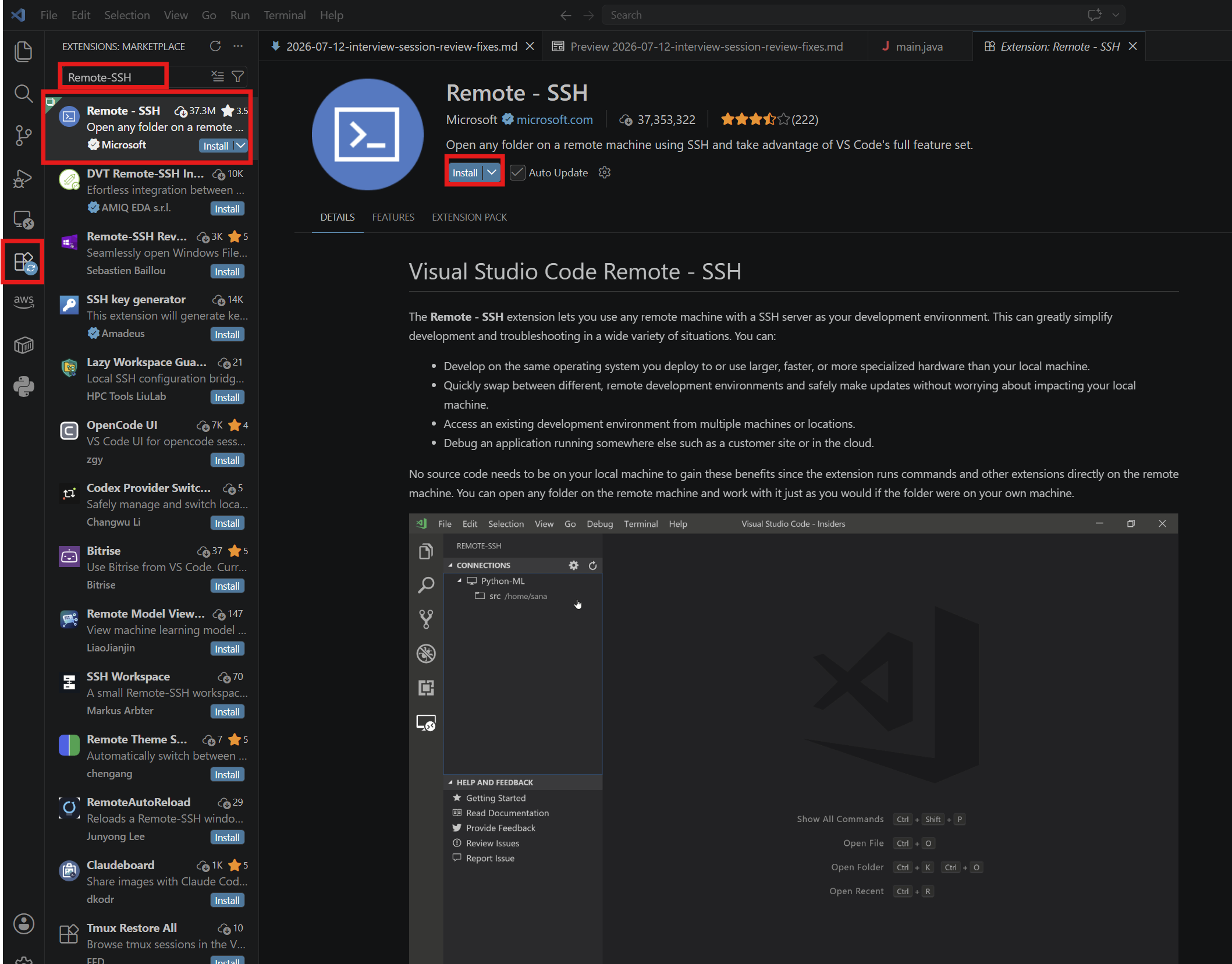
- Remote-SSH는 VSCode의 확장 프로그램으로 만들어져 있다.
2. key pair 권한 수정하기
- key pair는 AWS EC2를 생성할 때 발급받은 키페어이다.
- 해당 Key pair를 ssh라는 빈 폴더를 만들고 그 안에 key pair를 복사해 넣어둔다.
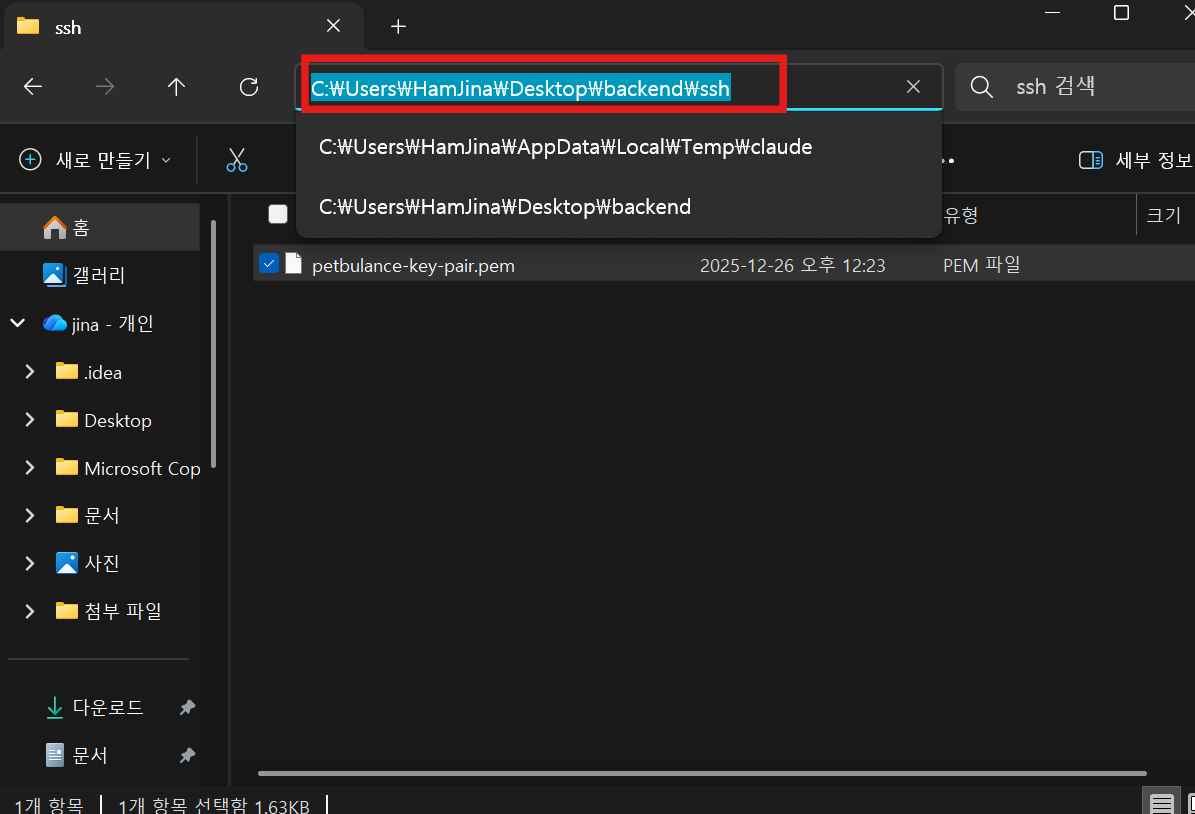
- 위 경로에서 터미널로 파일 권한을 수정해준다.
// Mac/Linux
chmod 400 ~/.ssh/your-key.pem

// Windows
icacls "C:\Users\사용자명\.ssh\your-key.pem" /inheritance:r /grant:r "$env:USERNAME:R"
3. Remote-SSH: Connect to Host
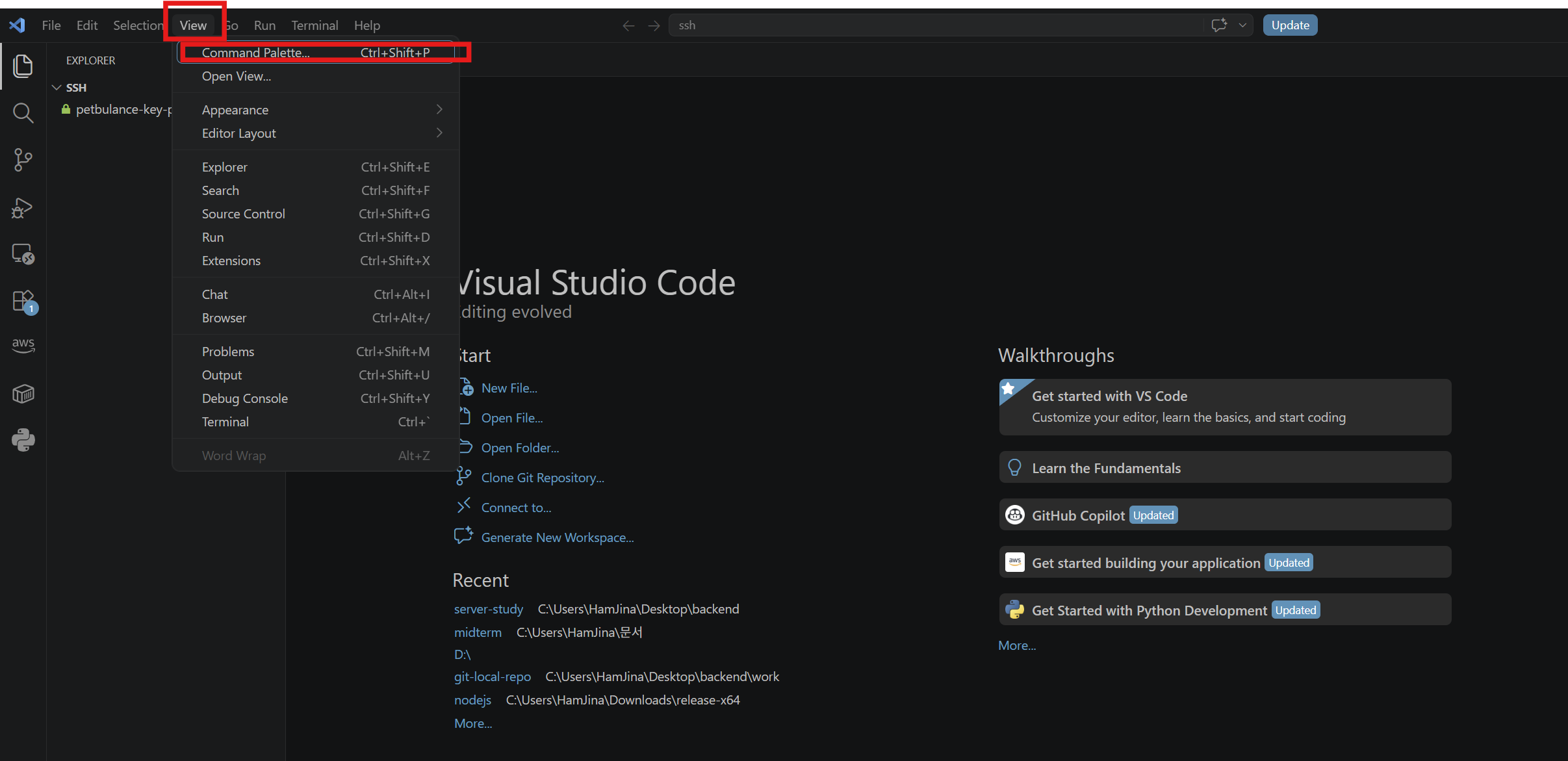
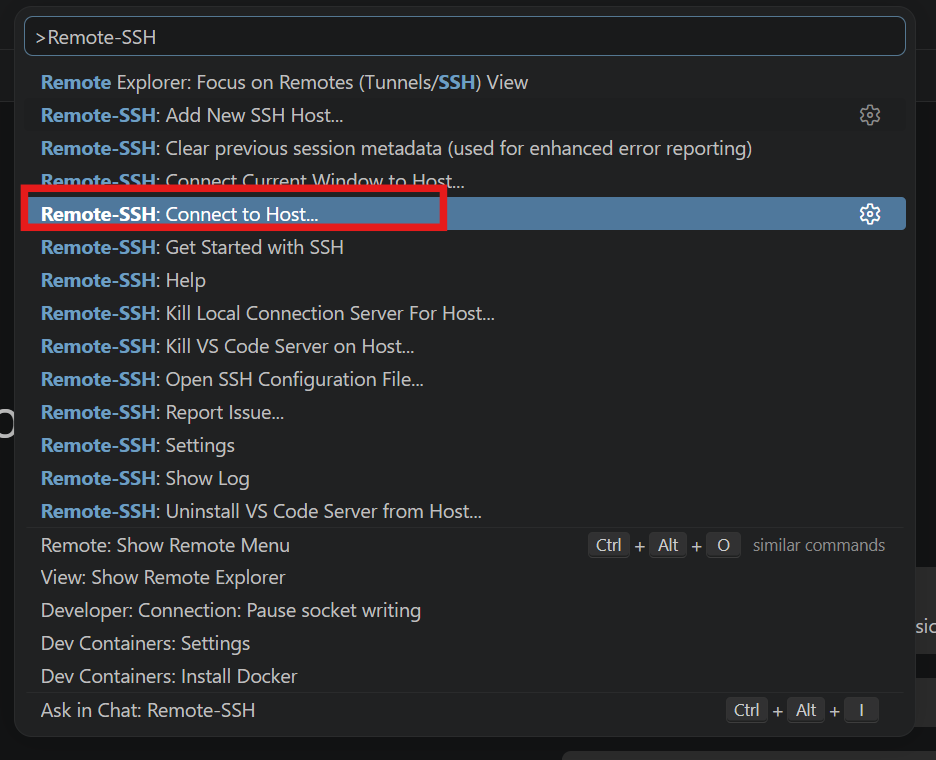
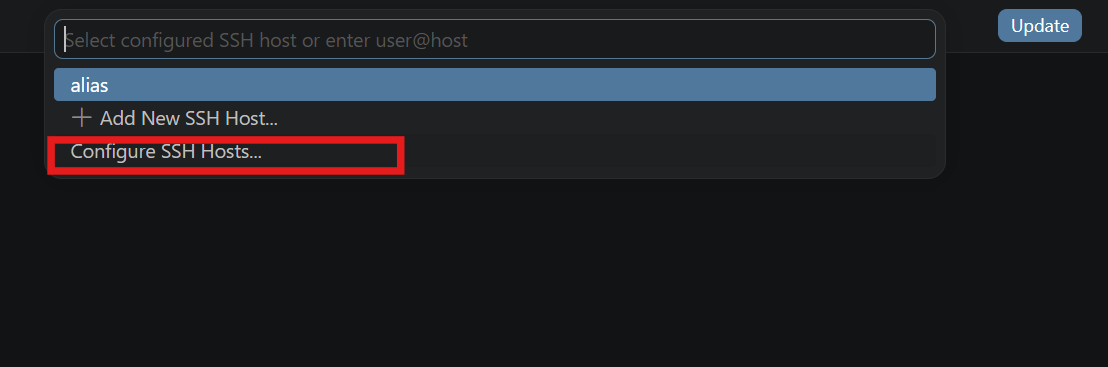
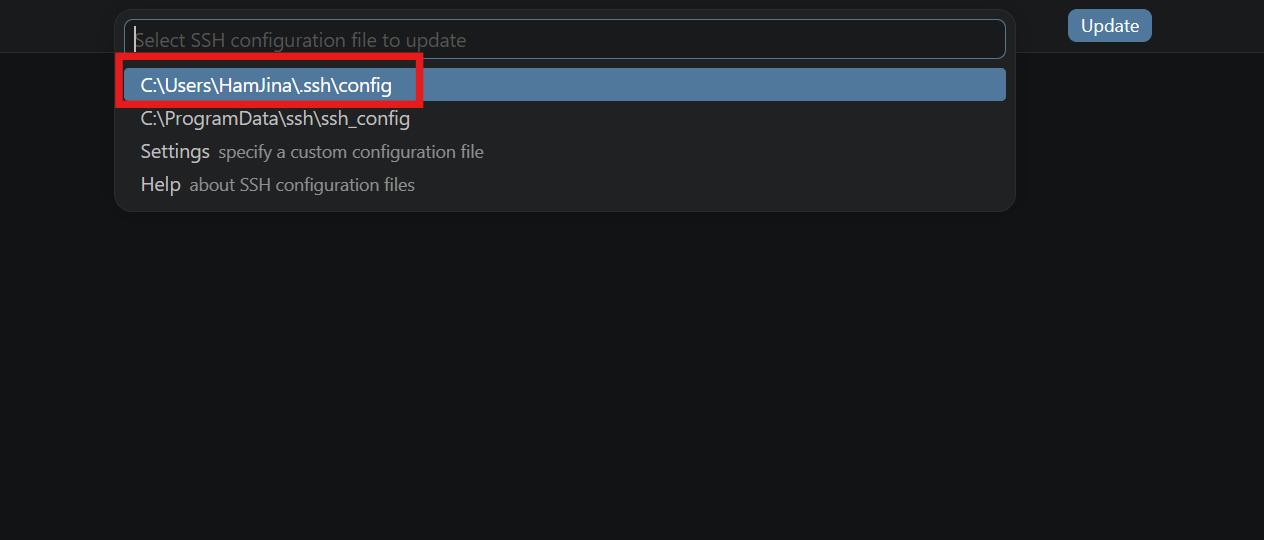
- config파일이 열리면 아래 내용을 입력해준다.
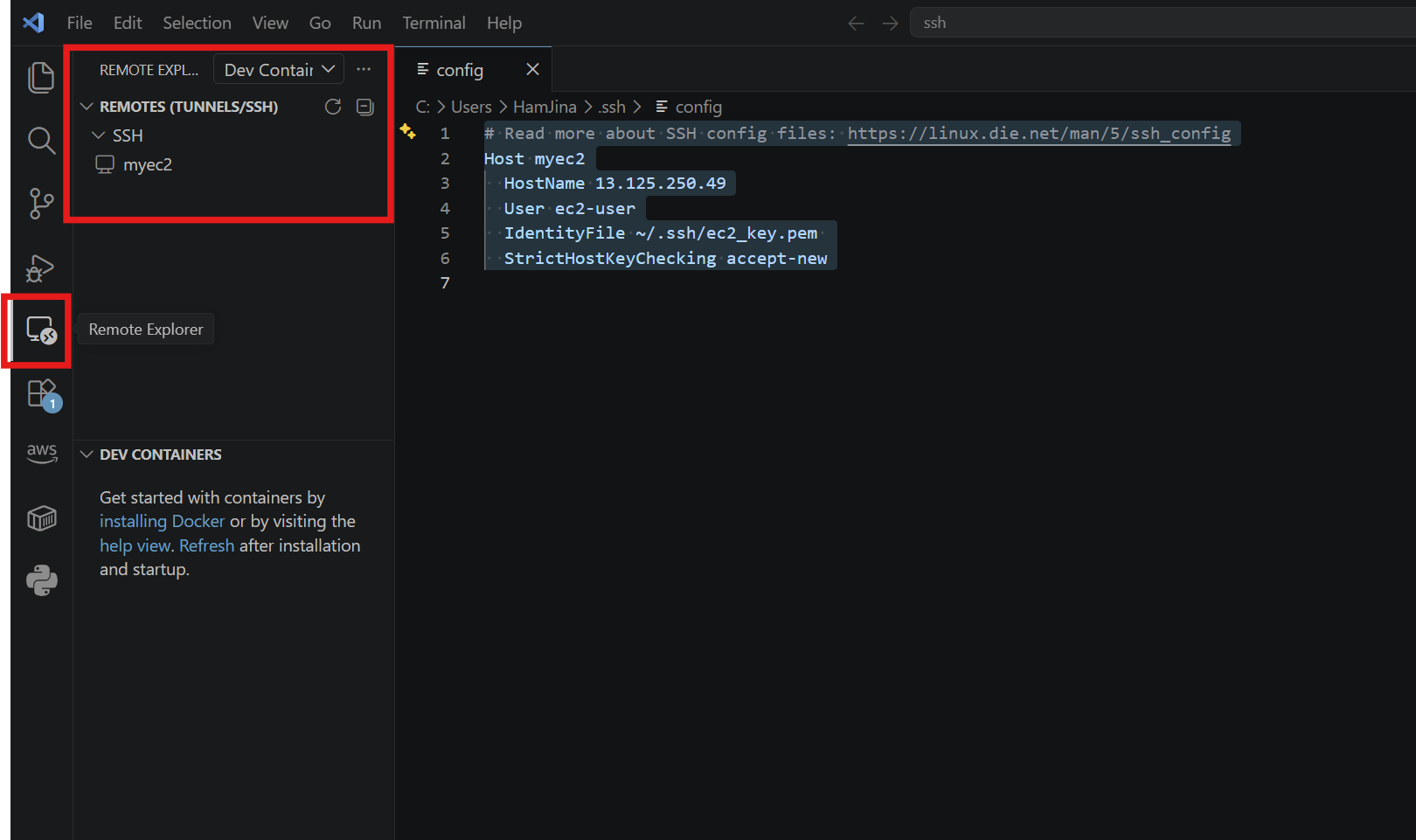
# Read more about SSH config files: https://linux.die.net/man/5/ssh_config

Host myec2
  HostName [EC2 인스턴스의 IP 주소]
  User ec2-user
  IdentityFile ~/.ssh/ec2_key.pem // 실제 키 파일의 위치
  StrictHostKeyChecking accept-new
- 아래와 같이 myec2가 생성된 것을 볼 수 있다.
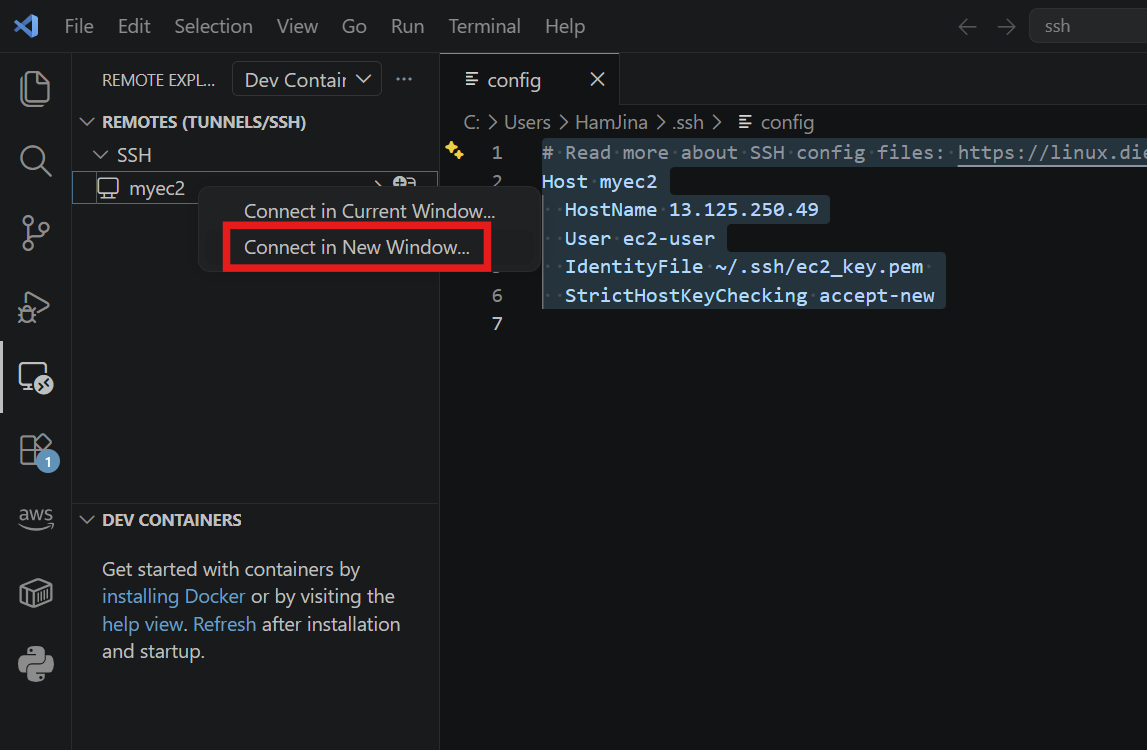
- 새로 window가 열리면서 ec2에 원격으로 연결된 것을 볼 수 있다.
- terminal을 통해 ec2에 원격으로 명령어를 입력할 수 있고, 폴더를 관리하기 쉬워진다.