프로젝트를 진행하면서 진행상황을 기록해 보고싶어서 블로그에 남깁니다.
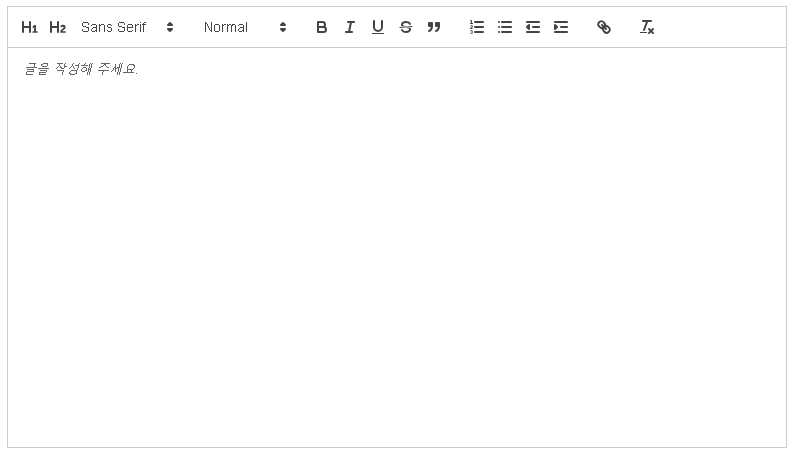
게시판 글 작성하는 페이지에서 위즈윅에디터 중 react-quill을 사용해서 api통신을 진행했습니다.
React-Quill 설치
npm install -s react-quill공식사이트
https://quilljs.com/docs/formats/
위 사이트의 형식을 보고 작성했습니다. 물론 구글링에서 많이 긁어왔습니다ㅎ
//로딩창
const QuillWrapper = dynamic(() => import('react-quill'), {
  ssr: false,
  loading: () => <p>Loading ...</p>,
});

//적용기능
const modules = {
  toolbar: [
    [{ header: '1' }, { header: '2' }, { font: [] }],
    [{ size: [] }],
    ['bold', 'italic', 'underline', 'strike', 'blockquote'],
    [
      { list: 'ordered' },
      { list: 'bullet' },
      { indent: '-1' },
      { indent: '+1' },
    ],
    ['link'],
    ['clean'],
  ],
  clipboard: {
    // toggle to add extra line breaks when pasting HTML:
    matchVisual: false,
  },
};
/*
 * Quill editor formats
 * See https://quilljs.com/docs/formats/
 */
const formats = [
  'header',
  'font',
  'size',
  'bold',
  'italic',
  'underline',
  'strike',
  'blockquote',
  'list',
  'bullet',
  'indent',
  'link',
];
저는 사진 넣는 기능을 따로 만들 것 이기 때문에 사진을 추가하지 않았습니다.
<QuillWrapper
  value={quillText}
  theme="snow"
  modules={modules}
  formats={formats}
  placeholder="글을 작성해 주세요."
  onChange={(e: any) => setQuillText(e)}
  style={{ height: 400 }}
/>onChange속성에 변경되는 값을 남을 수 있도록 useState를 사용했습니다.
사용하고 싶은 위치게 이런식으로 넣으면 구현 끝
엄청 간단하죠?
이제 api를 구현할 차례입니다.
const handleSubmit = async () => {
    const isData = {
      head: unitTitle,
      body: quillText,
      main_category: mainNum
      sub_category: subNum
    };
    const data = await createPostApi(isData);
    alert('업로드');
  };
제목, quill로 구성된 본문, 메인, 서브 카테고리를 구성했습니다.
각자 프로젝트의 api에 따라서 다를 수 있습니다.
import instance from '../axiosInstance';

type Post = {
  head: string;
  body: string;
  main_category: number;
  sub_category: number;
};

const createPostApi = async ({
  head,
  body,
  main_category,
  sub_category,
}: Post): Promise<any> => {
  const res = await instance.post<Post>(`/boards`, {
    head: head,
    body: body,
    main_category: main_category,
    sub_category: sub_category,
  });
  return res;
};

export default createPostApi;
아직 typescript가 익숙하지 않아서 정확한 내용인지는 모릅니다. 근데 통신은 잘되더라구요ㅎ
문제가 작성된 글은 태그형식으로 들어와서 한 번에 보내는 양이 많다는 겁니다.
S3에 이미지를 업로드하는 방법이 있다고 해서 나중에 구현해 볼까 합니다.

소통하는 개발자