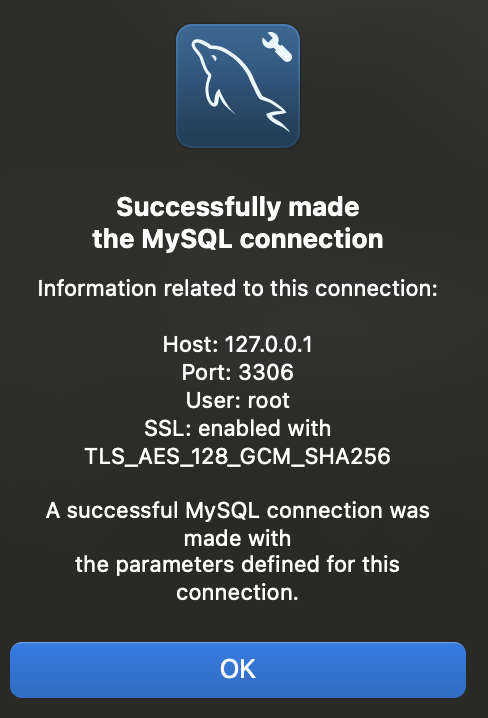
MariaDB installation in MacOS

homebrew를 이용한 mariadb 설치하기
brew install mariadboutput :
==> Auto-updating Homebrew...
Adjust how often this is run with HOMEBREW_AUTO_UPDATE_SECS or disable with
HOMEBREW_NO_AUTO_UPDATE. Hide these hints with HOMEBREW_NO_ENV_HINTS (see `man brew`).
==> Auto-updated Homebrew!
Updated 2 taps (homebrew/core and homebrew/cask).
==> New Formulae
asm6809                    gabo                       mariadb@11.4
boost@1.85                 go@1.22                    packcc
cmrc                       gql                        pcaudiolib
crow                       graphviz2drawio            pgcopydb
dependabot                 grizzly                    pyupgrade
dra                        http-server-rs             slackdump
dwarfs                     js-beautify                spidermonkey@115
fast_float                 jsbeautifier               spoofdpi
fierce                     kea                        tevent
firefly                    kubernetes-cli@1.30        tmpmail
flexiblas                  ldb                        ufbt
==> New Casks
font-ibm-plex-math         gauntlet                   oxygen-xml-developer
font-ibm-plex-sans-tc      kindle-create              photostickies
font-lxgw-simxihei         localcan                   retcon
font-lxgw-simzhisong       microsoft-openjdk@21       truetree
font-scientifica           neo-network-utility        winbox
font-server-mono           nrf-connect                xmenu

You have 13 outdated formulae installed.

==> Downloading https://ghcr.io/v2/homebrew/core/mariadb/manifests/11.5.2
######################################################################### 100.0%
==> Fetching dependencies for mariadb: mecab, mecab-ipadic, msgpack, groonga and lz4
==> Downloading https://ghcr.io/v2/homebrew/core/mecab/manifests/0.996-4
######################################################################### 100.0%
==> Fetching mecab
==> Downloading https://ghcr.io/v2/homebrew/core/mecab/blobs/sha256:d91a5e1bd7fd
######################################################################### 100.0%
==> Downloading https://ghcr.io/v2/homebrew/core/mecab-ipadic/manifests/2.7.0-20
######################################################################### 100.0%
==> Fetching mecab-ipadic
==> Downloading https://ghcr.io/v2/homebrew/core/mecab-ipadic/blobs/sha256:12212
######################################################################### 100.0%
==> Downloading https://ghcr.io/v2/homebrew/core/msgpack/manifests/6.1.0
######################################################################### 100.0%
==> Fetching msgpack
==> Downloading https://ghcr.io/v2/homebrew/core/msgpack/blobs/sha256:f8a10c653f
######################################################################### 100.0%
==> Downloading https://ghcr.io/v2/homebrew/core/groonga/manifests/14.0.6
######################################################################### 100.0%
==> Fetching groonga
==> Downloading https://ghcr.io/v2/homebrew/core/groonga/blobs/sha256:1dc7a12540
######################################################################### 100.0%
==> Downloading https://ghcr.io/v2/homebrew/core/lz4/manifests/1.10.0-1
######################################################################### 100.0%
==> Fetching lz4
==> Downloading https://ghcr.io/v2/homebrew/core/lz4/blobs/sha256:96c1ed07b01330
######################################################################### 100.0%
==> Fetching mariadb
==> Downloading https://ghcr.io/v2/homebrew/core/mariadb/blobs/sha256:3d8d1e1dfc
######################################################################### 100.0%
==> Installing dependencies for mariadb: mecab, mecab-ipadic, msgpack, groonga and lz4
==> Installing mariadb dependency: mecab
==> Downloading https://ghcr.io/v2/homebrew/core/mecab/manifests/0.996-4
Already downloaded: /Users/jinkkung/Library/Caches/Homebrew/downloads/c3b1ce288999bf20be4e6f931edd01876367bd1046d2d7979b68eb3e5f2315f9--mecab-0.996-4.bottle_manifest.json
==> Pouring mecab--0.996.sonoma.bottle.4.tar.gz
🍺  /usr/local/Cellar/mecab/0.996: 19 files, 3.9MB
==> Installing mariadb dependency: mecab-ipadic
==> Downloading https://ghcr.io/v2/homebrew/core/mecab-ipadic/manifests/2.7.0-20
Already downloaded: /Users/jinkkung/Library/Caches/Homebrew/downloads/daa8ae338ff2bd6c9d5e70d7b50f6571f1dd831848ea35ad632cd3ceb14917f6--mecab-ipadic-2.7.0-20070801-1.bottle_manifest.json
==> Pouring mecab-ipadic--2.7.0-20070801.sonoma.bottle.1.tar.gz
🍺  /usr/local/Cellar/mecab-ipadic/2.7.0-20070801: 15 files, 50.6MB
==> Installing mariadb dependency: msgpack
==> Downloading https://ghcr.io/v2/homebrew/core/msgpack/manifests/6.1.0
Already downloaded: /Users/jinkkung/Library/Caches/Homebrew/downloads/64deb06ebbeaaf491c089ce032ab47d3a2fd7017a0d42f92620a8feed75d9e28--msgpack-6.1.0.bottle_manifest.json
==> Pouring msgpack--6.1.0.sonoma.bottle.tar.gz
🍺  /usr/local/Cellar/msgpack/6.1.0: 39 files, 184.7KB
==> Installing mariadb dependency: groonga
==> Downloading https://ghcr.io/v2/homebrew/core/groonga/manifests/14.0.6
Already downloaded: /Users/jinkkung/Library/Caches/Homebrew/downloads/0015010abf047eb6523515673d44280f8e07750688e7c2c9fd27af8395e0dfc0--groonga-14.0.6.bottle_manifest.json
==> Pouring groonga--14.0.6.sonoma.bottle.tar.gz
🍺  /usr/local/Cellar/groonga/14.0.6: 902 files, 85.7MB
==> Installing mariadb dependency: lz4
==> Downloading https://ghcr.io/v2/homebrew/core/lz4/manifests/1.10.0-1
Already downloaded: /Users/jinkkung/Library/Caches/Homebrew/downloads/8e11e90eb21a06e0f199af9d80e011e3693c77dd353b2477579d95c8471a5802--lz4-1.10.0-1.bottle_manifest.json
==> Pouring lz4--1.10.0.sonoma.bottle.1.tar.gz
🍺  /usr/local/Cellar/lz4/1.10.0: 24 files, 664.5KB
==> Installing mariadb
==> Pouring mariadb--11.5.2.sonoma.bottle.tar.gz
==> /usr/local/Cellar/mariadb/11.5.2/bin/mysql_install_db --verbose --user=jinkk
==> Caveats
A "/etc/my.cnf" from another install may interfere with a Homebrew-built
server starting up correctly.

MySQL is configured to only allow connections from localhost by default

To start mariadb now and restart at login:
  brew services start mariadb
Or, if you don't want/need a background service you can just run:
  /usr/local/opt/mariadb/bin/mariadbd-safe --datadir\=/usr/local/var/mysql
==> Summary
🍺  /usr/local/Cellar/mariadb/11.5.2: 956 files, 227.0MB
==> Running `brew cleanup mariadb`...
Disable this behaviour by setting HOMEBREW_NO_INSTALL_CLEANUP.
Hide these hints with HOMEBREW_NO_ENV_HINTS (see `man brew`).
==> Caveats
==> mariadb
A "/etc/my.cnf" from another install may interfere with a Homebrew-built
server starting up correctly.

MySQL is configured to only allow connections from localhost by default

To start mariadb now and restart at login:
  brew services start mariadb
Or, if you don't want/need a background service you can just run:
  /usr/local/opt/mariadb/bin/mariadbd-safe --datadir\=/usr/local/var/mysql
========================================
내 맥북은 intel칩이라 /usr/local/에 저장
M1,M2같은 경우는 다른 경로에 저장된다고 하니 참고하도록 한다.
나같은 경우는
1.ERROR 2002 (HY000): Can't connect to local server through socket '/tmp/mysql.sock' (2)
2. without updating PID
두 가지 오류가 나서 mysql을 삭제하고 다시 설치하였다(연습용으로 사용했어서 삭제해도 무방했음 - 필요한 경우 백업을 해두길 바람)
엄청난 우여곡절 끝에 아래의 방법으로 mysql완전 삭제 후 진행하였다.
(감사합니다 ㅠㅠ)
=========================================
mysql 전체 삭제 후
이어서 mariadb 설치
brew install mariadb하기의 에러 발생은.. 아마도 mysql이 아직 남아 있다는 뜻이겠지..
 Error: Cannot install mariadb because conflicting formulae are installed.
  mysql: because mariadb, mysql, and percona install the same binaries

Please `brew unlink mysql` before continuing.

Unlinking removes a formula's symlinks from /usr/local. You can
link the formula again after the install finishes. You can `--force` this
install, but the build may fail or cause obscure side effects in the
resulting software.
다시 제대로 삭제 후
brew install mariadb 진행한다 -> 나는 mariadb랑 mysql 전부 밀고 진행..
brew services start mariadb==> Successfully started mariadb (label: homebrew.mxcl.mariadb)
반나절 동안 헤메이던..결과가 드디어 나왔다.
*brew services list 확인 시, status가 started면 성공
->mysql과 충돌시에는 started된 후에 다시 stopped됐었음.
-->포트번호가 같고 두 데이터베이스가 리소스 등을 공유하기 때문이라고 함.

제대로 설치된 지 보는 방법은 ~
mariadb -v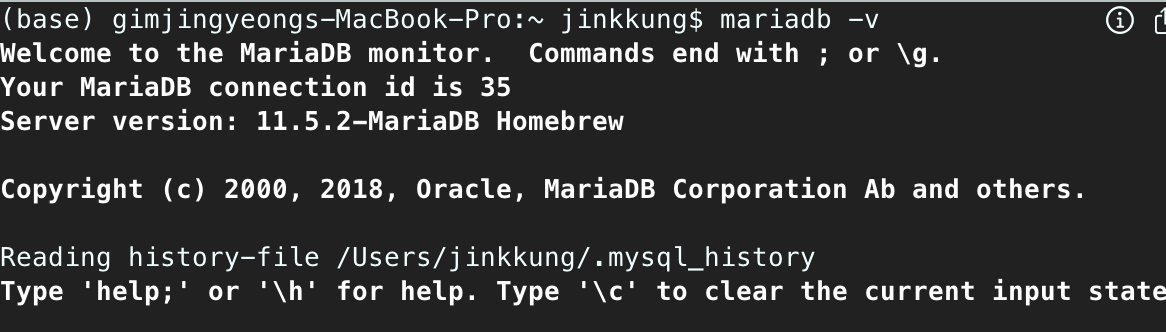
MariaDB [(none)]> use mysql;
Reading table information for completion of table and column names
You can turn off this feature to get a quicker startup with -A
Database changed.
MariaDB [mysql]> set password for root@'localhost' = PASSWORD('변경할비밀번호');
set password for root@'localhost' = PASSWORD('변경할비밀번호')
Query OK, 0 rows affected (0.022 sec)
MariaDB [mysql]> flush privileges;
flush privileges.
Query OK, 0 rows affected (0.000 sec)
MariaDB [mysql]> quit;
sudo mysql -uroot
mysql -uroot -p
주의
실제로 root의 권한으로 DB를 직접 다루는 것은 위험하기도 하다.
따라서 중요한 시스템이라면 별도의 사용자를 만들어서 평소에는 해당 계정으로 작업을 진행하고 root로 필요한 작업을 할때만 root로 접근하는 것이 권장된다.
알게된 점
mysql과 mariadb는 충돌된다..
MariaDB 는 MySQL 의 발전된 형태의 대체제
기본적으로 MySQL은 3306 포트를 사용하고, MariaDB도 MySQL과 호환성을 유지하기 위해 기본적으로 3306 포트를 사용한다고 한다.
둘 다 동시에 설치하고 사용하려면 각각의 데이터베이스 서버를 서로 다른 포트에 연결하고, 데이터베이스 클라이언트도 서로 다른 것을 사용하여 구분하면 된다.
추가로 같은 소켓을 공유하면 에러가 나 동시 실행이 안되므로 둘 중 하나의 소켓 경로 변경도 필요하다.
MySQL Workbench + MariaDB연동
터미널 작업
MariaDB [(none)]> use mysql;
Reading table information for completion of table and column names
You can turn off this feature to get a quicker startup with -A
Database changed
MariaDB [mysql]> grant all privileges on . to 'root'@'%'identified by '123456';
Query OK, 0 rows affected (0.025 sec)
MariaDB [mysql]> flush privileges;
Query OK, 0 rows affected (0.001 sec)
@MySQL Connections -> Store in KeyChain -> 루트 비밀번호 입력
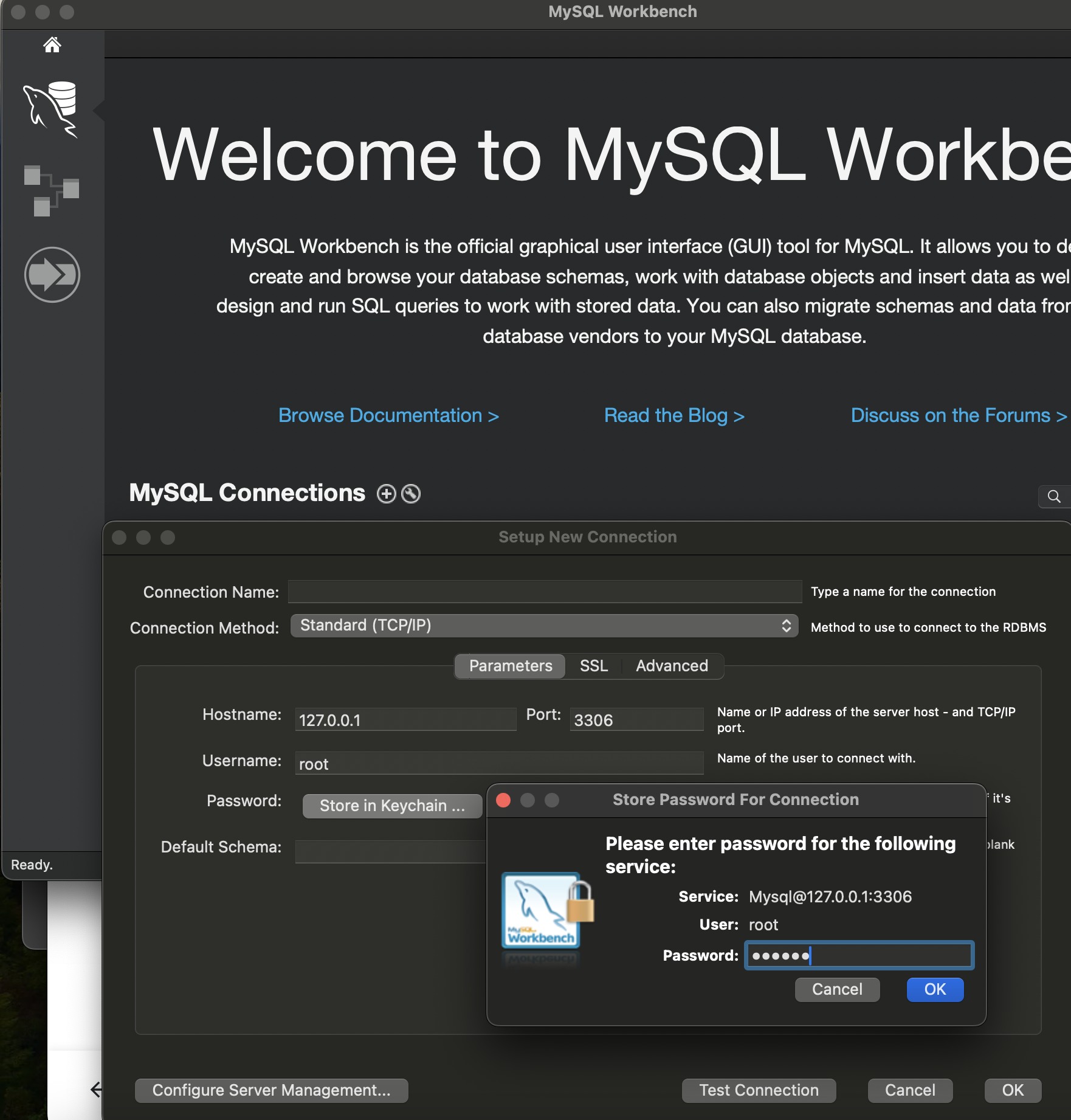
Test Connection-> Continue Anyway

성공~