[Spring AI] Chapter 2 - 텍스트 대화
챕터 02 요약
전체 구조
브라우저 (chat-model.html)
↓ POST /ai/chat-model
AiController.java
↓ @Autowired
AiService.java
↓
OpenAI API
HomeController→ 어떤 HTML 페이지를 보여줄지 결정AiController→ 실제 AI 요청을 받는 REST APIAiService→ AI 호출 로직chat-model.html→ 사용자 화면
1. Chat Model API
@Controller vs @RestController
// HomeController — HTML 페이지 반환
@Controller
public class HomeController {
    @GetMapping("/chat-model")
    public String chatModel() {
        return "chat-model"; // templates/chat-model.html 렌더링
    }
}
// AiController — 데이터(텍스트) 반환
@RestController
@RequestMapping("/ai")
public class AiController {
@PostMapping("/chat-model")
public String chatModel(@RequestParam("question") String question) {
return aiService.generateText(question);
}
}| @Controller | @RestController | |
|---|---|---|
| 반환값 | HTML 뷰 이름 | 텍스트, JSON 데이터 |
| 용도 | 페이지 이동 | API 응답 |
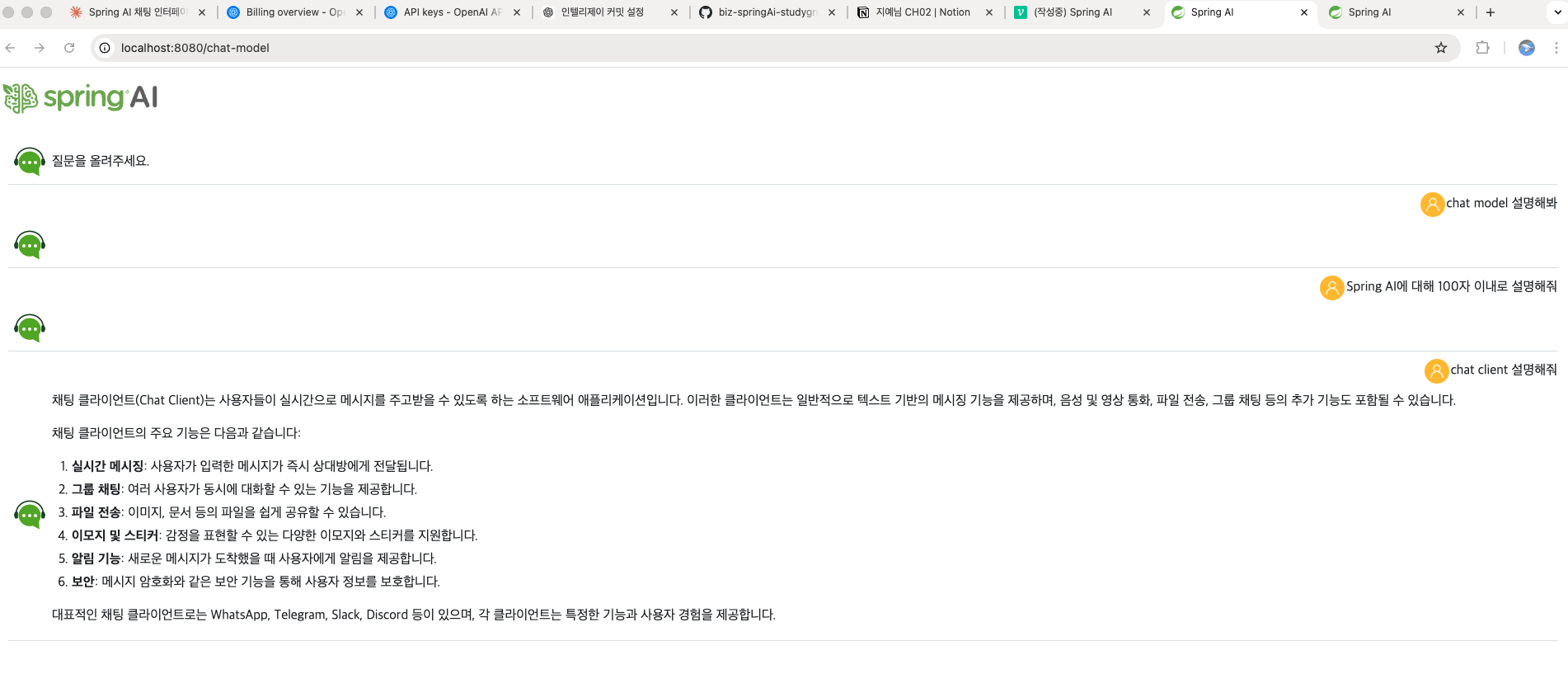
브라우저가 /chat-model (GET)을 요청하면 HomeController가 HTML을 보여주고,
그 페이지에서 /ai/chat-model (POST)을 요청하면 AiController가 AI 답변을 백함
2. 활용하기 — 실제 요청 흐름
프론트엔드에서 요청 보내는 방법
// chat-model.html 안의 handleSubmit()
const response = await fetch('/ai/chat-model', {
    method: "post",
    headers: {
        'Content-Type': 'application/x-www-form-urlencoded'
    },
    body: new URLSearchParams({ question })
});application/x-www-form-urlencoded는 HTML <form> 태그가 기본으로 쓰는 형식
question=Spring이란? 이런 형태로 서버에 전달
서버에서 받는 방법
@PostMapping(
    value = "/chat-model",
    consumes = MediaType.APPLICATION_FORM_URLENCODED_VALUE, // 받는 형식
    produces = MediaType.TEXT_PLAIN_VALUE                  // 보내는 형식
)
public String chatModel(@RequestParam("question") String question) {
    return aiService.generateText(question);
}
consumes = 클라이언트가 보내는 형식
produces = 서버가 돌려주는 형식
@Autowired — 의존성 주입
@Autowired
private AiService aiService;
new AiService()로 직접 생성하지 않아도 Spring이 알아서 넣어줌
이게 스프링의 핵심 개념인 DI(의존성 주입)
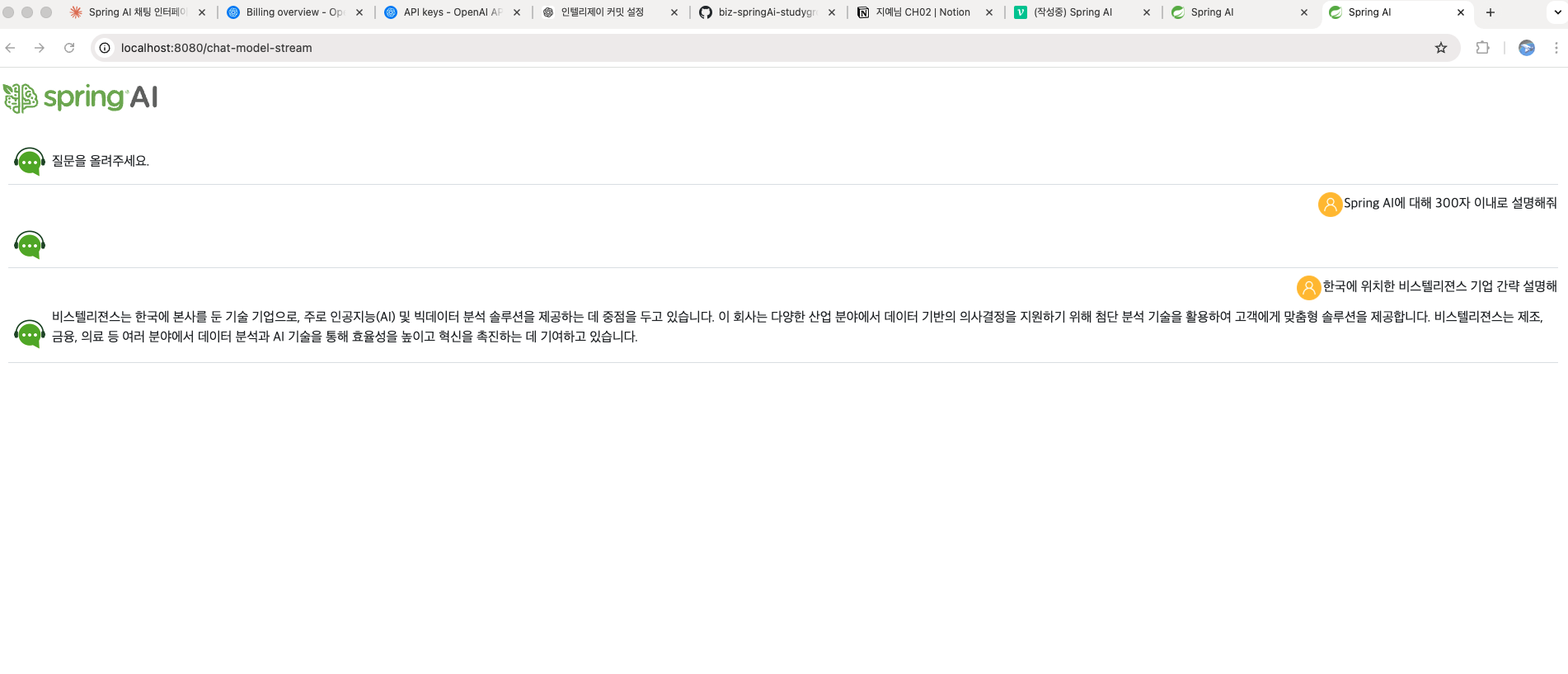
3. 스트리밍 모델 — 실시간으로 글자 출력하기
왜 스트리밍인가?
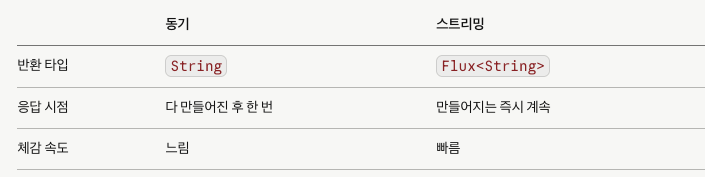
동기 방식은 AI가 답변을 다 만들 때까지 기다려야 함
스트리밍은 만들어지는 글자를 바로바로 화면에 출력
ChatGPT에서 글자가 타이핑되듯 나오는 방식
서버 코드
@PostMapping(
    value = "/chat-model-stream",
    consumes = MediaType.APPLICATION_FORM_URLENCODED_VALUE,
    produces = MediaType.APPLICATION_NDJSON_VALUE  // 스트리밍용 형식
)
public Flux<String> chatModelStream(@RequestParam("question") String question) {
    return aiService.generateStreamText(question);
}
반환 타입이 String에서 Flux<String>으로 바뀌었습니다.
Flux는 데이터를 한 번에 하나씩 연속으로 흘려보내는 타입입니다.
String → "안녕하세요 반갑습니다" (한 번에 전부)
Flux → "안" → "녕" → "하" → "세" → "요" (하나씩 계속)
APPLICATION_NDJSON_VALUE는 줄바꿈으로 구분된 청크를 연속 전송하는 방식
브라우저에서 받는 방법
// printAnswerText() 내부 동작 원리
const reader = response.body.getReader();
while (true) {
    const { done, value } = await reader.read();
    if (done) break;
    // 받은 청크를 화면에 이어붙임
}response.body가 ReadableStream이어서 청크 단위로 읽음
springai.js의 printAnswerText()가 이 처리를 담당
---

## 4. ChatClient 사용하기 — 더 편한 방법

코드 주석에 있는 `AiServiceByChatClient`

```java
// @Autowired
// private AiServiceByChatClient aiService;ChatModel이 직접 API를 다루는 방식이라면,
ChatClient는 그걸 더 편하게 쓸 수 있도록한 API
// ChatModel 방식
String answer = chatModel.call(new Prompt(question))
                         .getResult().getOutput().getContent();

// ChatClient 방식
String answer = chatClient.prompt()
    .user(question)
    .call()
    .content();
코드가 더 간결
| ChatModel | ChatClient | |
|---|---|---|
| 난이도 | 상대적으로 복잡 | 간결함 |
| 유연성 | 세부 제어 가능 | 빠른 개발 |
| 학습 목적 | 내부 구조 이해 | 실무 사용 |
이 프로젝트에서 주석 처리된 이유는 두 방식을 비교해보기 위한 것으로,
AiService(ChatModel 방식)와 AiServiceByChatClient(ChatClient 방식)를 서로 교체해가며 테스트할 수 있게 만든 구조
정리
| 챕터 | 핵심 내용 |
|---|---|
| Chat Model API | ChatModel로 AI 호출, @Controller vs @RestController |
| 활용하기 | consumes/produces, @Autowired, fetch POST |
| 스트리밍 | Flux, ReadableStream, 실시간 출력 |
| ChatClient | ChatModel보다 간결한 고수준 API |
동기 방식과 스트리밍의 차이
코드로 비교하자면
동기 방식 /ai/chat-model
javapublic String chatModel(@RequestParam("question") String question) {
return aiService.generateText(question);
}
질문 전송 → [AI가 답변 완성할 때까지 기다림...] → 전체 텍스트 한 번에 반환
사용자 입장에선 빈 화면 보다가 갑자기 전체 답변이 뜸
스트리밍 방식 /ai/chat-model-stream
javapublic Flux chatModelStream(@RequestParam("question") String >question) {
return aiService.generateStreamText(question);
}
질문 전송 → "안" → "녕" → "하" → "세" → "요" → ... (토큰 단위로 계속 전송)
사용자 입장에선 글자가 타이핑되듯 바로바로 출력됨
실습 사진