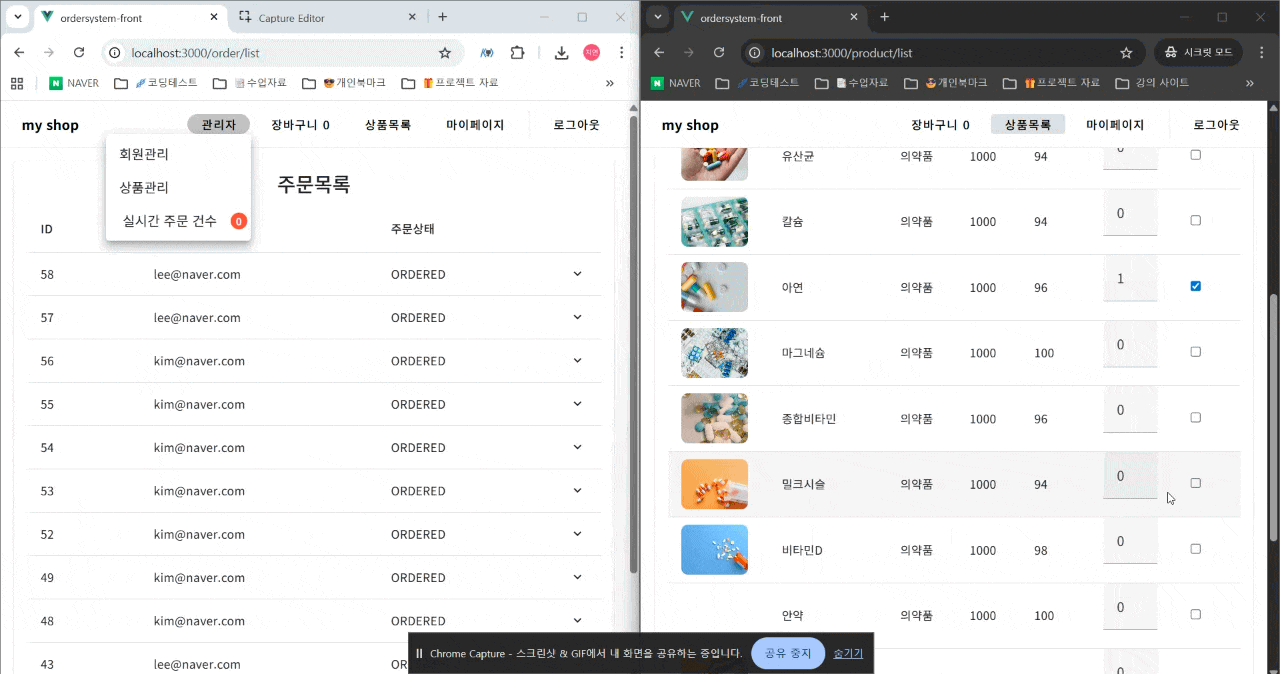
Repository URL : https://github.com/jiyean99/order-system-fe
1. Pinia 스토어로 장바구니 전역 상태 관리
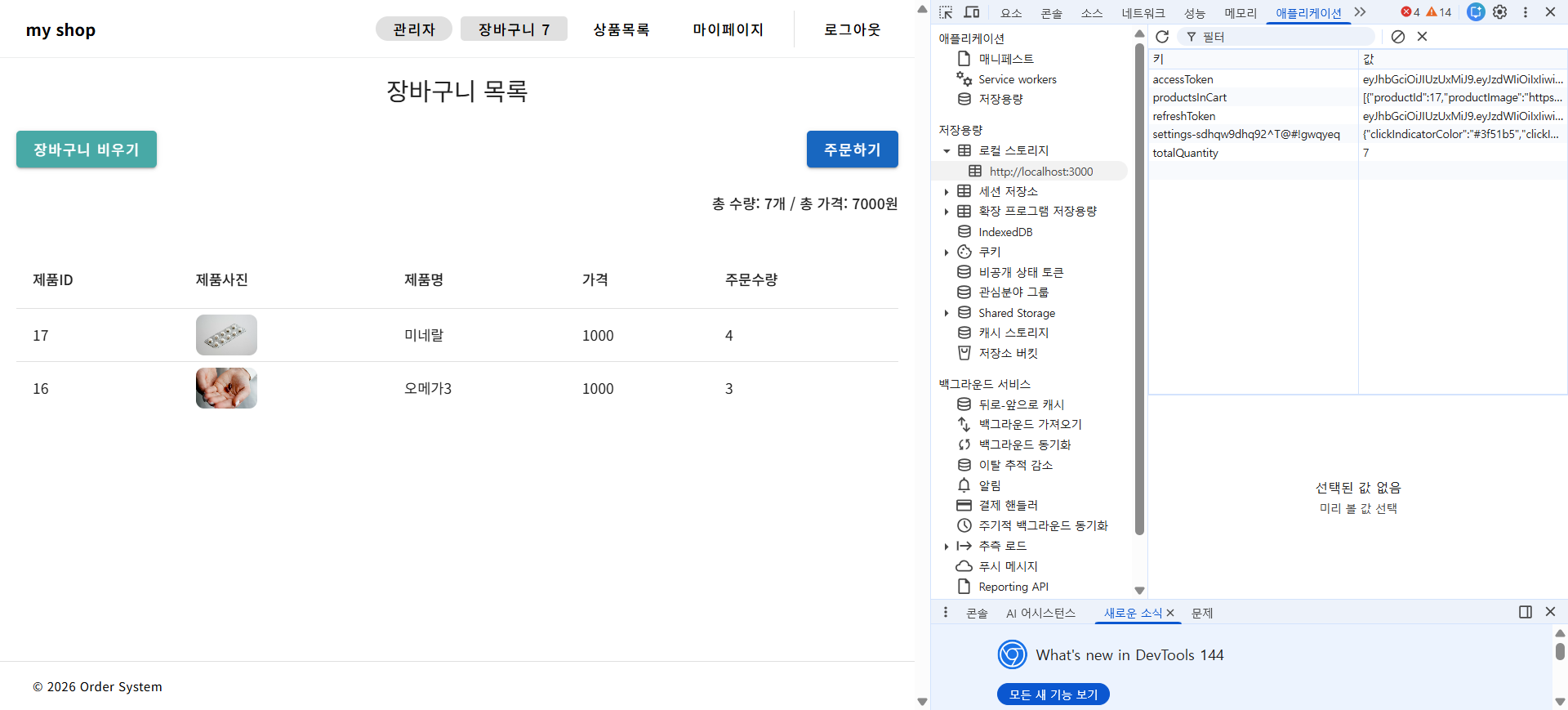
Pinia를 활용해 장바구니 데이터를 화면 간 공유하고 새로고침에도 유지함.
1-1. cartStore 구현 (로컬스토리지 연동)
export const cartStore = defineStore('cart', {
    state: () => ({
        // 로컬스토리지에서 복원 (문자열 → 실제 타입 변환)
        totalQuantity: parseInt(localStorage.getItem("totalQuantity")) || 0,
        productsInCart: JSON.parse(localStorage.getItem("productsInCart")) || [],
    }),
    actions: {
        addCart(product) {
            this.totalQuantity += product.productCount;
            localStorage.setItem("totalQuantity", this.totalQuantity);

            const existProduct = this.productsInCart.find(p => p.productId === product.productId);
            if (existProduct) {
                existProduct.productCount += product.productCount;
            } else {
                this.productsInCart.push(product);
            }
            localStorage.setItem("productsInCart", JSON.stringify(this.productsInCart));
        },
        clearCart() {
            this.totalQuantity = 0;
            this.productsInCart = [];
            localStorage.removeItem("totalQuantity");
            localStorage.removeItem("productsInCart");
        }
    }
});핵심:
1. state 초기화 시 localStorage에서 복원
2. 상태 변경 시 즉시 localStorage 동기화
3. JSON.stringify/parse로 객체 직렬화/역직렬화
2. 장바구니 페이지 (Computed로 실시간 합계 계산)
computed: {
    getProductsInCart() {
        return this.store.getProductsInCart;
    },
    totalCount() {
        return this.getProductsInCart.reduce((sum, p) =>
            sum + (Number(p.productCount) || 0), 0);
    },
    totalPrice() {
        return this.getProductsInCart.reduce((sum, p) => {
            const price = Number(p.productPrice) || 0;
            const count = Number(p.productCount) || 0;
            return sum + price * count;
        }, 0);
    }
}
실시간 반영: totalCount, totalPrice가 getProductsInCart 변경 시 자동 재계산됨.
3. 주문 완료 후 장바구니 자동 비우기
async createOrder() {
    const data = this.getProductsInCart.map(p => ({
        productId: p.productId,
        productCount: p.productCount,
    }));

    if (data.length > 0) {
        await axios.post(`${process.env.VUE_APP_API_BASE_URL}/ordering/create`, data);
        alert('주문이 완료되었습니다.');
        this.store.clearCart();  // 주문 후 즉시 장바구니 초기화
    }
}
4. 주문목록 컴포넌트 (v-data-table 확장 슬롯)
Vuetify v-data-table의 expanded-row 슬롯으로 주문 상세 내역 표시.
<v-data-table :headers="tableHeaders" :items="orderList" show-expand>
    <template v-slot:expanded-row="{ item, columns }">
        <tr>
            <td :colspan="columns.length">
                <strong>상세내역:</strong>
                <span v-for="detail in item.orderDetails" :key="detail.detailId">
                    {{ detail.productName }} {{ detail.productCount }}개
                </span>
            </td>
        </tr>
    </template>
</v-data-table>
props 분기 처리:
async created() {
    if (this.isMyPage) {
        // 내 주문목록
        const result = await axios.get(`${process.env.VUE_APP_API_BASE_URL}/ordering/myorders`);
        this.orderList = result.data;
    } else {
        // 전체 주문목록 (관리자)
        const result = await axios.get(`${process.env.VUE_APP_API_BASE_URL}/ordering/list`);
        this.orderList = result.data;
    }
}
5. SSE 실시간 주문 알림 연동
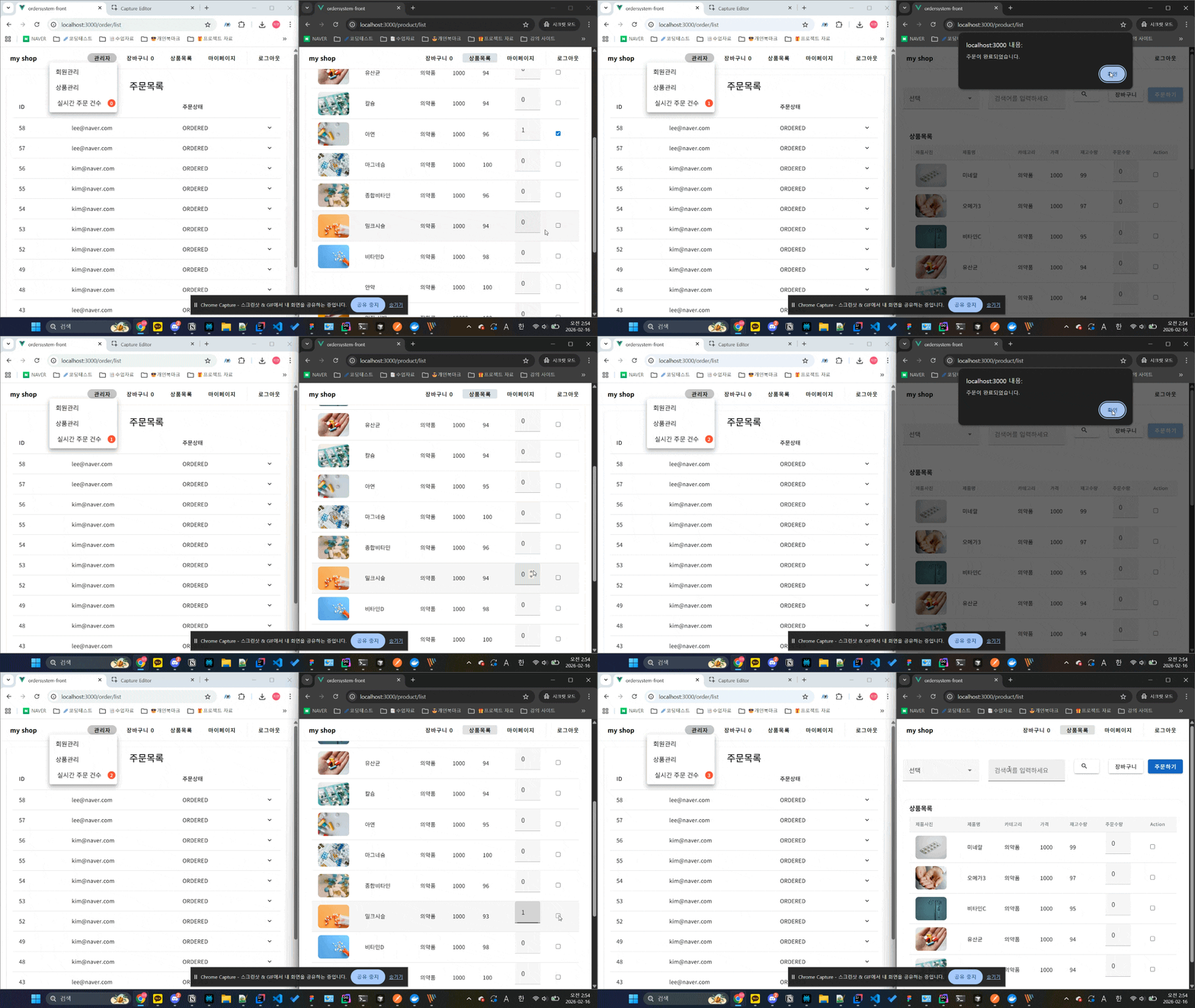
서버에서 새로운 주문 발생 시 관리자에게 실시간 푸시 알림.
SSE 클라이언트 코드 (주문목록 페이지)
// 관리자 주문목록 페이지에서
mounted() {
    if (this.isAdmin) {
        this.connectSSE();
    }
},
methods: {
    connectSSE() {
        const eventSource = new EventSource(`${process.env.VUE_APP_API_BASE_URL}/sse/orders`);

        eventSource.onmessage = (event) => {
            const newOrder = JSON.parse(event.data);
            this.orderList.unshift(newOrder);  // 최신 주문 목록 맨 위로 추가
            this.showNotification(`새 주문 #${newOrder.id}`);
        };

        eventSource.onerror = () => {
            console.log('SSE 연결 오류');
        };
    },
    showNotification(message) {
        // Vuetify snackbar 또는 toast 표시
    }
}
백엔드 SSE 엔드포인트 (Spring Boot)
@GetMapping(value = "/sse/orders", produces = MediaType.TEXT_EVENT_STREAM_VALUE)
public Flux<ServerSentEvent<OrderDto>> streamOrders() {
    return orderService.getNewOrders()
        .map(order -> ServerSentEvent.builder(order).build());
}
6. 로컬스토리지 직렬화 주의사항
// 저장 시
localStorage.setItem("productsInCart", JSON.stringify(this.productsInCart));

// 복원 시
JSON.parse(localStorage.getItem("productsInCart")) || []
문제 상황:
1. localStorage는 문자열로만 저장 → 숫자/불린 값도 문자열화
2. 빈 값(null/undefined)은 저장 안됨 → 기본값 처리 필요
3. 복원 실패 시 빈 배열 반환
7. 전체 흐름
1. 상품목록 → 체크박스 선택 → 장바구니 추가 (Pinia + localStorage)
2. 장바구니 페이지 → 수량 수정 → 실시간 합계 계산 (Computed)
3. 주문하기 → /ordering/create → SSE 알림 → 장바구니 clear
4. 관리자 주문목록 → SSE로 실시간 업데이트
5. 마이페이지 → 내 주문목록 표시
핵심 구현:
- Pinia + localStorage: 새로고침해도 장바구니 유지
- SSE: 관리자 실시간 주문 알림
- Computed: 반응형 합계 계산
- v-data-table 확장: 주문 상세 접기/펼치기
이 구조로 사용자 장바구니 → 주문 → 관리자 알림까지 완전한 플로우가 완성됨.

Eazy하게