Coursera - Meta React: 1st week
Overview
SPA: single page application
-> one paged website, and only the content which needs to be updated reloaded as required. So it's dominant for its speed,
functional components
React is Component-based architecture, essentially a design philosophy for buliding resuable components of code.
The components in the page are
- Reusable: Used multiple times and inserted anywhere needed.
- Independent: exist within the same space independently each other.
So many developer can work together and also seperately.
Components, which consists of React app can be used individually but also be combined into more complex component.
It can be re-rendered without significantly impacting the browser's resources, having high performance.
Introduction to functional components
React has two types of components. Functional and Class components.
In the default react app, only one component is rendered. And it's components located in the index.js file.
Every react app must have the root component, loaded suing the import statement.
Root component can contain other components that developers create to describe the UI.
How to create functional components in React
React is scripted with using JSX. It's seemed like HTML code but the one which allows you to write JS code inside what looks like HTML elements. So we can make our website dynamic.
the first letter should be written in capital letter. To differenciate React componets from HTML elements, it must starts with capitalized letter.
function Heading () {

	let title = "This is heading.";
    return (
    <h1>{title}</h1>
    )
}
This is a function to return the componet shows heading text.
to put the variable in the return function, that should be in the curly brackets.
The functional componets should be returned in the root component to be seen for users. And a component to render something on the page should reutrn one or more JSX elements.
Transpiling JSX
To make a browser understand React code requires a lot of supporting technologies. One of them is transpiler.
A transpiler takes piece of code and transforms it into some other code. Though your browser cannot understand exactly the given code, it can translate it to understandable code with transpiler.
So, by transpiling the new most-modern JS synatx into something old browser might understand, it comes to be runnable.
Babel does this. It allows to transpile JSX code, which your browser may not understand, into plain JS code that modern browser can work with.
function Heading(props) {
    return <h1>{props.title}</h1>
}
Here's a funtion to return the component, Heading, written in JSX code.
\
function Heading(props) {
  return /*#__PURE__*/React.createElement("h1", null, props.title);
}
And this is the one transpiled. there a piece of code added.
So, to have a React object, the code above has a createElement() method on it, invoking arguments such as: "h1", "null"(no object data), "props.title"(contents of the inner HTML is h1 element.).
<Heading title="This is the heading text!"></Heading>Also, for this code, the usage of code above, it is transfiled like this.
/*#__PURE__*/
React.createElement(Heading, {
  title: "This is the heading text!"
});
it is invoking Heading component, and has the title text for its object.
React Project Structure
When you build and init the react project, there will be
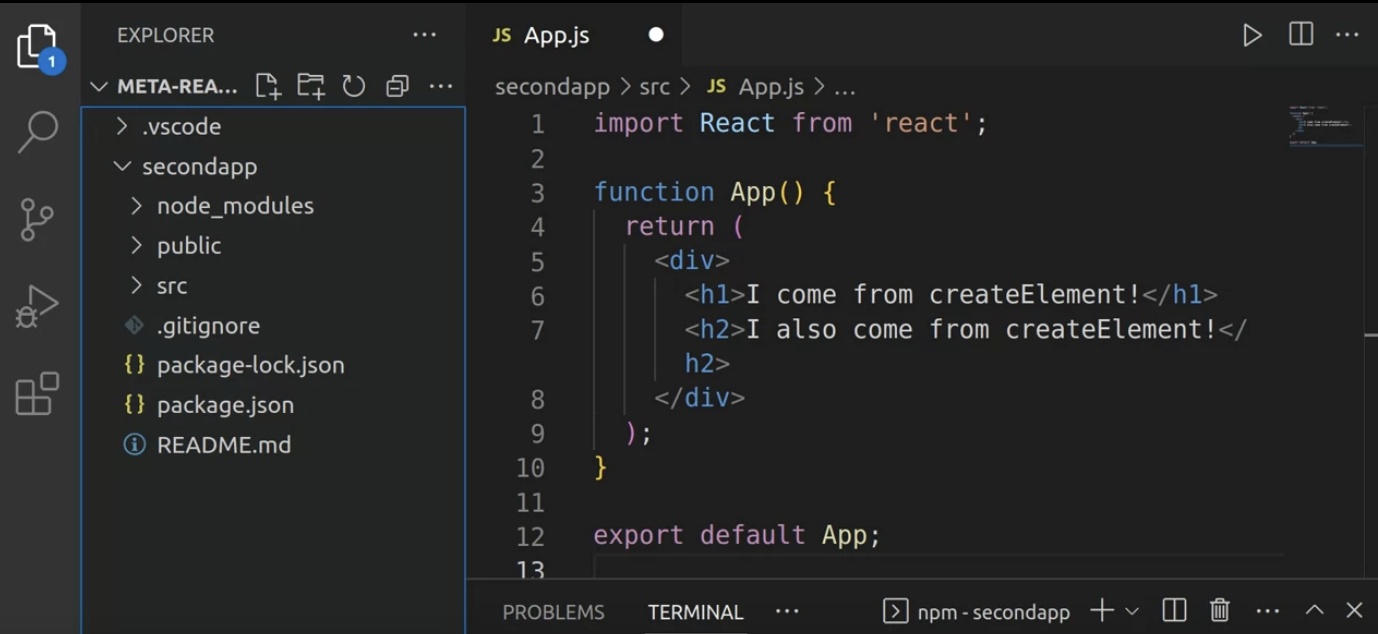
First, for the node_modules folder, you can think this as a repository for the all the modules for React app. This is automatically added when you install a specific npm package. Like when you download systems that other developers coded via npm ecosystem.
Public folder contains the assets that will be displayed the user in your app, such as image files. There is a manifest.json file, which is used to provide some metadata to a device when you're React powered web app is installed on it.
The most important thing is index.html. When React app changes, the updates are injected into the same div of index HTML.
Finally, for src folder, there are all the necessary files to make React app function. the files at the very first time are craeted by 'npm react app'
- App.css: contains the styles for the app.js and components.
- index.css: contains the styles to use in the entire app.
- App.test.js, setupTest.js, reportsWebVitals.js : related to the app's performance and testing.
Most important file is index.js. This file import everything that this React app needs to render a working React app.
The package.json file lists information pertaining to this app, which allows npm to run several scripts and various tasks in the app itself.
Last but not least, the package-loc.json file holds the list of all dependencies with a specific versions. It holds information to rebuild files reliably
Importing Components
Sicne we made individual components needed in the app, we have to utilise them by importing into 'app' file.
Modules: Stand-alone unit of code that can be used again and again. Since it's stand-alone, it can be added, replaced, removed in the program.
So in React, you can use these traits of modules to utilse components by export and import statements.
Export statement is used a module available in another module. To make modules available in other files, you need to export them.
The difference between modules and components is module is a bit larger concept, which is like a set of components.
How to construct the components?
When you construct the React app, you can divide the page into a few parts, and make a proper component for each of them.
Usually, in simple projects, it is common to put the components in the 'components' folder.
Also, a copmonent does not neccessarily need to be a button or something simple. It can be a section. You have to keep in this in your mind (from me of course).