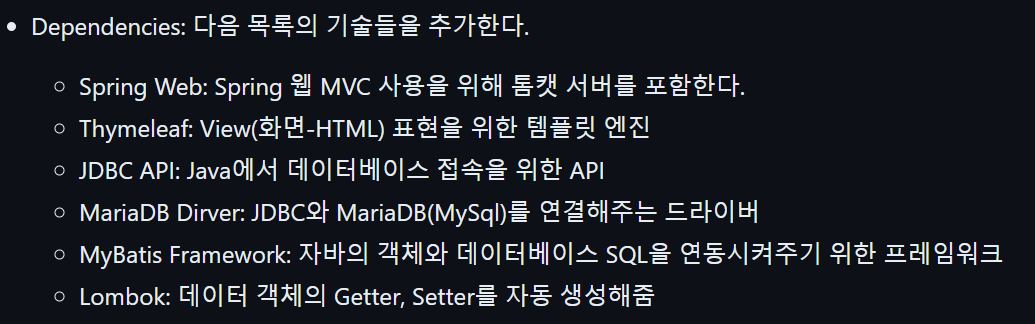
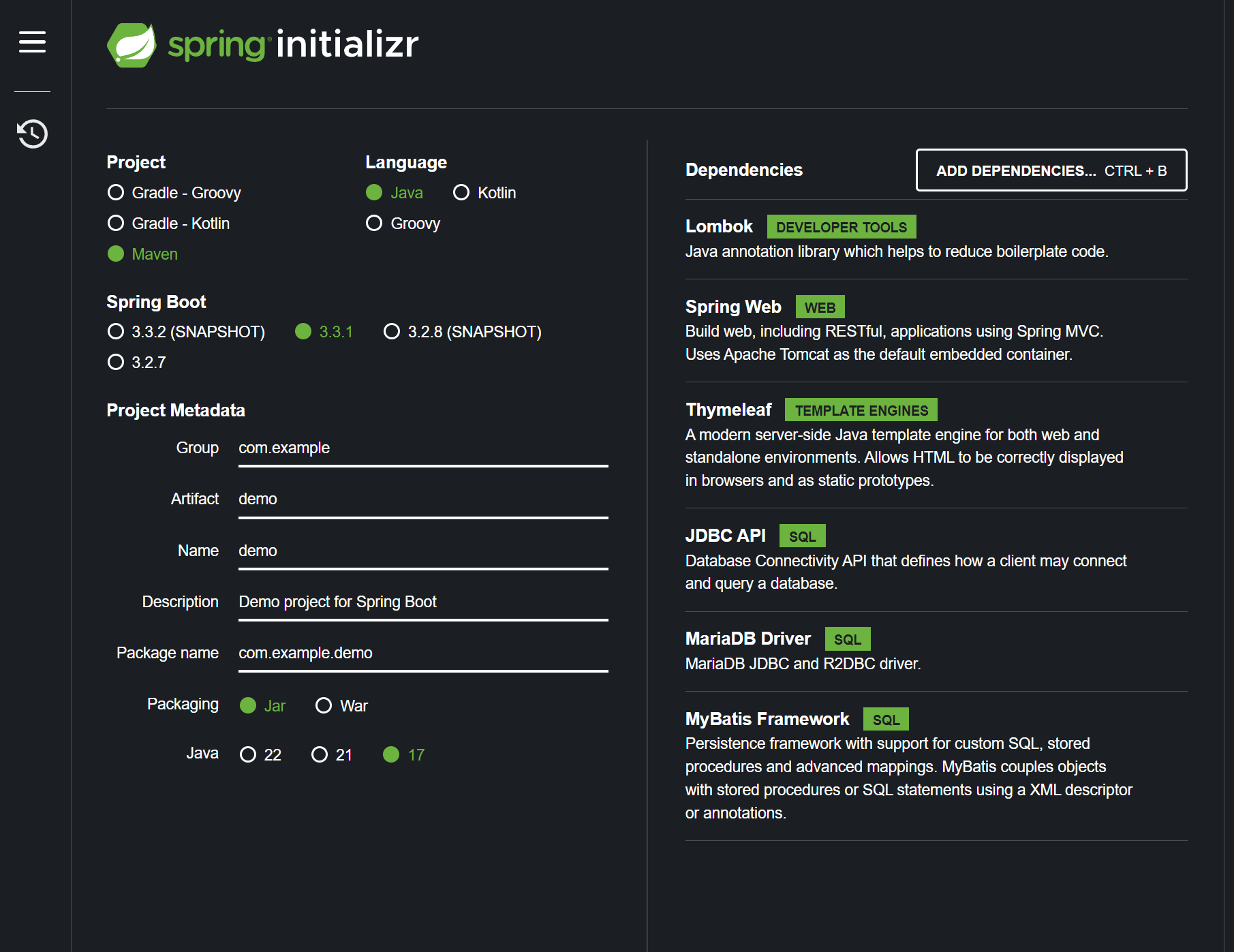
JDBC = DB랑 연결하기 위한 툴
Thymeleaf = 유사 JSP
MyBatis = 코드를 짤때 도식화, 글등록 등 DB를 편하게 쓰기위한 프레임워크
Maria DB = 유사 MySQL
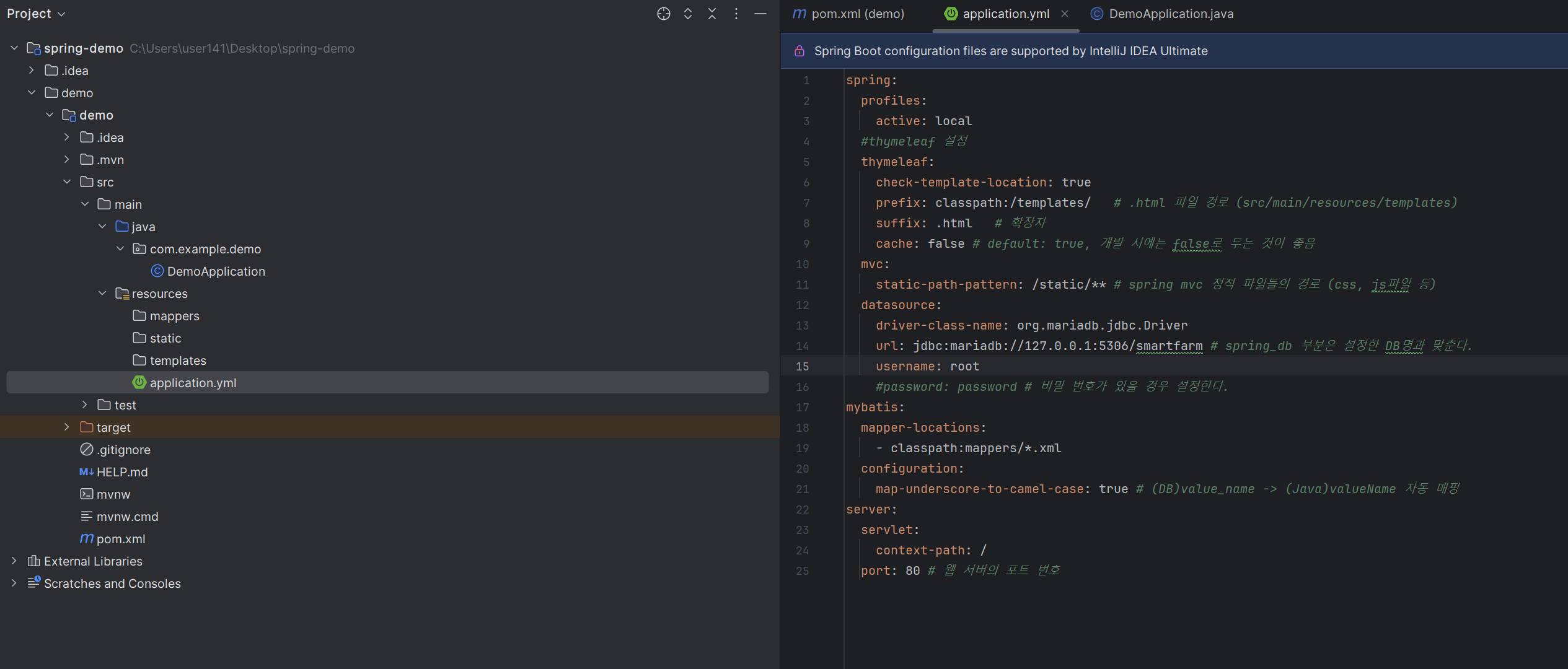
application.yml로 바꾸고
spring:
  profiles:
    active: local
  #thymeleaf 설정
  thymeleaf:
    check-template-location: true
    prefix: classpath:/templates/   # .html 파일 경로 (src/main/resources/templates)
    suffix: .html   # 확장자
    cache: false # default: true, 개발 시에는 false로 두는 것이 좋음
  mvc:
    static-path-pattern: /static/** # spring mvc 정적 파일들의 경로 (css, js파일 등)
  datasource:
    driver-class-name: org.mariadb.jdbc.Driver
    url: jdbc:mariadb://127.0.0.1:5306/smartfarm # spring_db 부분은 설정한 DB명과 맞춘다.
    username: root
    #password: password # 비밀 번호가 있을 경우 설정한다.
mybatis:
  mapper-locations:
    - classpath:mappers/*.xml
  configuration:
    map-underscore-to-camel-case: true # (DB)value_name -> (Java)valueName 자동 매핑
server:
  servlet:
    context-path: /
  port: 80 # 웹 서버의 포트 번호
안녕하세요. 배운 것을 메모하는 velog입니다.