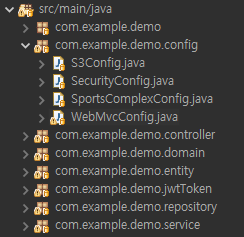
config 폴더에는 SecurityConfig, SportsComplexConfig, WebMvcConfig 세개의 설정 클래스가 있다.
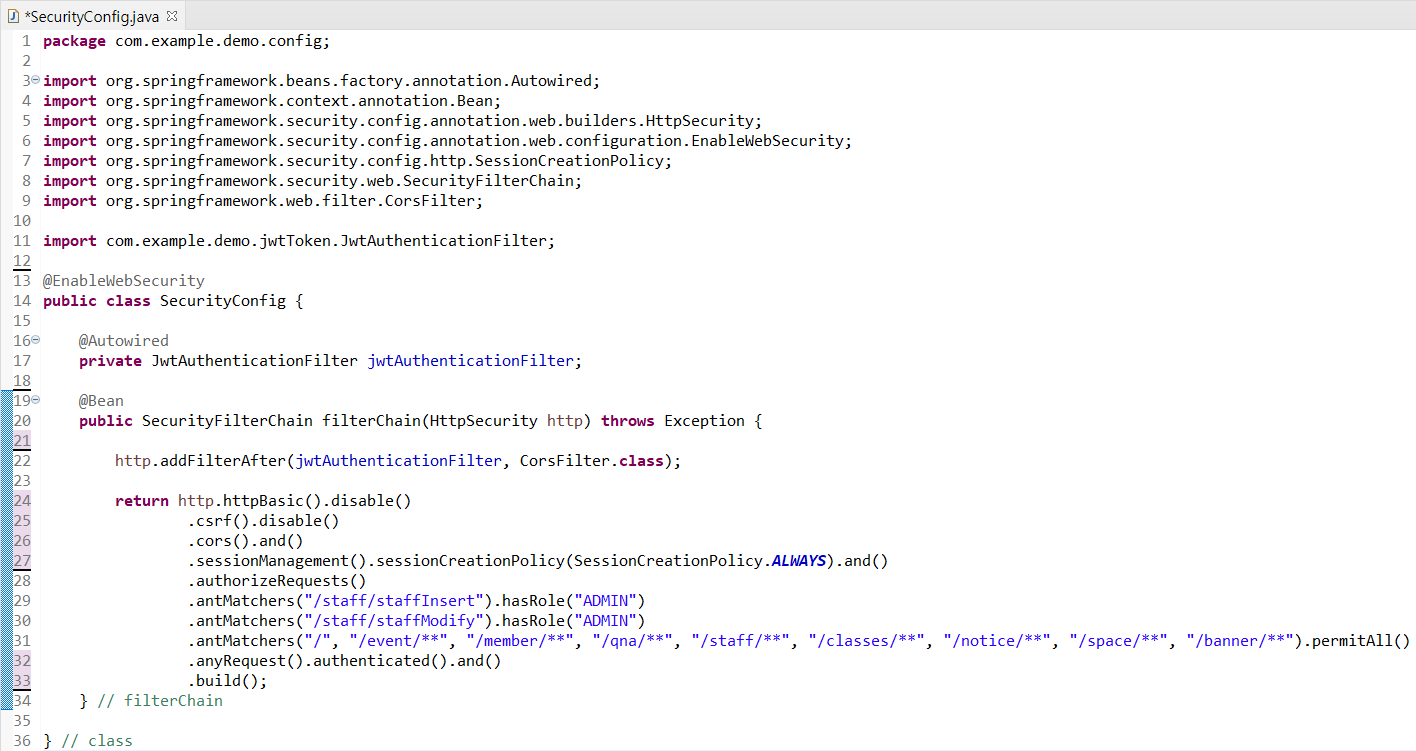
그 중 SecurityConfig 클래스 이다.
SecurityConfig.java
SecurityConfig 는 스프링 부트 시큐리티 인증 설정 파일로 인증과 권한 부여를 구성하고 있다.
@EnableWebSecurity
: 스프링 시큐리티를 사용하기 위한 설정 클래스 이다.
SpringBoot Auto Configuration @들 중 하나이며, 손쉽게 Security 설정을 할 수 있게 해준다.
@Configuration 은 없어도 된다.
🔍SpringBoot Auto Configuration ?
SpringBoot 가 자동으로 설정해줌을 의미하며 이를 지원해주는 다양한 어노테이션들이 있음.
JwtAuthenticationFilter
@Autowired
private JwtAuthenticationFilter jwtAuthenticationFilter;
jwtAuthenticationFilter 인스턴스를 만들고 주입해준다. JWT 토큰을 사용하여 사용자의 인증을 처리하는 역할을 한다.
SecurityFilterChain
@Bean
public SecurityFilterChain filterChain(HttpSecurity http) throws Exception { ... }
SecurityFilterChain 빈(bean)을 생성하는 메서드 이다.
SecurityFilterChain은 보안 필터 체인을 구성하고, HTTP 요청에 대한 보안 설정을 정의한다.
필터 등록
http.addFilterAfter(jwtAuthenticationFilter, CorsFilter.class);① HTTP 요청을 필터링 하는 방법이다.
② addFilterAfter 메서드는 필터를 다른 필터 뒤에 추가한다.
(( jwtAuthenticationFilter 를 CorsFilter 뒤에 추가한다는 의미.
=> JWT 인증 필터를 CORS 필터 다음에 적용한다. 따라서 CORS 정책이 JWT 인증에 영향을 미치지 않도록 한다. ))
③ jwtAuthenticationFilter 는 JWT를 사용하여 사용자를 인증하는 데 사용되는 필터다.
④ CorsFilter.class 는 Cross-Origin Resource Sharing (CORS) 을 처리하는 필터다.
CORS 란?
Cross-Origin Resource Sharing 교차 출처 리소스 공유
웹 어플리케이션이 다른 도메인에서 자원을 요청할 때 브라우저가 보안 정책을 적용하는 메커니즘.
CORS 정책을 적용하여 다른 도메인에서의 요청도 호용할 수 있도록 함.
//
원래는 SOP 정책으로 다른 출처로 요청을 보내는 게 의심스러워 보였지만, 지금은 클라이언트가 API를 직접 호출하는 방식이 당연해지기 시작하면서 CORS정책이 생겼다. (클라이언트와 API는 다른 도메인 )
-> 출처가 다르더라도 요청과 응답을 주고받을 수 있도록 서버에 리소스 호출이 허용된 출처를 명시해 주는 방식.
https://docs.tosspayments.com/resources/glossary/cors 참고.
http 빌드
return http.httpBasic().disable()
		.csrf().disable()
		.cors().and()
        .sessionManagement().sessionCreationPolicy(SessionCreationPolicy.ALWAYS).and()
		.authorizeRequests()
		.antMatchers("/staff/staffInsert").hasRole("ADMIN")
		.antMatchers("/staff/staffModify").hasRole("ADMIN")
		.antMatchers("/", "/event/**", "/member/**", "/qna/**", "/staff/**", "/classes/**", "/notice/**", "/space/**", "/banner/**").permitAll()
		.anyRequest().authenticated().and()
		.build();
http 시큐리티 빌드 과정이다.
① .httpBasic().disable()
- http 기본인증을 비활성화하고 대신 토큰을 사용하여 인증한다.
② .csrf().disable()
- CSRF 보호 기능을 비활성화 한다.
③ .cors().and()
- CORS 를 활성화한다. 다른 도메인에서의 자원 공유를 허용하도록 설정한다.
④ .sessionManagement().sessionCreationPolicy(SessionCreationPolicy.ALWAYS).and()
- 세션 관리 설정을 구성한다. 항상 생성하도록 설정한다.
⑤ .authorizeRequests()
- 요청에 대한 인가 설정을 시작한다. URL 별 권한 관리를 설정하는 옵션의 시작점. authorizeRequests 가 선언 되어야만 antMatchers 옵션을 사용할 수 있다.
⑥ .antMatchers("/staff/staffInsert").hasRole("ADMIN")
.antMatchers("/staff/staffModify").hasRole("ADMIN")
.antMatchers("/", "/space/**").permitAll()
- hasRole 해당 경로에는 ADMIN 역할이 필요하다.
- permitAll 해당 경로에는 인증 없이 접근 할 수 있도록 허용한다.
⑦ .anyRequest().authenticated().and()
- 나머지 모든 요청에 대해서 인증이 필요하다.
⑧ .build();
- 이 설정을 빌드하여 적용한다.
Spring Security 메서드
- disable() : 특정 기능을 사용하지 않도록 설정한다.
- and() : 체이닝 방식을 사용하여 여러 설정을 연결할 때 사용한다.
- csrf() : CSRF 보호를 활성화하거나 설정한다. enable() 이나 disable() 호출하여 활성화 / 비활성화 할 수 있다.
- cors() : CORS 활성화하고 설정한다.
- sessionManagement() : 세션 관리 구성. 주로 sessionCreationPolicy() 메서드를 사용하여 세션 정책을 설정한다.
   .ALWAYS 항상 세션을 생성
	.IF-REQUIRED 필요시 생성
	.NEVER 생성하지 않지만 기존 존재시 사용
	.STATELESS 생성하지도 않고, 존재해도 사용하지 않음.
package com.example.demo.config;

import org.springframework.beans.factory.annotation.Autowired;
import org.springframework.context.annotation.Bean;
import org.springframework.security.config.annotation.web.builders.HttpSecurity;
import org.springframework.security.config.annotation.web.configuration.EnableWebSecurity;
import org.springframework.security.config.http.SessionCreationPolicy;
import org.springframework.security.web.SecurityFilterChain;
import org.springframework.web.filter.CorsFilter;

import com.example.demo.jwtToken.JwtAuthenticationFilter;

@EnableWebSecurity
public class SecurityConfig {

	@Autowired
	private JwtAuthenticationFilter jwtAuthenticationFilter;

	@Bean
	public SecurityFilterChain filterChain(HttpSecurity http) throws Exception {

		http.addFilterAfter(jwtAuthenticationFilter, CorsFilter.class);

		return http.httpBasic().disable()
				.csrf().disable()
				.cors().and()
				.sessionManagement().sessionCreationPolicy(SessionCreationPolicy.ALWAYS).and()
				.authorizeRequests()
				.antMatchers("/staff/staffInsert").hasRole("ADMIN")
				.antMatchers("/staff/staffModify").hasRole("ADMIN")
				.antMatchers("/", "/event/**", "/member/**", "/qna/**", "/staff/**", "/classes/**", "/notice/**", "/space/**", "/banner/**").permitAll()
				.anyRequest().authenticated().and()
				.build();
	} // filterChain

} // class
내 담당이 아니었던 부분들을 복습하니 새로 알게 된 부분들이 더 많았다.
보안 부분은 중요하게 느껴져서 메서드 하나하나 다 적어가며 복습을 해야겠다.