내 기기의 위치값이 받아지는 것을 확인하고
하단에 구글 스테틱 맵을 불러오는 것을 구현해본다.
참고 : https://techblog.raccoon.ne.jp/archives/2019090402.html,
https://www.youtube.com/watch?v=HkmxWhQ3E0U&t=181https://www.youtube.com/watch?v=HkmxWhQ3E0U&t=181
using System;
using System.Collections;
using TMPro;
using UnityEngine;
using UnityEngine.Networking;
using UnityEngine.UI;
public class GoogleStaticMapRoad : MonoBehaviour
{
public string apiKey = "";
private string url = "";
private int mapWidth = 640;
private int mapHeight = 640;
public int zoom = 20;
private Rect rect;
public enum resolution { low = 1, high = 2 };
public resolution mapResolution = resolution.low;
public enum type { roadmap, satellite, gybrid, terrain };
public type mapType = type.roadmap;
public TextMeshProUGUI mapLog = new TextMeshProUGUI();
private int frame = 0;
// Start is called before the first frame update
void Start()
{
StartCoroutine(getStaticMap());
rect = gameObject.GetComponent<RawImage>().rectTransform.rect;
mapWidth = (int)Math.Round(rect.width);
mapHeight = (int)Math.Round(rect.height);
}
// Update is called once per frame
void Update()
{
if(frame >= 100)
{
StartCoroutine(getStaticMap());
frame = 0;
}
frame++;
}
IEnumerator getStaticMap()
{
url = "https://maps.googleapis.com/maps/api/staticmap?" + "&zoom=" + zoom + "&size=" + mapWidth + "x" + mapHeight + "&scale=" + mapResolution + "&maptype=" + mapType + "&key=" + apiKey;
var query = "";
query += "¢er=" + UnityWebRequest.UnEscapeURL(string.Format("{0}, {1}", Input.location.lastData.latitude, Input.location.lastData.longitude));
query += "&markers=" + UnityWebRequest.UnEscapeURL(string.Format("{0}, {1}", Input.location.lastData.latitude, Input.location.lastData.longitude));
UnityWebRequest www = UnityWebRequestTexture.GetTexture(url + query);
yield return www.SendWebRequest();
if (www.error == null)
{
Destroy(GetComponent<RawImage>().texture);
GetComponent<RawImage>().texture = ((DownloadHandlerTexture)www.downloadHandler).texture;
mapLog.text = "택스쳐 불러오기 성공";
}
else
{
mapLog.text = "error. 맵 불러오기 실패";
}
}
}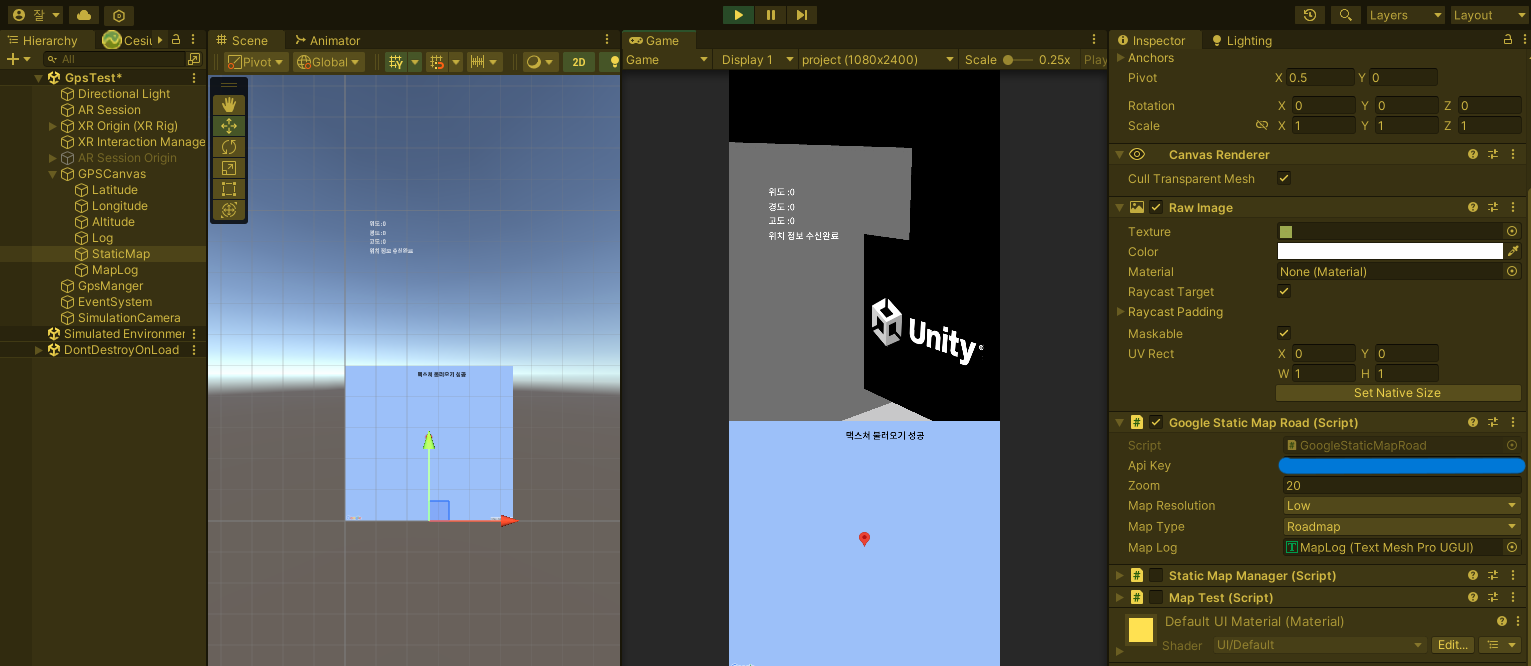
게임뷰에서는 위치값과 맵이 불러와지는 것을 확인했다.
그러나 안드로이드에서는 맵이 안나오는 현상을 보게 됐는데..
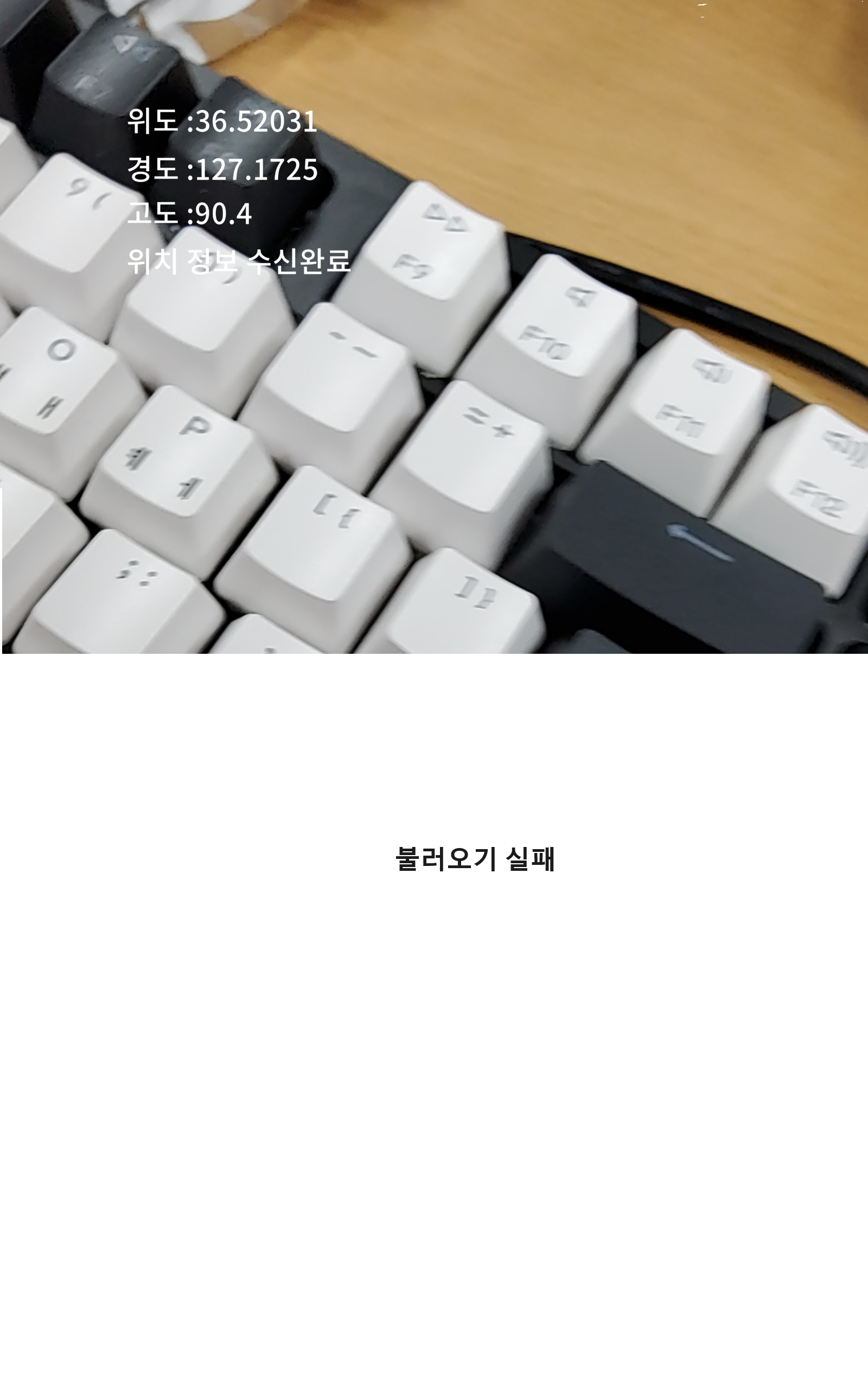
이유는 Maps api key에 애플리케이션 제한사항 설정을 안드로이드로 안해놨기 때문이었다..
패키지는 유니티 빌드 셋팅에서 확인할 수 있는데 SHA-1은 어떻게 확인하는가 했더니
유니티에서 keystore를 발급받고(유니티메뉴얼)
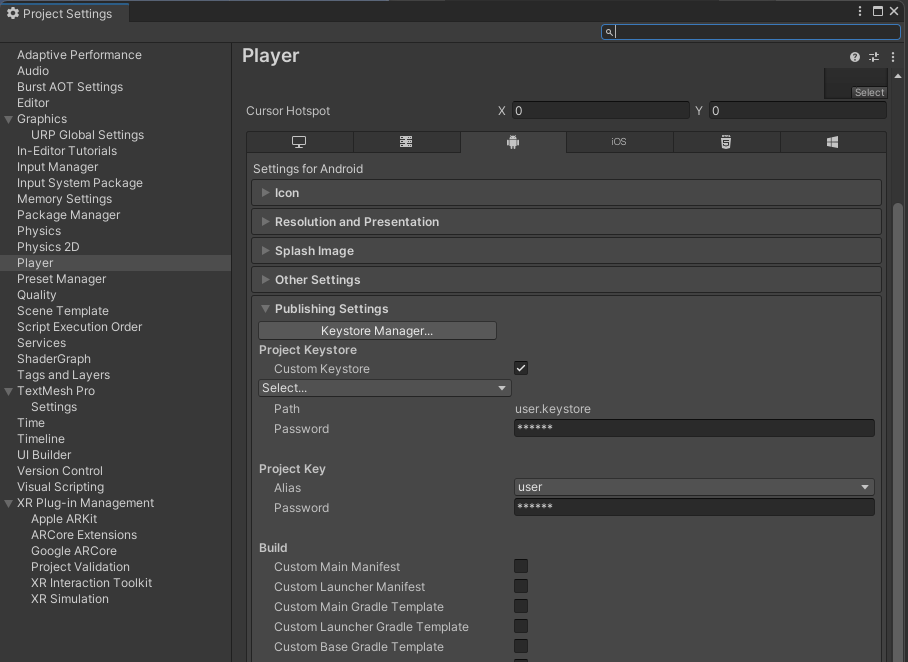
콘솔창에서 keytool -list -v -keystore keyname.keystore를 입력하라고 하는데 문제는 keytool를 실행할 수 있는 프로그램이 아니라는 메세지가 나왔다.
그리고 이것을 해결하기위해 java를 깔아야 했다..(참고 : https://m.blog.naver.com/bbbisskk2/222977839105)
환경변수까지 설정하니 명령어가 제대로 작동하고 SHA-1 값도 얻었다.
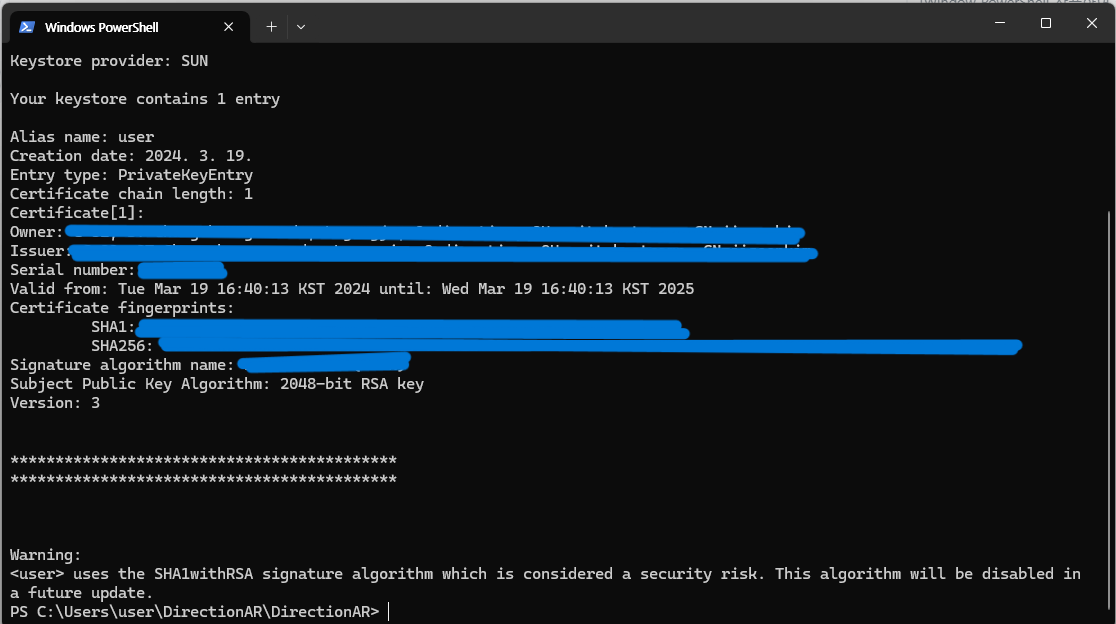
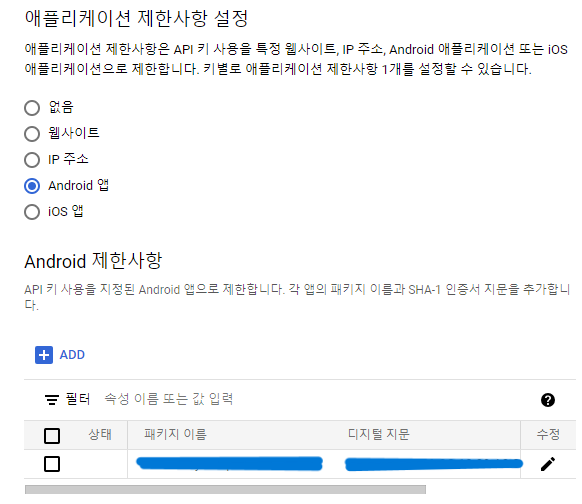
API 제한 설정을 하고 빌드를 다시 하니 안드로이드에서도 잘 나오는 것을 확인했다.
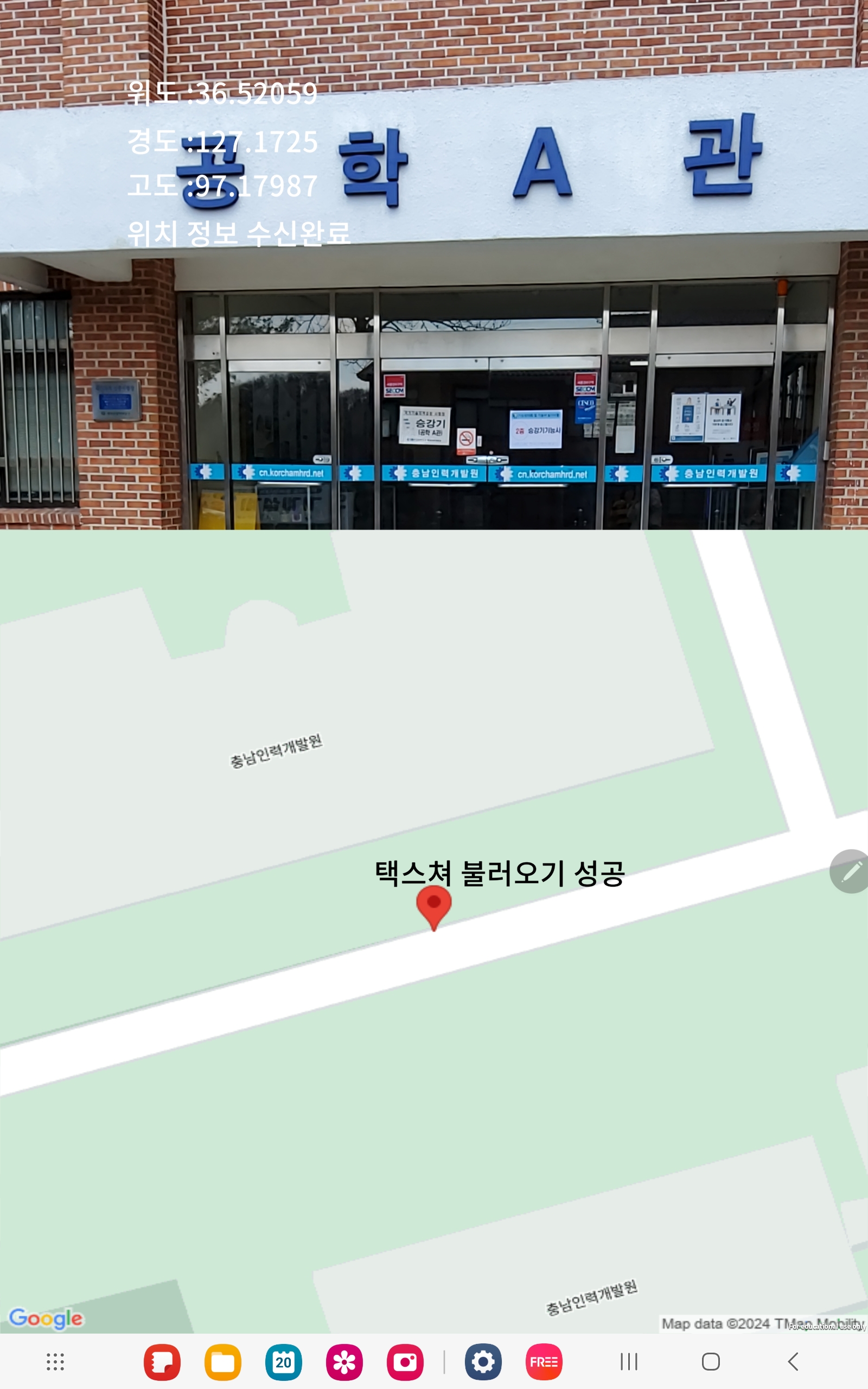
여담이지만 지금 플젝중인 다른 팀은 네이버api를 쓰거나 microsoft Maps SDK를 써서 내 문제는 구글링으로 찾았어야했다..
java까지 깔아야하나 했을 땐 현타아닌 현타가 왔었지만 잘 해결되서 다행이다.
그 외 와이파이 문제로 맵이 안 불러와질 수 있으니 기기의 데이터를 확인하세요.😢