목표
- 네트워크를 이용해 다수의 컨테이너를 연결
- 컨테이너끼리의 통신 구축
- 컨테이너에서 실행중인 app 을 host 에 연결
네트워크 통신의 종류
http
- 컨테이너 내의 app 의 로직 실행을 위해 다른 API 와 통신이 필요할 수 있다.
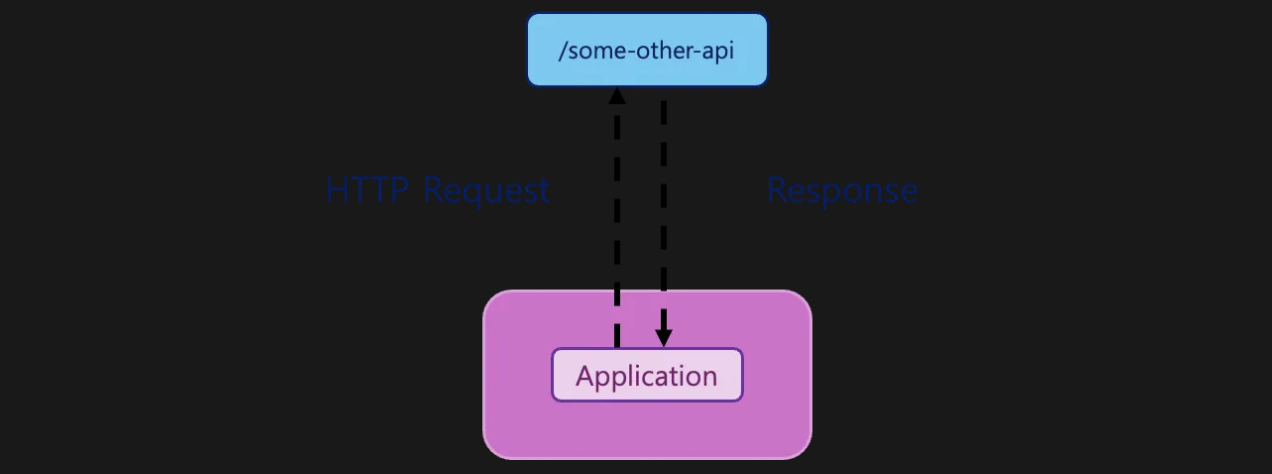
some-other-api는 우리의 소유가 아니기에GET,POST등의 요청을 보내야 한다- 이를 위해 컨테이너는 외부 네트워크와의 통신 기능을 갖춰야 한다
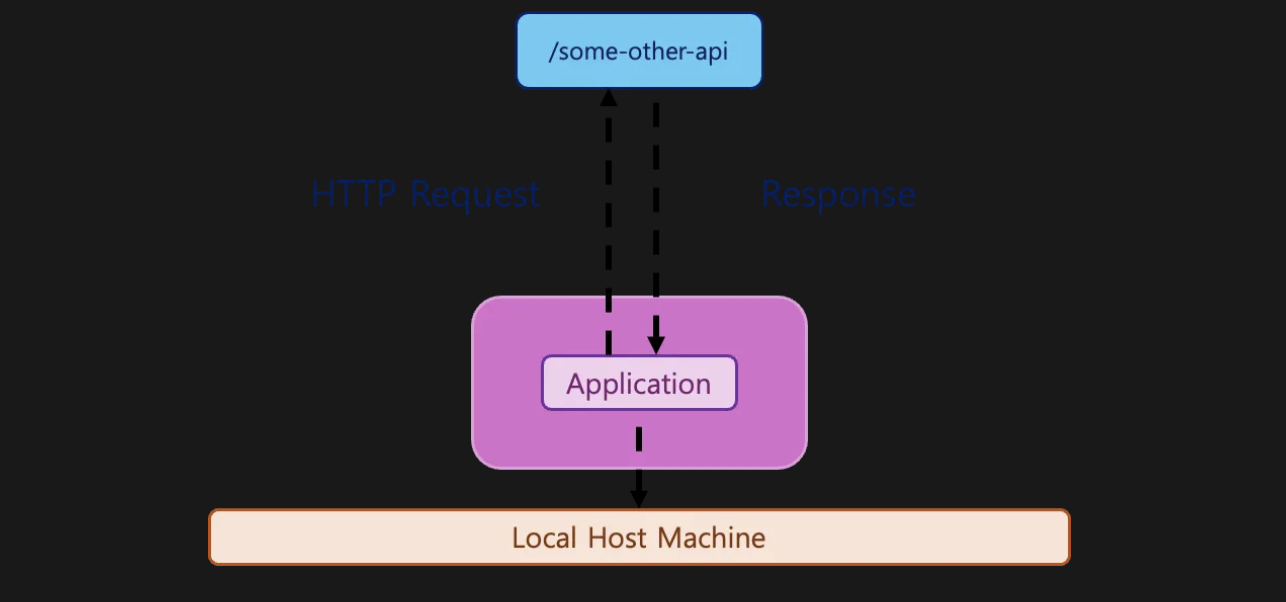
Container to Host
Container to Container
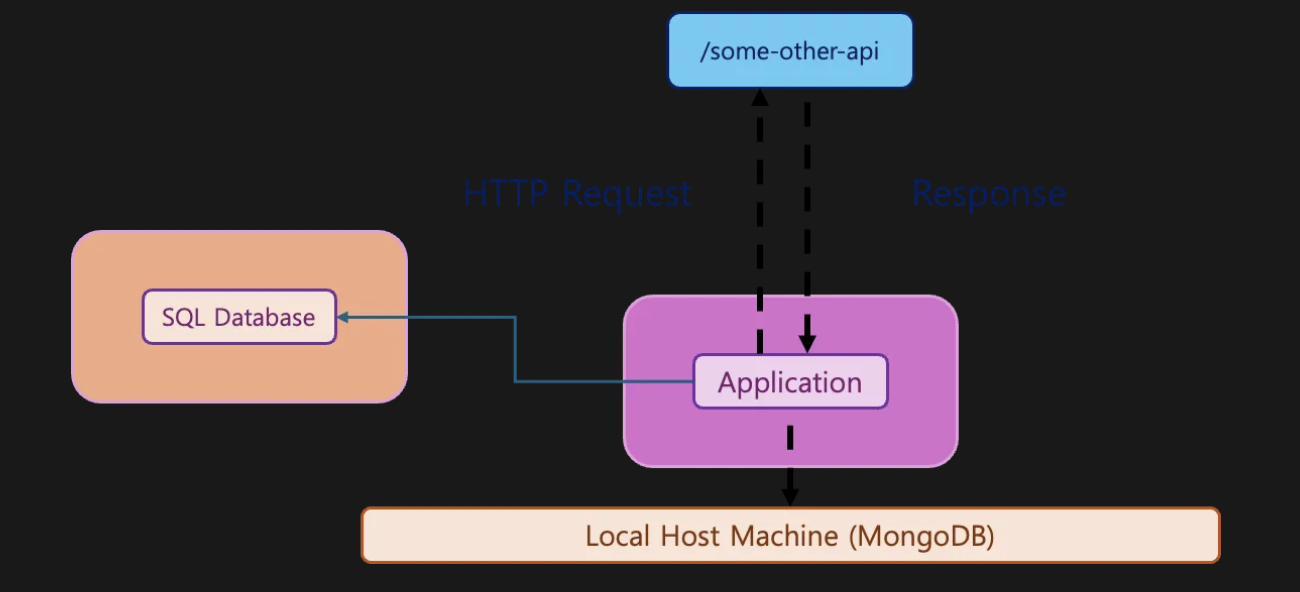
- host 에서는 MongoDB, 다른 컨테이너에서는 다른 SQL DB 를 사용하는 예시를 나타냈다
네트워크 통신 구축
Connect to MongoDB
// app.js
mongoose.connect(
  'mongodb://localhost:27017/favorites',
  { useNewUrlParser: true },
  (err) => {
    if (err) {
      console.log(err);
    } else {
      app.listen(3000);
    }
  }
);- MongoDB 연결을 위한 js 코드다
localhost를 추후mongodbcontainer 주소로 변결할 것이다
GET /favorite
// app.js
app.get('/favorites', async (req, res) => {
  const favorites = await Favorite.find();
  res.status(200).json({
    favorites: favorites,
  });
});mongodb에 저장된 데이터를 조회하는 코드- 조회된 결과를 response 로 반환한다
POST /favorite
app.post('/favorites', async (req, res) => {
  const favName = req.body.name;
  const favType = req.body.type;
  const favUrl = req.body.url;

  try {
    if (favType !== 'movie' && favType !== 'character') {
      throw new Error('"type" should be "movie" or "character"!');
    }
    const existingFav = await Favorite.findOne({ name: favName });
    if (existingFav) {
      throw new Error('Favorite exists already!');
    }
  } catch (error) {
    return res.status(500).json({ message: error.message });
  }

  const favorite = new Favorite({
    name: favName,
    type: favType,
    url: favUrl,
  });

  try {
    await favorite.save();
    res
      .status(201)
      .json({ message: 'Favorite saved!', favorite: favorite.toObject() });
  } catch (error) {
    res.status(500).json({ message: 'Something went wrong.' });
  }
});favorite을 MongoDB 에 저장하는 코드
GET /movies
app.get('/movies', async (req, res) => {
  try {
    const response = await axios.get('https://swapi.dev/api/films');
    res.status(200).json({ movies: response.data });
  } catch (error) {
    res.status(500).json({ message: 'Something went wrong.' });
  }
});- 외부 API 와 통신하는 코드
- 영화 목록을 외부 사이트에서 불러온다
GET /people
app.get('/people', async (req, res) => {
  try {
    const response = await axios.get('https://swapi.dev/api/people');
    res.status(200).json({ people: response.data });
  } catch (error) {
    res.status(500).json({ message: 'Something went wrong.' });
  }
});- 외부 API 와 통신하는 코드
- 배우 정보를 외부 사이트에서 불러온다
Dockerization
FROM node

WORKDIR /app

COPY package.json .

RUN npm install

COPY . .

CMD ["node", "app.js"]node.js를 dockerize 하기 위한 Dockerfile- 이를 토대로 이미지를 build 하자
docker build -t favorites-node . - build 한 이미지를 토대로 container 를 실행시키자
docker run --name favorties -d --rm -p 3000:3000 favorites-node - 이 상태에서
docker ps를 통해 컨테이너를 조회하면, 실행됐어야 할 컨테이너가 없다 - 아직 MongoDB 에 대한 설정을 하지 않았기 때문에 연결이 성립되지 않은 것이다
- 즉, 행 중인 컨테이너 내에는 MongoDB가 없기 때문에 접속이 불가능한 상황인 것이다
Container to Host
https://www.mongodb.com/ko-kr/docs/manual/installation/
- 위 링크를 참고해 로컬에 MongoDB 를 설치하자
- 현재 컨테이너에는 MongoDB 가 없다
app.js를 다시 살펴보자
mongoose.connect(
  'mongodb://localhost:27017/swfavorites',
  { useNewUrlParser: true },
  (err) => {
    if (err) {
      console.log(err);
    } else {
      app.listen(3000);
    }
  }
);- 위에서
localhost는 컨테이너 내의 MongoDB 에 연결하겠다는 의미 - 이를 위해 도커에서 제공하는 특별한 주소를 사용해야 한다
mongoose.connect(
  'mongodb://host.docker.internal:27017/swfavorites',
  { useNewUrlParser: true },
  (err) => {
    if (err) {
      console.log(err);
    } else {
      app.listen(3000);
    }
  }
);host.docker.internal은 도커에 의해 인식된다- 컨테이너 내부에서 알 수 없는 host 의 IP 주소로 변환된다
- host 의 도메인이나 URL 이 필요한 어디에나 사용할 수 있다
Container to Container
- MongoDB 컨테이너를 하나 더 만들어 app 과 통신하도록 만들어보자
docker run -d --name mongodb mongo- 이제는
host.docker.internal이 아닌, 방금 실행한 컨테이너에 연결 - 이를 위해 위 컨테이너의 IP 를 찾아야 한다
docker container inspect을 이용해 컨테이너 정보 확인
docker container inspect mongodb- 출력되는 dict 에서 필요한 정보를 찾자
...
			"NetworkSettings": {
            "Bridge": "",
            "SandboxID": "bf47a48bb4d393e54c32c297d376fed272bc39f5a95e6f6837dafeb79868ea54",
            "SandboxKey": "/var/run/docker/netns/bf47a48bb4d3",
            "Ports": {
                "27017/tcp": null
            },
            "HairpinMode": false,
            "LinkLocalIPv6Address": "",
            "LinkLocalIPv6PrefixLen": 0,
            "SecondaryIPAddresses": null,
            "SecondaryIPv6Addresses": null,
            "EndpointID": "6df40b7bef8a10abc10ea04538339e72c7293becb5f5e1aeb08592fcdd418420",
            "Gateway": "172.17.0.1",
            "GlobalIPv6Address": "",
            "GlobalIPv6PrefixLen": 0,
            "IPAddress": "172.17.0.2",
            "IPPrefixLen": 16,
            "IPv6Gateway": "",
            "MacAddress": "02:42:ac:11:00:02",
            "Networks": {
                "bridge": {
                    "IPAMConfig": null,
                    "Links": null,
                    "Aliases": null,
                    "MacAddress": "02:42:ac:11:00:02",
                    "DriverOpts": null,
                    "NetworkID": "c925a9282efacea3ab9a983ff08dec640fa1e8ce9db5c9df83f8e8b4b2615045",
                    "EndpointID": "6df40b7bef8a10abc10ea04538339e72c7293becb5f5e1aeb08592fcdd418420",
                    "Gateway": "172.17.0.1",
                    "IPAddress": "172.17.0.2",
                    "IPPrefixLen": 16,
                    "IPv6Gateway": "",
                    "GlobalIPv6Address": "",
                    "GlobalIPv6PrefixLen": 0,
                    "DNSNames": null
                }
            }
        }
...- 위의 예시 기준
172.12.0.2가 mongodb 컨테이너의 IP 다 - 이제 주소를 알았으니, connect 코드를 수정하자
mongoose.connect(
  'mongodb://172.17.0.2:27017/swfavorites',
  { useNewUrlParser: true },
  (err) => {
    if (err) {
      console.log(err);
    } else {
      app.listen(3000);
    }
  }
);
Container Networks
- 다중 컨테이너가 있을 때 컨테이너 간 통신을 허용하는 방식
docker run시--network옵션을 통해 구성한다
docker run --network <NETWORK_NAME> <IMAGE_NAME>- 이를 통해 이전에 수동으로 진행한 IP 조회를 자동으로 수행
- 네트워크 실행을 위해 직접 생성해야 한다
docker network create favorites-net
docker network ls
docker run -d --name mongodb --network favorites-net mongo
- 이제 IP 를 몰라도 컨테이너 이름을 통해 IP 를 찾을 수 있다
// app.js
mongoose.connect(
  'mongodb://mongodb:27017/swfavorites',
  { useNewUrlParser: true },
  (err) => {
    if (err) {
      console.log(err);
    } else {
      app.listen(3000);
    }
  }
);- 소스코드가 변경되었으니 다시 build
docker build -t favorites-node .
docker run --name favorites --network favorites-net -d --rm -p 3000:3000 favorites-node
docker ps
-p 옵션에 대해
-p옵션 없이도 컨테이너에서 27017에 정확히 접속할 수 있었다.-p옵션은 컨테이너 외부에서 접속하기 위해 사용하는 것- 컨테이너 내부에서만 사용될 port 는 굳이
-p를 통한 노출이 필요없다

인하대학교 컴퓨터공학과