Data Management
- ML 개발 시 데이터에 여러가지 특성공학을 적용하며 변형하게 된다.
- 이런 식의 test 가 진행되면 수많은 version 의 데이터가 생성된다
- 이런 데이터를 위한 관리 tool을 DVC (Data Version Control) 이라고 한다
- Version Control 하면 Git 이 떠오를텐데, Git 은 대용량 데이터보단 소스코드 관리에 용이하다.
DVC
- Data Management 를 위한 무료 tool
- python 으로 실행된다
pip install dvc\[all]을 통해 지원 패키지 설치 가능
- version control 은 물론 cloud storage 와 연동도 잘 된다
- Git 과 함께 사용된다 (Git 에는 metadata 저장)
dvc add: metadata 파일 생성 (.dvc)git pull: metadata 정보 받기dvc pull: storage 에서 실제 데이터 다운
DVC 설치
가상환경 구성
python>3.8과git이 필요하다- 설치를 위한 가상환경 구성
conda create -n dvc-env python=3.8 -ygit 설치
sudo apt install git
git --version
>> git version 2.25.1
DVC 설치
pip install dvc[all]DVC 저장소 초기화
- version control 을 적용할 데이터가 저장될 storage 를 git 과 DVC 로 관리
# -p : 중간 경로까지 한번에 생성
mkdir -p ~/working/dvc-storage && cd ~/working/dvc-storage- git 및 dvc 저장소로 dir 을 초기화
git init
dvc init
DVC 환경 설정
- version control 을 수행할 데이터 생성
mkdir data
cd data
echo "Hello DVC!" > demo.txt- DVC tracking 설정
dvc add demo.txt- 기본적인 사용법은 git 과 유사한 것을 알 수 있다.
ls
>>> demo.txt demo.txt.dvc- 파일을 track 하도록 설정했더니 .dvc 파일이 생겼다.
- 이 파일은 demo.txt 의 metadata 파일이다.
대용량의 데이터는 git 으로 관리할 수 없기 때문에, metadata 를 git으로 관리하고, 실제 데이터는 DVC 로 관리하는 것이다.
- .dvc 와 .gitignore 은 git 으로 관리하니, tracking 설정을 해주자
git add demo.txt.dvc .gitignore
git commit -m "add: .dvc"- 이제 파일들에 대한 tracking 설정이 완료되었다.
Remote Storage
Storage 연동하기
- 파일을 저장할 저장소를 DVC 와 연동하자.
- 나는 Google Drive 를 사용했다.
- Google Drive directory 를 연결
dvc remote add -d <YOUR_STORAGE_NAME> gdrive://<GOOGLE_DRIVE_FOLDER_ID>
>>> Setting 'storage' as a default remote.- Google Client 로그인
dvc remote modify <YOUR_STORAGE_NAME> gdrive_client_id <YOUR_CLIENT_ID>
dvc remote modify <YOUR_STORAGE_NAME> gdrive_client_secret <YOUR_CLIENT_SECRET>- 로그인 정보가 .dvc/config 파일에 저장되었으니, 커밋해주자
git add .dvc/config
git commit -m "add: remote storage and client"
dvc push
- Google Drive 등 DVC 와 연동되는 cloud storage 를 연결하자
- 연결이 완료되면 storage 에 파일을 push 할 수 있다.
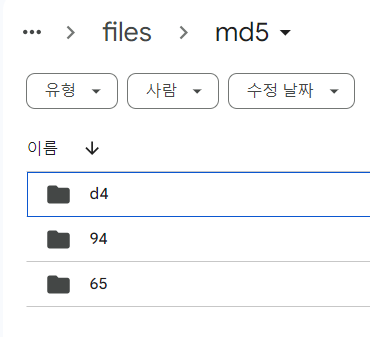
dvc push- remote storage 에 파일이 올라간 것을 확인할 수 있다.
dvc pull
- remote storage 로 부터 데이터를 다운받을 수 있다.
dvc pulldvc checkout
checkout은 데이터의 버전을 변경하는 명령어다.- 위에서 생성한 파일을 수정하고, 원래대로 되돌려보자
# 파일 수정
echo "Bye DVC!" > demo.txt
cat demo.txt
>>> Bye DVC!
# 수정된 파일 및 metadata 를 track
dvc add demo.txt
git add demo.txt.dvc
git commit -m "edit: demo"
# 수정된 파일을 remote 에 저장
dvc push
# git log 확인
git log --oneline
>>> 8a504f7 (HEAD -> master) edit: demo
>>> 0521cc9 add: storage and client
>>> ef06abb add: .dvc
# 가져오고 싶은 version 선택 및 이동
git checkout ef06abb demo.txt.dvc
dvc checkout
cat demo.txt
>>> Hello DVC!
인하대학교 컴퓨터공학과