
인터넷 프로그래밍 강의에서 Vue.js를 사용하게 되었다...
React.js만 한 지 대략 1년인데 Vue.js는 전혀 모르기 때문에 정리를 해보려고 한다.
1. Vue CLI 설치
npm install -g @vue/cli@vue/cli 는 기본 vue 개발 환경을 설정해주는 도구입니다.
2. Vue 프로젝트 생성
vue create <프로젝트 이름>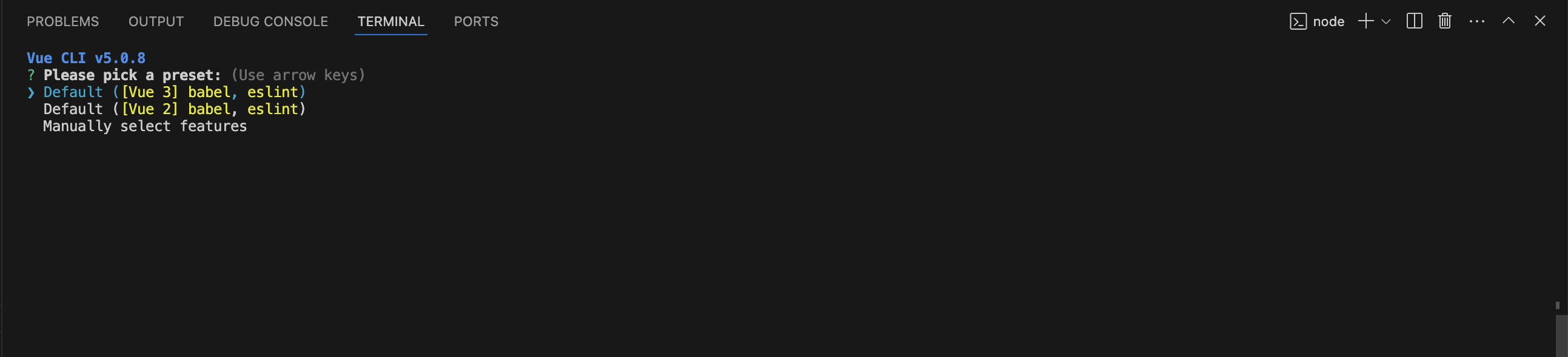
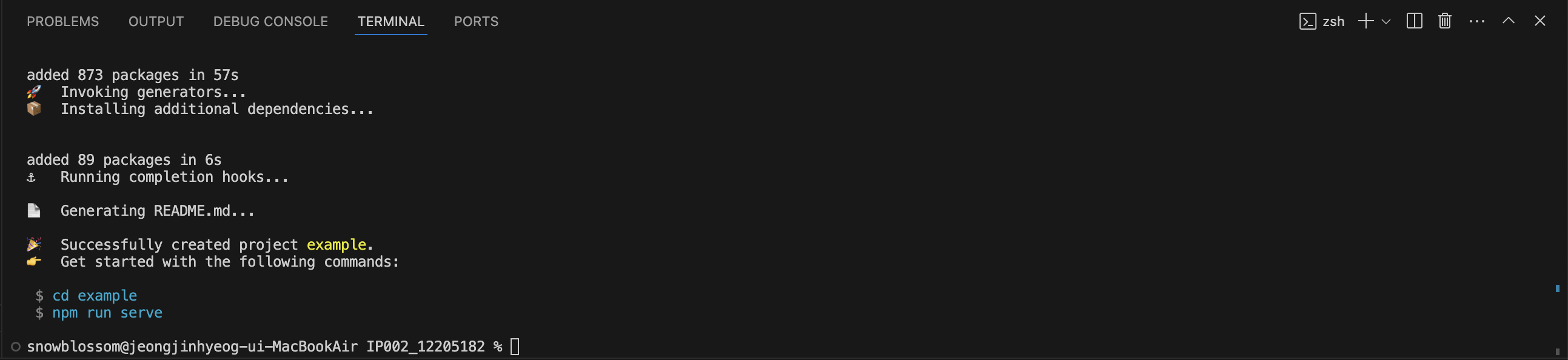
생성이 완료되면 터미널에 나타난 것처럼
cd <프로젝트 이름>
npm run serve
위의 명령어를 통해서 해당 프로젝트 폴더로 이동한 후 실행해주면 된다.
Vue 프로젝트 디렉토리 구조
| 사진 | 설명 |
|---|---|
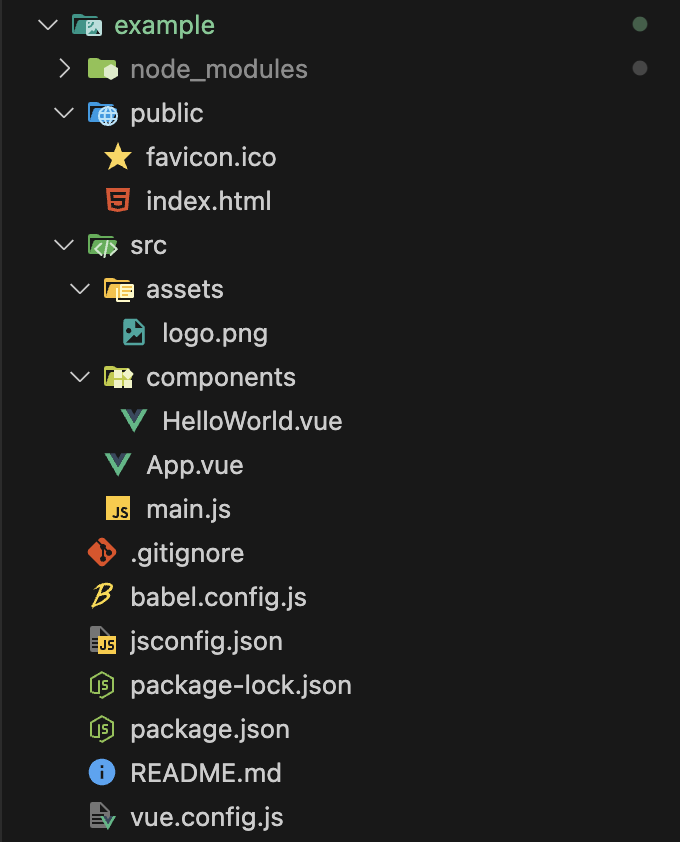 | example │-- node_modules : npm 패키지 │-- public : 정적 리소스를 모아두는 디렉토리 │-- src : 대부분의 코딩이 이루어지는 디렉토리 │-- assets : 이미지나 폰트 등의 파일 │-- components : vue 컴포넌트를 모아둔 디렉토리 │-- App.vue : 루트 컴포넌트 │-- main.js : Vue 인스턴스 생성 |
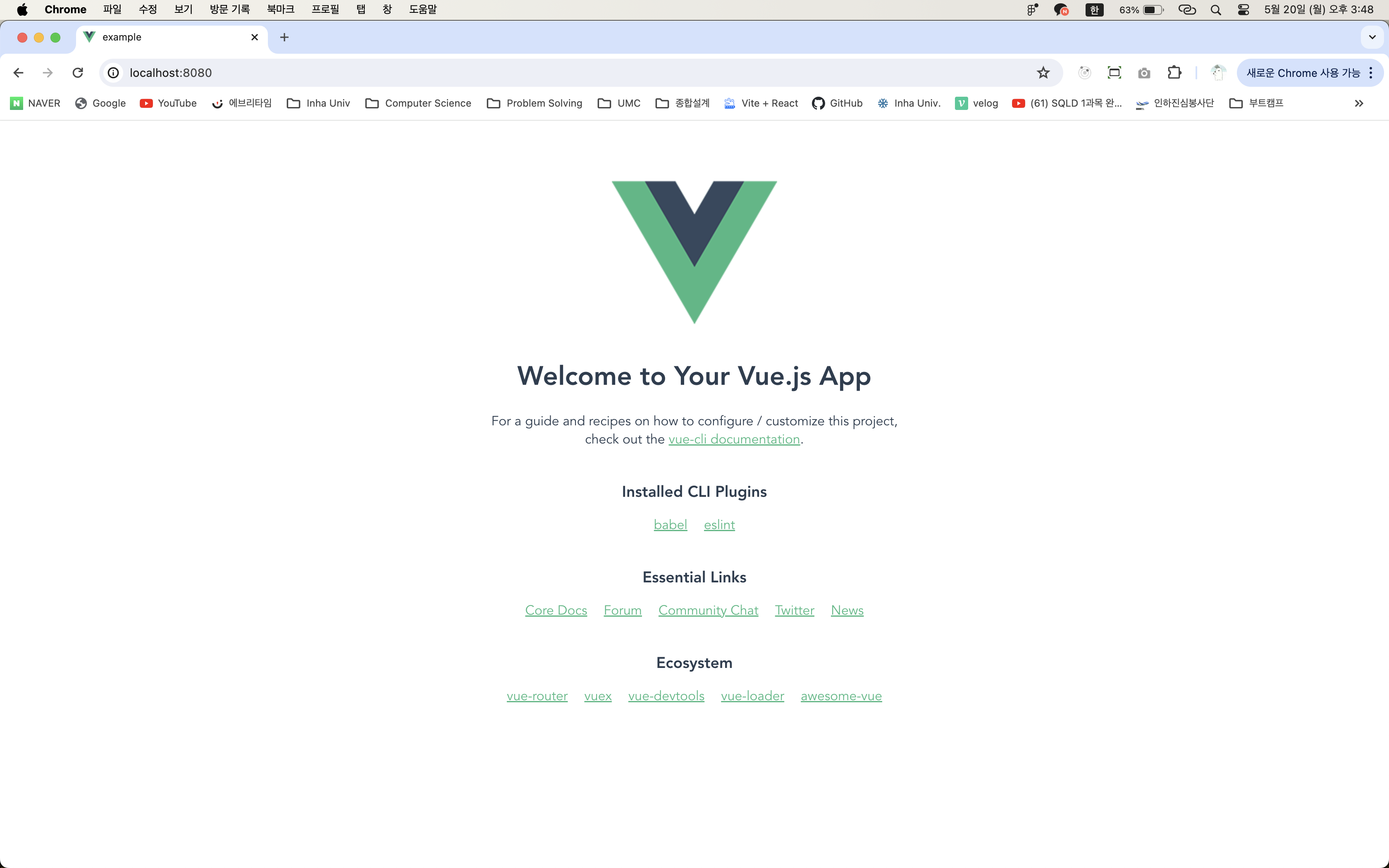
실행 화면
http://localhost:8080/ 주소를 확인했을 때 아래 이미지와 같은 화면이 나타난다면 성공!
PS.
아래의 package.json 파일에서scripts의 serve 부분에 --port 3000 를 추가하면
8080번 포트 대신 3000번 포트를 사용할 수 있다.
{
  "name": "example",
  "version": "0.1.0",
  "private": true,
  "scripts": {
    "serve": "vue-cli-service serve --port 3000",
    "build": "vue-cli-service build",
    "lint": "vue-cli-service lint"
  },
  "dependencies": {
    "core-js": "^3.8.3",
    "vue": "^3.2.13"
  },
  "devDependencies": {
    "@babel/core": "^7.12.16",
    "@babel/eslint-parser": "^7.12.16",
    "@vue/cli-plugin-babel": "~5.0.0",
    "@vue/cli-plugin-eslint": "~5.0.0",
    "@vue/cli-service": "~5.0.0",
    "eslint": "^7.32.0",
    "eslint-plugin-vue": "^8.0.3"
  },
  "eslintConfig": {
    "root": true,
    "env": {
      "node": true
    },
    "extends": [
      "plugin:vue/vue3-essential",
      "eslint:recommended"
    ],
    "parserOptions": {
      "parser": "@babel/eslint-parser"
    },
    "rules": {}
  },
  "browserslist": [
    "> 1%",
    "last 2 versions",
    "not dead",
    "not ie 11"
  ]
}
❄️