-
그림자는 빛의 의해서 만들어진다.
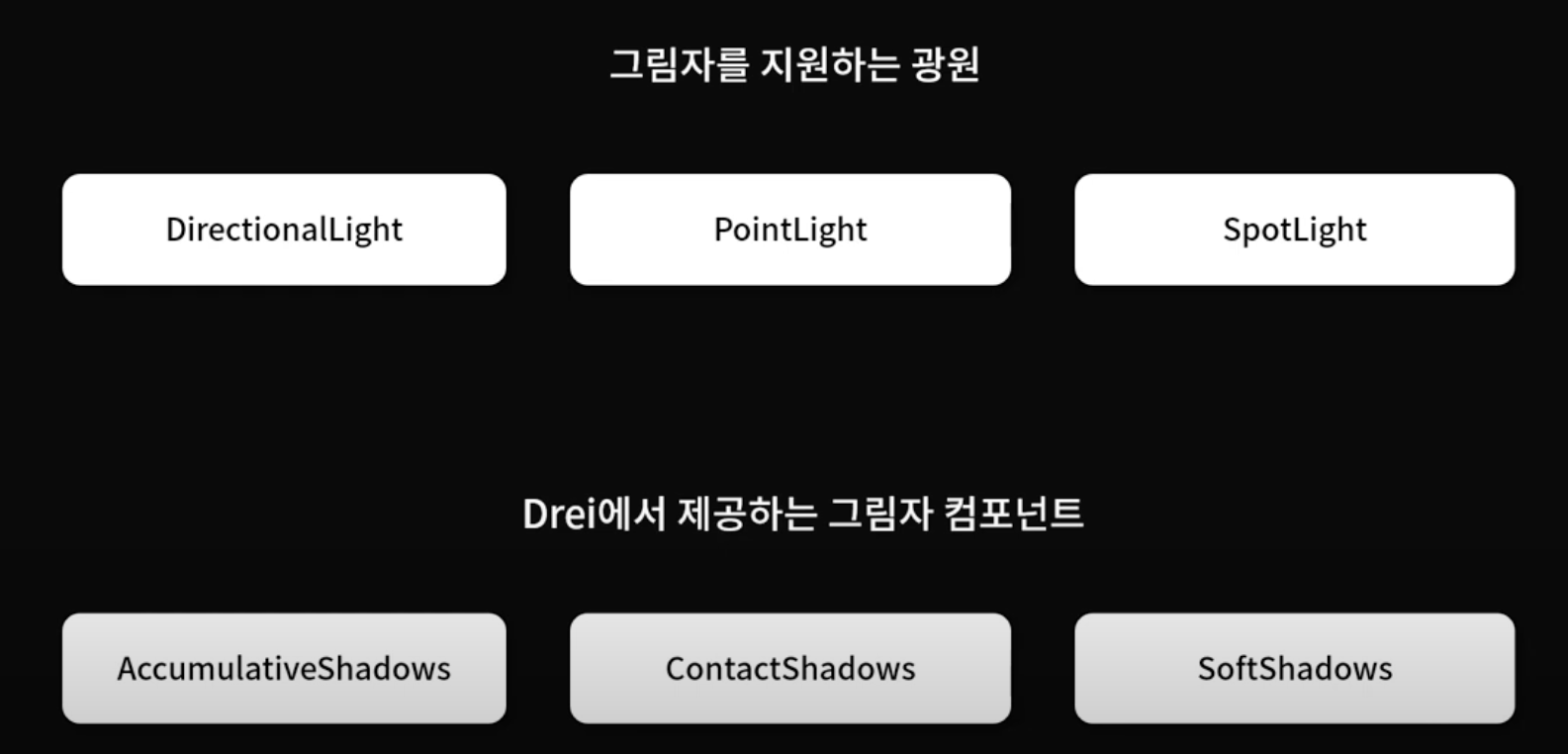
-
사용 전 Canvas에 shadows속성 추가
<Canvas shadows camera={{ near: 1, far: 100, position: [7, 7, 0] }}>three.js에서 제공
DirectionalLight 그림자
-
directionalLight이 그림자를 만들라고 해야하기 때문에 Light에
castShadow속성 추가 -
mesh에 그림자 관련 속성 추가
- 바닥면은 그림자를 받아서 자신의 표면에 그림자를 표시해야되기 때문에
receiveShadow속성 추가 - torusKnotGeometry는 자신의 그림자를 만들라는 의미로
castShadow속성 과 표면에 그림자를 표시하기위해receiveShadow추가 - 보라색 뚫린 원과 빨간원도 위와 같이
castShadowreceiveShadow추가
- 바닥면은 그림자를 받아서 자신의 표면에 그림자를 표시해야되기 때문에
-
DirectionalLight는 그림자가 딸리는 현상이 발생할 수 있기때문에 그림자가 항상 빨간색 구를 비추게 설정
useFrame((state) => {
    const time = state.clock.elapsedTime;
    const smallSpherePivot = state.scene.getObjectByName("smallSpherePivot");
    smallSpherePivot.rotation.y = THREE.MathUtils.degToRad(time * 50);

    smallSpherePivot.children[0].getWorldPosition(
      light.current.target.position
    );
  });

  const light = useRef(); //directionalLight에도 ref속성 추가

  const { scene } = useThree();
  useEffect(() => {
    scene.add(light.current.target);

    return () => scene.remove(light.current.target);
}, [light.current]);- 그림자가 잘리게 하지 않기 위해
shadow-camera ~로 절두체 크기 키우기(너무 크면 그림자 품질 떨어짐)
<directionalLight
        ref={light}

        shadow-camera-top={6}
        shadow-camera-bottom={-6}
        shadow-camera-left={-6}
        shadow-camera-right={6}

        castShadow
        color={0xffffff}
        intensity={5}
        position={[0, 5, 0]}
/>- 그림자 이미지 크기 설정(shadow-mapSize속성)
<directionalLight
        ref={light}
        shadow-camera-top={6}
        shadow-camera-bottom={-6}
        shadow-camera-left={-6}
        shadow-camera-right={6}

        shadow-mapSize={[512 * 4, 512 * 4]}

        castShadow
        color={0xffffff}
        intensity={5}
        position={[0, 5, 0]}
      />
directionalLight 전체코드
import { OrbitControls, useHelper } from "@react-three/drei";
import { useFrame, useThree } from "@react-three/fiber";
import { useControls } from "leva";
import { useEffect, useRef } from "react";
import * as THREE from "three";

const torusGetometry = new THREE.TorusGeometry(0.4, 0.1, 32, 32);
const torusMaterial = new THREE.MeshStandardMaterial({
  color: "#9b59b6",
  roughness: 0.5,
  metalness: 0.9,
});

function MYElement3DShadow() {
  useFrame((state) => {
    const time = state.clock.elapsedTime;
    const smallSpherePivot = state.scene.getObjectByName("smallSpherePivot");
    smallSpherePivot.rotation.y = THREE.MathUtils.degToRad(time * 50);

    smallSpherePivot.children[0].getWorldPosition(
      light.current.target.position
    );
  });

  const light = useRef();

  // // useHelper(light, RectAreaLightHelper);

  const { scene } = useThree();
  useEffect(() => {
    scene.add(light.current.target);

    return () => scene.remove(light.current.target);
  }, [light.current]);

  return (
    <>
      <OrbitControls />

      <ambientLight intensity={0.1} />
      <directionalLight
        ref={light}
        shadow-camera-top={6}
        shadow-camera-bottom={-6}
        shadow-camera-left={-6}
        shadow-camera-right={6}
        shadow-mapSize={[512 * 4, 512 * 4]}
        castShadow
        color={0xffffff}
        intensity={5}
        position={[0, 5, 0]}
      />

      <mesh receiveShadow rotation-x={THREE.MathUtils.degToRad(-90)}>
        <planeGeometry args={[10, 10]} />
        <meshStandardMaterial
          color="#2c3e50"
          roughness={0.5}
          metalness={0.5}
          side={THREE.DoubleSide}
        />
      </mesh>

      <mesh castShadow receiveShadow position-y={1.7}>
        <torusKnotGeometry args={[1, 0.2, 128, 32]} />
        <meshStandardMaterial color="#fff" roughness={0.1} metalness={0.2} />
      </mesh>

      {new Array(10).fill().map((item, idx) => {
        return (
          <group key={idx} rotation-y={THREE.MathUtils.degToRad(45 * idx)}>
            <mesh
              castShadow
              receiveShadow
              geometry={torusGetometry}
              material={torusMaterial}
              position={[3, 0.5, 0]}
            ></mesh>
          </group>
        );
      })}

      {/* group에 name을 정하면 이를 통해 group객체를 참조할 수 있다. */}
      <group name="smallSpherePivot">
        <mesh castShadow receiveShadow position={[3, 0.5, 0]}>
          <sphereGeometry args={[0.3, 32, 32]} />
          <meshStandardMaterial
            color="#e74c3c"
            roughness={0.2}
            metalness={0.5}
          />
        </mesh>
      </group>
    </>
  );
}

export default MYElement3DShadow;
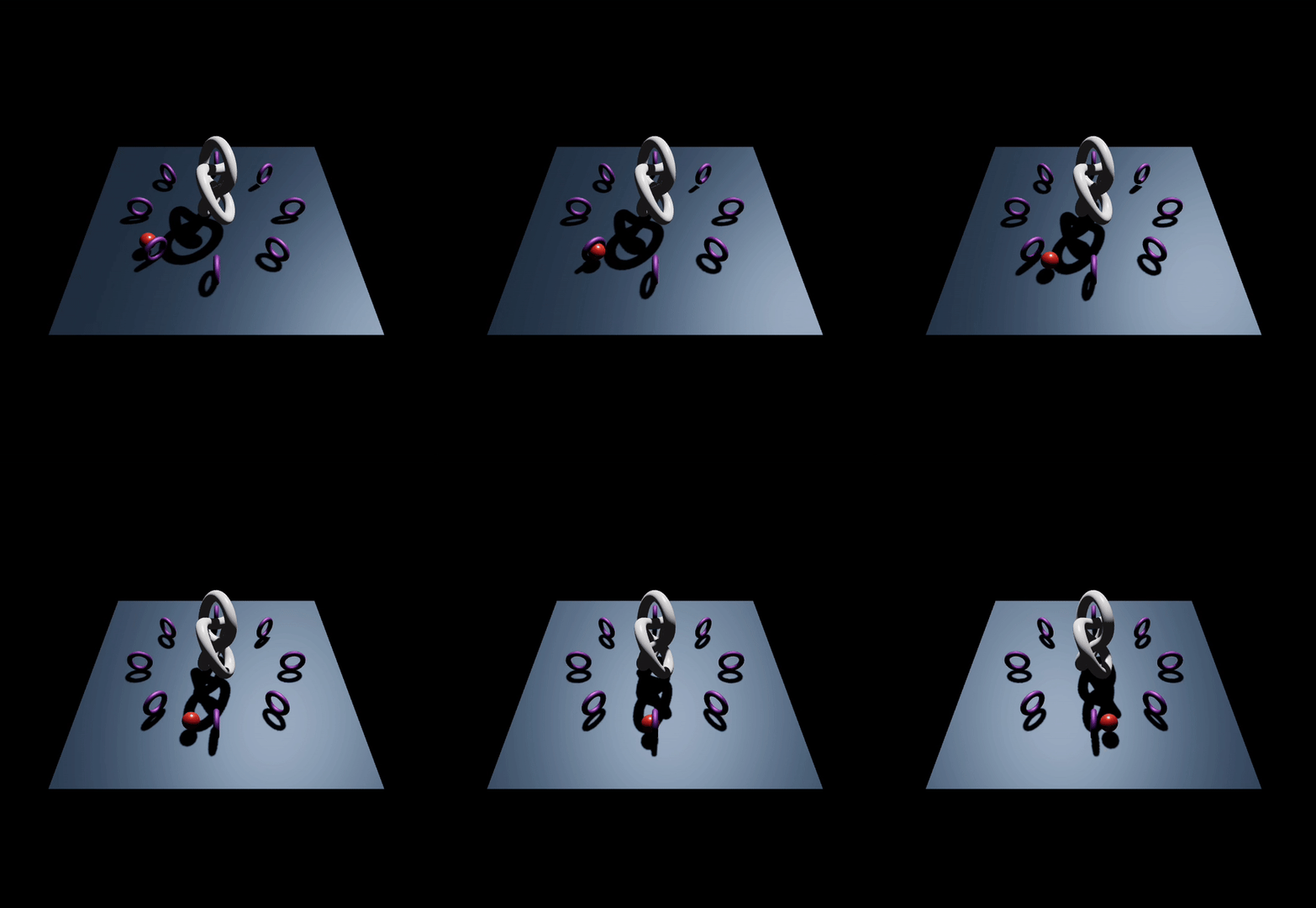
pointLight
- castShadow속성 추가하고 빨간색공 따라다니게 설정
  useFrame((state) => {
    const time = state.clock.elapsedTime;
    const smallSpherePivot = state.scene.getObjectByName("smallSpherePivot");
    smallSpherePivot.rotation.y = THREE.MathUtils.degToRad(time * 50);

    smallSpherePivot.children[0].getWorldPosition(light.current.position);
  });

  .
  .
<pointLight
        ref={light}
        castShadow
        color="#ffffff"
        intensity={50}
        position={[0, 5, 0]}
      />
spotLight
- castShadow속성 추가하고 빨간색공 따라다니게 설정
- scene에 useEffect를 통해 추가
useFrame((state) => {
    const time = state.clock.elapsedTime;
    const smallSpherePivot = state.scene.getObjectByName("smallSpherePivot");
    smallSpherePivot.rotation.y = THREE.MathUtils.degToRad(time * 50);

    smallSpherePivot.children[0].getWorldPosition(
      light.current.target.position
    );
  });

  const light = useRef();

  // // // useHelper(light, RectAreaLightHelper);

  const { scene } = useThree();
  useEffect(() => {
    scene.add(light.current.target);

    return () => scene.remove(light.current.target);
  }, [light.current]);
  .
  .
  .
  <spotLight
        ref={light}
        castShadow
        shadow-mapSize={[1024 * 4, 1024 * 4]}
        color={0xffffff}
        intensity={50}
        position={[0, 5, 0]}
        angle={THREE.MathUtils.degToRad(60)}
      />
그림자 블러 효과(위 세개 모두 가능)
- shadows를 variance로 변경
<Canvas
        shadows="variance"
        camera={{ near: 1, far: 100, position: [7, 7, 0] }}
>- 광원에 아래 속성 추가
shadow-radius={32} //그림자 블러효과를 위한 반경값
shadow-blurSamples={8} //그림자 블러효과를 적용할 횟수
shadow-bias={-0.00000001} //variance 노이즈 없애기 위한 속성 낮을수록 좋음
Drei에서 제공
AccumulativeShadows
-
ㅂㄹ인듯
-
정적인 그림자(mesh가 움직여도 그림자가 변경되지 않음)
-
자체적으로 그림자를 표현할 평면 mesh를 장면에 추가해준다.(그래서 전에 썼는 파란 평면 mesh 코드 지워도됨)
-
AccumulativeShadow가 만들어준 그림자는 다른 mesh 표면에는 표현되지 못한다는 단점이 있다. (그래서 전에 썼던 receiveShadow가 소용이 없음)
-
AccumulativeShadows추가하고 그림자 생성을 위한 광원인RandomizedLight을 자식으로 추가해야 그림자가 생성된다. (RandomizedLight를 여러개 가질 수 있다.)
<AccumulativeShadows
        position={[0, 0.01, 0]} //평면 mesh 위치
        scale={12}
        color="#000"
        opacity={0.7}
        alphaTest={1} //그림자에 대한 픽셀에 알파값을 비교해서 지정된 1보다 작을 때만 그림자로서 표현됨
        frames={60} //처음에 랜더링되는 프레임중 지정된 60만큼 그림자를 만들고 누적해서 최종 그림자이미지를 만든다.
      >
        <RandomizedLight
          radius={0.5}
          ambient={0.21}
          intensity={1.5}
          position={[5, 3, 0]}
        />
</AccumulativeShadows>- 정적인 그림자이기 때문에 빨간색 공은 움직이는데 그림자는 가만히 있음
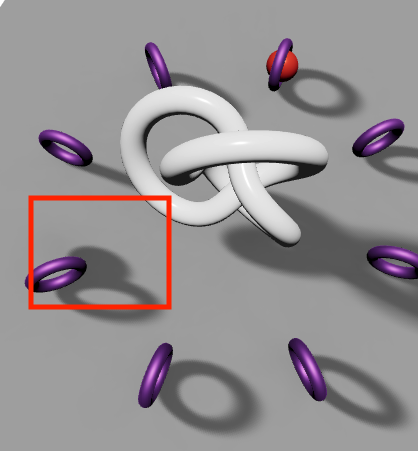
SoftShadow
- SoftShadow는 directionalLight의 그림자를 가져다가 계산한 것으로 반드시 장면에 그림자를 생성해주는 directionalLight를 필요로 한다.
<SoftShadows
        size={10} //광원의 크기, 값이 클수록 그림자가 줄여짐
        focus={10} //깊이 포커스 값,
        samples={50} //그림자 이미지를 생성하기 위한 샘플링 수
      />

      <ambientLight intensity={0.1} />
      <directionalLight
        castShadow
        color={0xffffff}
        intensity={5}
        position={[0, 5, 0]}
      />
ContactShadow
-
R3f의 기본적인 그림자 기능을 사용하지 않는 독립적인 컴포넌트
-
그래서 Canvas의 shadow속성을 지워도 되고, 또 castShadow, receiveShadow를 지워도됨
-
ContactShadow를 추가하면 그림자를 표현할 평면이 자동으로 장면에 추가되고 오직 그 평면에만 그림자가 표현됨
<ContactShadows
        position={[0, 0, 0]}
        scale={10}
        resolution={512} //그림자 이미지 크기
        color="#000" //그림자 색상
        opacity={0.4}
        blur={0.5}
      />
이 글은 아래 유투브 강의를 듣고 작성한 글 입니다.
https://www.youtube.com/watch?v=0jnGlLb_z7w&list=PLe6NQuuFBu7HUeJkowKRkLWwkdOlhwrje&index=4