1. Spotless
- 여러 개발자가 협업하는 환경에서 코드 컨벤션을 지키고 쉽게 유지보수하기 위해 사용하는 플러그인
- 컨벤션이 지켜지지 않을 경우 build가 실패함으로 여러 개발자가 컨벤션을 지킬 수 있게 됨
2. Spotless 적용
2.1 Install
plugins {
	id 'com.diffplug.spotless' version '6.23.3'
}build.gradle에 플러그인 적용
2.2 Setting
spotless {
    java {
        // import 순서 정의
        importOrder(
                "java",
                "javax",
                "lombok",
                "org.springframework",
                "",
                "\\#",
                "org.junit",
                "\\#org.junit",
                "com.guide",
                "\\#com.guide"
        )
        removeUnusedImports() // 사용하지 않는 import 제거
        googleJavaFormat()         // 구글 자바 포맷 적용
        indentWithTabs(2)
        indentWithSpaces(4)
        trimTrailingWhitespace() // 공백 제거
        endWithNewline()         // 끝부분 New Line 처리
    }
}
사용법
./gradlew spotlessCheck: 정해진 컨벤션을 지키고 있는지 검사./gradlew spotlessApply: 파일에 코드 컨밴션을 적용
이 명령어를 매번 입력해서 컨벤션을 유지하는 것은 불편하기 때문에 pre-commit 방법 실행
3. Pre-Commit
Pre-Commit 이란 커밋을 진행하기 전, 개발자가 정해놓은 설정을 수행하도록 하는 것
Spotless 뿐만 아니라, 원하는 행동을 스크립트로 작성하면 해당 내용을 커밋 수행 전 실행
4. Pre-Commit 적용
4.1 Pre-Commit 파일 생성
프로젝트 패키지에 scripts 폴더를 만들고, 그 안에 pre-commit 파일 생성
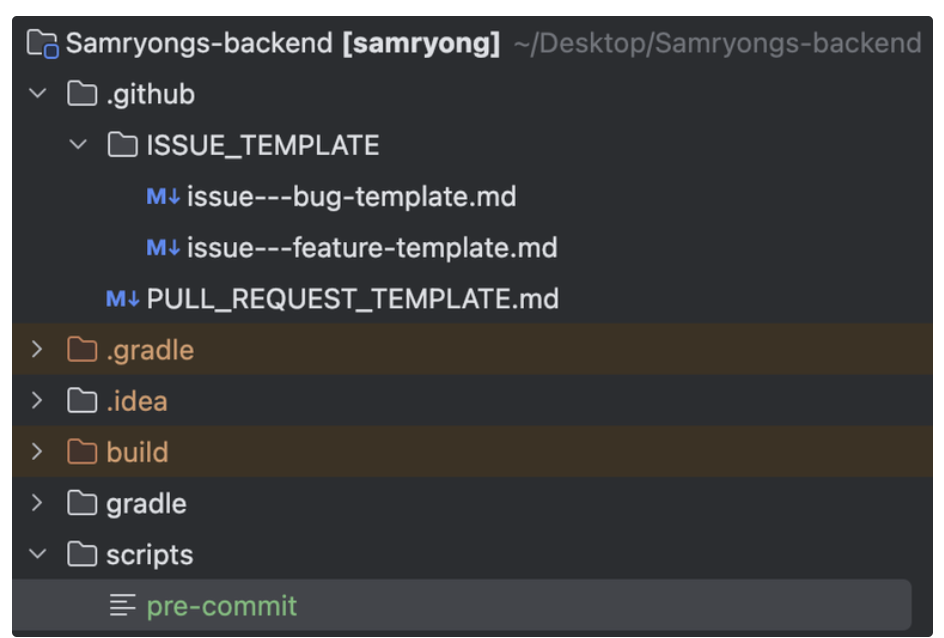
# 변경된 파일들 이름만 추출 후 저장
stagedFiles=$(git diff --staged --name-only)

# SpotlessApply 실행
echo "Running spotlessApply. Formatting code..."
./gradlew spotlessApply

# 변경 사항이 발생한 파일들 다시 git add
for file in $stagedFiles; do
  if test -f "$file"; then
    git add "$file"
  fi
done
4.2 build.gradle 스크립트 추가
tasks.register('updateGitHooks', Copy) {
	from new File(rootProject.rootDir, 'scripts/pre-commit')
	into { new File(rootProject.rootDir, '.git/hooks') }
	if (System.getProperty('os.name').toLowerCase().contains('windows')) {
		Runtime.getRuntime().exec("cmd /c chmod -R +x .git/hooks/")
	} else {
		Runtime.getRuntime().exec("chmod -R +x .git/hooks/")
	}
}

tasks.named('compileJava') {
	dependsOn 'spotlessApply'
	dependsOn 'updateGitHooks'
}build.gradle에 다음과 같은 사항 추가
참고

chanmin