ChatGPT API를 이용한 AI 챗봇 만들기
0. 모델별 요금

1. ChatGPT Ai 발급
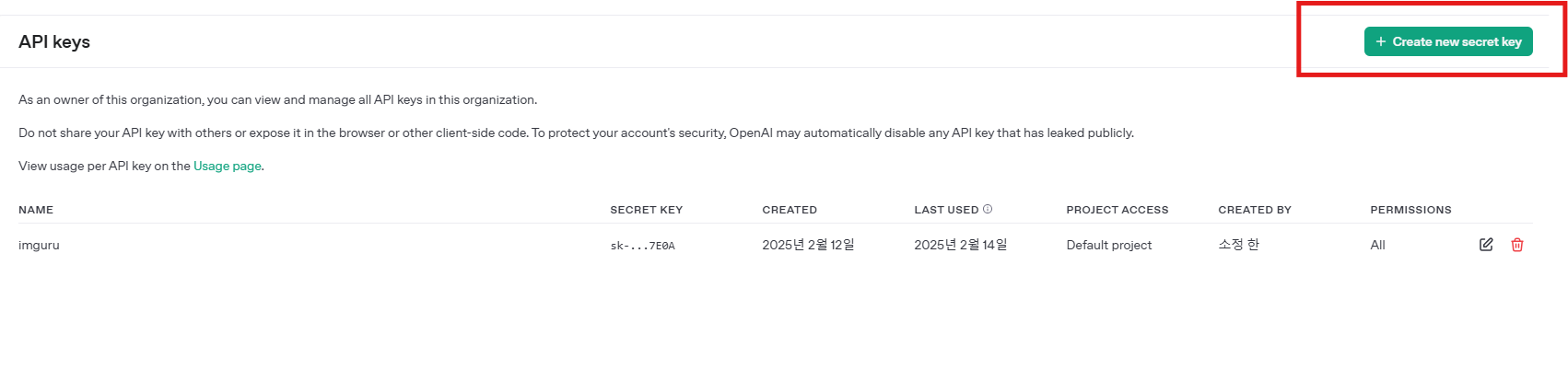
Create new secret key 선택
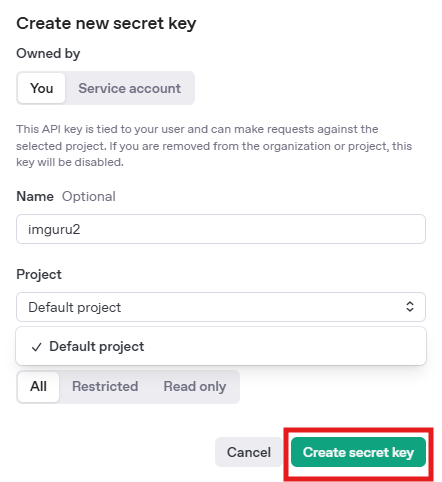
Name 정하고 Project 설정 후 Create secret key 선택 하면 Key 가 발급된다.
2. Chatbot UI
- 사용한 언어 : html
<!DOCTYPE html>
<html lang="ko">
<head>
    <meta charset="UTF-8">
    <meta name="viewport" content="width=device-width, initial-scale=1.0">
    <title>OpenAI 챗봇</title>
    <link rel="icon" href="data:,">
    <style>
        body {
            display: flex;
            justify-content: center;
            align-items: center;
            height: 100vh;
            margin: 0;
            background-color: #f5f5f5;
        }
        #chat-container {
            width: 400px;
            height: 600px;
            display: flex;
            flex-direction: column;
            background-color: white;
            border: 1px solid #ccc;
            box-shadow: 0px 0px 10px rgba(0, 0, 0, 0.1);
            border-radius: 10px;
            overflow: hidden;
        }
        #chat-messages {
            flex: 1;
            overflow-y: auto;
            padding: 10px;
            display: flex;
            flex-direction: column-reverse;
        }
        .message {
            padding: 10px;
            margin: 5px;
            border-radius: 5px;
            max-width: 80%;
        }
        .user {
            align-self: flex-end;
            background-color: #1e88e5;
            color: white;
        }
        .bot {
            align-self: flex-start;
            background-color: #e6e6e6;
        }
        #user-input {
            display: flex;
            padding: 10px;
            border-top: 1px solid #ccc;
        }
        #user-input input {
            flex: 1;
            padding: 10px;
            outline: none;
            border: 1px solid #ccc;
            border-radius: 5px;
        }
        #user-input button {
            border: none;
            background-color: #1e88e5;
            color: white;
            padding: 10px 15px;
            margin-left: 10px;
            cursor: pointer;
            border-radius: 5px;
        }
    </style>
</head>
<body>
    <div id="chat-container">
        <div id="chat-messages"></div>
        <div id="user-input">
            <input type="text" id="message-input" placeholder="메시지를 입력하세요...">
            <button id="send-button">전송</button>
        </div>
    </div>

    <script>
        document.getElementById("send-button").addEventListener("click", sendMessage);
        document.getElementById("message-input").addEventListener("keypress", function(event) {
            if (event.key === "Enter") sendMessage();
        });

        function sendMessage() {
            const inputField = document.getElementById("message-input");
            const userMessage = inputField.value.trim();
            if (userMessage === "") return;

            appendMessage(userMessage, "user");
            inputField.value = "";

            fetch("http://localhost:5000/chat", {
                method: "POST",
                headers: {
                    "Content-Type": "application/json"
                },
                body: JSON.stringify({ message: userMessage })
            })
            .then(response => response.json())
            .then(data => appendMessage(data.response, "bot"))
            .catch(error => console.error("Error:", error));
        }

        function appendMessage(text, sender) {
            const messageContainer = document.getElementById("chat-messages");
            const messageElement = document.createElement("div");
            messageElement.classList.add("message", sender);
            messageElement.textContent = text;
            messageContainer.prepend(messageElement);
        }
    </script>
</body>
</html>- UI 화면
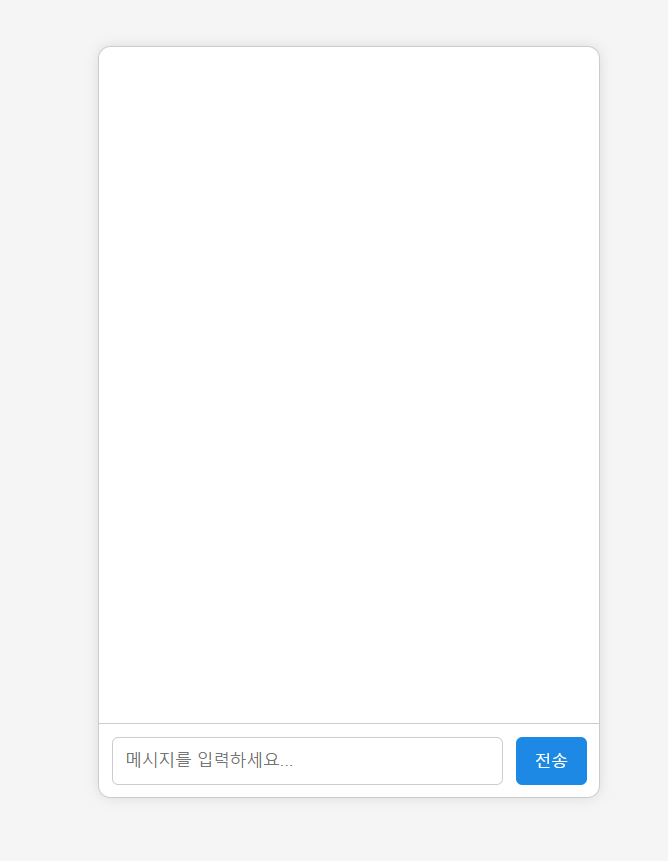
3. OpenAI api 연결
- 사용한 언어 : python
- 웹 프레임워크 : Flask

오늘 터져도내일 다시극복