LangChain 기초와 RAG 프로세스 구축
llm 기초가 되는 LangChain 과 RAG 프로세스 직접 구축하는 작업
- ollama 설치후 ollama에서 llama3.x 버전 실행시키고 python에서 langchain으로 ollama 연결 후 스크립트로 prompt 입력후 연결된 ollama 에게 답변 받기
- chroma DB(백터 DB) 설치 후 원하는 내용을 정해 그 내용에 대한 데이터를 db에 넣기
- langchain 으로 ollama와 chroma db를 연결시켜 간단한 RAG 프로세스 구축
0. 프로세스
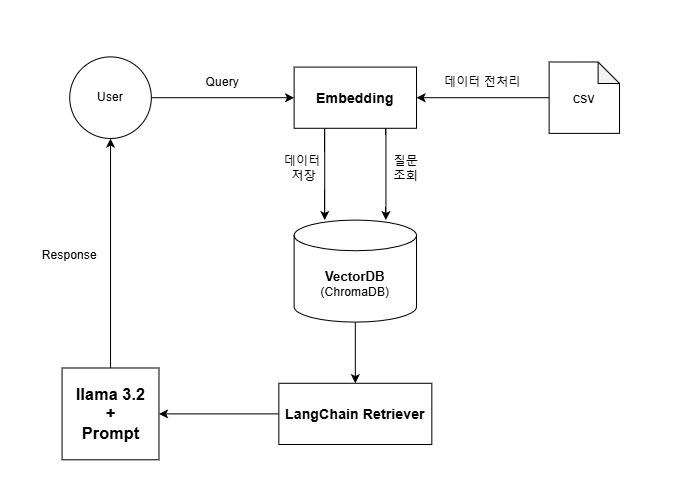
1. LangChin으로 Ollama 연결 및 답변 결과
- vscode를 통해 진행
- python version 3.11.1
1.1 Ollama 설치
pip install Ollama1.2 Ollama 확인
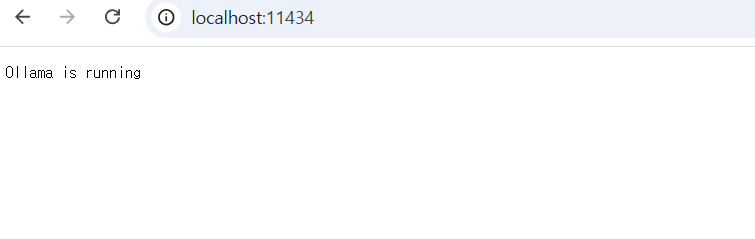
http://localhost:11434/ 로 접속해 아래와 같은 문구가 뜨면 Ollama가 정상가동 된것을 볼 수 있다.
1.3 llama 설치
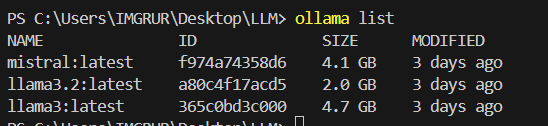
llama3은 (4.7GB) 로 속도가 느려 llama3.2 (2.0GB) 로 선택
pip install llama3.21.4 llama 확인
Ollama list
1.5 langchain 설치
pip install langchain1.6 langchain 확인
pip install | findstr langchain 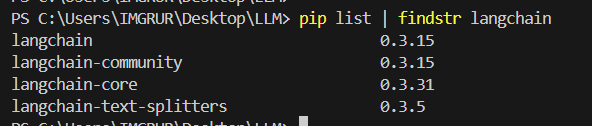
1.7 결과
from langchain.prompts import PromptTemplate
from langchain.chains import LLMChain
from langchain.llms import Ollama
ollama_llm  = Ollama(model='llama3.2')
# 2. 프롬프트 템플릿 작성
prompt = PromptTemplate(
    input_variables=["question"],
    template="{question}"
)
# 3. LLMChain 생성
chain = LLMChain(llm=ollama_llm, prompt=prompt)
# 4. 질문 실행
question = "하츄핑은 뭐야?"
response = chain.run(question)
print(response)
2. ChromaDB에 데이터 적재
2.1 Chromadb 설치
pip install chromadb2.2 Chromadb 설치 확인
pip list | findstr chromadb
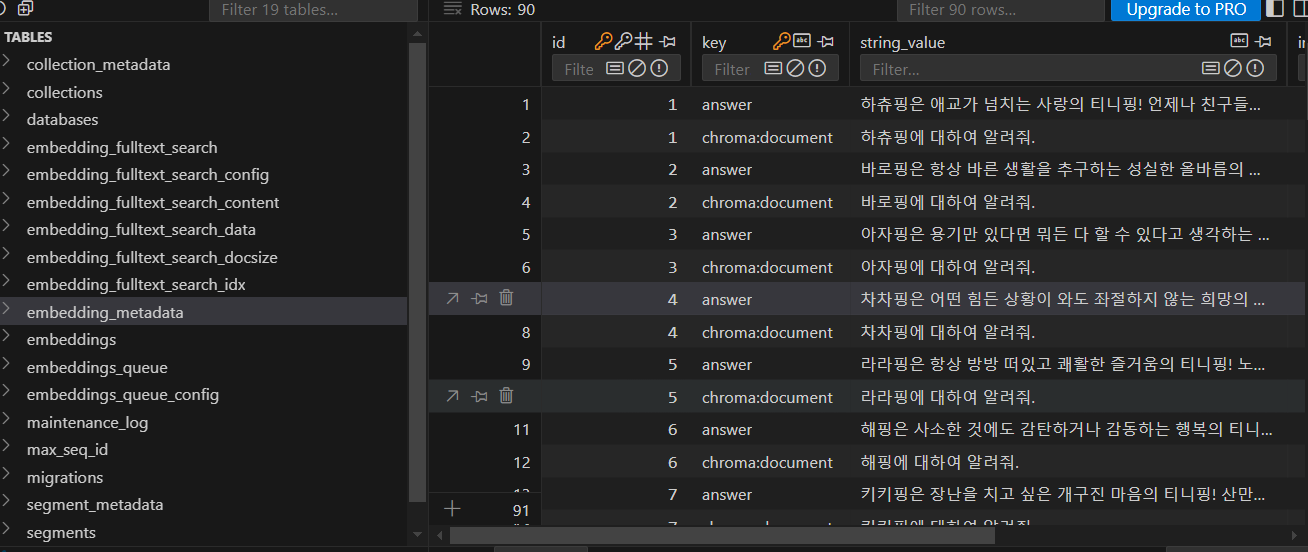
2.3 Chromadb 데이터 적재
collection.add(
	documents=[document],  # 문서
	metadatas=[{"answer": metadata}],  # 메타데이터
	ids=[doc_id],  # 고유 ID
	embeddings=[embedding_result]  # 임베딩
)
3. RAG 프로세스 구축
from langchain_community.llms import Ollama
from chromadb.utils import embedding_functions
import chromadb
import pandas as pd
from langchain.vectorstores import Chroma
from langchain_core.prompts import ChatPromptTemplate
from sentence_transformers import SentenceTransformer
from langchain.schema.runnable import RunnablePassthrough
ollama_llm  = Ollama(model='llama3.2')
settings = chromadb.PersistentClient(path="C://Users/IMGRUR/Desktop/LLM/chroma")
class SentenceTransformerEmbeddingFunction:
    def __init__(self, model):
        self.model = model
    def __call__(self, input):
        # texts는 리스트 형식이어야 함
        return self.model.encode(input)
    def embed_query(self, input):
        # 단일 쿼리 텍스트를 리스트로 변환하여 처리
        return self.model.encode([input])[0]
model = SentenceTransformer("sentence-transformers/all-MiniLM-L6-v2")
embedding = SentenceTransformerEmbeddingFunction(model)
collection = settings.get_collection(name="hachypingdb", embedding_function=embedding)
vectorstore = Chroma(
    collection_name= "hachypingdb",
    client=settings,
    embedding_function=embedding
)
retriever = vectorstore.as_retriever(
    search_type="mmr",
    search_kwargs={'k': 1}
)
prompt = ChatPromptTemplate.from_messages(
    [
        (
            "system",
            """
            Use the following data to answer.
            \n\n
            {context}
            """,
        ),
        ("human", "{question}"),
    ]
)
chain = (
    {
        "context": retriever,
        "question": RunnablePassthrough(),
    }
    | prompt
    | ollama_llm
)
result = chain.invoke("하츄핑에 대하여 알려줘")
print(result)
4. 결과
rag 프로세스를 이용해 검색했을때의 결과와 없을때 차이를 볼 수 있다.
-
RAG 프로세스 이용 전

-
RAG 프로세스 이용 후


오늘 터져도내일 다시극복