Scalability involves beginning with only the resources you need and designing your architecture to automatically respond to changing demand by scaling out or in. As a result, you pay for only the resources you use. You don’t have to worry about a lack of computing capacity to meet your customers’ needs.
Amazon EC2 Auto Scaling
If you’ve tried to access a website that wouldn’t load and frequently timed out, the website might have received more requests than it was able to handle. This situation is similar to waiting in a long line at a coffee shop, when there is only one barista present to take orders from customers.
Amazon EC2 Auto Scaling enables you to automatically add or remove Amazon EC2 instances in response to changing application demand. By automatically scaling your instances in and out as needed, you can maintain a greater sense of application availability.
Within Amazon EC2 Auto Scaling, you can use two approaches: dynamic scaling and predictive scaling.
- Dynamic scaling responds to changing demand.
- Predictive scaling automatically schedules the right number of Amazon EC2 instances based on predicted demand.
Example: Amazon EC2 Auto Scaling
In the cloud, computing power is flexible, allowing you to scale resources programmatically. By using Amazon EC2 Auto Scaling, you can automatically add or remove EC2 instances based on demand. When configuring an Auto Scaling group, you set a minimum capacity (e.g., at least one instance), a desired capacity (e.g., two instances for normal operation), and a maximum capacity (e.g., up to four instances for high demand). This setup ensures cost-effectiveness, as you only pay for the instances in use, optimizing both performance and expenses.
Minimum Capacity
- Definition: The minimum number of EC2 instances that must always be running in the Auto Scaling group.
- Purpose: Ensures that there is always a baseline level of resources available to handle the application's workload, even during low demand.
- Use Case: For critical applications that need at least one instance running at all times to maintain availability.
Desired Capacity
- Definition: The ideal or target number of EC2 instances that should be running to meet the expected workload under normal conditions.
- Purpose: Represents the optimal number of instances based on current or forecasted demand.
- Use Case: Used to maintain an appropriate balance between performance and cost. The Auto Scaling group will try to adjust the number of instances to match this target.
Maximum Capacity
- Definition: The maximum number of EC2 instances that the Auto Scaling group is allowed to scale out to, regardless of demand.
- Purpose: Limits the scaling to prevent over-provisioning and to control costs by capping the number of instances.
- Use Case: Set to ensure the infrastructure doesn't exceed budget or capacity constraints, even during peak demand.
Comparison Summary
- Minimum Capacity ensures that a baseline level of resources is always available.
- Desired Capacity aims to match the actual or anticipated demand to maintain optimal performance.
- Maximum Capacity sets an upper limit to control resource usage and costs, preventing the Auto Scaling group from provisioning too many instances.
Elastic Load Balancing
Elastic Load Balancing is the AWS service that automatically distributes incoming application traffic across multiple resources, such as Amazon EC2 instances.
Purpose and Role of Elastic Load Balancing (ELB)
Elastic Load Balancing (ELB) is a service that automatically distributes incoming application traffic across multiple resources, such as Amazon EC2 instances. The primary purposes and roles of ELB are:
-
Traffic Distribution: ELB acts as a single point of contact for incoming traffic, distributing it evenly across all available resources (e.g., EC2 instances) to prevent any single instance from becoming overloaded.
-
High Availability: By distributing traffic across multiple instances, ELB ensures that your application remains available even if one or more instances fail or are removed. This redundancy helps maintain continuous operation.
-
Scalability: ELB works in conjunction with Auto Scaling to manage changes in traffic load. As Auto Scaling adds or removes instances based on demand, ELB automatically adjusts to distribute traffic to the new set of instances.
-
Health Monitoring: ELB can monitor the health of registered instances and route traffic only to healthy instances, ensuring that requests are always handled by fully operational resources.
Difference Between Elastic Load Balancing and Auto Scaling
Elastic Load Balancing (ELB) and Auto Scaling are distinct but complementary AWS services, each with its own role in managing application traffic and infrastructure:
-
Elastic Load Balancing (ELB):
- Function: Distributes incoming traffic across multiple resources (e.g., EC2 instances) to ensure even workload distribution and prevent any single instance from being overwhelmed.
- Focus: Manages traffic flow, improves availability, and ensures requests are handled by healthy instances.
- Purpose: Enhances performance and reliability by balancing traffic across multiple resources.
-
Auto Scaling:
- Function: Automatically adjusts the number of running EC2 instances in response to changes in demand (e.g., increasing the number of instances during high traffic periods and reducing them during low traffic).
- Focus: Manages the infrastructure by scaling the number of instances up or down based on predefined conditions.
- Purpose: Ensures that the application has enough resources to handle current traffic while optimizing costs by removing unnecessary instances.
Summary
- ELB manages traffic distribution across multiple instances, ensuring that no single instance is overloaded, while Auto Scaling dynamically adjusts the number of instances available to meet the traffic demands.
- ELB focuses on traffic management and availability, while Auto Scaling focuses on resource management and cost efficiency. Together, they provide a scalable, resilient, and cost-effective infrastructure for running applications on AWS.
Although Elastic Load Balancing and Amazon EC2 Auto Scaling are separate services, they work together to help ensure that applications running in Amazon EC2 can provide high performance and availability.
Example: Elastic Load Balancing
Low-demand period
Suppose that a few customers have come to the coffee shop and are ready to place their orders.
If only a few registers are open, this matches the demand of customers who need service. The coffee shop is less likely to have open registers with no customers. In this example, you can think of the registers as Amazon EC2 instances.
High-demand period
Throughout the day, as the number of customers increases, the coffee shop opens more registers to accommodate them.
Additionally, a coffee shop employee directs customers to the most appropriate register so that the number of requests can evenly distribute across the open registers. You can think of this coffee shop employee as a load balancer.
Monolithic applications and microservices
Applications are made of multiple components. The components communicate with each other to transmit data, fulfill requests, and keep the application running.
Suppose that you have an application with tightly coupled components. These components might include databases, servers, the user interface, business logic, and so on. This type of architecture can be considered a monolithic application.
In this approach to application architecture, if a single component fails, other components fail, and possibly the entire application fails.
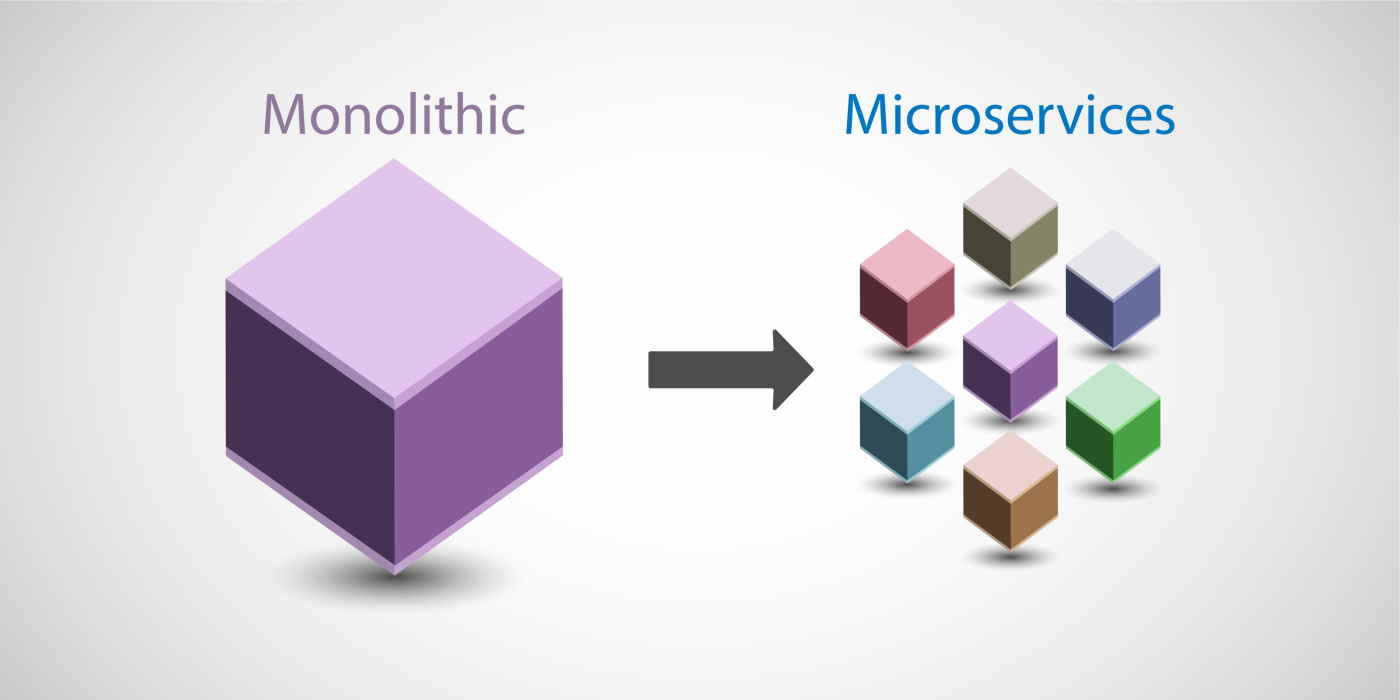 source : revdebug
To help maintain application availability when a single component fails, you can design your application through a microservices approach.
In a microservices approach, application components are loosely coupled. In this case, if a single component fails, the other components continue to work because they are communicating with each other. The loose coupling prevents the entire application from failing.
When designing applications on AWS, you can take a microservices approach with services and components that fulfill different functions. Two services facilitate application integration: Amazon Simple Notification Service (Amazon SNS) and Amazon Simple Queue Service (Amazon SQS).