DB에 접근하기 위한 패키지 생성
kr.spring.mapper 패키지 생성
1. mapper패키지에 SQL 파일 생성
(new -> other -> SQL검색)
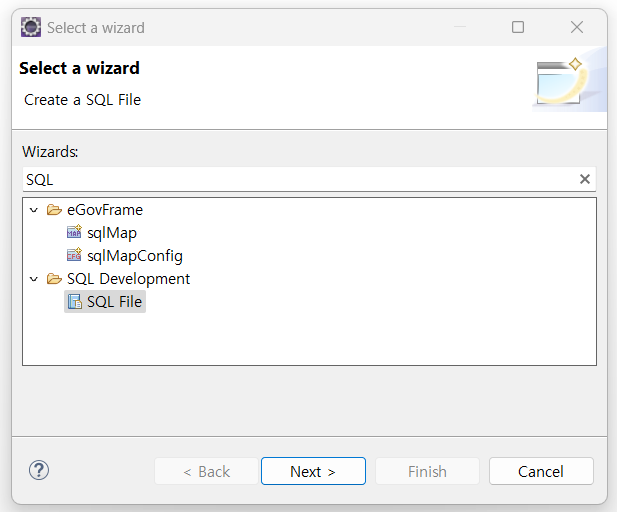
2. mapper 인터페이스 파일 생성
(new -> other -> interface검색)
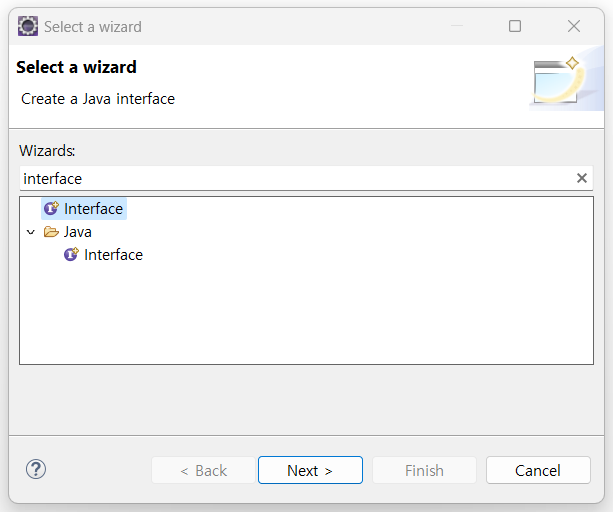
mapper interface를 생성하면 다음과 같이 파일이 생성된다
package kr.spring.mapper;

public interface BoardMapper {

}
MyBatis가 interface를 찾기 위해 annotation을 달아준다.
package kr.spring.mapper;
import org.apache.ibatis.annotations.Mapper;

@Mapper
public interface BoardMapper {

}
컨트롤러에서도 해당 매퍼를 찾을 수 있게 작성해야한다.
public class BoardController {

	@Autowired
	private BoardMapper mapper; // MyBatis한테 JDBC 실행하게 요청하는 객체
mapper 객체를 생성했다. 추상클래스와 인터페이스는 객체를 직접 생성할 수 없다.
게시글 전부 가져오기
public class BoardController {

	@Autowired
	private BoardMapper mapper; // MyBatis한테 JDBC 실행하게 요청하는 객체

    list<Board> list = mapper.getlist();
entity에 있는 vo의 형태를 가진 리스트야! mapper에 저장되어 있는 list들을 모두 가져와~ 라고 하는 getlist함수를 만들어보자.

다음과 같이 빨간줄이 뜰 것이다.
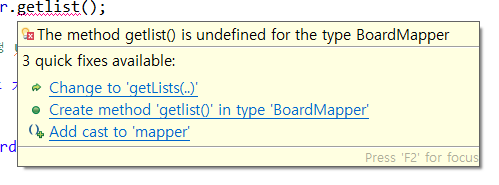
Create method getlist() in type 'BoardMapper' 클릭

BoardMapper 인터페이스 파일에 getlists함수가 작성된다.
인터페이스 파일명과 같은 MyBatis XML파일을 생성하자.
3. MyBatis XML파일 생성
(new -> other -> mapper 검색)
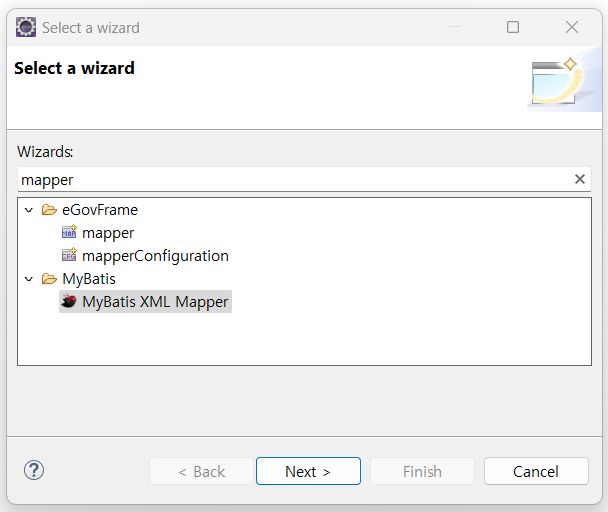
BoardMapper XML파일 생성!
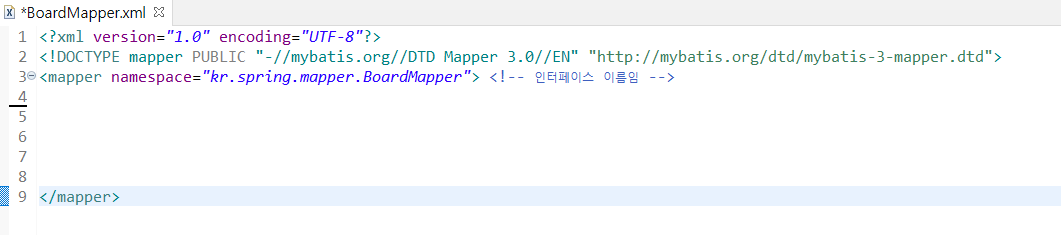
모든 정보를 가져오기 위해 SELECT문을 쓰자.

id는 함수 이름과 동일하게 작성하자.
MyBatis를 사용하기 위해서 확인해야 할 두가지
-
root-context.xml

-
Mapper interface 어노테이션

hello!