Flask : Python 기반 마이크로 웹 프레임워크로 웹 애플리케이션을 빠르고 간단하게 만들 수 있도록 최소한의 구조를 제공한다.
(웹 애플리케이션: 사용자의 웹 브라우저에서 실행되는 소프트웨어)
- Django 처럼 모든 기능을 내장한 풀스택 프레임워크가 아닌 개발자가 원하는 구성요소만 선택하여 사용할 수 있도록 설계되어 "마이크로" 프레임워크라 불린다.
- 특히 Flask는 Python의 생태계와 호환이 뛰어나 AI 모델, 이미지 처리, 음성 분석 등의 기능을 별도 서버로 구성하고 다른 프레임워크(예: Spring)와의 API 연동에도 자주 사용된다.
- Java 기반 Spring 프레임워크는 정형화된 구조와 디테일한 설정을 통해 대규모 시스템 구축에 적합하지만 Flask는 초기 개발/프로토타입 제작/AI·데이터 프로젝트와의 연동에 최적화되어있다.

※ 특히 RESTful API 구성에 효과적임
✅ RESTful API란?
RESTful API는 클라이언트(예: 웹 브라우저, 모바일 앱)와 서버(예: Flask 서버) 간에 HTTP 프로토콜을 통해 데이터를 주고받는 방식을 정의한 설계 패턴
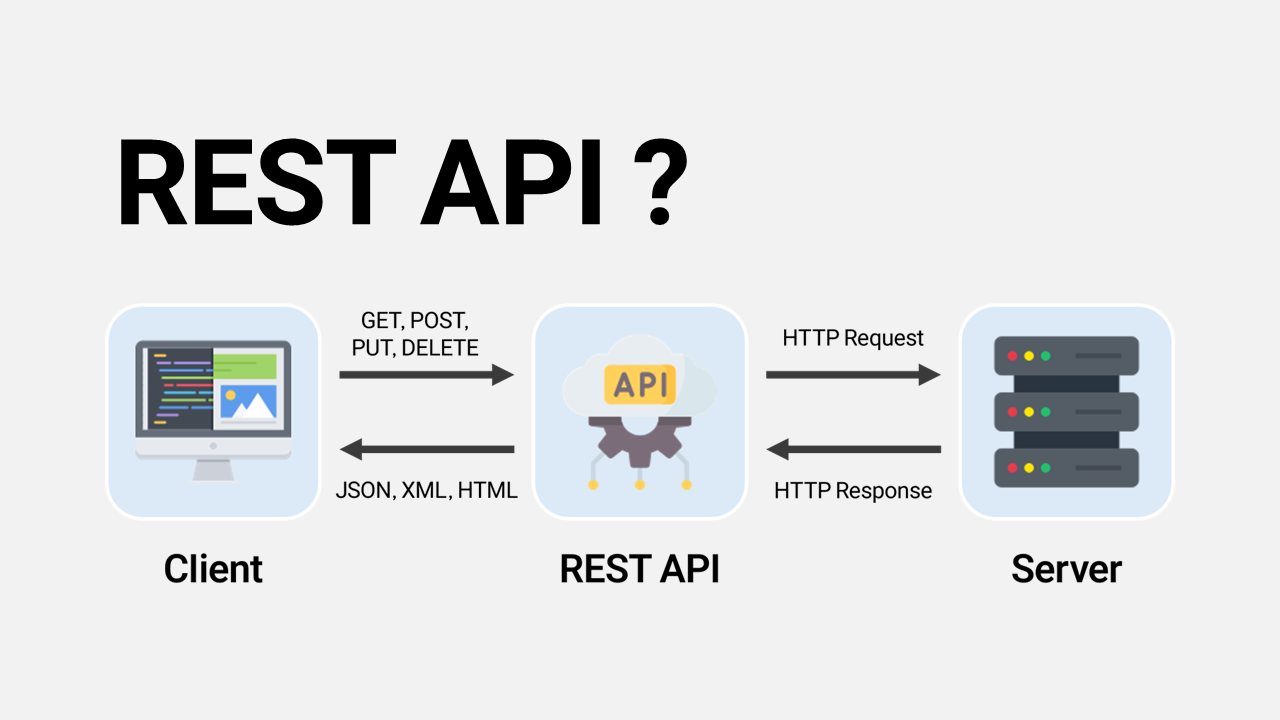 출처: REST, RESTful API란? 개념 살펴보기
폴더구성
my_flask_project/
│
├── app.py                  # Flask 앱 실행 파일 (모든 라우팅과 로직의 진입점)
│
├── templates/              # HTML 템플릿 파일 저장 폴더 -> Flask의 render_template() 함수는 이 폴더를 자동으로 탐색
│   ├── index.html
│   ├── market.html
│   └── record.html
│
├── static/                 # 정적 파일 저장 폴더 (CSS, JS, 이미지 등) -> link 또는 script 태그에서 /static/파일명으로 참조
│   ├── style.css
│   ├── chart.bundle.min.js
│   └── logo.png
│
├── gpt_utils.py            # GPT 활용
├── stories.json            # 데이터 저장 JSON
├── dream_log.json          # 사용자 입력 및 대화 기록
│
└── requirements.txt        # 설치해야 할 패키지 목록 (옵션)
요약
| 웹 구성 요소 | 기능 | 상세 |
|---|---|---|
| 프론트엔드 | HTML/CSS/JS | 사용자 UI 화면, 입력 폼, 결과 페이지 구성 등 |
| 백엔드 | Flask(python) | 사용자 입력 처리, 파일 저장, API 통신, GPT 호출 등 |
예시코드
# app.py
from flask import Flask, render_template, request

app = Flask(__name__) #Flask 앱 생성
'''
@app.route("/") #"/" url에 접근하면 아래 함수를 실행
def home():
    #return "Hello, Flask!" #페이지에 띄워짐
    return render_template("index.html")
'''

@app.route("/", methods=["GET", "POST"])
def home():
    if request.method == "POST":
        name = request.form["name"]
        return f"Hello, {name}!"
    return render_template("form.html")

if __name__ == "__main__":
    app.run(debug=True) #디버그 모드로 서버 실행
#index.html
<!DOCTYPE html>
<html>
<head>
  <meta charset="UTF-8">
  <title>Flask Example</title>
</head>
<body>
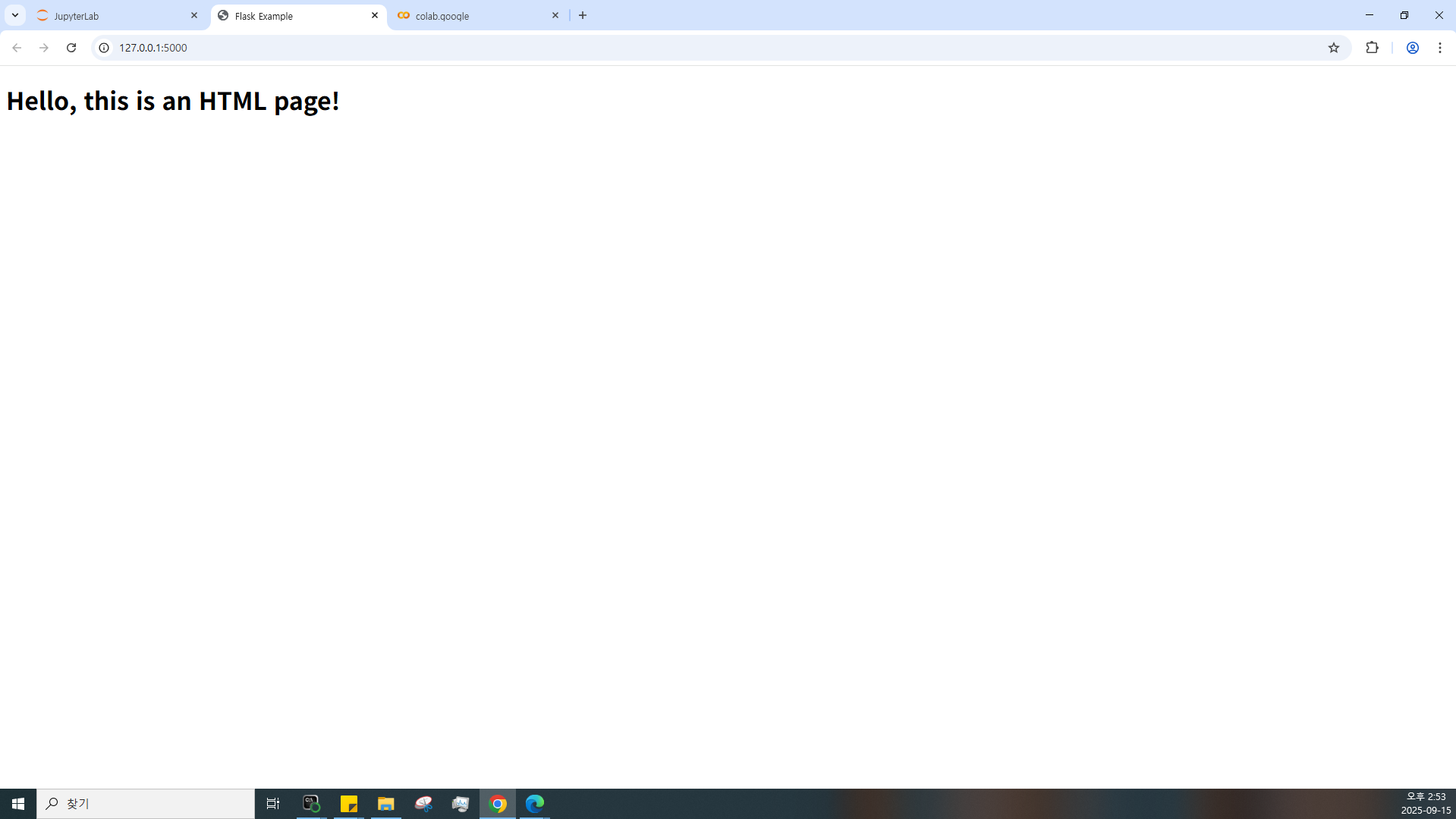
  <h1>Hello, this is an HTML page!</h1>
</body>
</html>


#form.html
<form method="POST">
  <input type="text" name="name" placeholder="Enter your name" />
  <input type="submit" value="Submit" />
</form>
실행화면↓