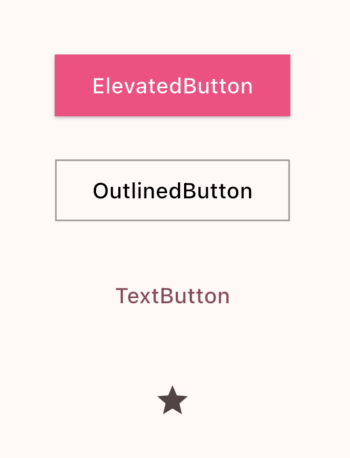
ElevatedButton(onPressed: () {}, child: Text('ElevatedButton')),
OutlinedButton(onPressed: () {}, child: Text('OutlinedButton')),
TextButton(onPressed: () {}, child: Text('TextButton')),
IconButton(onPressed: () {}, icon: Icon(Icons.star)),
ElevatedButton
- 가장일반적으로 사용되는 버튼으로, 배경색이 칠해진 버튼
OutlinedButton
- 테두리가 있는 버튼
TextButton
- 가장 간단한 버튼으로, Text위젯만 존재
IconButton
- 아이콘 형태의 버튼을 생성하는 위젯
onPressed
각 버튼은 onPressed를 통해 버튼이 눌렸을 때 수행할 일에 대한 함수를 인자로 받음
버튼 꾸미기
각 버튼 위젯 내에 style을 사용해 버튼을 꾸밀 수가 있다.
// 배경 색 변경
backgroundColor: Colors.red

// 버튼 내 텍스트 색상 변경
foregroundColor: Colors.yellow

// 버튼 모서리 각지게 만들기
elevatedButtonTheme: ElevatedButtonThemeData(
          style: ButtonStyle(
            shape: WidgetStateProperty(RoundedRectangleBorder()),
          ),
        ),
이외에도 많은 옵션들이 있으니 공식문서를 참고하자!

우주를 항해하는 여행자