RCharacter를 최상위 클래스로 두고 Player, Monster, NPC등을 제작하기 위해 RCharacter를 상속받은 RPlayer, RMonster 클래스 생성
    // header
    public:
    	ARPlayer();

    protected:
    	// Called when the game starts or when spawned
    	virtual void BeginPlay() override;

    public:
    	// Called every frame
    	virtual void Tick(float DeltaTime) override;

    protected:
    	UPROPERTY(VisibleAnywhere, BlueprintReadOnly)
    	TObjectPtr<class USpringArmComponent> SpringArmComponent;

    	UPROPERTY(VisibleAnywhere, BlueprintReadOnly)
    	TObjectPtr<class UCameraComponent> CameraComponent;

    // cpp
    ARPlayer::ARPlayer()
    {
    	SpringArmComponent = CreateDefaultSubobject<USpringArmComponent>(TEXT("SpringArm"));
    	SpringArmComponent->SetupAttachment(GetCapsuleComponent());

    	CameraComponent = CreateDefaultSubobject<UCameraComponent>(TEXT("Camera"));
    	CameraComponent->SetupAttachment(SpringArmComponent);

    	SpringArmComponent->TargetArmLength = 700.f;
    	SpringArmComponent->SetRelativeRotation(FRotator(-30, 0, 0));

    	GetMesh()->SetRelativeLocationAndRotation(FVector(0.f, 0.f, -88.f), FRotator(0.f, -90.f, 0.f));
    }

    void ARPlayer::BeginPlay()
    {
    	Super::BeginPlay();
    }

    void ARPlayer::Tick(float DeltaTime)
    {
    	Super::Tick(DeltaTime);
}- 기존 RCharacter에 있는 SpringArm과 Camera는 최상위 클래스가 아닌 Player에 있는 것이 적합하다
RPlayer을 상속받은 블루프린트 클래스 생성
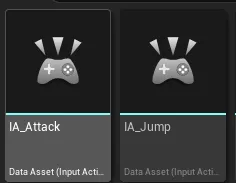
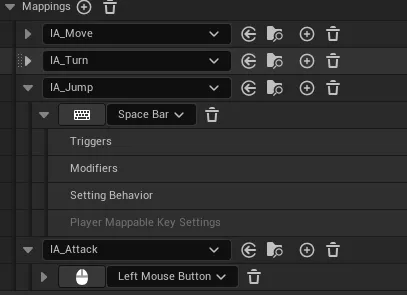
- Jump와 공격에 대한 Input Action 추가 후 Input Mapping Context에 추가
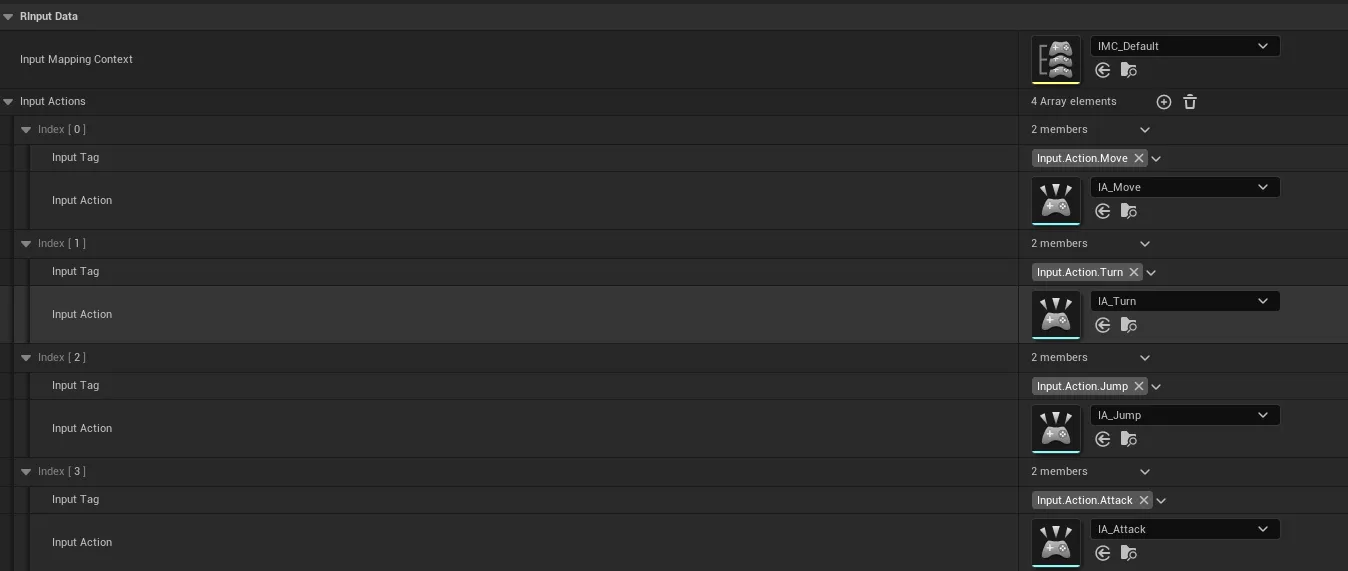
DataAsset, GamePlayerTags에 새로 만든 InputAction 추가
    // header
    namespace RGameplayTags
    {
    	UE_DECLARE_GAMEPLAY_TAG_EXTERN(Input_Action_Move);
    	UE_DECLARE_GAMEPLAY_TAG_EXTERN(Input_Action_Turn);
    	UE_DECLARE_GAMEPLAY_TAG_EXTERN(Input_Action_Jump);
    	UE_DECLARE_GAMEPLAY_TAG_EXTERN(Input_Action_Attack);
    }

    // cpp
    namespace RGameplayTags
    {
    	UE_DEFINE_GAMEPLAY_TAG(Input_Action_Move, "Input.Action.Move");
    	UE_DEFINE_GAMEPLAY_TAG(Input_Action_Turn, "Input.Action.Turn");
    	UE_DEFINE_GAMEPLAY_TAG(Input_Action_Jump, "Input.Action.Jump");
    	UE_DEFINE_GAMEPLAY_TAG(Input_Action_Attack, "Input.Action.Attack");
    }
PlayerController에 InputAction 매핑 추가
    // header
    void Input_Jump(const FInputActionValue& InputValue);
    void Input_Attack(const FInputActionValue& InputValue);

    // cpp
    // SetupInputComponent에 추가
    auto Action3 = InputData->FindInputActionByTag(RGameplayTags::Input_Action_Jump);
    EnhancedInputComponent->BindAction(Action3, ETriggerEvent::Triggered, this, &ARPlayerController::Input_Jump);

    auto Action4 = InputData->FindInputActionByTag(RGameplayTags::Input_Action_Attack);
    EnhancedInputComponent->BindAction(Action4, ETriggerEvent::Triggered, this, &ARPlayerController::Input_Attack);

    void ARPlayerController::Input_Jump(const FInputActionValue& InputValue)
    {
    	if(ARCharacter* MyCharacter = Cast<ARCharacter>(GetPawn()))
    	{
    		MyCharacter->Jump();
    	}
    }

    void ARPlayerController::Input_Attack(const FInputActionValue& InputValue)
    {
    	UE_LOG(LogTemp, Log, TEXT("Attack"));
    }
게임 개발 공부중입니다.