GIT Repository 생성 (Github)
GIT Repository Urls
# https
https://github.com/<USER_NAME>/<REPOSITORY_NAME>.git
# SSH
git@github.com:<USER_NAME>/<REPOSITORY_NAME>.git
git init
$ git init
	# git 저장소 생성 (Local)
    # Local directory에서 git을 사용할 수 있도록 초기화
git clone
$ git clone <repository_url>
	# git Remote Repository 복제
git remote add
$ git remote add <remote_name> <repository_url>
	# Remote repository 새롭게 추가
	# 일반적으로 <remote_name> 은 origin으로 명시
git remote -v
$ git remote -v
	# 등록된 Repository 이름과 URL 표시
git init
$ git status
	# Untracked, Staged 등 파일 상태 표시
git add
$ git add <file>
	# Commit을 하기 위해 <file>의 모든 변경 사항을 Staging Area로 staging

$ git add <directory>
	# <directory>의 모든 변경 사항을 staging

$ git add .
    # 현재 directory의 모든 변경 사항을 staging
git commit
$ git commit -m "message"
	# staged file 이력을 Local Repository에 commit
    # "message" : commit 내용
git push
$ git push <remote_name> <branch_name>
	# commit한 내용을 Remote Repository에 저장
git branch
$ git branch
	# Local branch 목록 확인

$ git branch -r
	 # Remote branch 목록 확인 (commit 이력이 있는 branch 확인)
Branch
- Remote Repository에 공유된 코드를 각각 독립적인 작업 영역에서 작업할 수 있도록 한 것으로 별개의 버전을 나타냄
- Default : Main
git checkout
$ git checkout <branch_name>
	# <branch_name>으로 이동
git fetch & merge
$ git fetch <remote_name>
	# Remote Repository의 변경 이력을 확인
    # Local Repostiory로 변경된 내용을 가져오지는 않음

$ git merge <branch_name>
	# 분기가 나뉜 branch를 하나의 branch로 합칠 때 사용
    # fetch한 이력을 Local Repository로 가져와 내용을 병합
    # 충돌 상황에 대해 처리해주어야 함
git diff
$ git diff
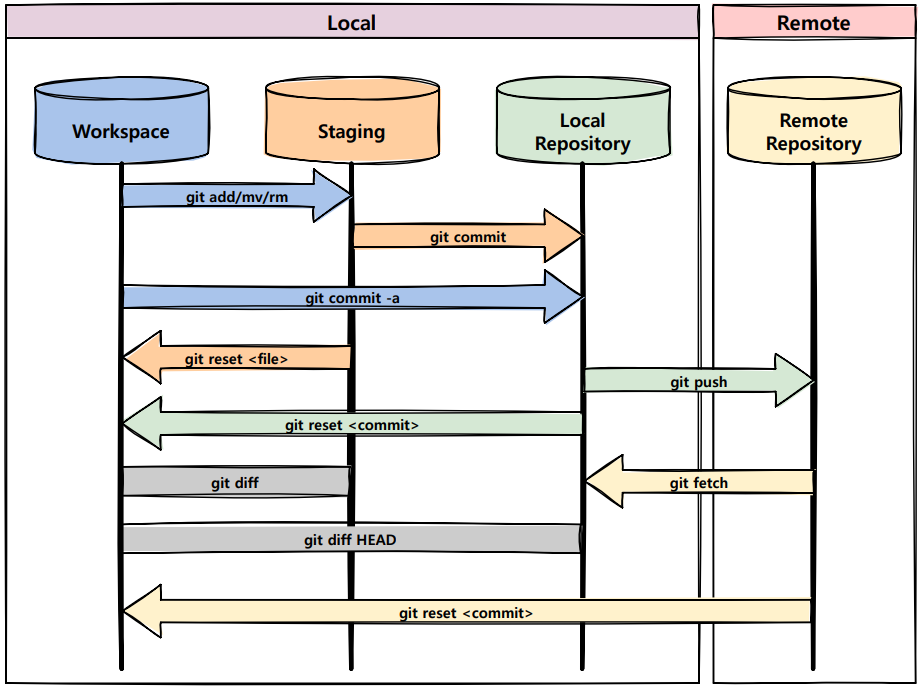
	# Workspace와 Staging Area 사이의 변경된 이력을 확인하기 위한 명령어

$ git diff HEAD
	# Local Repository의 commit 이력에 대한 변경을 확인하는 명령어
git pull
$ git pull <remote_name> <branch_name>
	# Remote Repository의 내용을 Local Repository로 가져와 merge까지 수행
git log
$ git log
	# commit history 조회
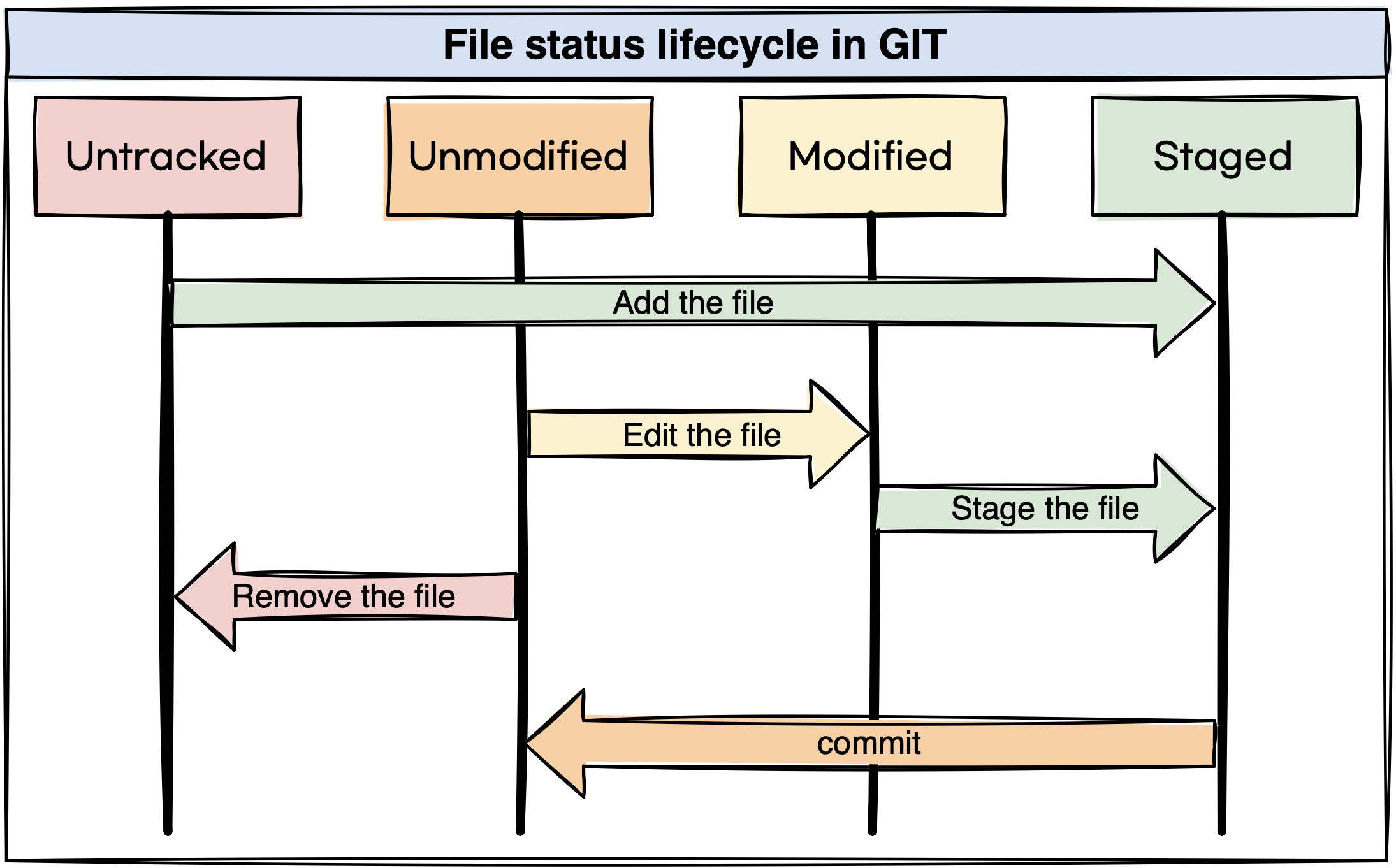
File status Lifecycle