
오늘은 Intellij에서 작업중인 프로젝트를 Github에 연동하는 방법을 알아보자.
Github에서 생성할 Repository 생성
-
Github -> repository -> New 클릭

-
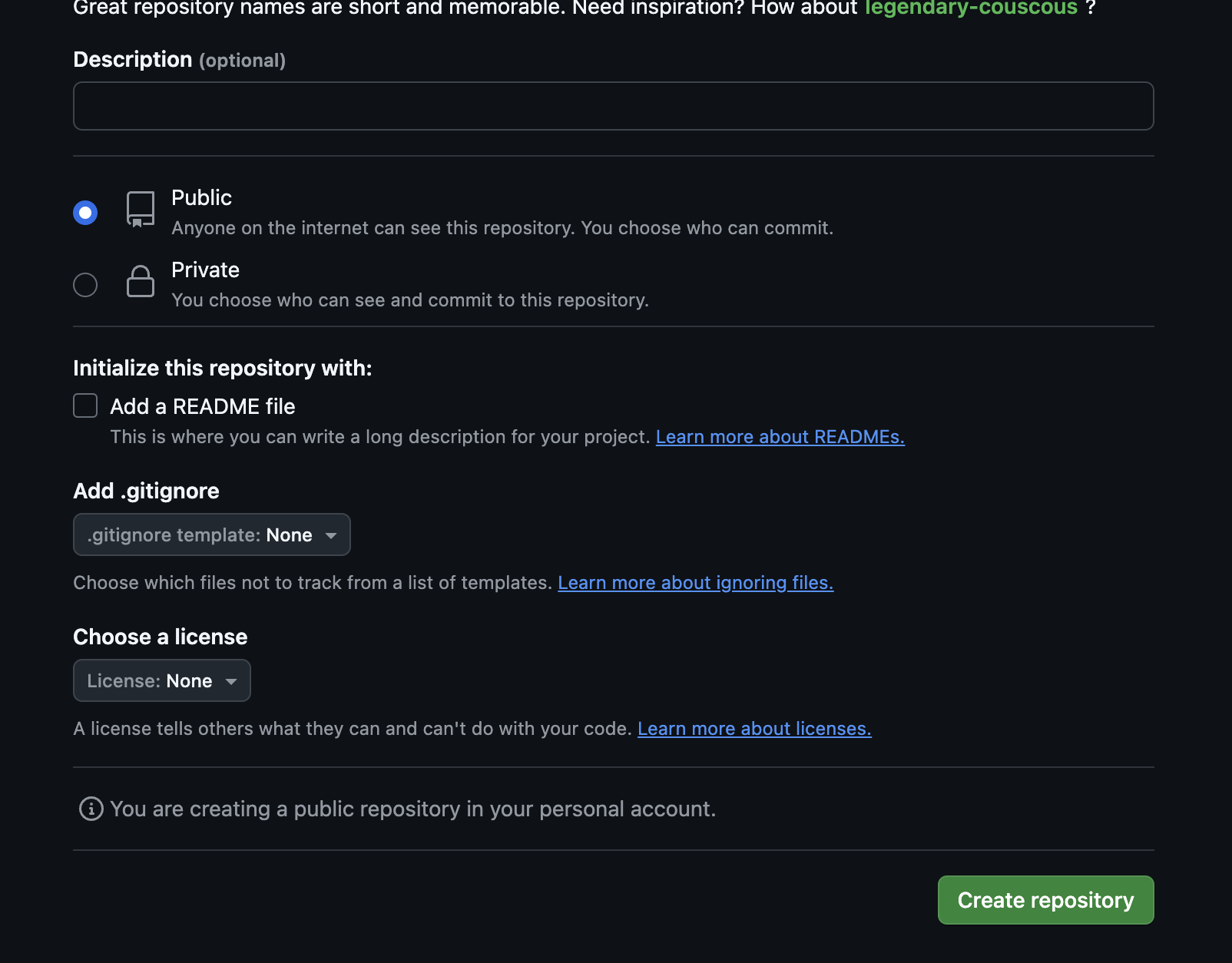
Repository name을 입력 및 해당 Repository의 공개 여부 선택 후 Create repository 클릭
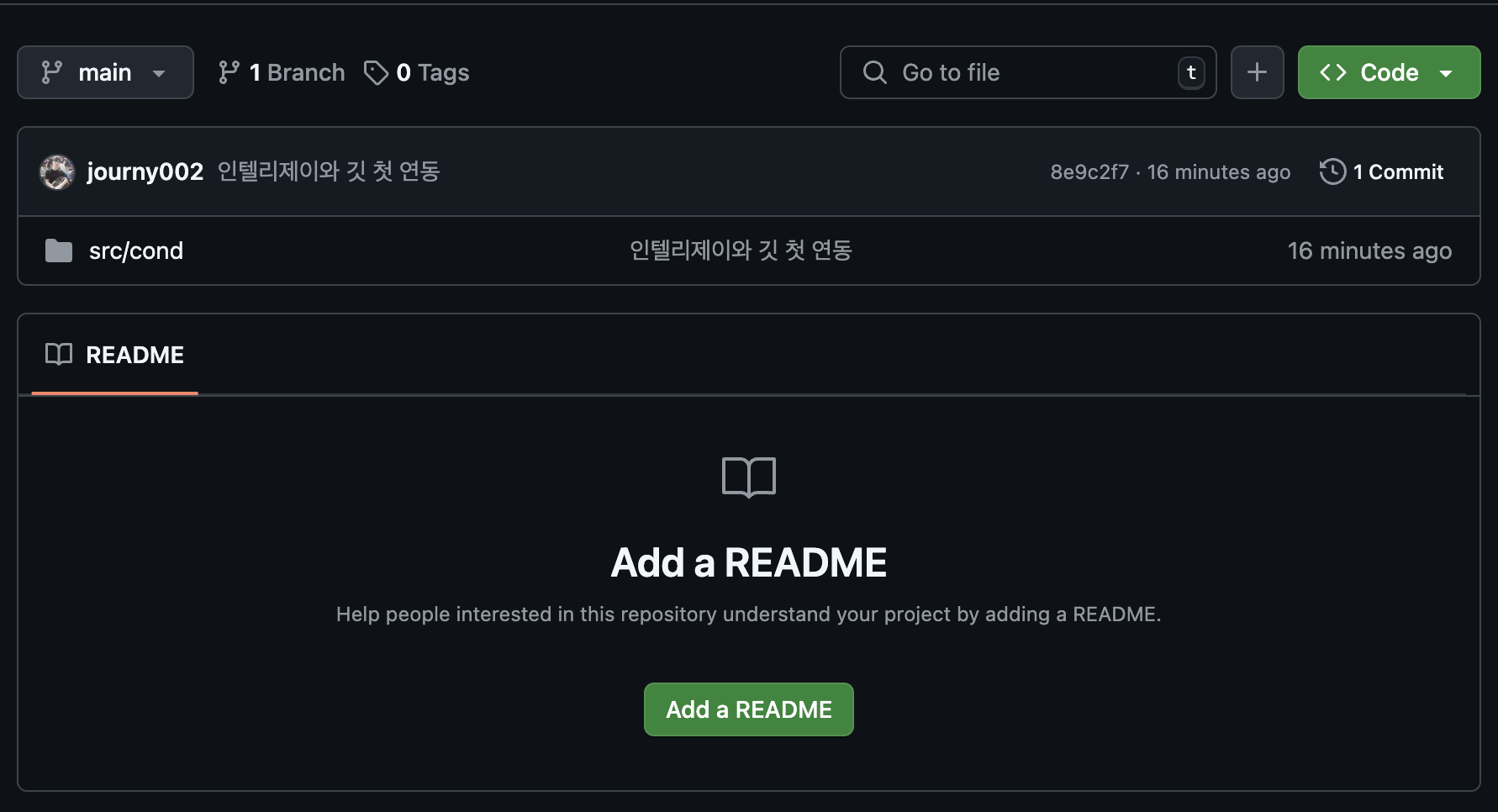
- 생성된 Repository 확인
IntelliJ에서 GitHub 로그인
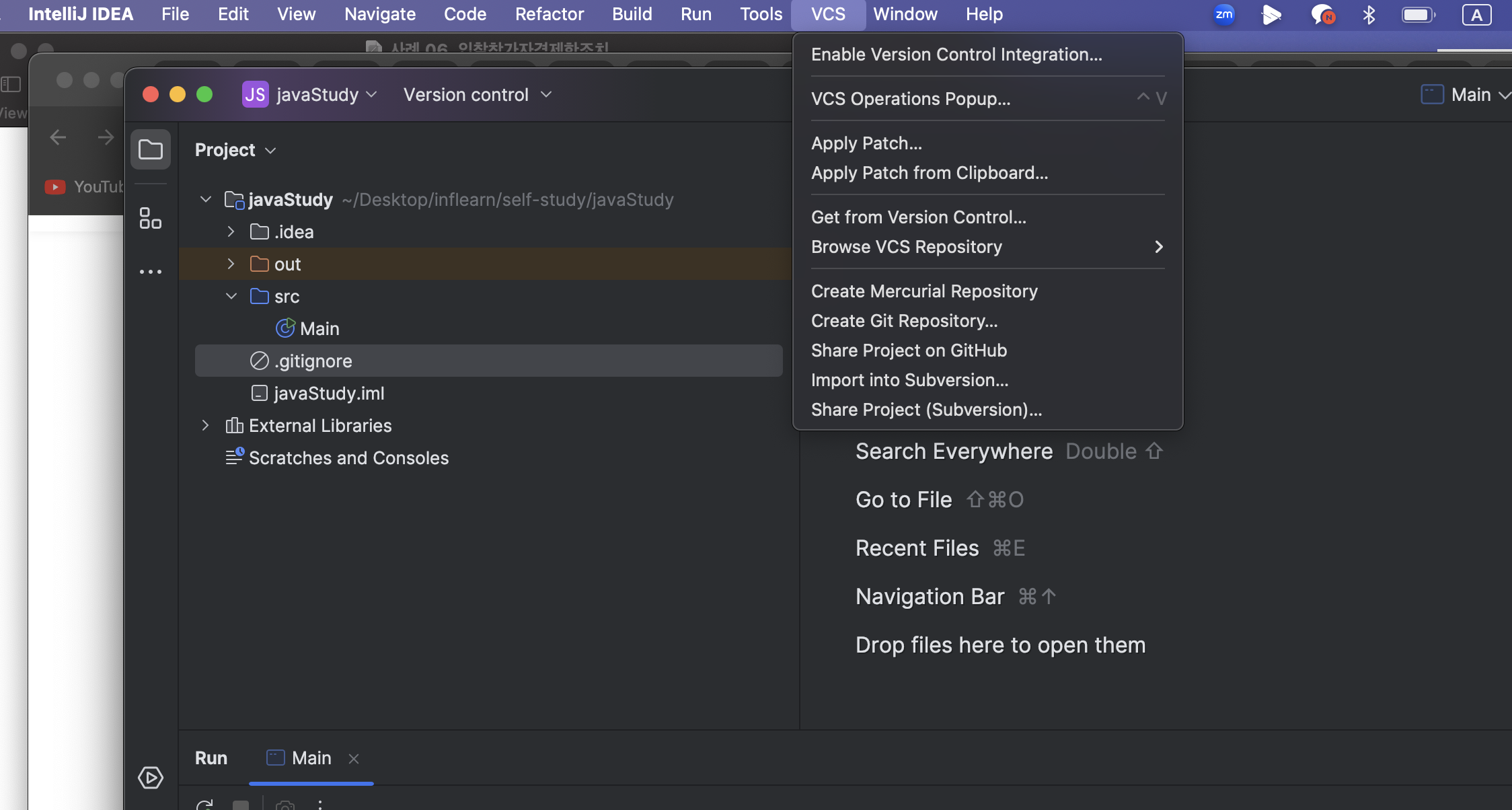
- IntelliJ의 상단 메뉴에서 VCS → Get from Version Control (클릭)
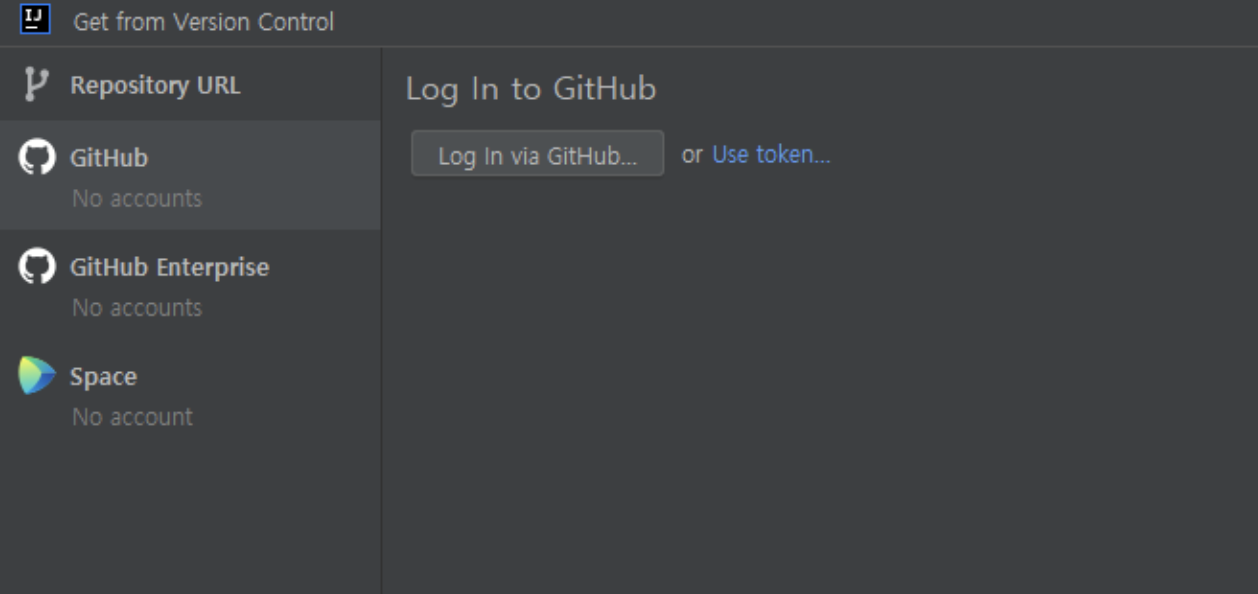
- GitHub → Log in via GitHub (클릭)
- Aythorize in GitHub (클릭)

- Authorize JetBrains (클릭)

로컬 Git Repository 생성
이제 GitHub의 리모트 Repository와 로컬 프로젝트의 디렉토리를 연동하기 위한 Git Repository 만들기.
- VCS → Create Git Repository 클릭
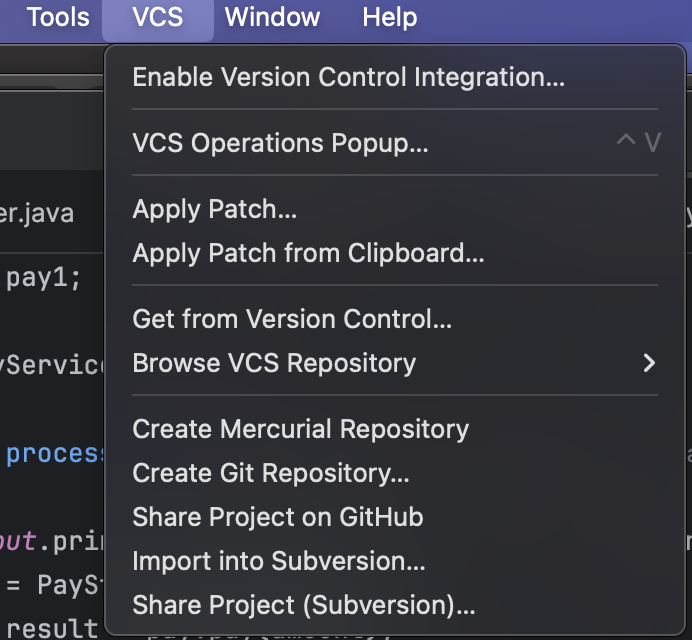
- 로컬 프로젝트 선택 후 OK
IntelliJ에서 GitHub Repository 등록하기
로컬에서 생성한 Git Repository와 연동할 GitHub의 Repository를 등록
-
Git → Manage Remotes
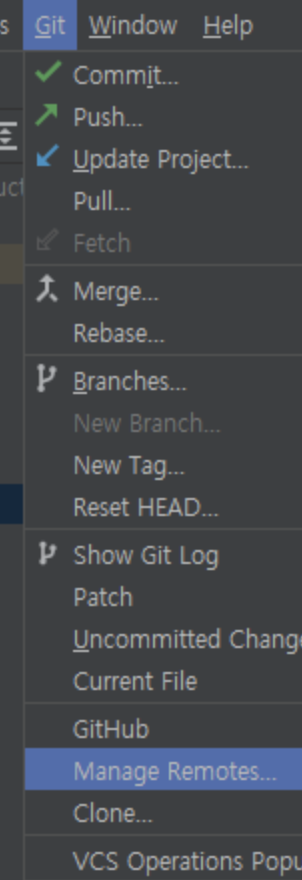
-
- 버튼을 누른 뒤 GitHub Repository의 URL 입력
GitHub Repository의 URL은 Code 버튼을 클릭하여 확인 가능하다.
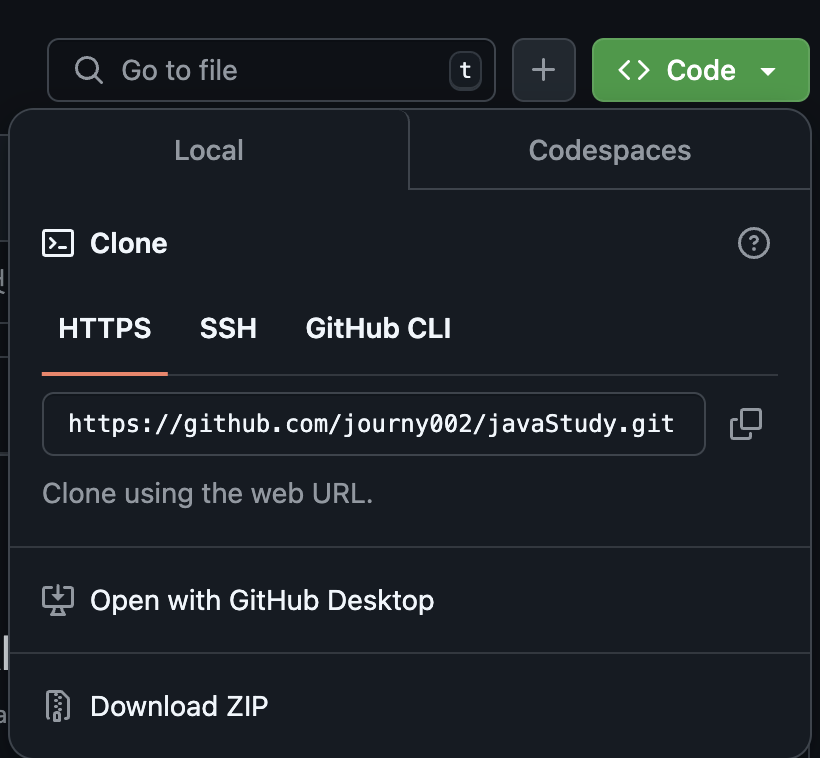
- 정상적으로 연동 완료
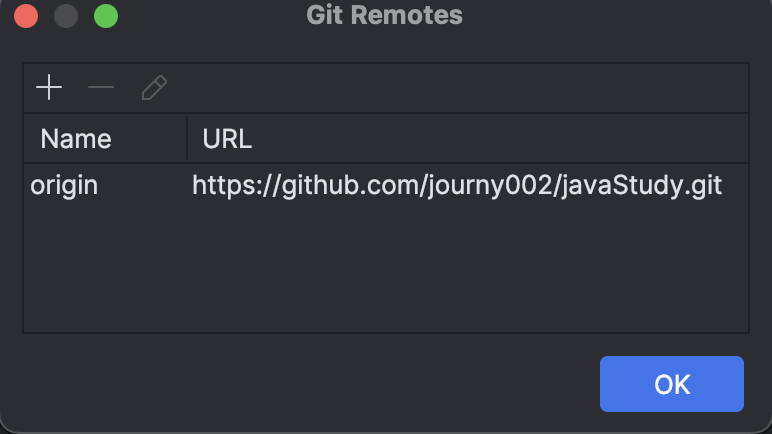
commit, push 진행하기
실제 로컬 프로젝트를 GitHub에 commit과 push 해보자
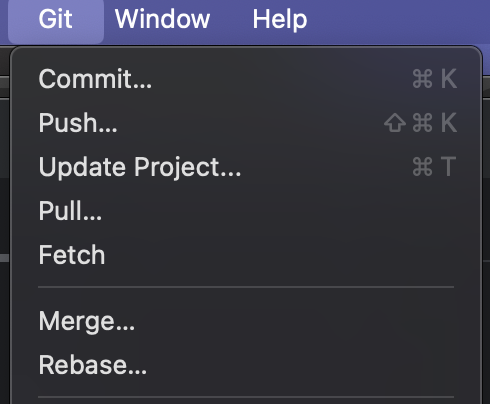
- Git > Commit 클릭
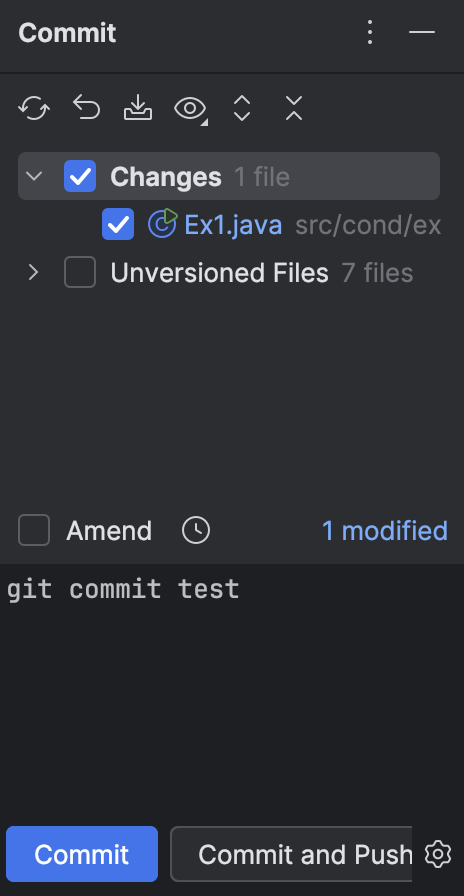
- Commit 대상 파일 선택, 하단 메세지 작성 후 Commit 클릭
- Git > Push 클릭 (Commit 대상 파일 확인)
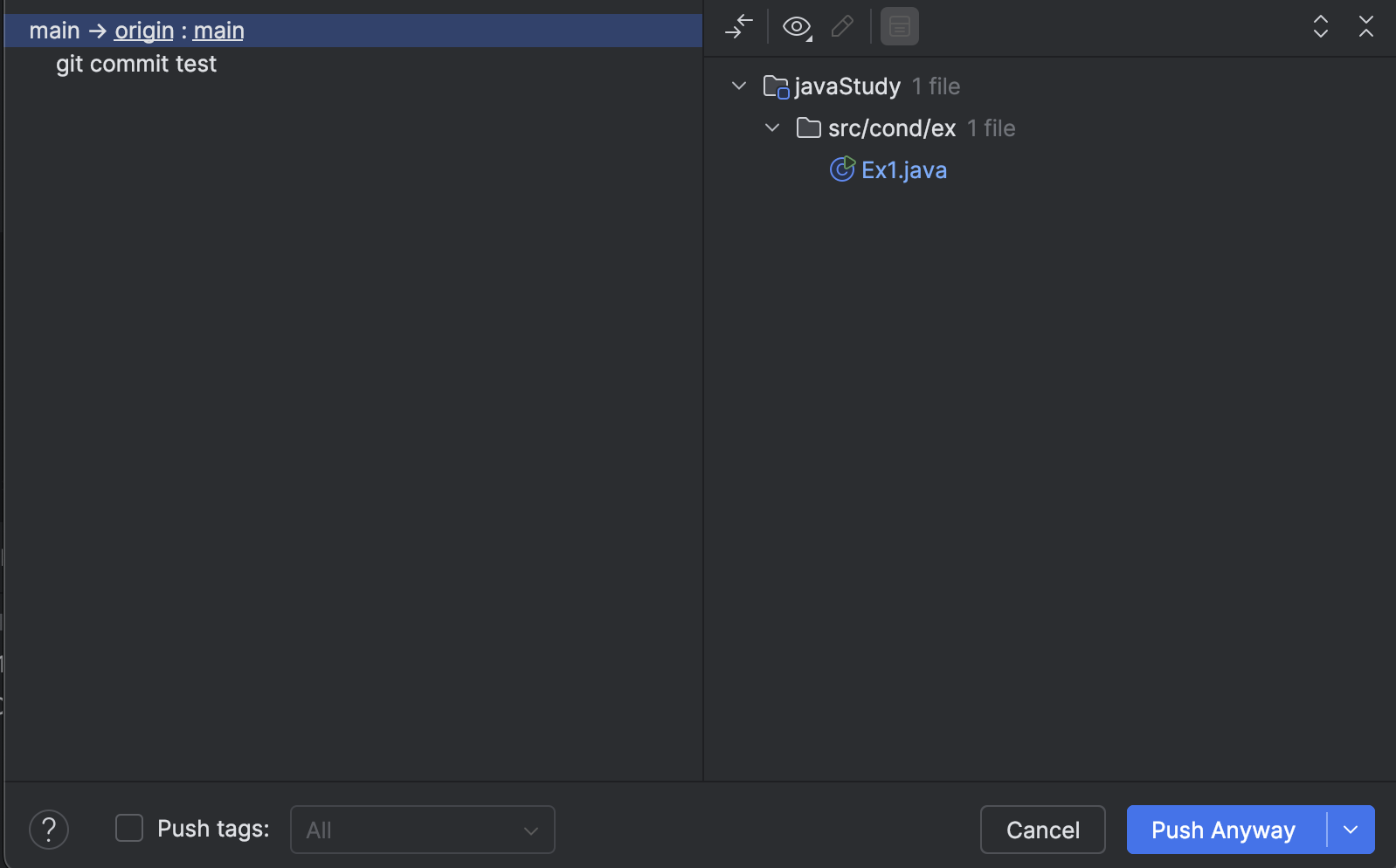
- Git Push 완료

- 정상적으로 Push된 것 확인


하루 하루 Upgrade