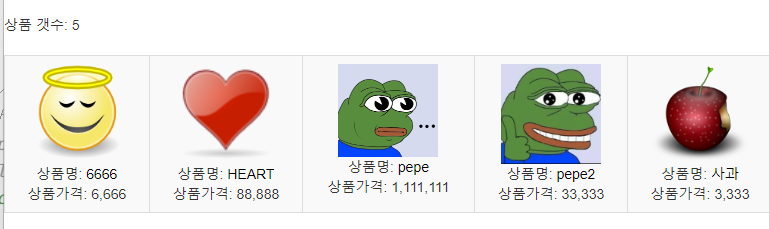
insert
view
<%@ page language="java" contentType="text/html; charset=UTF-8"
    pageEncoding="UTF-8"%>
<!DOCTYPE html>
<html>
<head>
<meta charset="UTF-8">
<title>write</title>
<link href="../css/main.css" rel="stylesheet" type="text/css">

<link rel="stylesheet" href="https://maxcdn.bootstrapcdn.com/bootstrap/3.4.1/css/bootstrap.min.css">
<script src="https://ajax.googleapis.com/ajax/libs/jquery/3.6.3/jquery.min.js"></script>
<script src="https://maxcdn.bootstrapcdn.com/bootstrap/3.4.1/js/bootstrap.min.js"></script>
</head>
<body>
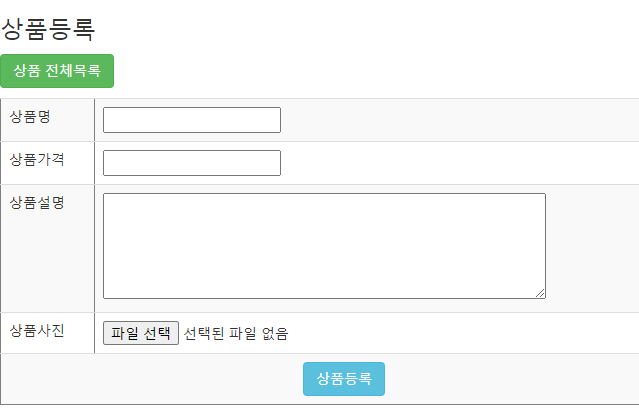
<h3>상품등록</h3>
<p>
<button type="button" onclick="location.href='list'" class="btn btn-success">상품 전체목록</button>
</p>
<form name="productfrm" id="productfrm" method="post" action="insert" enctype="multipart/form-data">
<table border="1" class="table table-striped">
    <tr>
        <td>상품명</td>
        <td> <input type="text" name="product_name"> </td>
    </tr>
    <tr>
        <td>상품가격</td>
        <td> <input type="number" name="price"> </td>
    </tr>
    <tr>
        <td>상품설명</td>
        <td>
            <textarea rows="5" cols="60" name="description"></textarea>
         </td>
    </tr>
    <tr>
        <td>상품사진</td>
        <td> <input type="file" name="img"> </td>
    </tr>
    <tr>
	   <td colspan="2" align="center">
	   <input type="submit" value="상품등록" class="btn btn-info">
</td>
</tr>
</table>
</form>
</body>
</html>
mapper
<insert id="insert" parameterType="java.util.Map">
 insert into product(product_code,product_name,description,price,filename,filesize)
 values(product_seq.nextval,#{product_name},#{description},#{price},#{filename},#{filesize})
 </insert>
controller
@RequestMapping("/write")
	public String write() {
		return "product/write";
	}

	@RequestMapping("/insert")
	public String insert(@RequestParam Map<String, Object> map,
			@RequestParam MultipartFile img,
			HttpServletRequest req) {
	//자료형을 맞춰주면 파일을 불러 올수 있다. 매개변수의 유연함
	//사용자가 입력한 정보에 대해서 key, value값으로 나눠서 받음

	/*
		System.out.println(map);
		System.out.println(map.get("product_name"));
		System.out.println(map.get("price"));
		System.out.println(map.get("description"));
	 												*/
		//주의사항: 파일업로드 할때 rename 되지 않고 원본 이름이 그대로 저장된다
		//업로드 폴더:/storage

		String filename="-";
		long filesize=0;
		if(img != null && !img.isEmpty()){
			//파일이 존재할 경우

			filename= img.getOriginalFilename();
			filesize=img.getSize();
			try {

				ServletContext application=req.getSession().getServletContext();
				String path=application.getRealPath("/storage");//실제 물리적 경로
				img.transferTo(new File(path+"\\"+filename));//파일 저장

			} catch (Exception e) {
				e.printStackTrace();
			}
		}
		map.put("filename", filename);
		map.put("filesize", filesize);

		productDAO.insert(map);
		return "redirect:/product/list";
	}//ins
DAO
public void insert(Map<String, Object> map) {
		sqlSession.insert("product.insert",map);
	}
list 페이지(검색기능)
DAO
	public List<Map<String, Object>> list(){
		return sqlSession.selectList("product.list");
	}

   //search
	public List<Map<String, Object>> search(String product_name) {

	return 	sqlSession.selectList("product.search","%"+product_name+"%");
	}
controller
@RequestMapping("/list")
	public ModelAndView list() {
		//부모 ->자식 페이지
		ModelAndView mav=new ModelAndView();
		mav.setViewName("product/list");
		mav.addObject("list",productDAO.list());
		return mav;
	}//


	@RequestMapping("/search")
	public ModelAndView search(@RequestParam(defaultValue ="") String product_name) {
								//값이 안들어오면 기본값에 빈값을 넣어달라
		ModelAndView mav=new ModelAndView();
		mav.setViewName("product/list");
		mav.addObject("list",productDAO.search(product_name));
		mav.addObject("product_name", product_name);
		return mav;
	}
mapper
<select id="list" resultType="java.util.Map">
<![CDATA[
select *
from product
order by product_name
]]>
</select>

 <select id="search" parameterType="String" resultType="java.util.Map">
<![CDATA[
select *
from product
where product_name like  #{keyword}
order by product_name
]]>
 </select>
view
<%@ page language="java" contentType="text/html; charset=UTF-8"
    pageEncoding="UTF-8"%>

    <%@ taglib uri="http://java.sun.com/jsp/jstl/core" prefix="c" %>
    <%@ taglib uri="http://java.sun.com/jsp/jstl/functions" prefix="fn" %>
    <%@ taglib uri="http://java.sun.com/jsp/jstl/fmt" prefix="fmt" %>

<!DOCTYPE html>
<html>
<head>
<meta charset="UTF-8">
<title>list</title>
<link href="../css/main.css" rel="stylesheet" type="text/css">
<link rel="stylesheet" href="https://maxcdn.bootstrapcdn.com/bootstrap/3.4.1/css/bootstrap.min.css">
<script src="https://ajax.googleapis.com/ajax/libs/jquery/3.6.3/jquery.min.js"></script>
<script src="https://maxcdn.bootstrapcdn.com/bootstrap/3.4.1/js/bootstrap.min.js"></script>
</head>
<body>
<h3>상품 목록</h3>
<p>
<button type="button" onclick="location.href='write'" class="btn btn-secondary">상품등록</button>
<button type="button" onclick="location.href='list'" class="btn btn-success">상품 전체목록</button>
</p>
<form action="search">
상품명: <input type="text" name="product_name">
<input type="submit" value="검색" class="btn btn-primary btn-sm" size="15" >
</form>
<hr>
상품 갯수: ${fn:length(list)}
<br><br>
<table class="table table-striped table-bordered table-dark">

<tr>
<c:forEach items="${list}" var="row" varStatus="vs">
<td align="center">
<c:choose>
<c:when test="${row.FILENAME != '-'}">
<img src="/storage/${row.FILENAME}" width="100px">
</c:when>
<c:otherwise>
등록된 사진 없음!
</c:otherwise>
</c:choose>
<br>
<%--do 방식으로 행에 대한 정보를 넘김
?를 사용해서 넘기는게 일반적이나 detail/${row.PRODUCT_CODE}처럼 값을 넘길수도 있다
   http://localhost:9095/product/detail/1 --%>
상품명: <%--<a href="detail?product_code=${row.PRODUCT_CODE}"> ${row.PRODUCT_NAME}</a>--%>
<a href="detail/${row.PRODUCT_CODE}"> ${row.PRODUCT_NAME}</a>
<br>
상품가격: <fmt:formatNumber value="${row.PRICE}" pattern="#,###"/>
</td>
<!-- 테이블 한줄에 5칸씩 -->
<c:if test="${vs.count mod 5==0}">
</tr>
<tr>
</c:if>
</c:forEach>
</tr>
</table>
</body>
</html>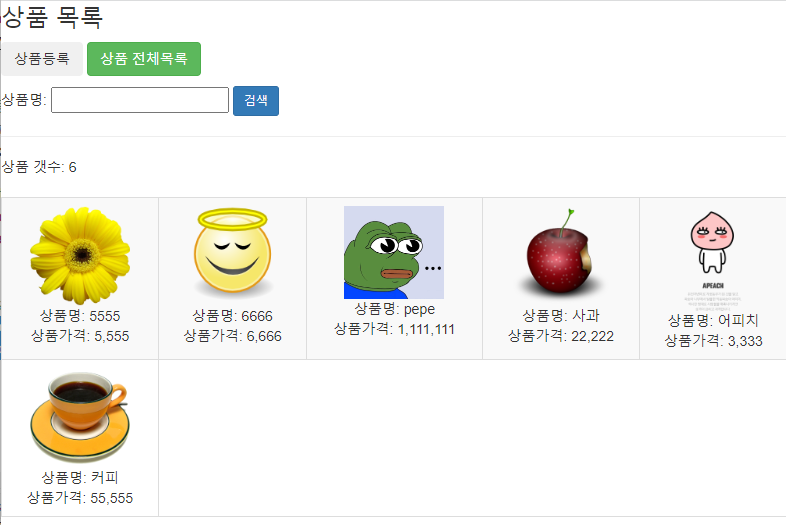
상세보기
DAO
한번에 한 행만 가져오기 때문에 selectOne을 사용해야 하고,
List를 사용하면 오류가 발생한다
//detail
	public Map<String, Object> detail(int product_code){
		return sqlSession.selectOne("product.detail", product_code);
	}
CONTROLLER
///////detail
	/*
		@RequestParam
	 	http://localhost:9095?aaa=bbb&ccc=ddd

	 	@PathVariable
	 	http://localhost:9095/bbb/dddd
	*/

	//  ->http://localhost:9095/product/detail/1

	@RequestMapping("detail/{product_code}")//변수부분을 받아버리면 된다
	public  ModelAndView detail(@PathVariable int product_code) {
			ModelAndView mav=new ModelAndView();
			mav.setViewName("product/detail");
			mav.addObject("product",productDAO.detail(product_code));
			return mav;
	}
mapper
 <select id="detail" parameterType="int" resultType="java.util.Map">
select product_code,product_name,description,price,filename
from product
where product_code = #{product_code}
 </select>
view
write 페이지를 재활용해서 만든다.
<%@ page language="java" contentType="text/html; charset=UTF-8"
    pageEncoding="UTF-8"%>

  <%@ taglib uri="http://java.sun.com/jsp/jstl/core" prefix="c" %>
  <%@ taglib uri="http://java.sun.com/jsp/jstl/functions" prefix="fn" %>
  <%@ taglib uri="http://java.sun.com/jsp/jstl/fmt" prefix="fmt" %>

<!DOCTYPE html>
<html>
<head>
<meta charset="UTF-8">
<title>detail</title>
<link href="../css/main.css" rel="stylesheet" type="text/css">

<link rel="stylesheet" href="https://maxcdn.bootstrapcdn.com/bootstrap/3.4.1/css/bootstrap.min.css">
<script src="https://maxcdn.bootstrapcdn.com/bootstrap/3.4.1/js/bootstrap.min.js"></script>
<script src="../js/jquery-3.6.4.min.js"></script>
</head>
<body>
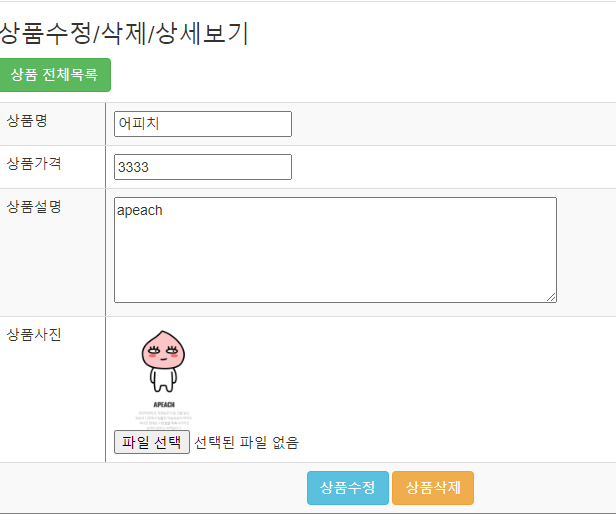
<h3>상품수정/삭제/상세보기</h3>
<p>
<button type="button" onclick="location.href='/product/list'" class="btn btn-success">상품 전체목록</button>
</p>

<form name="productfrm" id="productfrm" method="post" enctype="multipart/form-data">
<table border="1" class="table table-striped">
    <tr>
        <td>상품명</td>
        <td> <input type="text" name="product_name" value="${product.PRODUCT_NAME}"> </td>
    </tr>
    <tr>
        <td>상품가격</td>
        <td> <input type="number" name="price" value="${product.PRICE}" > </td>
    </tr>
    <tr>
        <td>상품설명</td>
        <td>
            <textarea rows="5" cols="60" name="description">${product.DESCRIPTION}</textarea>
         </td>
    </tr>
    <tr>
        <td>상품사진</td>
		<td>
		<c:if test="${product.FILENAME !='-'}">
			<img src="/storage/${product.FILENAME}" width="100px">
		</c:if>
		<input type="file" name="img"></td>
		</tr>
    <tr>
	   <td colspan="2" align="center">
	   <input type="button" value="상품수정" class="btn btn-info" onclick="product_update()">
	   <input type="button" value="상품삭제" class="btn btn-warning" onclick="product_delete()">
</td>
</tr>
</table>
</form>
</body>
</html>
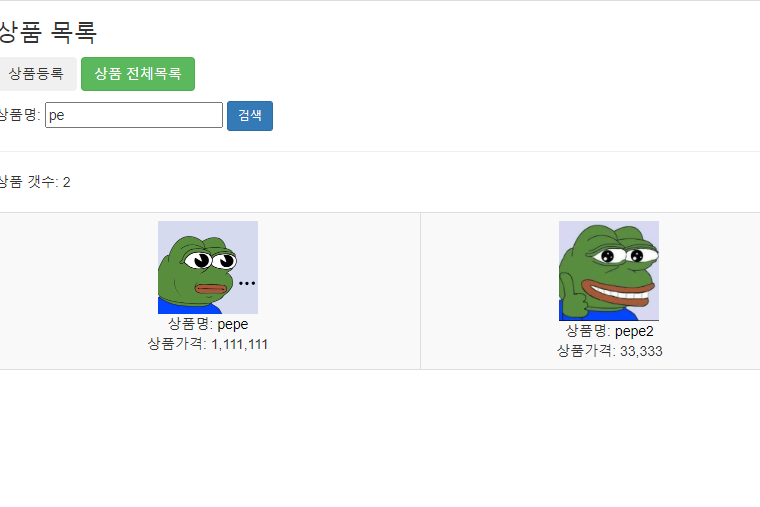
리스트 페이지
검색기능
삭제
DAO
파일 삭제를 위해서는 파일이름을 우선 가져와야한다
//filename 가져오기
	public String filename(int product_code) {
		return sqlSession.selectOne("product.filename", product_code);
	}

	//delete
	public void delete(int product_code) {
		sqlSession.delete("product.delete",product_code);
	}
controller
@RequestMapping("/delete")
	public String delete(int product_code,HttpServletRequest req) {
		String filename=productDAO.filename(product_code);	//삭제하고자 하는 파일명

		//첨부파일만 삭제
		if (filename != null && filename.equals("-")) {
			ServletContext application=req.getSession().getServletContext();
			String path=application.getRealPath("/storage");//실제 물리적 경로
			File file= new File(path+"\\"+filename);
			if (file.exists()) {
				file.delete();
			}
		}
		////////////////

		productDAO.delete(product_code);
		return "redirect:/product/list";
        //파일이 삭제된 경우 list페이지로 돌아가도록 한다
        //절대 경로 사용

	}
mapper
/////파일 이름 가져오기
 <select id="filename" parameterType="int" resultType="String">
 select filename
 from product
 where product_code =#{product_code}
 </select>

////삭제
 <delete id="delete" parameterType="int">
 delete from product
 where product_code=#{product_code}
 </delete>
view page
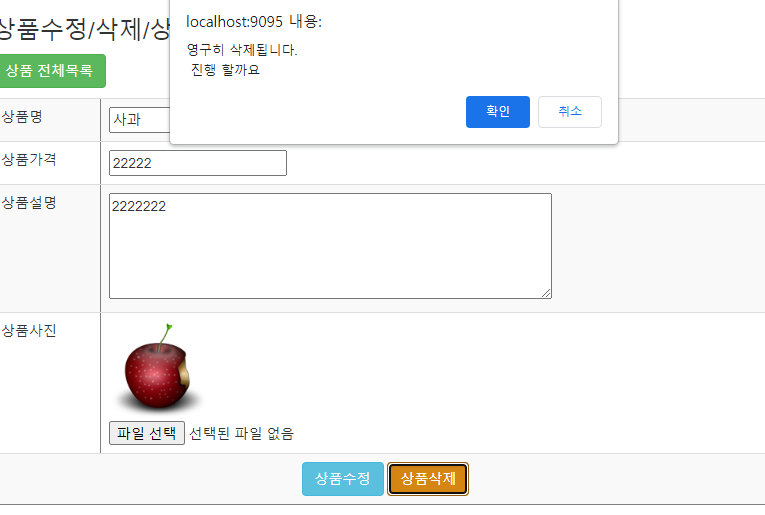
버튼을 누르면 물어보는 메세지를 띄운후 확인을 누르면 삭제한다
function product_delete() {
    if (confirm("영구히 삭제됩니다.\n 진행 할까요")) {
    document.productfrm.action="/product/delete";
    document.productfrm.submit();
    }
}
hidden 속성으로 primary key값을 넘기도록 한다.
<input type="hidden" name="product_code" value="${product.PRODUCT_CODE}">
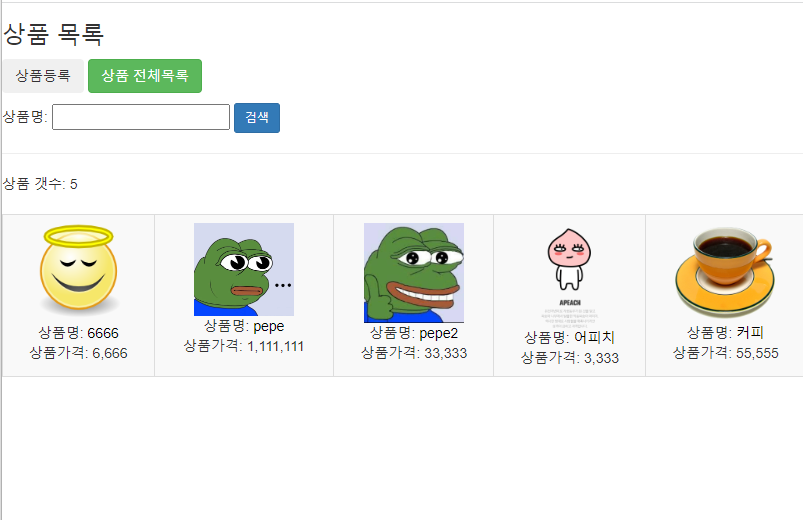
파일 삭제 완료
update
유의사항
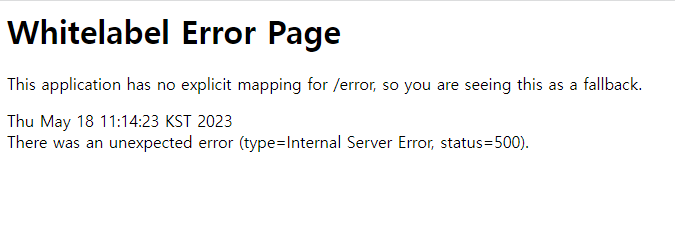
파일을 수정시 꼭 파일을 넣어서 수정해야한다.
그렇지 않은 경우 오류가 발생한다
java.lang.NullPointerException: Cannot invoke "Object.toString()" because the return value of "java.util.Map.get(Object)" is null
DAO
public void update(Map<String, Object> map) {
		sqlSession.update("product.update",map);
	}
mapper
 <update id="update">
 update product
 set product_name=#{product_name},
 description=#{description},
 price=#{price},
 filename=#{filename},
 filesize=#{filesize}
 where product_code =#{product_code}
 </update>
CONTROLLER
@RequestMapping("/update")
	public String update(@RequestParam Map<String, Object> map,
			@RequestParam MultipartFile img,
			HttpServletRequest req) {

		//파일 삭제
		String filename="-";
		long filesize=0;
		if (img!=null && !img.isEmpty()) {
			//파일이 존재할 경우

			filename=img.getOriginalFilename();
			filesize=img.getSize();
			try {

				ServletContext application=req.getSession().getServletContext();
				String path=application.getRealPath("/storage");//실제 물리적 경로
				img.transferTo(new File(path+"\\"+filename));//파일 저장

			} catch (Exception e) {
				e.printStackTrace();
			}
		}else {

			/*
			 String product_code=map.get("product_code").toString();
			 product code->int 형변환

			*/

			int product_code=Integer.parseInt(map.get("product_code").toString());
			Map<String, Object> product=productDAO.detail(product_code);
			filename=product.get("FILENAME").toString();
			//filesize=(long)product.get("FILESIZE");
			filesize=Long.parseLong(product.get("FILESIZE").toString());

		}


		map.put("filename", filename);
		map.put("filesize", filesize);

		productDAO.update(map);
		return "redirect:/product/list";
	}