
개발 대상은 [회원가입] 페이지이다.
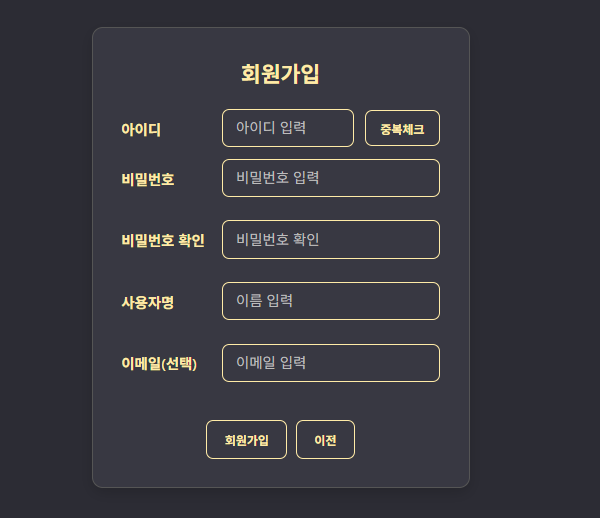
구성은 다음과 같다.
sign_up.php : 회원가입 양식 페이지
signup_proc.php : 회원가입 처리 페이지
id_check.php : 아이디 중복체크 페이지
sign_up.js : 아이디 중복체크 결과 처리 Javascript
sign_up.css : 회원가입 페이지 CSS
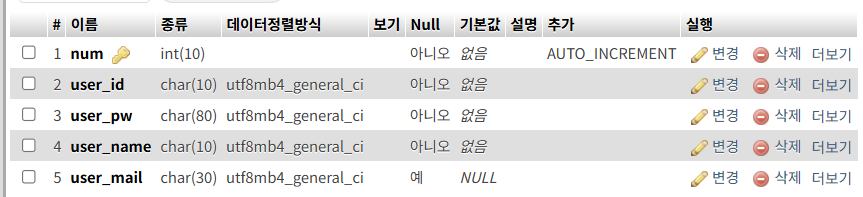
0. 테이블 구조
| user |
|---|
 |
1. Frontend
<sign_up.php>
<!DOCTYPE html>
<html>
    <head>
        <meta charset="UTF-8">
        <title>회원가입</title>
        <link rel="stylesheet" href="../css/sign_up.css">
        <script src="../js/sign_up.js"></script>
    </head>
    <body>
        <?php include "../include/header.php" ?>

        <div class="signup-container">
            <h2>회원가입</h2>
            <form class="signup-form" method="post" action="signup_proc.php">

                <div class="signup-row">
                    <label for="input_id">아이디</label>
                    <input id="input_id" name="input_id" type="text" placeholder="아이디 입력">
                    <input type="button" value="중복체크" onclick="id_check()">
                </div>
                <span id="check_result"></span>

                <div class="signup-row">
                    <label for="input_pw">비밀번호</label>
                    <input type="password" id="input_pw" name="input_pw" placeholder="비밀번호 입력">
                </div>

                <div class="signup-row">
                    <label for="input_pw2">비밀번호 확인</label>
                    <input type="password" id="input_pw2" name="input_pw2" placeholder="비밀번호 확인">
                </div>

                <div class="signup-row">
                    <label for="input_name">사용자명</label>
                    <input id="input_name" name="input_name" type="text" placeholder="이름 입력">
                </div>

                <div class="signup-row">
                    <label for="input_mail">이메일(선택)</label>
                    <input id="input_mail" name="input_mail" type="email" placeholder="이메일 입력">
                </div>

                <div class="signup-actions">
                    <input type="submit" value="회원가입">
                    <button type="button" onclick="history.back()">이전</button>
                </div>
            </form>
        </div>
    </body>
</html>
| sign_up.php |
|---|
 |
-
1. 입력값 처리:
사용자가 입력하는 아이디(input_id), 비밀번호(input_pw), 비밀번호 확인(input_pw2), 사용자명(input_name), 이메일(input_mai)은 POST 방식으로 signup_proc.php로 전달된다.
-
2. 아이디 중복체크:
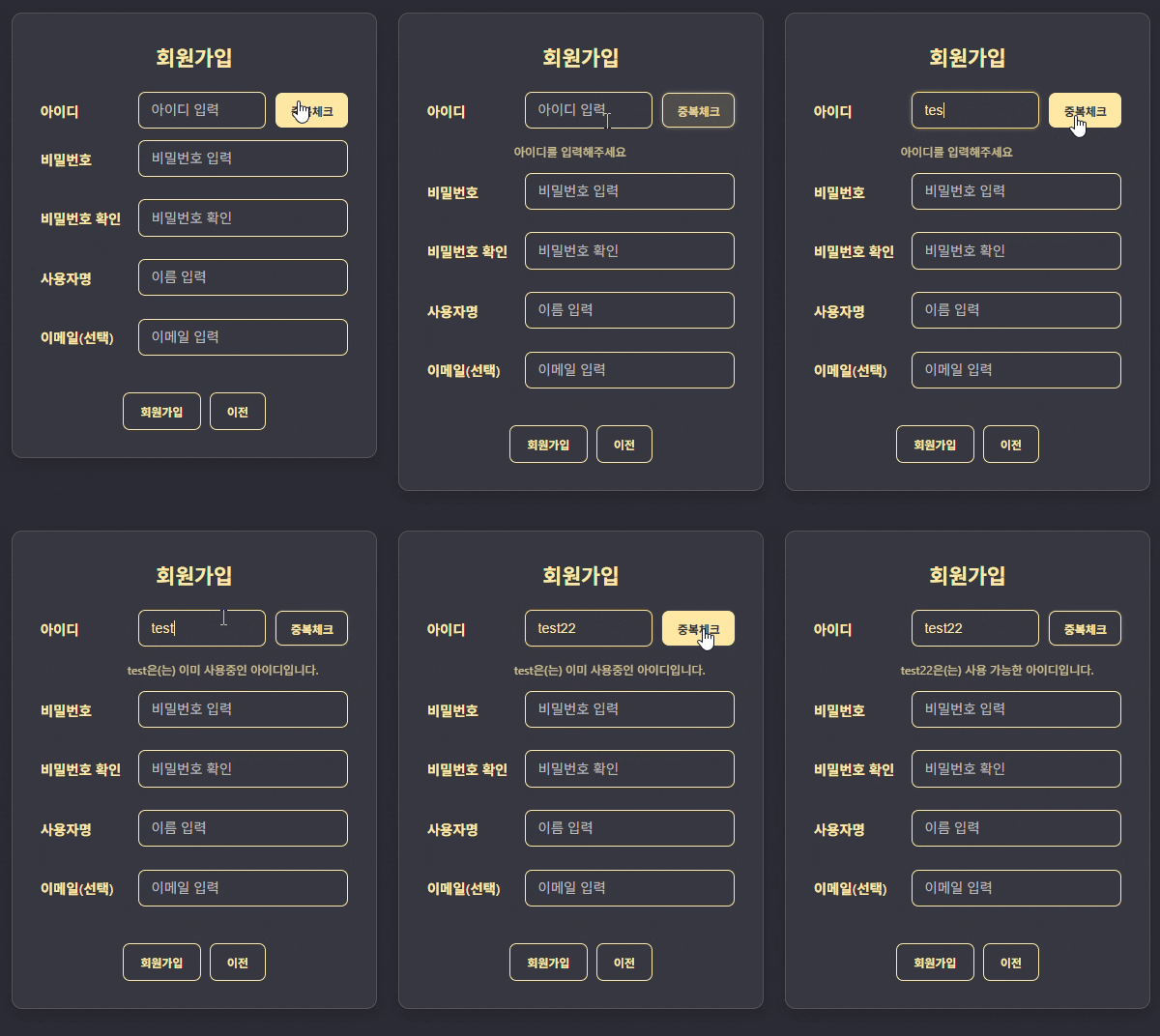
아이디는 중복될 수 없으며, 이를 중복체크 처리(id_check.php)를 통해 확인한다.
별도의 페이지 이동없이 AJAX를 이용하여 아이디를 중복여부를 조회하고, 그 결과를 아이디 입력칸 아래에 출력한다.
2. Backend
[1. id_check.php]
<?php
    $input_id = $_POST["input_id"];
    if (empty($input_id)) {
        echo "none";
        exit;
    }

    include "../db/db_con.php";

    $sql = "select * from user where user_id='$input_id'";
    $result = mysqli_query($con, $sql);

    if (mysqli_num_rows($result) > 0)
        echo "이미 사용중인 아이디입니다.";
    else
        echo "사용 가능한 아이디입니다.";
?>-
1. 입력 아이디 값 확인:
사용자가 입력한 아이디는 POST 방식으로 id_check.php에 전달된다.
만약 비어있는 값이라면 none을 반환한다.
-
2. 아이디 조회:
user 테이블에서 입력받은 아이디와 일치하는 필드를 검색한다.
만약 결과가 존재한다면(존재하는 아이디) "이미 사용중인 아이디입니다." 를 반환하며
그렇지 않다면 "사용 가능한 아이디입니다." 를 반환한다.
→ 이 값은 sign_up.js를 통해 sign_up.php에 출력된다.
[2. signup_proc.php]
<?php
    if (empty($_POST["input_id"]) or empty($_POST["input_pw"]) or empty($_POST["input_pw2"]) or empty($_POST["input_name"])) {
            echo "<script>
                alert('미입력된 정보가 있습니다');
                history.go(-1);
            </script>";
            exit;
    }

    if ($_POST["input_pw"] != $_POST["input_pw2"]) {
        echo "<script>
            alert('입력된 비밀번호가 일치하지 않습니다');
            history.go(-1);
        </script>";
        exit;
    }

    include "../db/db_con.php";

    $input_id = $_POST["input_id"];
    $input_pw = hash('sha256', $_POST["input_pw"]);
    $input_name = $_POST["input_name"];
    $input_mail = $_POST["input_mail"];

    $sql = "insert into user (user_id, user_pw, user_name, user_mail) values
                             ('$input_id', '$input_pw', '$input_name', '$input_mail')";
    mysqli_query($con, $sql);
    mysqli_close($con);

    echo "<script>
        alert('회원가입이 완료되었습니다');
        location.href='../main/index.php'
        </script>";
?>-
1. 입력값 확인:
만약 sign_up.php에서 미입력된 정보가 있다면 "미입력된 정보가 있습니다" 알림을 띄우며 이전 페이지로 이동한다.
-
2. 비밀번호 일치여부 확인:
비밀번호 & 비밀번호 확인 두개의 값이 일치하지 않는 경우, 비밀번호가 일치하지 않는다는 알림을 띄우며 이전페이지로 이동한다.
-
3. 입력값을 DB에 저장
사용자가 입력한 값을 DB - user 테이블에 저장한다.
이때 비밀번호는 sha256 알고리즘으로 해시화하여 저장한다.
| 실행 결과 |
|---|
 |
3. Javascript
<sign_up.js>
function id_check() {
    let input_id = document.getElementById("input_id").value;

    fetch("id_check.php", {
        method: "POST",
        headers: {"Content-Type": "application/x-www-form-urlencoded"},
        body: "input_id=" + input_id
    })

    .then(response => response.text())
    .then(data => {
        if(data == "none")
            document.getElementById("check_result").innerText = "\n아이디를 입력해주세요";
        else
            document.getElementById("check_result").innerText = "\n"+input_id+"은(는) "+data;
    })
}- 1. AJAX
Asynchronous JavaScript And XML (AJAX)란 페이지 전체를 새로고침하지 않고, 비동기적으로 서버와 통신하여 일부 데이터만 가져오는 기술이다.
-
2. id_check.php로 요청 보내기 (fetch)
요청URL: id_check.php,
method: POST,
headers: Content-Type을 "application/x-www-form-urlencoded"로 지정
body: 실제 전송할 데이터
→ input_id = admin
-
3. 서버 응답 처리
.then(response => response.text()) 를 통해 결과값을 텍스트 형태로 변환한다.
id_check.php에서 echo되는 값이 data에 들어가며, 이 값이 check_result의 Span 태그값 innerText로 들어간다.
4. 동작 정리
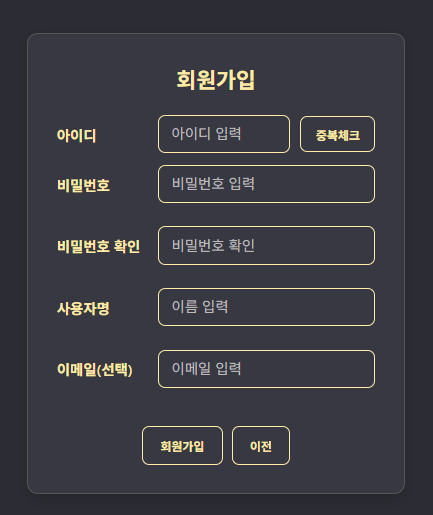
| 1. 회원가입 페이지 기본 화면 |
|---|
 |
| 2. 아이디 중복 체크 (영상) |
|---|
 |
| 3. 입력값 체크 | ||
|---|---|---|
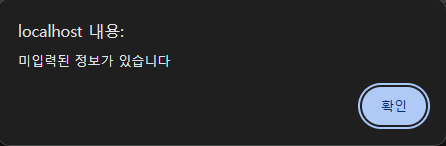 | 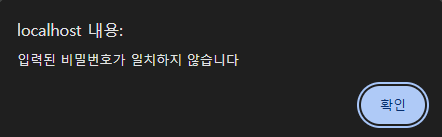 | 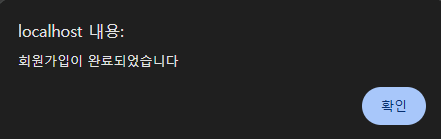 |
| ↑ 입력 누락시 | ↑ 비밀번호 & 비밀번호 확인 불일치시 | ↑ 회원가입 완료시 |
| 4. 회원가입 정보 추가 결과 |
|---|
 |
