사용자에게 현재 어떤 페이지에 있는지 알려주기 위해 활성 링크를 표시할 수 있다.
사용자의 현재 경로를 가져와준다.
usePathname()을 사용하기위해서는 client 컴포넌트로 전환해야 한다.
"use client"를 파일 맨 위에 추가 한 후 usePathname을 사용할 수 있다.
예시
'use client';//클라이언트 선언

import {
  UserGroupIcon,
  HomeIcon,
  InboxIcon,
} from '@heroicons/react/24/outline';
import Link from 'next/link';
import { usePathname } from 'next/navigation';//가져오기

// ...
export default function NavLinks() {
const pathname = usePathname();
// ...
}그 다음 내부에서 호출되는 변수에 경로를 지정한다.
위 코드는 pathname이라는 변수에 경로를 지정한 것!
"use client";// 선언

import { usePathname } from "next/navigation";

export default function Contactpage() {
  const pathname = usePathname();
  console.log(pathname);//사용

  return (...
이렇게 사용해 보고
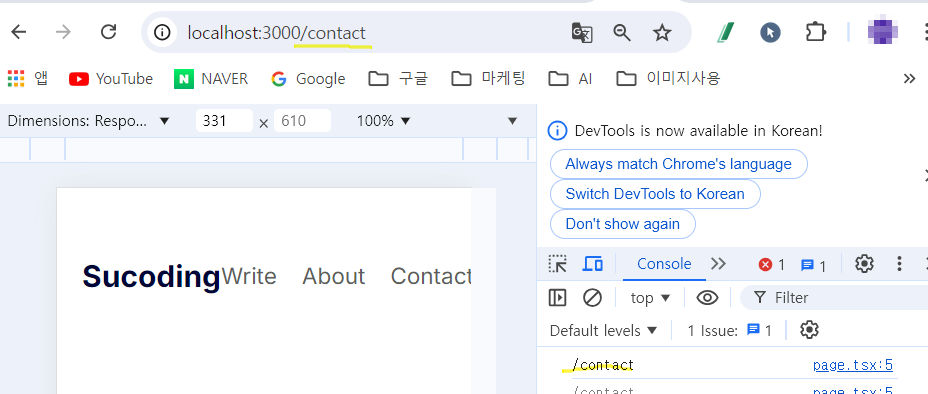
확인하면 이렇게 경로가 보이는 걸 볼 수 있다!
