2021년 2월 16일 복기(React)
Class로 써줘야한다.
import React from "react";
import "./styles.css";

function App() {
  return (
    <div classname="App">
      <h2>talk abouht State</h2>
      <ToggleSwitch />
    </div>
  );
}

class ToggleSwitch extends React.Component {
  constructor(props) {
    super(props);
    this.state = { isOn: false };
    // 콜백에서 `this`가 작동하려면 아래와 같이 바인딩 해주어야 합니다.
    this.handleClick = this.handleClick.bind(this);
  }

  handleClick() {
    console.log("잘눌리니");
    /// 만약 this.state가 true면 false로 바꿔주고
    /// true 면 false로 바꿔줌
    this.setState((state) => ({
      isOn: !state.isOn
    }));
  }
  render() {
    return (
      <h1>
        <button onClick={this.handleClick}>
          {this.state.isOn ? "ON" : "OFF"}
        </button>
      </h1>
    );
  }
}

export default App;
Props State차이
https://www.youtube.com/watch?v=qh3dYM6Keuw
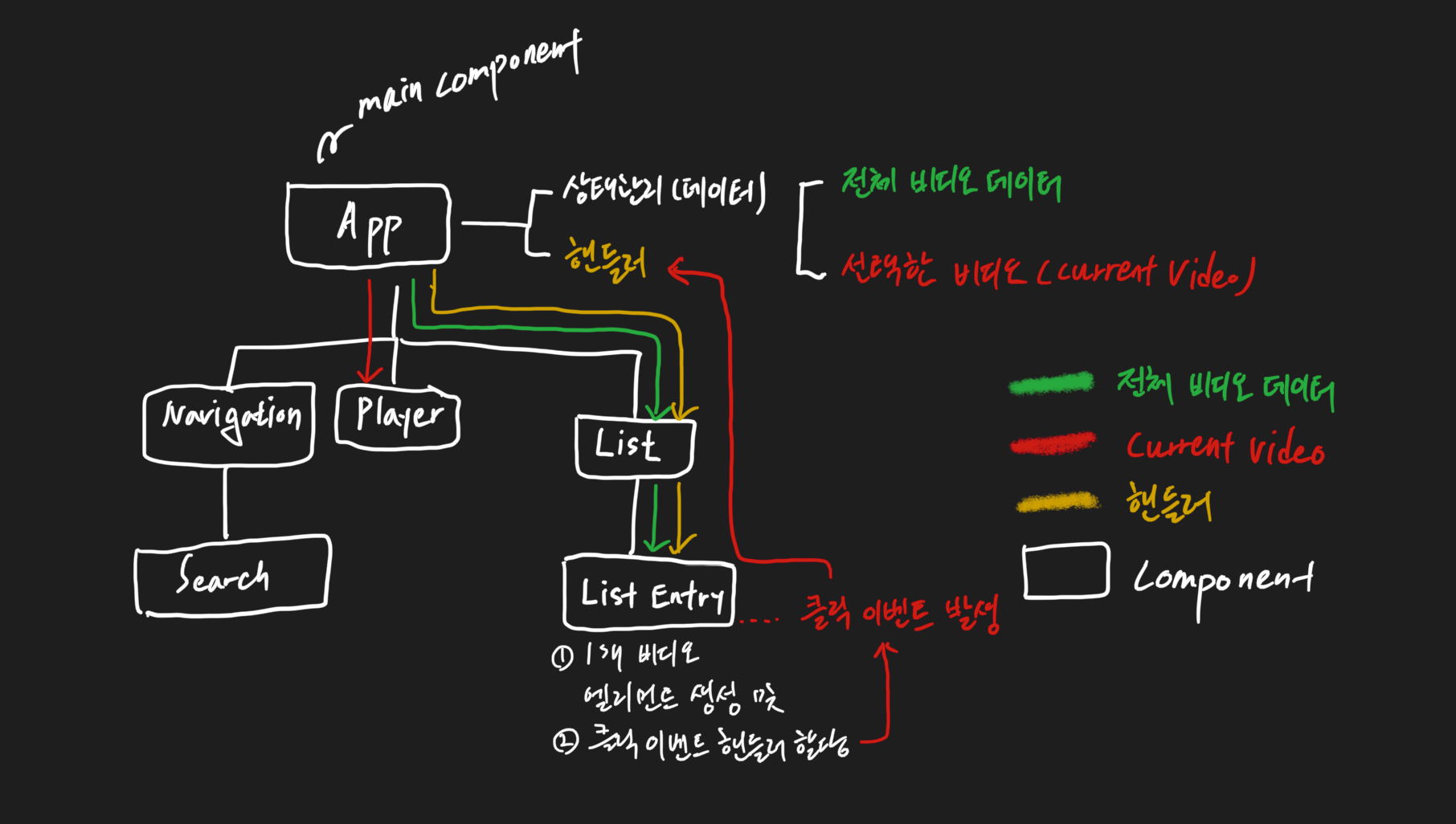
React 쓰는 이유
<html>
    <body>

        <header>
            <h1>WEB</h1>
            world wide web!
        </header>

        <nav>
            <ul>
                <li><a href="1.html">HTML</a></li>
                <li><a href="2.html">CSS</a></li>
                <li><a href="3.html">JavaScript</a></li>
            </ul>
        </nav>

        <article>
            <h2>HTML</h2>
            HTML is HyperText Markup Language.
        </article>
    </body>
</html>
이거를 react로
import React, { Component } from "react";
import "./App.css";

class TOC extends Component {
  render() {
    return (
      <nav>
        <ul>
          <li>
            <a href="1.html">HTML</a>
          </li>
          <li>
            <a href="2.html">CSS</a>
          </li>
          <li>
            <a href="3.html">JavaScript</a>
          </li>
        </ul>
      </nav>
    );
  }
}

class Content extends Component {
  render() {
    return (
      <article>
        <h2>{this.props.title}</h2>
        {this.props.desc}
      </article>
    );
  }
}

class Subject extends Component {
  render() {
    return (
      <header>
        <h1>{this.props.title}</h1>
        {this.props.sub}
      </header>
    );
  }
}
class App extends Component {
  render() {
    return (
      <div className="App">
        <Subject title="WEB" sub="world wide web!" />
        <Subject title="React" sub="For UI" />
        <TOC />
        <Content title="HTML" desc="HTML is HyperText Markup Language." />
      </div>
    );
  }
}

export default App;

임지택입니다.