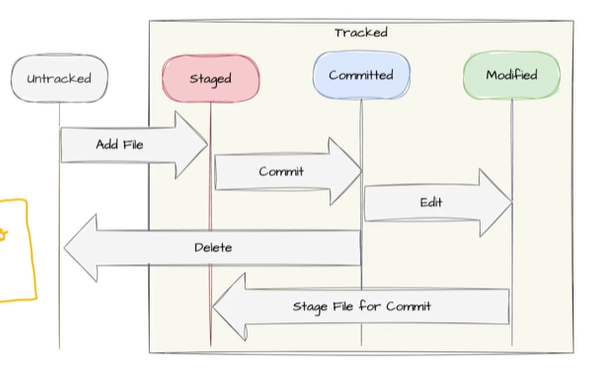
git status
git statusworking directory와 staging area의 상태 표시
보통 파일의 상태를 확인할 때 사용
git add
git add <file name>working directory에서 생성된 파일을 staging area(index)에 추가
modified상태의 파일을 staged 상태로 변경
git commit
git commit -m <commit_message>
git commit -a -m <commit_message>
working directory에서 생성된 파일을 staging area(index)에 추가
modified상태의 파일을 staged 상태로 변경
-a옵션으로 staged상태를 생략가능 (modified 상태에서 바로 committed 상태로 변경)(add와 동시에 commit)
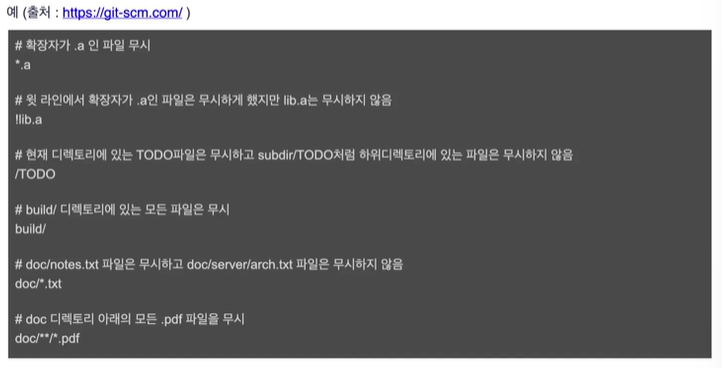
git ignore
git에서 무시해야하는 파일 패턴 관리
git rm
git rm <file_namegit에서 관리하는 파일 삭제
staging area의 파일을 삭제하고 commit
working directory에서도 삭제됨
git mv
git mv <old_name><new_name>git에서 파일이름 변경시 사용
