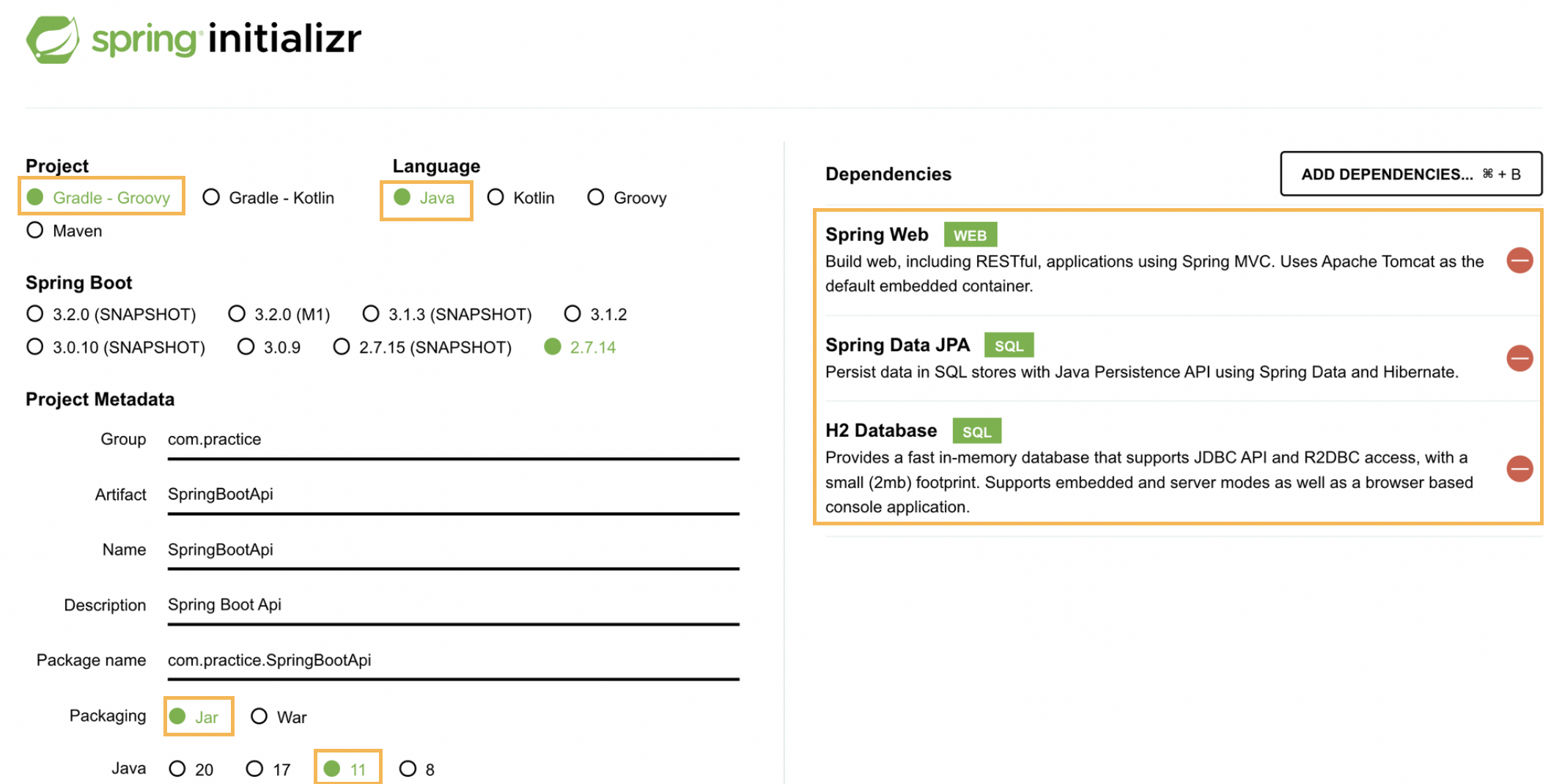
스프링부트 프로젝트 시작
IntelliJ에 build.gradle open (Open as project)
실행: src>main>java>SpringBootApi[이름]Application
http://localhost:8080/
설정
src/main/resources/application.properties
필요한 설정 입력
(jpa는 데이터베이스와 연동하기 위한 중간매게체)
# 콘솔 로그에 색 입히기
spring.output.ansi.enabled=always

# 디버그 설정 -> 로그 자세히
logging.level.org.springframework.web=DEBUG
logging.level.org.hibernate=DEBUG

# jpa 설정
spring.jpa.hibernate.ddl-auto=update
spring.jpa.generate-ddl=true
spring.jpa.show-sql=true
spring.jpa.properties.hibernate.format_sql=true

# 브라우저에서 h2에 접속하기 위해
spring.h2.console.enabled=true

# h2 데이터 베이스 활용
spring.datasource.url=jdbc:h2:~/test;AUTO_SERVER=true
spring.datasource.DriverClassName=org.h2.Driver
spring.datasource.username=sa
spring.datasource.password=
spring.jpa.database-platform=org.hibernate.dialect.H2Dialect
spring.jpa.properties.hibernate.dialect=org.hibernate.dialect.H2Dialect
모델 작성
domain/Product
package com.practice.SpringBootApi.domain;

import javax.persistence.*;
import java.lang.annotation.Target;

//어노테이션으로 설정
@Entity                                             // jpa가 Product라는 객체를 테이블에 쓸 준비함
@Table(name="products")                             // 표에 설정될 이름
public class Product {
    @Id                                                     // 고유 id
    @GeneratedValue(strategy = GenerationType.AUTO)
    private Long id;

    @Column(name="product_name")                           // 항목에 대한 어노테이션
    private String productName;

    @Column(name="price")
    private int price;

    // 외래키
    // @ManyToOne
    // @JoinColumn(nullable = false,name = "member_id")
    // private Member member;

    // 생성자
    public Product(){}

    // Generate>Constructor
    public Product(String productName, int price) {

        this.productName = productName;
        this.price = price;
    }

    // getter setter로 데이터에 접근할 수 있도록
    // Generate>Getter and Setter
    public Long getId() {
        return id;
    }

    public void setId(Long id) {
        this.id = id;
    }

    public String getProductName() {
        return productName;
    }

    public void setProductName(String productName) {
        this.productName = productName;
    }

    public int getPrice() {
        return price;
    }

    public void setPrice(int price) {
        this.price = price;
    }
}
service,controller,domain,repository 폴더 생성
Repository
레포지토리
repository/ProductRepository
jpa에서 지원하는 부모클래스 기능 그대로 사용
데이터베이스에 스프링의 요청을 전달하여 처리하는 역할
package com.practice.SpringBootApi.repository;

import com.practice.SpringBootApi.domain.Product;
import org.springframework.data.jpa.repository.JpaRepository;
import org.springframework.stereotype.Repository;

@Repository
public interface ProductRepository extends JpaRepository<Product,Long> {       // <객체, 아이디 타입>
}
Service 인터페이스 작성
service/ProductService
package com.practice.SpringBootApi.service;

import com.practice.SpringBootApi.domain.Product;

import java.util.Optional;

public interface ProductService {
    public Product save(Product product);
    public Optional<Product> findById(Long id);     // Optional: null인 경우 알아서 처리해줌
    public Product update(Long id, Product product);
    public void delete (Long id);
}
Create
서비스
service/ProductServiceImpl
package com.practice.SpringBootApi.service;

import com.practice.SpringBootApi.domain.Product;
import com.practice.SpringBootApi.repository.ProductRepository;
import org.springframework.beans.factory.annotation.Autowired;
import org.springframework.stereotype.Service;

import java.util.Optional;

@Service            // 서비스임을 알림
public class ProductServiceImpl implements ProductService{  // 실제로 구현하는 서비스
    @Autowired                                      // 인스턴스 객체를 만들어야 사용 가능
    private ProductRepository productRepository;

    @Override
    public Product save(Product product){
        try {   // 예외 처리
            return productRepository.save(
                    new Product(
                            product.getProductName(),
                            product.getPrice()
                    )
            );
        } catch (Exception e){
            e.printStackTrace();
        }
        return null;
    }
	// 이후 다른 함수들도 오버라이딩할 것임

}컨트롤러에서 사용자에게 요청 받음
controller/ProductController
package com.practice.SpringBootApi.controller;

import com.practice.SpringBootApi.domain.Product;
import com.practice.SpringBootApi.service.ProductService;
import com.practice.SpringBootApi.service.ProductServiceImpl;
import org.springframework.beans.factory.annotation.Autowired;
import org.springframework.http.HttpStatus;
import org.springframework.http.ResponseEntity;
import org.springframework.web.bind.annotation.*;

import java.util.Optional;

@CrossOrigin("*")                   // 요청의 주체가 특정 도메인을 제한
@RestController                     // 사용자 입력을 http방식으로 서비스 호출하도록
@RequestMapping("/api")          // 경로
public class ProductController {
    @Autowired
    ProductServiceImpl productService;

    @GetMapping("/products/{id}")           // Get메소드
    public ResponseEntity<Optional<Product>> getProductById(@PathVariable("id") long id){

    }

    @PostMapping("/products")
    public ResponseEntity<Product> createProduct(@RequestBody Product product){ // product: 사용자에게 입력받은 json형식의 데이터
        try{
            ResponseEntity
                    .status(HttpStatus.CREATED)
                    .body(productService.save(product))
        } catch (Exception e){
            e.printStackTrace();
        }
        return null;
    }
}
Read
service/ProductServiceImpl
@Override
    public Optional<Product> findById(Long id){
        try{
            Optional<Product> productData = productRepository.findById(id);
            if(productData.isPresent()) {
                return productData;
            }
        } catch(Exception e){
            e.printStackTrace();
        }
        return null;
    }
controller/ProductController
@GetMapping("/products/{id}")           // Get메소드
    public ResponseEntity<Optional<Product>> getProductById(@PathVariable("id") long id){   // 응답 받았을때의 객체
        try{
            return ResponseEntity.ok(productService.findById(id));        // http 상태가 ok.
        } catch (Exception e){
            e.printStackTrace();
        }

        return null;
    }
Update
service/ProductServiceImpl
@Override
    public Product update(Long id, Product product){    // product: 구데이터
        try{
            Optional<Product> productData = productRepository.findById(id);
            if(productData.isPresent()){
                Product _product = productData.get(); // _product: 새로운 값 덮어쓸 product (신데이터)
                _product.setProductName(product.getProductName());
                _product.setPrice(product.getPrice());
                productRepository.save(_product);    // 반영되도록 신 데이터 넘겨준
                return _product;
            } else{
                return null;
            }
        } catch (Exception e){
            e.printStackTrace();
        }
        return null;
    }
controller/ProductController
@PutMapping("products/{id}")
    public ResponseEntity<Product> updateProduct(
            @PathVariable("id") long id,            // 주소 옆 id에 어떤 값을 넣겠냐
            @RequestBody Product product
    ){
        try{
            ResponseEntity
                    .status(HttpStatus.CREATED)
                    .body(productService.update(id,product));
        }catch (Exception e){
            e.printStackTrace();
        }
        return null;
    }
Delete
service/ProductServiceImpl
@Override
    public void delete(Long id){
        try {
            productRepository.deleteById(id);
        } catch (Exception e){
            e.printStackTrace();
        }
    }
controller/ProductController
@DeleteMapping("products/{id}")
    public ResponseEntity<HttpStatus> deleteProduct(@PathVariable("id") long id){
        try {
            productService.delete(id);
            ResponseEntity.noContent(); //http 상태값
        }catch (Exception e){
            e.printStackTrace();
        }
        return null;
    }
API test
SpringBootApiApplication 실행, 마지막 로그
Started SpringBootApiApplication in 1.625 seconds (JVM running for 1.885)
h2 콘솔에 접근하자
http://localhost:8080/h2-console
전에 한 것:
h2: 개발이나 테스트 용도로 가볍고 편리한 DB, 웹 화면 제공
1.4.200 버전을 설치해주세요.
https://www.h2database.com/html/download-archive.html다운로드 및 설치
h2 데이터베이스 버전은 스프링 부트 버전에 맞춘다.
권한 주기: chmod 755 h2.sh (윈도우 사용자는 x)
실행: ./h2.sh (윈도우 사용자는 h2.bat)http://localhost:8082/login.jsp?jsessionid=bc811ef94cb1a60451f63726f1aec694
데이터베이스 파일 생성 방법
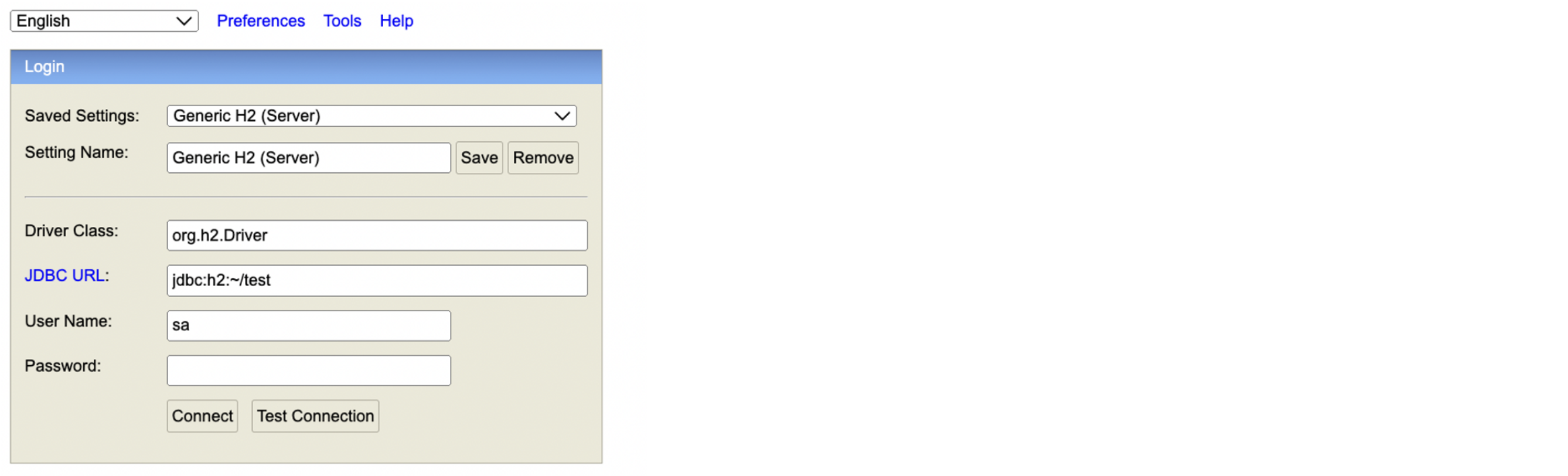
jdbc:h2:~/test (최초 한번)
~/test.mv.db 파일 생성 확인
이후부터는 jdbc:h2:tcp://localhost/~/test 이렇게 접속→파일에 직접 접근x,톰캣 통해서 접근
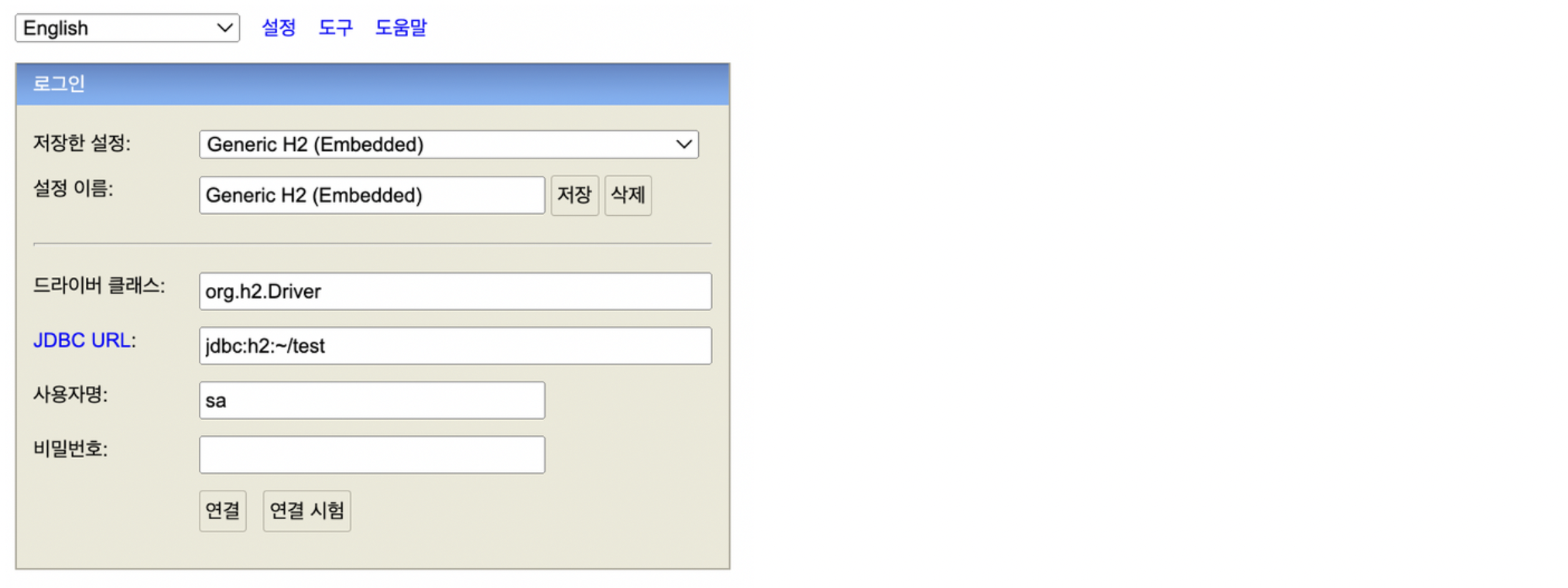
~에 test.mv.db이미 존재한 상태였다!
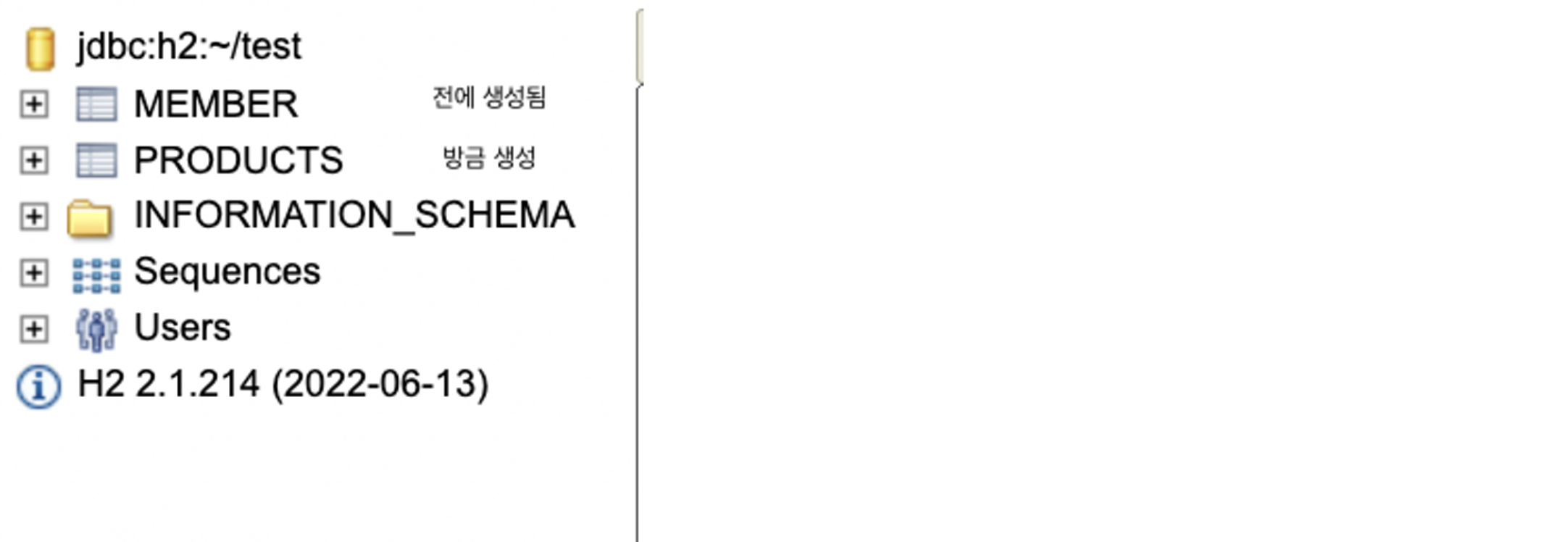
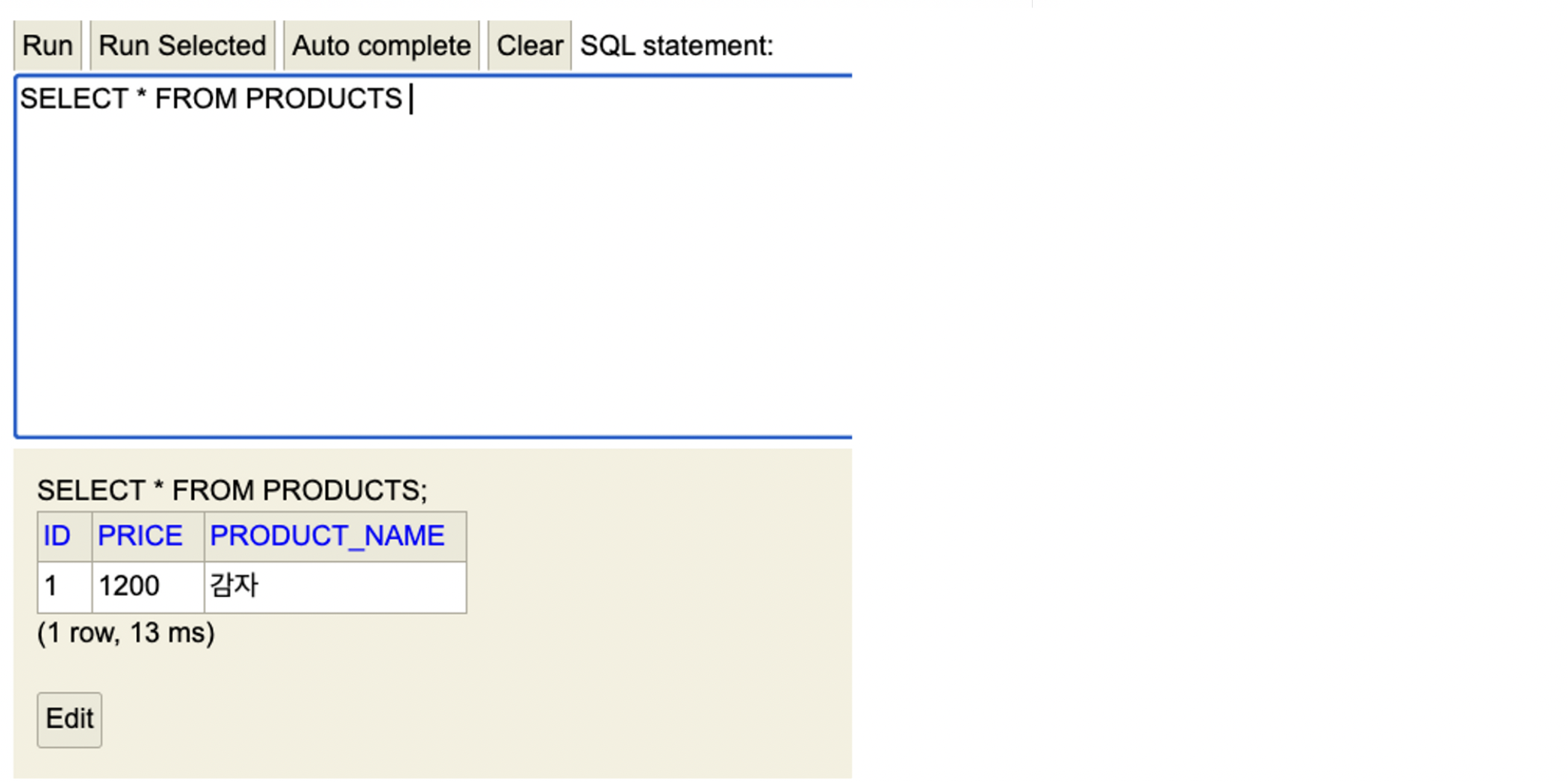
방금 만든 모델이 잘 생성되었다
Postman으로 api 확인
메소드 선택, url 입력 후
body>raw>json, SEND하면
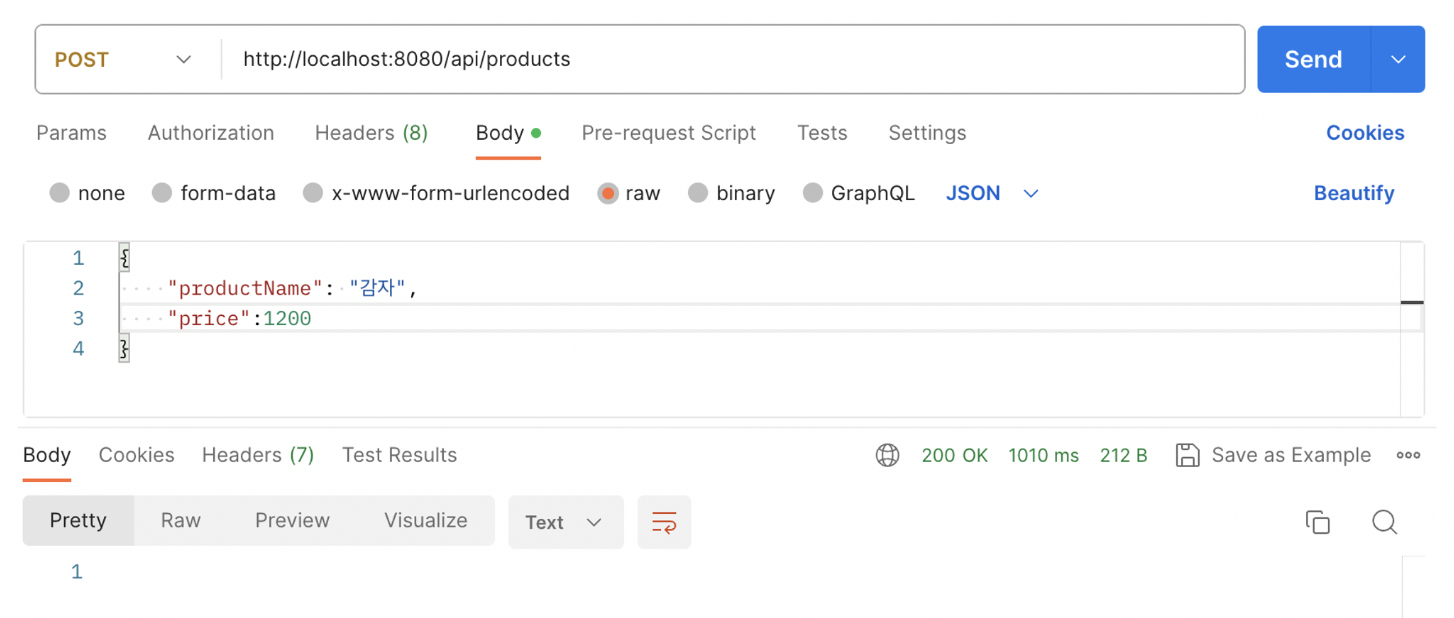
잘 생성되었다