AWS Lambda : Serverless Function을 Local에서 똑같은 환경에서 개발하기 위한 방법들을 소개하겠습니다. 제가 시도해본 방법은 2가지가 있습니다.
환경 : Mac M3
1. SAM(Serverless Application Model)
1-1. Local에서 Lambda Function Test
1) Install Homebrew
$ /bin/bash -c "$(curl -fsSL https://raw.githubusercontent.com/Homebrew/install/HEAD/install.sh)"2) Install AWS SAM CLI
$ brew tap aws/tap
$ brew install aws-sam-cli

# Confirm
$ sam --version
3) VS code에 AWS Toolkit 설치
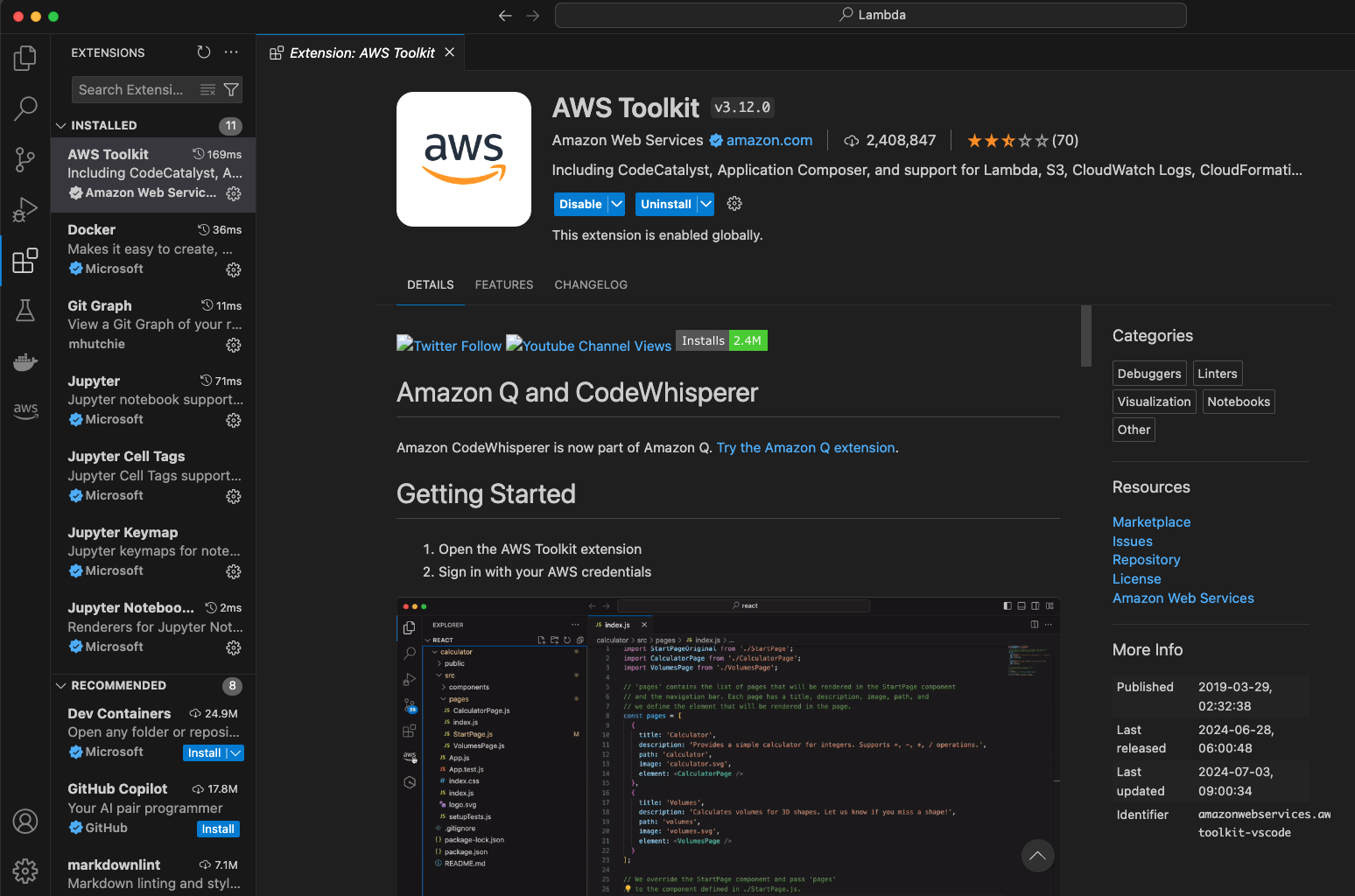
4) Create Lambda SAM Application
- Click Create Lambda SAM Application
- Runtime 선택 : Python 3.11
- CPU spec 선택 : x86_64
- AWM SAM Hello World Template 사용
5) Construction Lambda
lambda-python3.11
└── events
    └── event.json
├── hello_world
    ├── app.py
    ├── requirements.txt
    └── Dockerfile
├── samconfig.toml
├── template.yaml
├── README.md
├── README.TOOLKIT.md
└── tests (생략)
6) Write Lambda Function
- events/event.json : lambda에서 보낼 event 작성
- requirements.txt : lambda function에 필요한 패키지를 작성
- app.py : lambda function 작성
7) Build SAM
-
case 1) 패키지 설치 필요 없이 단순 개발 테스트 (image pull 생략)
sam build (--skip-pull-image) -
case 2) 현재 배포하기 위해 패키지 모두 설치
sam build
8) Invoke Lambda
-
만약 event.json 작성된 경우)
sam local invoke -e events/event.json -
만약 event.json 작성되지 않은 경우)
sam local invoke
9) template.yaml File
AWSTemplateFormatVersion: '2010-09-09'
Transform: AWS::Serverless-2016-10-31
Description: >
  lambda-python3.11

  Sample SAM Template for lambda-python3.11

# More info about Globals: https://github.com/awslabs/serverless-application-model/blob/master/docs/globals.rst
Globals:
  Function:
    Timeout: 800  # Change Timeout

Resources:
  HelloWorldFunction:
    Type: AWS::Serverless::Function # More info about Function Resource: https://github.com/awslabs/serverless-application-model/blob/master/versions/2016-10-31.md#awsserverlessfunction
    Properties:
      FunctionName: "helloworld-function"
      CodeUri: hello_world/
      Handler: app.lambda_handler
      Runtime: python3.11
      MemorySize: 256  # OutOfMemory issue로 Memory Size 변경
      Architectures:
        - x86_64
      Events:
        HelloWorld:
          Type: Api # More info about API Event Source: https://github.com/awslabs/serverless-application-model/blob/master/versions/2016-10-31.md#api
          Properties:
            Path: /hello
            Method: get
...
1-2. SAM을 CLI로 배포
1) Check aws information
# Check current AWS  account
$ aws configure list
2) Deploy Lambda & API Gateway
$ cd lambda-python3.11/hello_world
$ sam deploy -g --profile {profile_nm}
2. Container
Local에서 container 환경으로 Lambda function 개발 > Build Container > ECR에 배포 > Lambda Function에서 활용
1) Construction
folder_name
└── Dockerfile
├── lambda_function.py
├── requirements.txt
├── event.json
2) Dockerfile
FROM public.ecr.aws/lambda/python:3.11

COPY requirements.txt ./
RUN pip3 install -r requirements.txt
COPY lambda_function.py ./

CMD ["lambda_function.lambda_handler"]
3) lambda function
lambda_function.py
import io
import json
import boto3
import requests
import pandas as pd
import snowflake.connector

def lambda_handler(event, context):
	# (생략)...
    conn = snowflake.connector.connect(
        user=id,
        password=pw,
        account=account,
        WAREHOUSE=warehouse,
        DATABASE=database,
        SCHEMA=schema,
        STAGE=stage)
    cur = conn.cursor()

    cur.execute(f'use database {database}')
    cur.execute(f'use schema {schema}')
    write_pandas(conn, df, table_nm, auto_create_table=True)

    cur.close()
    conn.close()
4) executing commands
* Create lambda function with container image
$ cd folder_name

## 1. Buid docker image

$ docker build -t {image_name} . --no-cache

# Caution!! when I used M3 chip, I had to attached this params
$ docker build --no-cache --platform linux/arm64 -t {image_name} .
## 2. Run docker container
# run docker container made image
$ docker run --name {container_name} \
-p 9000:8080 \
-v ./lambda_function.py:/var/task/lambda_function.py \ # Can be ommited
-v ~/.aws:/root/.aws \ # Can be ommited
--memory 4096m # Can be ommited
{image_name}
5) Test commands
* lambda function test commands
$ curl -X POST "http://localhost:9000/2015-03-31/functions/function/invocations" -H "Content-Type: application/json" -d '{}'6) Deploy to ECR service
ECR(Elastic Container Registry) : Contanier registry in AWS
-
Retrieve an authentication token (when I have multiple aws credential profiles)
$ aws ecr get-login-password --region us-east-1 --profile {profile_name} | docker login --username AWS --password-stdin XYZXYZXYZXYZ.dkr.ecr.us-east-1.amazonaws.com -
build docker image in local environment
$ docker build -t lambda . -
tag the docker image to push it to the repository
$ docker tag lambda:latest XYZXYZXYZXYZ.dkr.ecr.us-east-1.amazonaws.com/lambda:latest -
push this image to my newly created AWS repository
$ docker push XYZXYZXYZXYZ.dkr.ecr.us-east-1.amazonaws.com/lambda:latest

Data Engineer