Claude Code Environment Setup
1. Claude Code Setup
Env : Mac OS
# VisualStudioCode is my projects default directory
$ cd VisualStudioCode
$ curl -fsSL https://claude.ai/install.sh | bash
$ echo 'export PATH="$HOME/.local/bin:$PATH"' >> ~/.bashrc && source ~/.bashrc

...
enter
...
# Execute '/init'
# claude code 에게 프로젝트 디렉토리를 분석 후 이해하도록 하는 명령어
$ /init
...
enter
....
# CLAUDE.md file is created.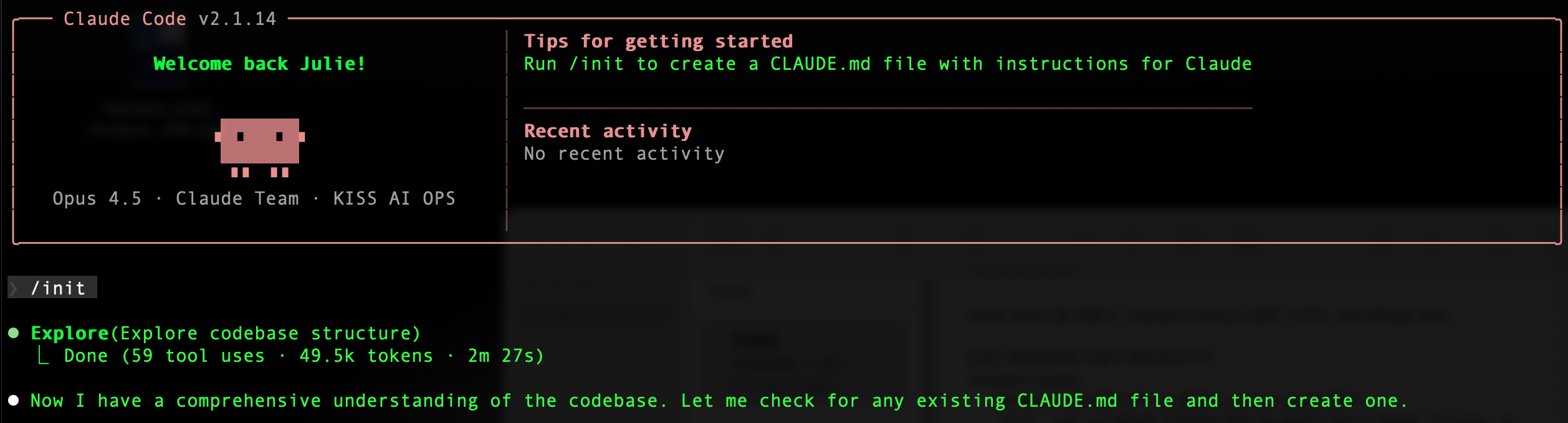

Ref) https://code.claude.com/docs/ko/setup
2. Install plugins
2-1. SuperClaude framework
SuperClaude : Claude 가 더 똑똑하게 만들기 위해 설치
Ref) https://github.com/SuperClaude-Org/SuperClaude_Framework
# Install pipx
$ brew install pipx
$ pipx install superclaude
$ superclaude install

# Install Node on mac
$ brew install node
$ node --version

# Install MCP servers (optional, for enhanced capabilities)
$ superclaude mcp --list         # List available MCP servers

$ superclaude mcp                # Interactive installation

# Enter "g" recommend -> Installing

$ superclaude mcp --servers tavily --servers context7  # Install specific servers

# Verify installation
$ superclaude install --list
$ superclaude doctor
2-2. Install tavily
Tavily
- 웹 검색
-
tavily에서 회원가입
URL : https://app.tavily.com/home -
Token Ctrl+C , Ctr+V
-
Save tavily token in claude.json
$ open ~/.claude.json
# 입력
{
"mcpServers": {
  "tavily": {
    "command": "npx",
    "args": ["-y", "tavily-mcp@0.1.2"],
    "env": {
      "TAVILY_API_KEY": "tvly-abcdef1234567890"
    }
  }
}
}
- Check
$ claude mcp list
Checking MCP server health...
tavily: npx -y tavily-mcp@0.1.2 - ✓ Connected
context7: npx -y @upstash/context7-mcp - ✓ Connected
2-2-번외. Install exa.ai
최근에 tavily 대신 exa.ai를 사용.
-> 검색 품질이 좋고, 결과를 더 많이 + 더 깊게 가져옴.
exa.ai: 시맨틱 웹 검색. 최신 문서를 실시간 검색
1. exa.ai에서 Exa API 키 발급
- MCP 설정 파일에 Exa 추가
{
  "mcpServers": {
    "exa": {
      "command": "npx",
      "args": ["-y", "exa-mcp-server"],
      "env": {
        "EXA_API_KEY": "your-exa-api-key-here"
      }
    }
  }
}- 기존에 사용하던 tavily mcp 는 disable
2-3. Install oh-my-claudecode
oh-my-claudecode
- Claude Code를 더욱 쉽고 강력하게 사용할 수 있도록 돕는 오케스트레이션 플러그인.
- 내장된 27개의 전문 에이전트와 28개의 스킬 시스템이 자동으로 작업을 수행
# 마켓플레이스 등록 및 설치
$ claude
/plugin marketplace add https://github.com/Yeachan-Heo/oh-my-claudecode
/plugin install oh-my-claudecode

# 초기 설정 실행
/oh-my-claudecode:omc-setup
2-4. 그외 플러그인
[Context7 ]
- 컨텍스트 관리
- 긴 대화 내용을 효율적으로 관리하고 요약하는 기능
[GitLab]
- 소스 제어 연동
- Gitlab 저장소와 연동하여 이슈 관리, MR 생성 등을 수행
[Playwright]
- 웹 테스팅 및 브라우저 자동화
- 웹 애플리케이션 테스트 자동화 및 브라우저 조작을 위한 도구
[Superpower]
- 고급 기능
- Claude Code의 기본 기능을 확장하는 파워 유저용 유틸리티 모음
[Ralph-Loop]
- 반복 작업 자동화
- 지속적인 실행이 필요한 작업이나 루프 처리를 담당
[Document Skills]
- 문서 처리
- PDF, Markdown 등 다양한 문서 형식을 읽고 분석하는 능력
$ claude
/plugin install context7
/plugin install gitlab
/plugin install document-skills
/plugin install playwright
/plugin install superpower
/plugin install ralph-loop
/plugin marketplace add anthropics/skills
/plugin install document-skills@anthropic-agent-skills

# 설치 확인
/plugin list
[OpenClaw]
- 텔레그램, 디스코드 등 평소 사용하는 메신저를 이용해 AI에게 명령해서 내 컴퓨터를 원격 조작할 수 있게 하는 오픈소스 프로젝트
- 내가 잠든 사이에도 24시간 깨어있는 컴퓨터가 실제 업무를 대신 수행
- 나만의 AI 비서 만들기가 가능
- https://github.com/openclaw/openclaw
[Bkit]
- Claude Code 안에서 PDCA 방법론을 기반으로 개발 프로세스를 구조화해 주는 확장 도구
PDCA? P: Plan, D: Do, C: Check, A: Act - "AI에게 그냥 부탁하는 개발"을 "구조화된 프로세스를 가진 개발"로 바꿔 주는 도구
[Clopus Watcher]
3. Setup Claude
3-1. project directory 이해
$ claude

# In Claude
# Claude Code에게 해당 디렉토리를 분석 후 이해하도록 하는 명령어
> /init
# 그 결과 Claude.md File 생성
[Claude.md]
#[중요]# 내 허락없이 파일 삭제 하지마-> 그외에도 Claude가 하지말아야될 action에 대한 문구 추가
3-2. 사용하면 안되는 CLI
$ claude --dangerously-skip-
- claude 가 로컬 디렉토리 상위의 데이터까지 삭제할 수 있기 때문에 permissions 사용 X
Claude Code Command
아키텍처는 opus에게 시키는게 좋고,
코딩은 sonnet 4.5
agent 페르소나 지정하고, ralph Rooph 로 무한대로 돌리는것

Data Engineer